# 0x-parser

[![npm version](https://img.shields.io/npm/v/@0x/0x-parser.svg?logo=npm)](https://www.npmjs.com/package/@0x/0x-parser)
[![minified size](https://img.shields.io/bundlephobia/min/@0x/0x-parser)](https://bundlephobia.com/package/@0x/0x-parser)

[![codecov](https://codecov.io/gh/0xproject/0x-parser/branch/main/graph/badge.svg?token=OnNsoc2OrF)](https://codecov.io/gh/0xproject/0x-parser)

[![build and test](https://github.com/0xproject/0x-parser/actions/workflows/test.yml/badge.svg)](https://github.com/0xproject/0x-parser/actions/workflows/test.yml)

[![Medium](https://img.shields.io/badge/Medium-12100E?style=for-the-badge&logo=medium&logoColor=white&style=flat-square)](https://medium.com/@henballs/0x-parser-parsing-dex-transactions-9f9a6579d489)

## Blockchain Support

<table>
  <tr>
    <td style="width:100px; text-align:center;">
      <div align="center">
        <img alt="arbitrum" src="https://raw.githubusercontent.com/rainbow-me/assets/master/blockchains/arbitrum/info/logo.png" width="23"/>
        <br>Arbitrum
      </div>
    </td>
    <td style="width:100px; text-align:center;">
      <div align="center">
        <img alt="avalanche" src="https://raw.githubusercontent.com/rainbow-me/assets/master/blockchains/avalanchec/info/logo.png" width="20"/>
        <br>Avalanche
      </div>
    </td>
    <td style="width:100px; text-align:center;">
      <div align="center">
        <img alt="base" src="https://raw.githubusercontent.com/rainbow-me/assets/master/blockchains/base/info/logo.png" width="20"/>
        <br>Base
      </div>
    </td>
    <td style="width:100px; text-align:center;">
      <div align="center">
        <img alt="bnb chain" src="https://raw.githubusercontent.com/rainbow-me/assets/master/blockchains/binance/info/logo.png" width="21"/>
        <br>BNB Chain
      </div>
    </td>
    <td style="width:100px; text-align:center;">
      <div align="center">
        <img alt="blast" src="https://raw.githubusercontent.com/rainbow-me/assets/master/blockchains/blast/info/logo.png" width="22"/>
        <br>Blast
      </div>
    </td>
    <td style="width:100px; text-align:center;">
      <div align="center">
        <img alt="ethereum" src="https://raw.githubusercontent.com/rainbow-me/assets/master/blockchains/ethereum/info/logo.png" width="21"/>
        <br>Ethereum
      </div>
    </td>
  </tr>
  <tr>
    <td style="width:100px; text-align:center;">
      <div align="center">
        <img alt="linea" src="https://raw.githubusercontent.com/rainbow-me/assets/master/blockchains/linea/info/logo.png" width="22"/>
        <br>Linea
      </div>
    </td>
    <td style="width:100px; text-align:center;">
      <div align="center">
        <img alt="mantle" src="https://raw.githubusercontent.com/rainbow-me/assets/master/blockchains/mantle/info/logo.png" width="22"/>
        <br>Mantle
      </div>
    </td>
    <td style="width:100px; text-align:center;">
      <div align="center">
        <img alt="optimism" src="https://raw.githubusercontent.com/rainbow-me/assets/master/blockchains/optimism/info/logo.png" width="22"/>
        <br>Optimism
      </div>
    </td>
    <td style="width:100px; text-align:center;">
      <div align="center">
        <img alt="polygon" src="https://raw.githubusercontent.com/rainbow-me/assets/master/blockchains/polygon/info/logo.png" width="22"/>
        <br>Polygon
      </div>
    </td>
    <td style="width:100px; text-align:center;">
      <div align="center">
        <img alt="scroll" src="https://raw.githubusercontent.com/rainbow-me/assets/master/blockchains/scroll/info/logo.png" width="22"/>
        <br>Scroll
      </div>
    </td>
    <td style="width:100px; text-align:center;">
      <div align="center">
        <img alt="coming soon" src="https://raw.githubusercontent.com/rainbow-me/assets/master/blockchains/mode/info/logo.png" width="22"/>
        <br>Mode
      </div>
    </td>
  </tr>
  <tr>
    <td style="width:100px; text-align:center;">
      <div align="center">
        <img alt="Worldchain" src="https://cdn.prod.website-files.com/6503306c491d20f69e484470/6718ce22ee5879d832765fd6_66ced64f18a10922ffcff77d_65d8bce782514cfb6c149b7a_1VQdZPHJ_400x400.webp" width="22"/>
        <br>Worldchain
      </div>
    </td>
    <td style="width:100px; text-align:center;">
      <div align="center">
        <img alt="Unichain" src="https://i.imgur.com/LxajJAy.png" width="22"/>
        <br>Unichain
      </div>
    </td>    
    <td style="width:100px; text-align:center;">
      <div align="center">
        <img alt="coming soon" src="https://www.berachain.com/icon.svg" width="24"/>
        <br>Berachain
      </div>
    </td>
    <td style="width:100px; text-align:center;">
      <div align="center">
        <img alt="coming soon" src="https://i.imgur.com/CexTjqF.png" width="22"/>
        <br>🔜
      </div>
    </td>
    <td style="width:100px; text-align:center;">
      <div align="center">
        <img alt="coming soon" src="https://cdn.prod.website-files.com/63692bf32544bee8b1836ea6/637b01428c7bd8e16af26756_favicon-32.png" width="22"/>
        <br>🔜
      </div>
    </td>    
    <td style="width:100px; text-align:center;">
      <div align="center">
        <img alt="coming soon" src="https://i.imgur.com/OPA8A9u.png" width="22"/>
        <br>🔜
      </div>
    </td>    
    
  </tr>
</table>

## Overview

This library is designed for [0x](https://0x.org/docs/introduction/introduction-to-0x) integrators, simplifying the complex task of parsing [0x transactions](https://0x.org/docs/next/introduction/introduction-to-0x#the-0x-ecosystem) into a format that is both user-friendly and easy to understand. When swapping tokens, one of the challenges is that the trade can experience slippage through Automated Market Makers ([AMMs](https://0x.org/post/what-is-an-automated-market-maker-amm)). This makes the final swap amounts difficult to predict prior to executing the trade. However, this library overcomes that challenge by parsing the transaction receipt and event logs to accurately identify the final swap amounts.

### Demo

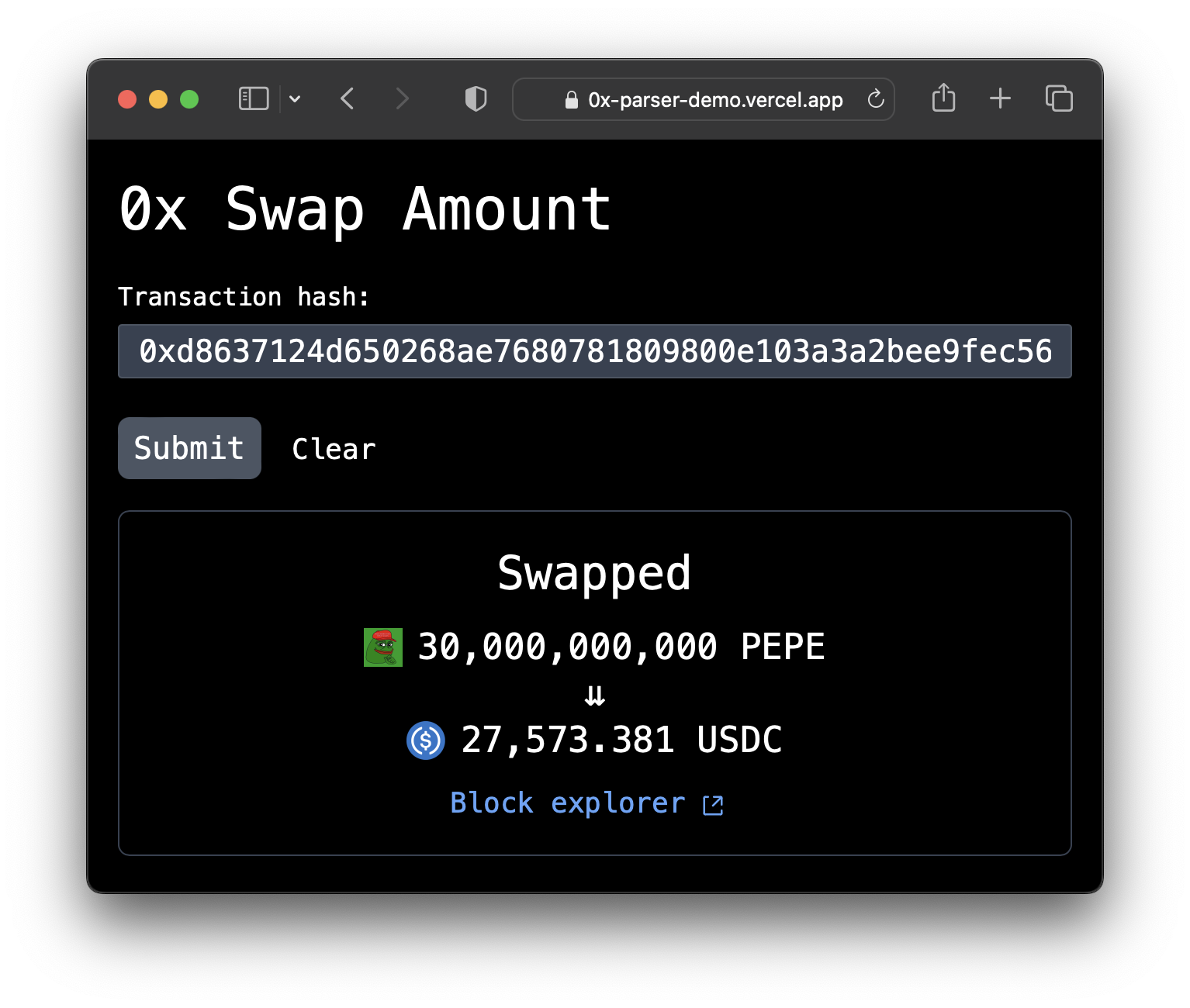
Try out the parser in a [live code environment](https://codesandbox.io/p/sandbox/0x-parser-node-js-demo-3wpfhc?file=/index.js:13,1) directly in your browser 🌐. You can also experience it in action through the [demo UI app](https://0x-parser-demo.vercel.app), which is built with 0x-parser.
<p align="center">
  <img src="https://raw.githubusercontent.com/hzhu/yo/main/react-demo.png" alt="Screenshot of demo app using 0x-parser" width="650"/>
</p>

## Requirements

0x-parser relies on the `debug_traceTransaction` Ethereum JSON-RPC method to parse 0x transactions. Ensure that your RPC node [supports](https://docs.alchemy.com/reference/debug-tracetransaction) [this](https://www.quicknode.com/docs/ethereum/debug_traceTransaction) [method](https://docs.infura.io/api/networks/linea/json-rpc-methods/debug/debug_tracetransaction).

## Installation

### Step 1: Install Peer Dependency

First, make sure you have the required peer dependency [viem](https://viem.sh) installed. If you haven't installed it yet, you can do so with the following command:

```
npm install viem
```

### Step 2: Install the Parsing Library

After installing the peer dependency, proceed to install the [@0x/0x-parser](https://www.npmjs.com/package/@0x/0x-parser) package:

```
npm install @0x/0x-parser
```

## Usage

```typescript
import { parseSwap } from "@0x/0x-parser";
import { createPublicClient } from "viem";

async function main() {
  const RPC_URL = `https://eth-mainnet.g.alchemy.com/v2/${process.env.ALCHEMY_API_KEY}`;

  // You can pass any transaction hash that you got after submitted a 0x transaction:
  // https://etherscan.io/address/0x2fc205711fc933ef6e5bcc0bf6e6a9bfc220b2d8073aea4f41305882f485669d
  const transactionHash = `0x2fc205711fc933ef6e5bcc0bf6e6a9bfc220b2d8073aea4f41305882f485669d`;

  const publicClient = createPublicClient({
    chain: mainnet,
    transport: http(RPC_URL),
  });

  const swap = await parseSwap({ publicClient, transactionHash });

  console.log(swap); // Logs the swap details.
}

main();
```

## Development

This repository contains example code that you can run locally, which is useful for the development process. The code can be found in `/examples/web/index.html` and you can run the code by running `npm run web:example`.

## Contributing

Contributions are always welcomed! Please read the [contributing guidelines](./.github/.CONTRIBUTING.md) before submitting a pull request.