# README
README (for Readme's an Extremely Accessible Documentation MakEr) is a very
simple HTML documentation generator whose goal is to be as pain-free as possible
to put in place, maintain and navigate.
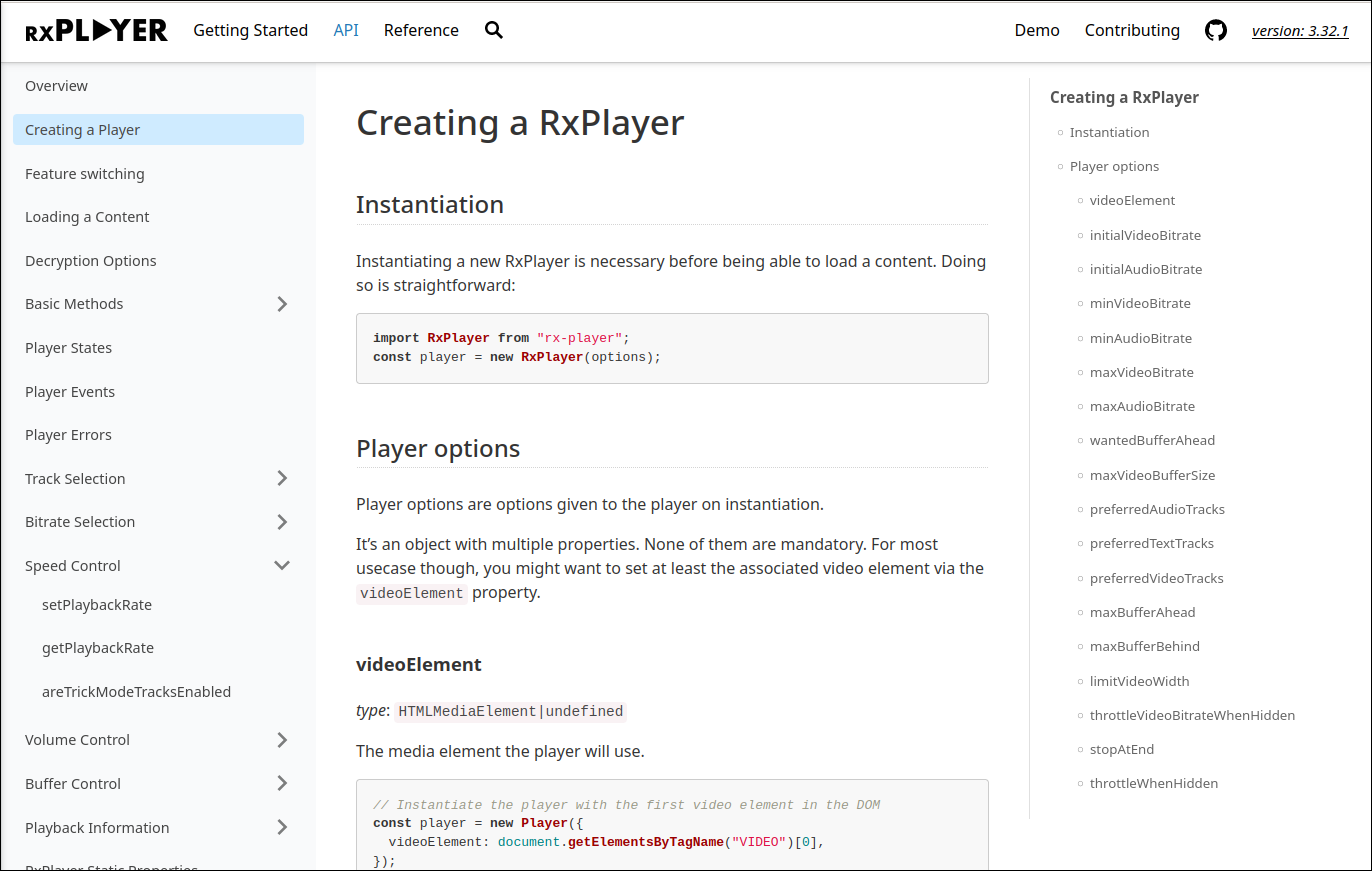 Example of the output generated by README
The basic idea is that you can just write your own documentation as markdown
files with no specific syntax on top of it. Those files can then consequently be
read and updated directly in an editor with no tool-specific knowledge and also
be displayed in various tools doing markdown formatting (e.g. editor plugins,
GitHub's interface for source files...).
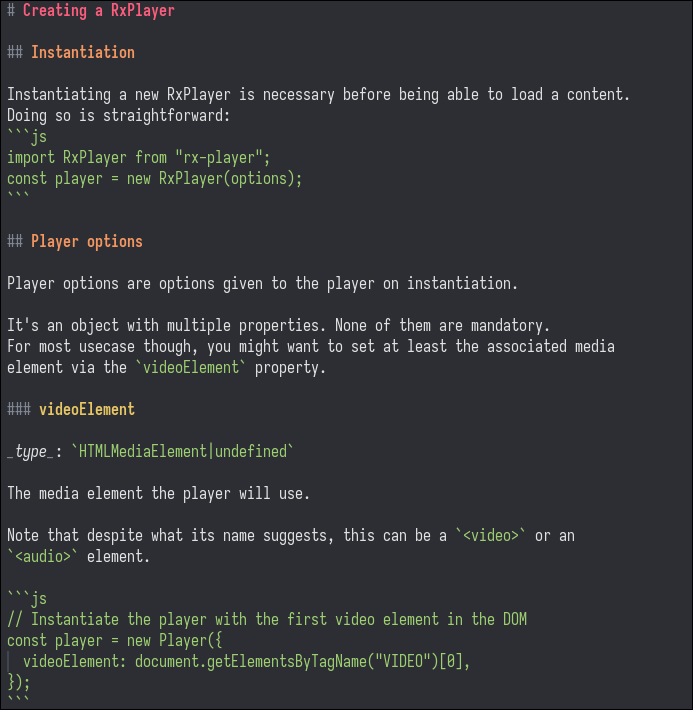 Markdown source file for the previous example
`README` can then produce an HTML documentation from it, keeping the same file
structure, by adding a few `.docConfig.json` files in the directories
already-exposing your documentation.
## Example
If you want to see an example of the pages generated by that tool, you can look
at the
[RxPlayer's documentation](https://developers.canal-plus.com/rx-player/doc/Getting_Started/Welcome.html)
and compare it to its
[original markdown files](https://github.com/canalplus/rx-player/tree/master/doc/Getting_Started).
You can also look at
[README's own documentation](https://peaberberian.github.io/README/doc/Getting_Started/Home.html)
and compare it to its
[original markdown files](https://github.com/canalplus/README/tree/main/doc/Getting_Started).
## Installation
To rely on README, you need to have Node.js and a node package manager installed
(a default one, `npm`, will probably be automatically installed with Node.js).
The README project is published under the `@canalplus/readme.doc` name on npm:
```sh
npm install @canalplus/readme.doc --save-dev
```
Or through yarn:
```sh
yarn add @canalplus/readme.doc --dev
```
It is then runnable (e.g. as an npm script in your `package.json` or through
`npx`) through the `readme.doc` name:
```sh
readme.doc --version
```
## How to use it
See our
[complete documentation](https://peaberberian.github.io/README/doc/Getting_Started/Home.html)
(which is itself generated with README :)!)
## Why a new documentation generator
We're also working on the [RxPlayer](https://github.com/canalplus/rx-player/)
project, an adaptive media player library with a relatively complex and
technical API. As its API is large and has many complex behaviors, we decided
that having an intelligible, large and useful documentation was a central goal
of this project.
Consequently, we put special care on how that documentation can be read, updated
and presented. In that process we tried several other documentation generators,
among them:
- `docusaurus` was too huge, complex, tightly-linked to other solutions like
react and algolia (at least last time we checked) and it added its own syntax
on top of markdown.
We would prefer a simple tool and also be able to look to the original
markdown files with no such supplementary syntax.
- `docsify` runs JavaScript to translate markdown on the fly. We would prefer to
have the HTML files already generated and also make our documentation
accessible to those who do not enable JavaScript.
We ended up finding that improving on our initially minimalist homemade
documentation generator by picking some of the interesting features of other
generators (documentation page list on the left, table of contents on the right,
soft navigation for loading-free page switching, search feature relying on a
locally-loaded index etc.) was relatively straightforward, hence `README.js`.
It was initially present inside the RxPlayer's repository, but we found that it
made more sense to externalize that code and its dependencies through another
repository once it became large enough, with the goal of letting it generate the
documentation of other tools.