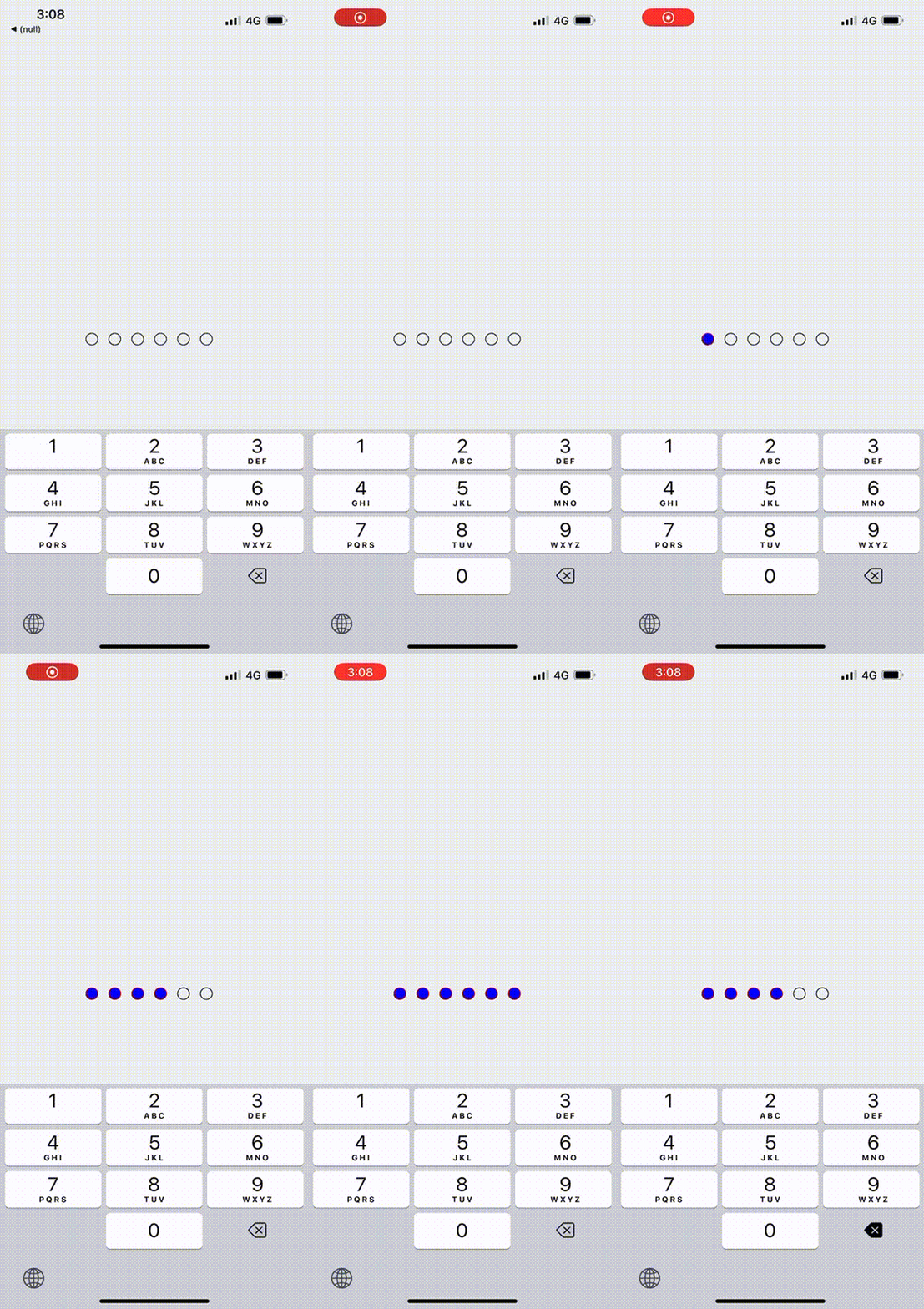
@coder-shubh/react-native-pincode

`PinInput` is a customizable React Native component for entering PIN codes.
Table of Contents
- [Installation](#installation)
- [Usage](#usage)
- [Props](#props)
- [License](#license)
Installation
You can install the `@coder-shubh/react-native-pincode` package using npm or yarn:
```bash
# with npm
npm i @coder-shubh/react-native-pincode
# with yarn
yarn add @coder-shubh/react-native-pincode
```
Usage
```js
import React, { useState } from "react";
import PinInput from "@coder-shubh/react-native-pincode";
import { SafeAreaView, StyleSheet } from "react-native";
export default function App() {
const [pin, setPin] = useState("");
const [isFirstPinSetupComplete, setIsFirstPinSetupComplete] = useState(false);
const whenPinEntered = (text: string) => {
setIsFirstPinSetupComplete(true);
setPin(text);
};
return (
);
}
const styles = StyleSheet.create({
container: {
flex: 1,
justifyContent: "center",
backgroundColor: "#ecf0f1",
padding: 8,
},
customDot: {
borderColor: "#000",
},
customDotFilled: {
borderColor: "red",
backgroundColor: "blue",
},
});
```
Props
| Prop | Type | Description | Default Value |
| ----------------------- | -------------------------------------- | --------------------------------------------- | ------------- |
| `onPinEntered` | `Function` | Callback function triggered when the PIN is fully entered. | - |
| `testID` | `string` | Test identifier for testing purposes. | - |
| `customDotStyle` | `object` | Custom styles for the empty PIN dot. | `null` |
| `customFilledDotStyle` | `object` | Custom styles for the filled PIN dot. | `null` |
| `customPinLength` | `number` | Custom length for the PIN. | `-1` |
In this table:
`Prop`: Name of the prop.
`Type`: Type of the prop.
`Description`: Description of what the prop does.
`Default Value`: Default value of the prop, if any.
License
This project is licensed under the MIT License - see the LICENSE file for details.
In this version, I've added:
- Title and badges centered at the top.
- Descriptive text centered.
- Table of Contents for easy navigation.
- Stylish section headings.
- Usage code block with syntax highlighting.
- More visual appeal with horizontal lines and section separators.
Feel free to adjust the styles, colors, or any other aspects to better suit your preferences or project branding.