# @futurejj/react-native-visibility-sensor
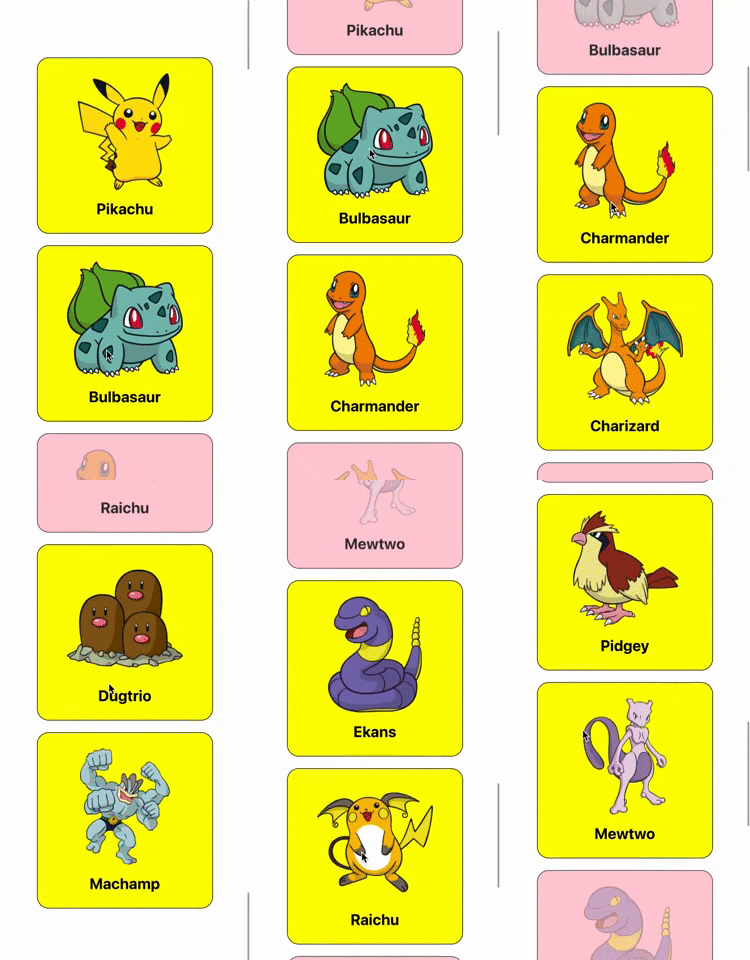
🔍 Component visibility sensor wrapper to sense whether or not a component is in viewport with configurable inset thresholds.
[](https://badge.fury.io/js/%40futurejj%2Freact-native-visibility-sensor) [](https://github.com/JairajJangle/react-native-visibility-sensor/blob/main/LICENSE) [](https://github.com/JairajJangle/react-native-visibility-sensor/actions/workflows/ci.yml) [](https://github.com/JairajJangle/react-native-visibility-sensor/tree/main/example) [](https://github.com/JairajJangle/react-native-visibility-sensor/issues?q=is%3Aopen+is%3Aissue)  
## Installation
Using yarn
```sh
yarn add @futurejj/react-native-visibility-sensor
```
using npm:
```sh
npm install @futurejj/react-native-visibility-sensor
```
## Usage
```typescript
import React from 'react';
import { ScrollView, Text } from 'react-native';
import { VisibilitySensor } from '@futurejj/react-native-visibility-sensor';
export default function VisibilitySensorExample() {
const [isInView, setIsInView] = React.useState(false);
function checkVisible(isVisible: boolean) {
if (isVisible) {
setIsInView(isVisible);
} else {
setIsInView(isVisible);
}
}
return (
checkVisible(isVisible)}
threshold={{
left: 100,
right: 100,
}}
style={[styles.item, { backgroundColor: isInView ? 'green' : 'red' }]}>
This View is currently visible? {isInView ? 'yes' : 'no'}
);
}
```
### Properties
`VisibilitySensorProps` extends `ViewProps` from React Native, which includes common properties for all views, such as `style`, `onLayout`, etc.
| Property | Type | Required | Description |
| ----------- | ------------------------------------------------------- | -------- | ------------------------------------------------------------ |
| onChange | (visible: boolean) => void | Yes | Callback function that fires when visibility changes. |
| disabled | boolean | No | If `true`, disables the sensor. |
| triggerOnce | boolean | No | If `true`, the sensor will only trigger once. |
| delay | number \| undefined | No | The delay in milliseconds before the sensor triggers. |
| threshold | [VisibilitySensorThreshold](#visibilitysensorthreshold) | No | Defines the part of the view that must be visible for the sensor to trigger. |
Additionally, all properties from `ViewProps` are also applicable.
---
### VisibilitySensorThreshold
| Property | Type | Required | Description |
| -------- | ------ | -------- | ------------------------------------------ |
| top | number | No | The top threshold value for visibility. |
| bottom | number | No | The bottom threshold value for visibility. |
| left | number | No | The left threshold value for visibility. |
| right | number | No | The right threshold value for visibility. |
---
## Notes
1. Facing problem on Android? Refer this discussion: https://github.com/JairajJangle/react-native-visibility-sensor/pull/1#issuecomment-2251569005
## Contributing
See the [contributing guide](CONTRIBUTING.md) to learn how to contribute to the repository and the development workflow.
## License
MIT
## Support the project


## ❤️ Thanks to
- Module built using [create-react-native-library](https://github.com/callstack/react-native-builder-bob)
- Forked & detached from: [react-native-component-inview](https://github.com/changey/react-native-component-inview) & [@se09deluca/react-native-component-inview](https://github.com/se09deluca/react-native-component-inview)
- Pokemon image source: [PokémonDB](https://pokemondb.net/)
- Readme is edited using [Typora](https://typora.io/)
---