# SVGMaker MCP Server
A powerful MCP server for generating, editing, and converting SVG images using SVGMaker API.
[](https://svgmaker.io)
[](https://www.npmjs.com/package/@genwave/svgmaker-mcp)
[](https://github.com/GenWaveLLC/svgmaker-mcp/blob/main/LICENSE)
[](https://github.com/GenWaveLLC/svgmaker-mcp/actions)
[](https://www.npmjs.com/package/@genwave/svgmaker-mcp)
## 🎨 MCP Server in Action
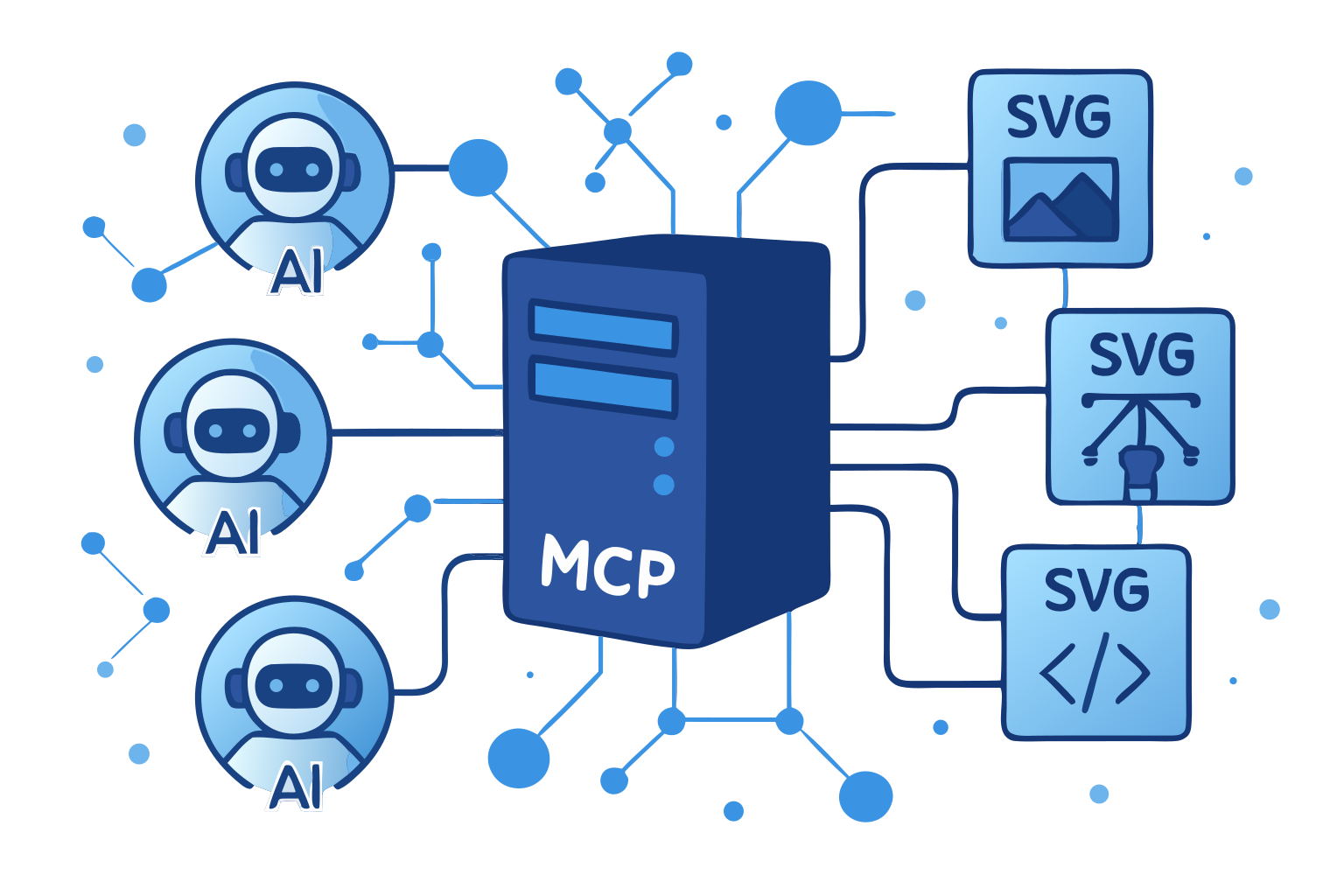
*This very illustration came to life through our own SVGMaker MCP server—a living example of AI assistants and vector graphics working in perfect harmony via the Model Context Protocol.*
## 🌟 Highlights
- **🎨 AI-Powered SVG Generation**: Create SVGs from text descriptions
- **✏️ Smart SVG Editing**: Edit existing SVGs with natural language
- **🔄 Image-to-SVG Conversion**: Convert any image to scalable SVG
- **🔒 Secure File Operations**: Built-in path validation and security
- **⚡ Real-Time Progress**: Live updates during operations
- **📝 Type Safety**: Full TypeScript support with type definitions
## 📋 Table of Contents
- [Requirements](#-requirements)
- [Installation](#-installation)
- [Quick Start](#-quick-start)
- [LLM Integrations](#-llm-integrations)
- [Available Tools](#️-available-tools)
- [Configuration](#️-configuration)
- [Development](#-development)
- [Contributing](#-contributing)
## 💻 Requirements
- Node.js: Minimum version 18.0.0
```bash
node --version # Should be >= v18.0.0
```
- npm: Minimum version 7.0.0
```bash
npm --version # Should be >= 7.0.0
```
- Operating Systems:
- Linux (Ubuntu 20.04+, CentOS 8+)
- macOS (10.15+)
- Windows (10+)
- SVGMaker API key ([Get one here](https://svgmaker.io/account))
## 📦 Package Structure
```
@genwave/svgmaker-mcp/
├── build/ # Compiled JavaScript files
├── docs/ # Documentation
│ └── api/ # API documentation
├── src/ # Source TypeScript files
│ ├── tools/ # MCP tool implementations
│ ├── services/ # API integration
│ └── utils/ # Utility functions
└── types/ # TypeScript declarations
```
## 🚀 Installation
```bash
# Using npm
npm install @genwave/svgmaker-mcp
# Using yarn
yarn add @genwave/svgmaker-mcp
```
### Basic Setup
1. Create .env file:
```bash
SVGMAKER_API_KEY="your_api_key_here"
```
2. Start the server:
```bash
npx svgmaker-mcp
```
## 🔌 LLM Integrations
### 🔌 Claude Desktop
1. Add to claude_desktop_config.json:
```json
{
"mcpServers": {
"svgmaker": {
"command": "npx",
"args": ["@genwave/svgmaker-mcp"],
"transport": "stdio",
"env": {
"SVGMAKER_API_KEY": "your_api_key_here"
}
}
}
}
```
2. Example Claude prompt:
```
Generate an SVG of a minimalist mountain landscape:
{
"server": "svgmaker",
"tool": "svgmaker_generate",
"arguments": {
"prompt": "Minimalist mountain landscape with sun",
"output_path": "./landscape.svg",
"quality": "high",
"aspectRatio": "landscape"
}
}
```
### 🔌 Cursor
[](https://cursor.com/install-mcp?name=svgmaker&config=eyJ0eXBlIjoibG9jYWwiLCJjb21tYW5kIjoibnB4IEBnZW53YXZlL3N2Z21ha2VyLW1jcCIsInRyYW5zcG9ydCI6InN0ZGlvIiwiZW52Ijp7IlNWR01BS0VSX0FQSV9LRVkiOiJ5b3VyX2FwaV9rZXlfaGVyZSJ9fQ%3D%3D)
Or configure manually:
1. Configure in cursor settings:
```json
{
"mcpServers": {
"svgmaker": {
"type": "local",
"command": "npx",
"args": ["@genwave/svgmaker-mcp"],
"transport": "stdio",
"env": {
"SVGMAKER_API_KEY": "your_api_key_here"
}
}
}
}
```
2. Example usage in Cursor:
```
Use svgmaker to edit the logo.svg file and make it more modern:
{
"server": "svgmaker",
"tool": "svgmaker_edit",
"arguments": {
"input_path": "./logo.svg",
"prompt": "Make it more modern and minimalist",
"output_path": "./modern_logo.svg",
"quality": "high"
}
}
```
### 🔌 Visual Studio Code
[ ](https://insiders.vscode.dev/redirect/mcp/install?name=svgmaker&inputs=%5B%7B%22type%22%3A%22promptString%22%2C%22id%22%3A%22apiKey%22%2C%22description%22%3A%22SVGMaker%20API%20Key%22%2C%22password%22%3Atrue%7D%5D&config=%7B%22command%22%3A%22npx%22%2C%22args%22%3A%5B%22-y%22%2C%22%40genwave%2Fsvgmaker-mcp%22%5D%2C%22env%22%3A%7B%22SVGMAKER_API_KEY%22%3A%22%24%7Binput%3AapiKey%7D%22%7D%7D)
Or configure manually:
1. Configure in settings.json:
```json
{
"servers": {
"svgmaker": {
"type": "stdio",
"command": "npx",
"args": ["-y", "@genwave/svgmaker-mcp"],
"env": {
"SVGMAKER_API_KEY": ""
}
}
}
}
```
2. Example usage in VS Code:
```
Generate a new icon for my app:
{
"server": "svgmaker",
"tool": "svgmaker_generate",
"arguments": {
"prompt": "Modern app icon with abstract geometric shapes",
"output_path": "./assets/icon.svg",
"quality": "high",
"aspectRatio": "square"
}
}
```
### 🔌 WindSurf
1. Configure in settings:
```json
{
"mcpServers": {
"svgmaker": {
"command": "npx",
"args": ["-y", "@genwave/svgmaker-mcp"],
"env": {
"SVGMAKER_API_KEY": ""
}
}
}
}
```
2. Example usage in WindSurf:
```
Convert the company logo to SVG:
{
"server": "svgmaker",
"tool": "svgmaker_convert",
"arguments": {
"input_path": "./branding/logo.png",
"output_path": "./branding/vector_logo.svg"
}
}
```
### 🔌 Zed
1. Configure in settings:
```json
{
"context_servers": {
"svgmaker": {
"command": {
"path": "npx",
"args": ["-y", "@genwave/svgmaker-mcp"],
"env": {
"SVGMAKER_API_KEY": ""
}
},
"settings": {}
}
}
}
```
2. Example usage in Zed:
```
Edit an existing SVG file:
{
"server": "svgmaker",
"tool": "svgmaker_edit",
"arguments": {
"input_path": "./diagrams/flowchart.svg",
"prompt": "Add rounded corners and smooth gradients",
"output_path": "./diagrams/enhanced_flowchart.svg",
"quality": "high"
}
}
```
## 🛠️ Available Tools
### svgmaker_generate
Transform your ideas into stunning SVG artwork using AI-powered creativity.
**How we created the header illustration:**
```json
{
"prompt": "Modern tech illustration showing an MCP server connecting multiple AI assistants to SVG generation capabilities. Show interconnected nodes, data flow, and SVG icons. Use a clean, professional design with blue and purple gradients, geometric shapes, and modern typography elements.",
"output_path": "./docs/mcp-capabilities-demo.svg",
"quality": "medium",
"aspectRatio": "landscape",
"background": "transparent"
}
```
### svgmaker_edit
Edit existing SVGs or images with natural language.
```json
{
"input_path": "/path/to/input.svg",
"prompt": "Add a gradient background and make it more vibrant",
"output_path": "./enhanced.svg",
"quality": "high",
"background": "opaque"
}
```
### svgmaker_convert
Convert images to SVG format.
```json
{
"input_path": "/path/to/image.png",
"output_path": "./vector.svg"
}
```
## ⚙️ Configuration
### Environment Variables
| Variable | Description | Required | Default |
|----------|-------------|----------|---------|
| `SVGMAKER_API_KEY` | Your SVGMaker API key | ✅ Yes | - |
| `SVGMMAKER_RATE_LIMIT_RPM` | API rate limit (requests per minute) | ❌ No | 2 |
| `SVGMAKER_BASE_URL` | Custom SVGMaker API base URL | ❌ No | `https://svgmaker.io/api` |
| `SVGMAKER_DEBUG` | Enable debug logging | ❌ No | `false` |
### Debug Logging
The server includes comprehensive logging for debugging and monitoring:
**Enable Logging:**
```bash
# Enable debug logging
SVGMAKER_DEBUG=true npx @genwave/svgmaker-mcp
# Or set NODE_ENV to development
NODE_ENV=development npx @genwave/svgmaker-mcp
```
**Log Files Location:**
- **macOS/Linux**: `~/.cache/svgmaker-mcp/logs/`
- **Windows**: `%LOCALAPPDATA%/svgmaker-mcp/logs/`
- **Fallback**: `./logs/` (in project directory)
**Log File Format:**
```
mcp-debug-2025-06-04T10-30-45-123Z.log
```
## 🔍 Development
### Local Setup
1. Clone and install dependencies:
```bash
npm install
```
2. Create .env file with your API key
```bash
SVGMAKER_API_KEY="your_api_key_here"
```
3. Run in development mode:
```bash
npm run dev
```
### Testing
Use the MCP Inspector for testing:
```bash
npx @modelcontextprotocol/inspector node build/index.js
```
### CI/CD Workflow
This project uses GitHub Actions for continuous integration and deployment:
1. **Continuous Integration**
- Runs on every push to main branch and pull requests
- Performs linting, type checking, and building
- Ensures code quality and consistency
2. **Releasing a New Version**
- To release a patch version (bug fixes):
```bash
npm run release:patch
```
- To release a minor version (new features):
```bash
npm run release:minor
```
- To release a major version (breaking changes):
```bash
npm run release:major
```
3. **Publishing**
- Automatically publishes to npm when a new version tag is pushed
## 🔐 Security
- ✅ Path validation prevents directory traversal
- ✅ Input sanitization for all parameters
- ✅ Secure file operation handling
- ✅ Environment variable protection
- ✅ Rate limiting support
## 🤝 Contributing
We welcome contributions! Please see our [Contributing Guide](https://github.com/GenWaveLLC/svgmaker-mcp/blob/main/CONTRIBUTING.md) for details.
## ⭐ Features
### Input Format Support
- SVG files (.svg)
- PNG images (.png)
- JPEG images (.jpg, .jpeg)
- Other common image formats
### Output Capabilities
- Clean, optimized SVG output
- Multiple aspect ratio options
- Background control (transparent/opaque)
- High-quality vectorization
## 📝 License
MIT © [Genwave AI](https://genwave.xyz) - see the [LICENSE](https://github.com/GenWaveLLC/svgmaker-mcp/blob/main/LICENSE) file for details.
](https://insiders.vscode.dev/redirect/mcp/install?name=svgmaker&inputs=%5B%7B%22type%22%3A%22promptString%22%2C%22id%22%3A%22apiKey%22%2C%22description%22%3A%22SVGMaker%20API%20Key%22%2C%22password%22%3Atrue%7D%5D&config=%7B%22command%22%3A%22npx%22%2C%22args%22%3A%5B%22-y%22%2C%22%40genwave%2Fsvgmaker-mcp%22%5D%2C%22env%22%3A%7B%22SVGMAKER_API_KEY%22%3A%22%24%7Binput%3AapiKey%7D%22%7D%7D)
Or configure manually:
1. Configure in settings.json:
```json
{
"servers": {
"svgmaker": {
"type": "stdio",
"command": "npx",
"args": ["-y", "@genwave/svgmaker-mcp"],
"env": {
"SVGMAKER_API_KEY": ""
}
}
}
}
```
2. Example usage in VS Code:
```
Generate a new icon for my app:
{
"server": "svgmaker",
"tool": "svgmaker_generate",
"arguments": {
"prompt": "Modern app icon with abstract geometric shapes",
"output_path": "./assets/icon.svg",
"quality": "high",
"aspectRatio": "square"
}
}
```
### 🔌 WindSurf
1. Configure in settings:
```json
{
"mcpServers": {
"svgmaker": {
"command": "npx",
"args": ["-y", "@genwave/svgmaker-mcp"],
"env": {
"SVGMAKER_API_KEY": ""
}
}
}
}
```
2. Example usage in WindSurf:
```
Convert the company logo to SVG:
{
"server": "svgmaker",
"tool": "svgmaker_convert",
"arguments": {
"input_path": "./branding/logo.png",
"output_path": "./branding/vector_logo.svg"
}
}
```
### 🔌 Zed
1. Configure in settings:
```json
{
"context_servers": {
"svgmaker": {
"command": {
"path": "npx",
"args": ["-y", "@genwave/svgmaker-mcp"],
"env": {
"SVGMAKER_API_KEY": ""
}
},
"settings": {}
}
}
}
```
2. Example usage in Zed:
```
Edit an existing SVG file:
{
"server": "svgmaker",
"tool": "svgmaker_edit",
"arguments": {
"input_path": "./diagrams/flowchart.svg",
"prompt": "Add rounded corners and smooth gradients",
"output_path": "./diagrams/enhanced_flowchart.svg",
"quality": "high"
}
}
```
## 🛠️ Available Tools
### svgmaker_generate
Transform your ideas into stunning SVG artwork using AI-powered creativity.
**How we created the header illustration:**
```json
{
"prompt": "Modern tech illustration showing an MCP server connecting multiple AI assistants to SVG generation capabilities. Show interconnected nodes, data flow, and SVG icons. Use a clean, professional design with blue and purple gradients, geometric shapes, and modern typography elements.",
"output_path": "./docs/mcp-capabilities-demo.svg",
"quality": "medium",
"aspectRatio": "landscape",
"background": "transparent"
}
```
### svgmaker_edit
Edit existing SVGs or images with natural language.
```json
{
"input_path": "/path/to/input.svg",
"prompt": "Add a gradient background and make it more vibrant",
"output_path": "./enhanced.svg",
"quality": "high",
"background": "opaque"
}
```
### svgmaker_convert
Convert images to SVG format.
```json
{
"input_path": "/path/to/image.png",
"output_path": "./vector.svg"
}
```
## ⚙️ Configuration
### Environment Variables
| Variable | Description | Required | Default |
|----------|-------------|----------|---------|
| `SVGMAKER_API_KEY` | Your SVGMaker API key | ✅ Yes | - |
| `SVGMMAKER_RATE_LIMIT_RPM` | API rate limit (requests per minute) | ❌ No | 2 |
| `SVGMAKER_BASE_URL` | Custom SVGMaker API base URL | ❌ No | `https://svgmaker.io/api` |
| `SVGMAKER_DEBUG` | Enable debug logging | ❌ No | `false` |
### Debug Logging
The server includes comprehensive logging for debugging and monitoring:
**Enable Logging:**
```bash
# Enable debug logging
SVGMAKER_DEBUG=true npx @genwave/svgmaker-mcp
# Or set NODE_ENV to development
NODE_ENV=development npx @genwave/svgmaker-mcp
```
**Log Files Location:**
- **macOS/Linux**: `~/.cache/svgmaker-mcp/logs/`
- **Windows**: `%LOCALAPPDATA%/svgmaker-mcp/logs/`
- **Fallback**: `./logs/` (in project directory)
**Log File Format:**
```
mcp-debug-2025-06-04T10-30-45-123Z.log
```
## 🔍 Development
### Local Setup
1. Clone and install dependencies:
```bash
npm install
```
2. Create .env file with your API key
```bash
SVGMAKER_API_KEY="your_api_key_here"
```
3. Run in development mode:
```bash
npm run dev
```
### Testing
Use the MCP Inspector for testing:
```bash
npx @modelcontextprotocol/inspector node build/index.js
```
### CI/CD Workflow
This project uses GitHub Actions for continuous integration and deployment:
1. **Continuous Integration**
- Runs on every push to main branch and pull requests
- Performs linting, type checking, and building
- Ensures code quality and consistency
2. **Releasing a New Version**
- To release a patch version (bug fixes):
```bash
npm run release:patch
```
- To release a minor version (new features):
```bash
npm run release:minor
```
- To release a major version (breaking changes):
```bash
npm run release:major
```
3. **Publishing**
- Automatically publishes to npm when a new version tag is pushed
## 🔐 Security
- ✅ Path validation prevents directory traversal
- ✅ Input sanitization for all parameters
- ✅ Secure file operation handling
- ✅ Environment variable protection
- ✅ Rate limiting support
## 🤝 Contributing
We welcome contributions! Please see our [Contributing Guide](https://github.com/GenWaveLLC/svgmaker-mcp/blob/main/CONTRIBUTING.md) for details.
## ⭐ Features
### Input Format Support
- SVG files (.svg)
- PNG images (.png)
- JPEG images (.jpg, .jpeg)
- Other common image formats
### Output Capabilities
- Clean, optimized SVG output
- Multiple aspect ratio options
- Background control (transparent/opaque)
- High-quality vectorization
## 📝 License
MIT © [Genwave AI](https://genwave.xyz) - see the [LICENSE](https://github.com/GenWaveLLC/svgmaker-mcp/blob/main/LICENSE) file for details.