Veaseby Geode-solutions
Open-source geoscience viewer built to ease subsurface data visualization.

# What is Vease?
- **Desktop**: Easily installable on your computer
- **Web-native**: Built with modern web technologies for accessibility
- **Simple**: Light UI focusing on usability
- **Extensible**: Designed for easy integration and customization
🔧 Vease is powered by a combination of:
- [OpenGeode](https://github.com/Geode-solutions/OpenGeode): for structured geoscience data handling
- [VTK](https://vtk.org/): for high-performance 3D rendering
# ⚡ Features
Here is a list of what to expect inside Vease. Click on each title to see a demo.
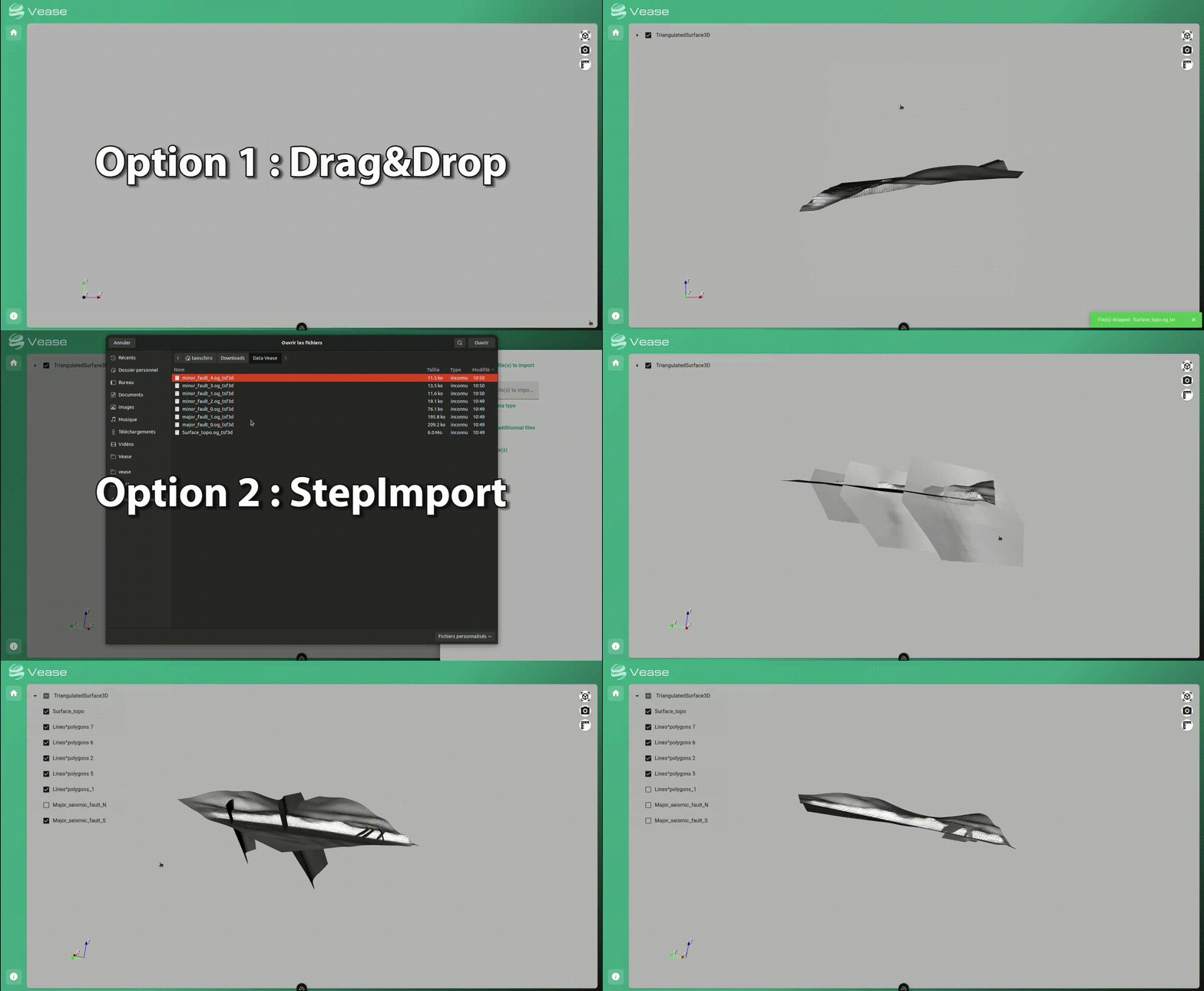
Import file using drag&drog or import dialog
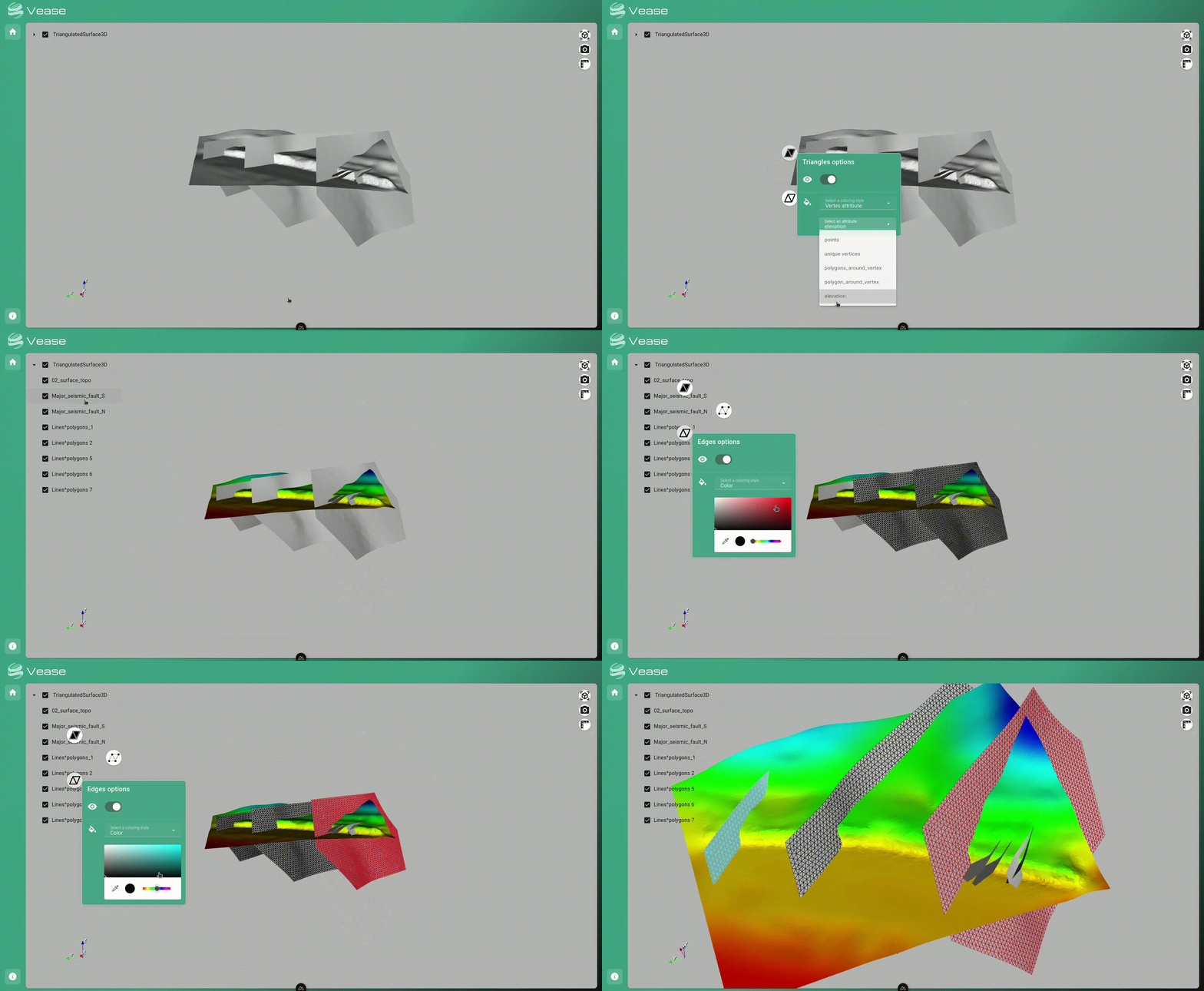
Mesh graphics options with points/edges visibility, constant and variable coloring
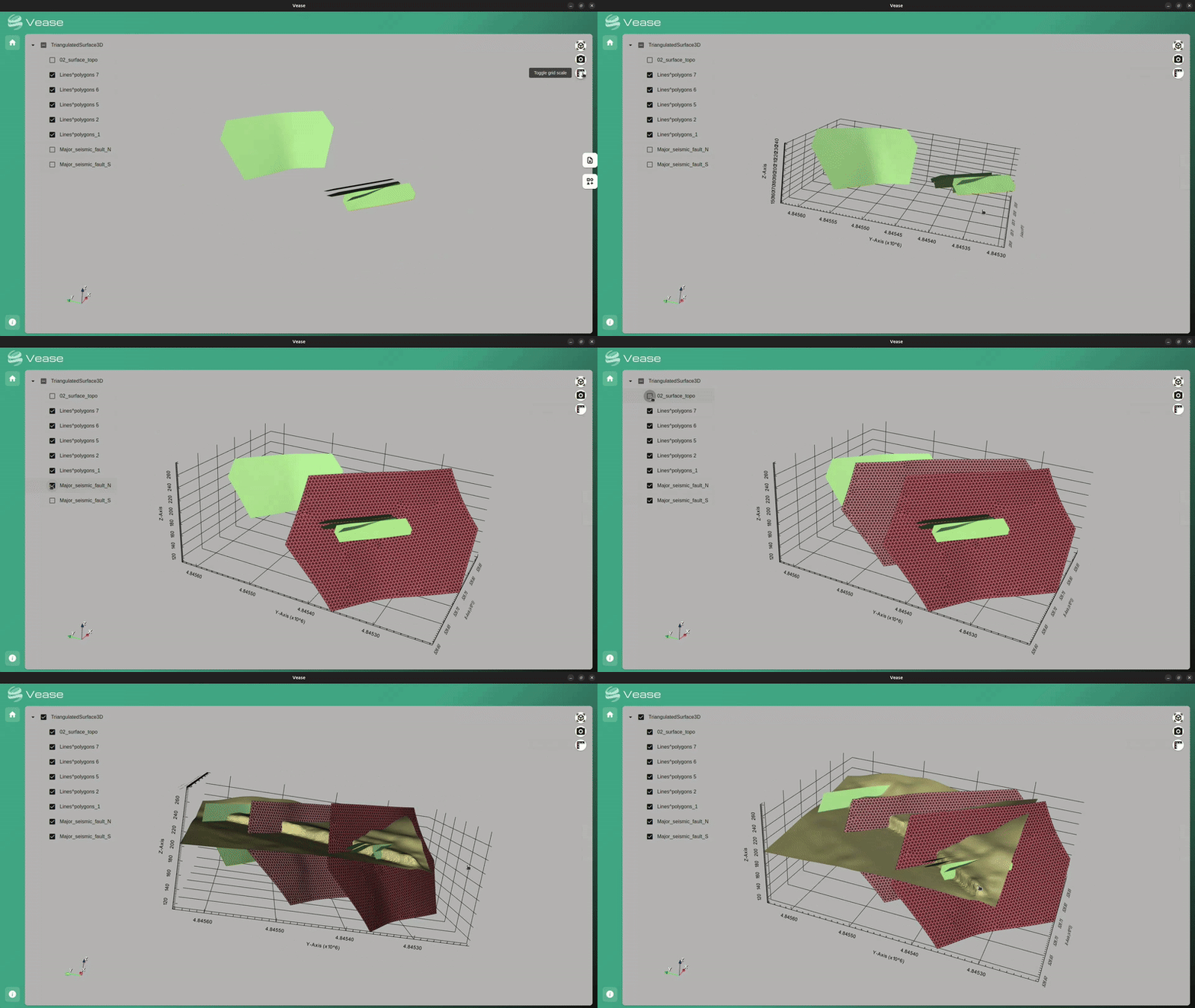
Smart 3D Grid for Spatial Awareness
Adding Texture to Your Meshes

# 📀 Installation
Get the [latest](https://github.com/Geode-solutions/Vease/releases/latest) version
> [!NOTE]
> The app comes with auto updates with the windows exe & linux AppImage versions
## 🪟 Windows
### Option 1: Using executable
- Run the executable version
```powershell
vease_win32.exe
```
### Option 2: Using zip archive
1. Unzip the vease_win32.zip archive
2. Run the app
```powershell
vease.exe
```
## 🐧 Linux
### Option 1: Using AppImage
1. Install fuse
2. Make the AppImage executable
```shell
chmod +x vease_linux.AppImage
```
3. Run the AppImage version
```shell
./vease_linux.AppImage --no-sandbox
```
### Option 2: Using zip archive
1. Unzip the vease_linux.zip archive
2. Run the app
```shell
./vease
```
# ⚖️ License
[LGPL-2.1](https://opensource.org/license/lgpl-2-1)
Copyright (c) 2019 - 2025, Geode-solutions