# Mantine OnboardingTour Component

<div align="center">

  https://github.com/user-attachments/assets/93d39052-90be-45d7-a470-67f8727bc096

</div>

---

<div align="center">
  
  [![NPM version](https://img.shields.io/npm/v/%40gfazioli%2Fmantine-onboarding-tour?style=for-the-badge)](https://www.npmjs.com/package/@gfazioli/mantine-onboarding-tour)
  [![NPM Downloads](https://img.shields.io/npm/dm/%40gfazioli%2Fmantine-onboarding-tour?style=for-the-badge)](https://www.npmjs.com/package/@gfazioli/mantine-onboarding-tour)
  [![NPM Downloads](https://img.shields.io/npm/dy/%40gfazioli%2Fmantine-onboarding-tour?style=for-the-badge&label=%20&color=f90)](https://www.npmjs.com/package/@gfazioli/mantine-onboarding-tour)
  ![NPM License](https://img.shields.io/npm/l/%40gfazioli%2Fmantine-onboarding-tour?style=for-the-badge)

</div>

## Overview

This component is created on top of the [Mantine](https://mantine.dev/) library.

[![Mantine UI Library](https://img.shields.io/badge/-MANTINE_UI_LIBRARY-blue?style=for-the-badge&labelColor=white&logo=mantine

)](https://mantine.dev/)


It allows you to create a onboarding-tour effect with overlays, popovers, and onboarding tours, enhancing element visibility and interactivity.


[![Mantine Extensions](https://img.shields.io/badge/-Watch_the_Video-blue?style=for-the-badge&labelColor=black&logo=youtube

)](https://www.youtube.com/playlist?list=PL85tTROKkZrWyqCcmNCdWajpx05-cTal4)
[![Demo](https://img.shields.io/badge/-Demo_%26_Documentation-blue?style=for-the-badge&labelColor=white&logo=typescript

)](https://gfazioli.github.io/mantine-onboarding-tour/)
[![Demo](https://img.shields.io/badge/-Full_Screen_Demo-blue?style=for-the-badge&labelColor=white

)](https://gfazioli.github.io/mantine-onboarding-tour/demo)
[![Demo](https://img.shields.io/badge/-Mantine_Extensions_Hub-blue?style=for-the-badge&labelColor=blue

)](https://gfazioli.github.io/mantine-onboarding-tour/)


👉 You can find more components on the [Mantine Extensions Hub](https://mantine-extensions.vercel.app/) library.

## Installation

```sh
npm install @gfazioli/mantine-onboarding-tour
```

or 

```sh
yarn add @gfazioli/mantine-onboarding-tour
```

After installation import package styles at the root of your application:

```tsx
import '@gfazioli/mantine-onboarding-tour/styles.css';
```

## Usage

```tsx
import { OnboardingTour, type OnboardingTourStep } from '@gfazioli/mantine-onboarding-tour';

function Demo() {

  const onboardingSteps: OnboardingTourStep[] = [
    {
      id: 'welcome',
      title: 'Welcome to the Onboarding Tour Component',
      content:
        'This is a demo of the Onboarding Tour component, which allows to create onboarding experiences for your users.',
    },
    {
      id: 'my-button',
      title: 'Features',
      content: 'You can select any component by using the `data-onboarding-tour-id` attribute',
    },

  ];

  return (
    <OnboardingTour tour={onboardingSteps} started={started}>
      <Title data-onboarding-tour-id="welcome" order={4}>
        A simple example of the Onboarding Tour component
      </Title>
      <Button data-onboarding-tour-id="my-button">See all testimonials</Button>
    </OnboardingTour>
  );
}
```

<div align="center">
  
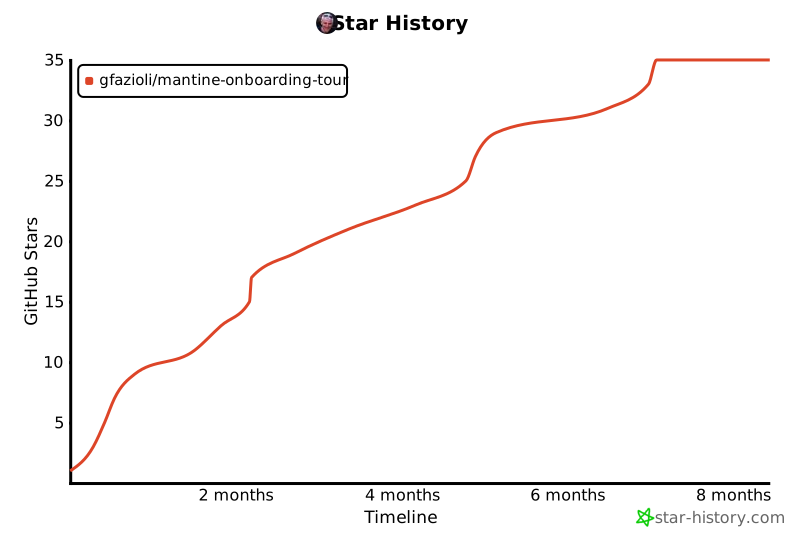
[![Star History Chart](https://api.star-history.com/svg?repos=gfazioli/mantine-onboarding-tour&type=Timeline)](https://www.star-history.com/#gfazioli/mantine-onboarding-tour&Timeline)

</div>