# 📊 Stats
[](https://travis-ci.org/helpscout/stats)
[](https://badge.fury.io/js/%40helpscout%2Fstats)
> Easy performance monitoring for JavaScript / React
## Table of Contents
- [Installation](#installation)
- [Usage](#usage)
- [JavaScript](#javascript)
- [React](#react)
- [Graphs](#graphs)
- [Options](#options)
- [Thanks](#thanks)
## Installation
Add `stats` to your project via `npm install`:
```
npm install --save @helpscout/stats
```
## Usage
### JavaScript
To use Stats in your JavaScript project, simply import it and instantiate!
```js
import createStats from '@helpscout/stats'
const stats = createStats()
// Stats will automatically mount to window.document
// For clean up, execute the destroy() method
stats.destroy()
```
### React
Stats comes with a handy `` component. To add it to your React project, import it and render it:
```jsx
import React from 'react'
import {StatsGraph} from '@helpscout/stats'
class App extends React.Component {
render() {
return (
...
...
)
}
}
export default App
```
`StatsGraph` cleans up after itself if it unmounts.
## Graphs
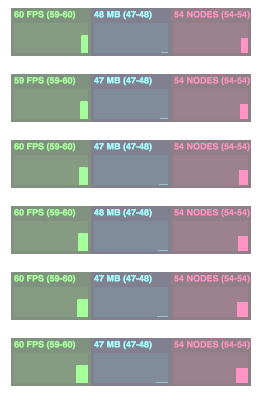
- **FPS** Frames rendered in the last second. The higher the number the better.
- **MB** MBytes of allocated memory. (Run Chrome with --enable-precise-memory-info)
- **NODES** Number of DOM nodes in `window.document` (including iFrame nodes).
## Options
Stats accepts a handful of options to adjust it's position and UI.
| Prop | Type | Default | Description |
| -------- | ----------------- | -------- | --------------------------- |
| top | `number`/`string` | 0 | (CSS) top position. |
| right | `number`/`string` | 0 | (CSS) right position. |
| bottom | `number`/`string` | 0 | (CSS) bottom position. |
| left | `number`/`string` | 0 | (CSS) left position. |
| opacity | `number` | 0.5 | Opacity for the Stats UI. |
| position | `string` | fixed | Position for the Stats UI. |
| zIndex | `string` | 99999999 | `z-index` for the Stats UI. |
The React `StatsGraph` uses the same options for it's `defaultProps`
## Thanks
Thanks for [mrdoob](https://github.com/mrdoob) for his [stats.js](https://github.com/mrdoob/stats.js) library, which inspired this one!