[](https://www.npmjs.com/package/@keadex/mina-live)
## Quick Overview
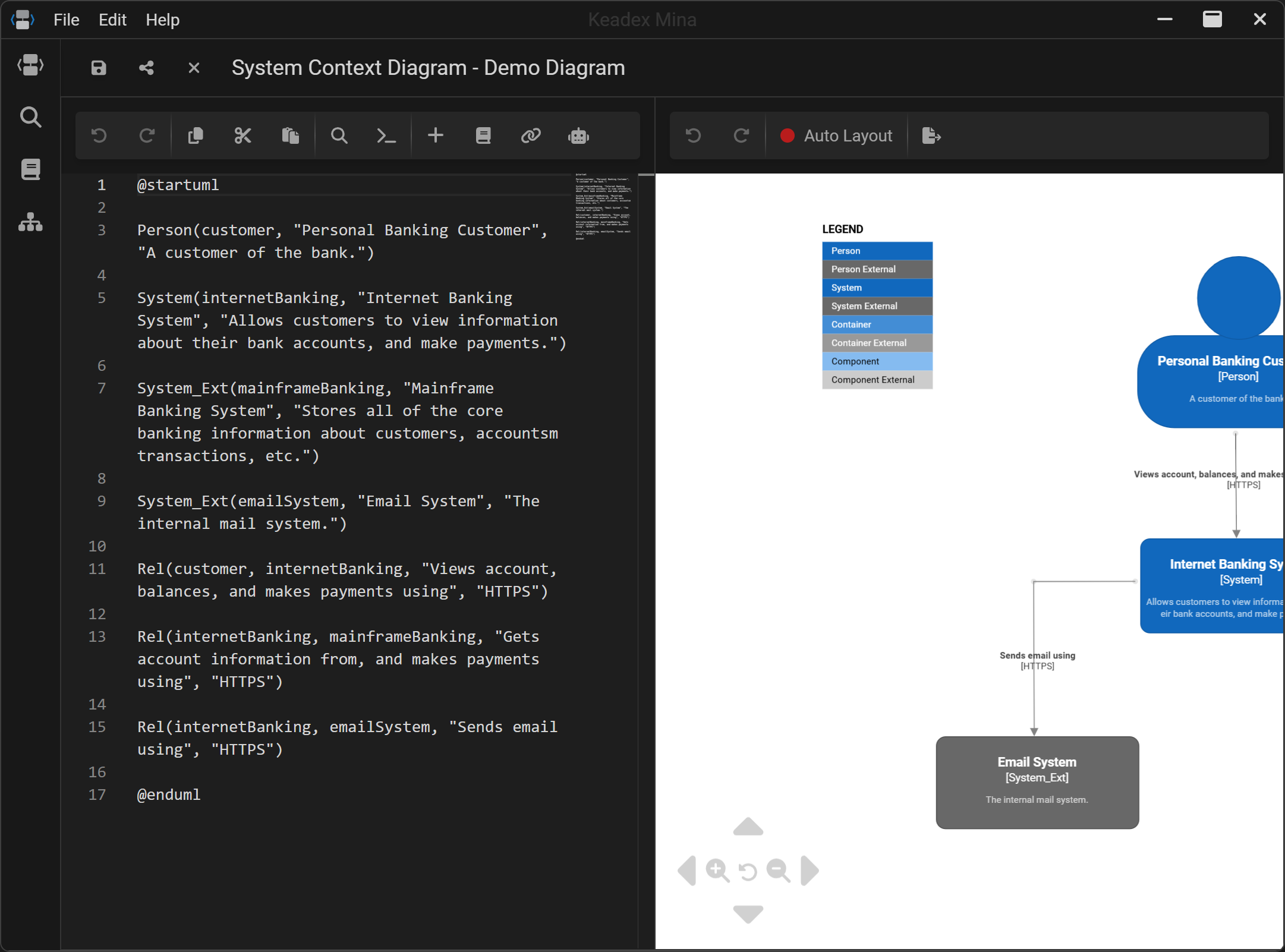
**Keadex Mina Live** is the web-based version of [Keadex Mina](https://keadex.dev/en/projects/keadex-mina).
Specifically, this library provides a React component that allows you to embed Keadex Mina into your [React](#usage-with-react) or [Next.js](#usage-with-nextjs) application.
## Usage with React
For a working example, please visit [this folder](https://github.com/keadex/keadex/tree/main/examples/mina-live-cra-example).
### Install
```shell
yarn add @keadex/mina-live # or npm install @keadex/mina-live
```
### Import
> [!WARNING]
> Make sure to include also the css file from `@keadex/mina-live/index.css`
`App.jsx`
```JSX
import "@keadex/mina-live/index.css";
import MinaLive from "@keadex/mina-live";
export function App() {
return (
);
}
export default App;
```
### Configure the bundler
Mina Live requires custom bundler configurations, such as enabling support for WebAssembly (WASM) files.
To simplify this setup, the Mina Live package provides a Webpack helper function (`withMinaLiveWebpackConfig()`) that streamlines the required configuration.
`webpack.config.js`
```JS
const { withMinaLiveWebpackConfig } = require("@keadex/mina-live/webpack-config");
const config = {
// your Webpack config
}
module.exports = withMinaLiveWebpackConfig()(config)
```
## Usage with Next.js
For a working example, please visit [this folder](https://github.com/keadex/keadex/tree/main/examples/mina-live-nextjs-example).
### Install
```shell
yarn add @keadex/mina-live # or npm install @keadex/mina-live
```
### Create the Mina Live Client Component
> [!WARNING]
> Make sure to include also the css file from `@keadex/mina-live/index.css`
`src\components\MinaLiveClient\MinaLiveClient.tsx`
```TSX
'use client'
import dynamic from 'next/dynamic'
import '@keadex/mina-live/index.css'
const MinaLive = dynamic(() => import('@keadex/mina-live'), {
ssr: false,
})
export default function MinaLiveClient() {
return
}
```
### Create the Mina Live Page
> [!WARNING]
> For Mina Live to function correctly, it must be served from a route that ends with `/mina-live` (e.g., `https://keadex.dev/mina-live`).
`src\app\mina-live\page.tsx`
```TSX
import MinaLiveClient from "@/components/MinaLiveClient/MinaLiveClient";
export default function MinaLive() {
return ;
}
```
### Configure the bundler
Mina Live requires custom bundler configurations, such as enabling support for WebAssembly (WASM) files.
To simplify this setup, the Mina Live package provides a Next.js plugin (`withMinaLive()`) that streamlines the required configuration.
`next.config.ts`
```TS
import type { NextConfig } from "next";
// eslint-disable-next-line @typescript-eslint/no-require-imports
const withMinaLive = require("@keadex/mina-live/nextjs-plugin");
const nextConfig: NextConfig = {
/* config options here */
};
export default withMinaLive()(nextConfig);
```
### Configure the Next.js Middleware
To enable Mina Live to load all required assets, you need to configure the Next.js middleware by including the middleware provided by the Mina Live package.
`src\middleware.ts`
```TS
import { NextResponse, NextRequest } from "next/server";
import { minaMiddleware } from "@keadex/mina-live/nextjs-middleware";
export const config = {
matcher: ["/((?!api|_next/static|_next/image|assets|favicon.ico|sw.js).*)"],
};
export function middleware(req: NextRequest) {
const minaMiddlewareResponse = minaMiddleware(req);
if (minaMiddlewareResponse) {
return minaMiddlewareResponse;
} else {
return NextResponse.next();
}
}
```