# NOTICE
The [original repo](https://github.com/loopmode/react-nipple) is no longer maintained so I created this fork to fix the annoying warning about prop types. Here is my open [pull request](https://github.com/loopmode/react-nipple/pull/54).
# react-nipple
A react wrapper for the [nipplejs](https://www.npmjs.com/package/nipplejs) on-screen-joystick.
 ### Resources
- Github repository: [https://github.com/loopmode/react-nipple](https://github.com/loopmode/react-nipple)
- NPM package: [https://www.npmjs.com/package/react-nipple](https://www.npmjs.com/package/react-nipple)
- Docs: [https://loopmode.github.io/react-nipple/](https://loopmode.github.io/react-nipple/)
## Installation
```bash
yarn add react-nipple
# or using npm:
npm install --save react-nipple
```
## Usage
Import and use the component. It supports all `options` from `nipplejs`.
It provides callbacks for all supported event types in a camel-cased `on`-notation, e.g. `start` -> `onStart`.
```javascript
import React from 'react';
import ReactNipple from 'react-nipple';
// optional: include the stylesheet somewhere in your app
import 'react-nipple/lib/styles.css';
class Example extends React.Component {
render() {
return (
### Resources
- Github repository: [https://github.com/loopmode/react-nipple](https://github.com/loopmode/react-nipple)
- NPM package: [https://www.npmjs.com/package/react-nipple](https://www.npmjs.com/package/react-nipple)
- Docs: [https://loopmode.github.io/react-nipple/](https://loopmode.github.io/react-nipple/)
## Installation
```bash
yarn add react-nipple
# or using npm:
npm install --save react-nipple
```
## Usage
Import and use the component. It supports all `options` from `nipplejs`.
It provides callbacks for all supported event types in a camel-cased `on`-notation, e.g. `start` -> `onStart`.
```javascript
import React from 'react';
import ReactNipple from 'react-nipple';
// optional: include the stylesheet somewhere in your app
import 'react-nipple/lib/styles.css';
class Example extends React.Component {
render() {
return (
console.log(evt, data)}
/>
);
}
}
```
### Additional features
- There is an additional `onCreated` callback that receives the created `nipplejs` instance - you might want to use it for direct access to instance methods etc.
- You can pass the boolean `static` flag as a prop, which is a shortcut for `options={{mode: 'static', position: {top: '50%', let: '50%'}}}`
## Demo app
The repository is a yarn workspace that contains a small demo app next to the actual `react-nipples` package.
You can play around with the demo after cloning the repository and installing the dependencies in the root folder.
```
git clone https://github.com/loopmode/react-nipple.git
cd react-nipple
yarn install
yarn demo
```
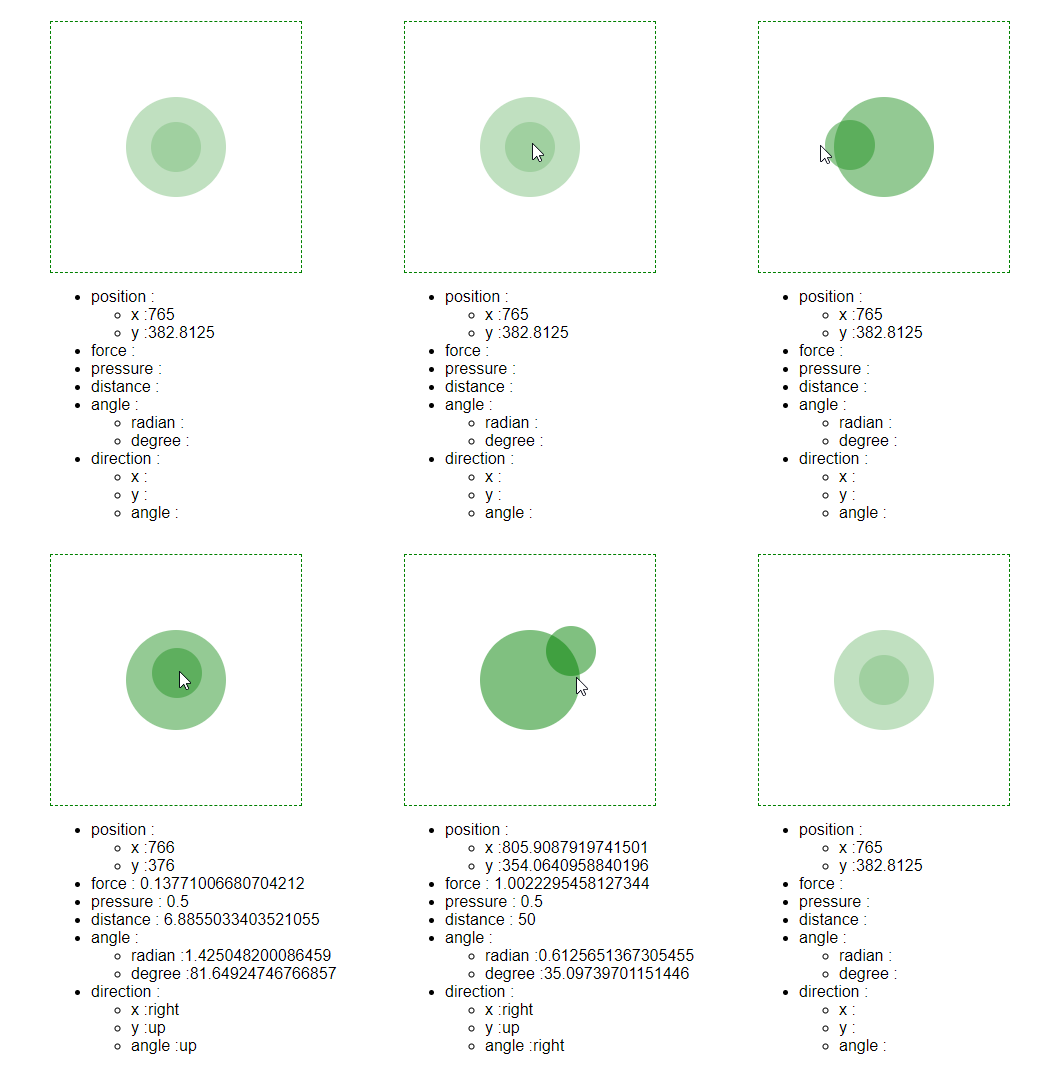
## Debug view
There is a debug view based on the official [codepen demo](https://codepen.io/YoannM/pen/gapmMG).
It supports a `data` prop that accepts the `data` object you receive with all `nipplejs` events, and simply renders its values.
Use it to quickly inspect the values.
```javascript
import React from 'react';
import ReactNipple from 'react-nipple';
import DebugView from 'react-nipple/lib/DebugView';
export default class DebugExample extends React.Component {
state = {
data: {}
};
render() {
return (
);
}
handleEvent = (evt, data) => {
console.log(evt);
this.setState({ data });
};
}
```