# react-native-keyboard-aware-scroll-view
This fork was made to fix an issue where keyboardWillShow and keyboardDidShowEvents fired alongisde keyboardWillHide incorrectly and caused inaccurate scrolling when dismissing the keyboard. This implements a workaround that avoids that.



A ScrollView component that handles keyboard appearance and automatically scrolls to focused `TextInput`.
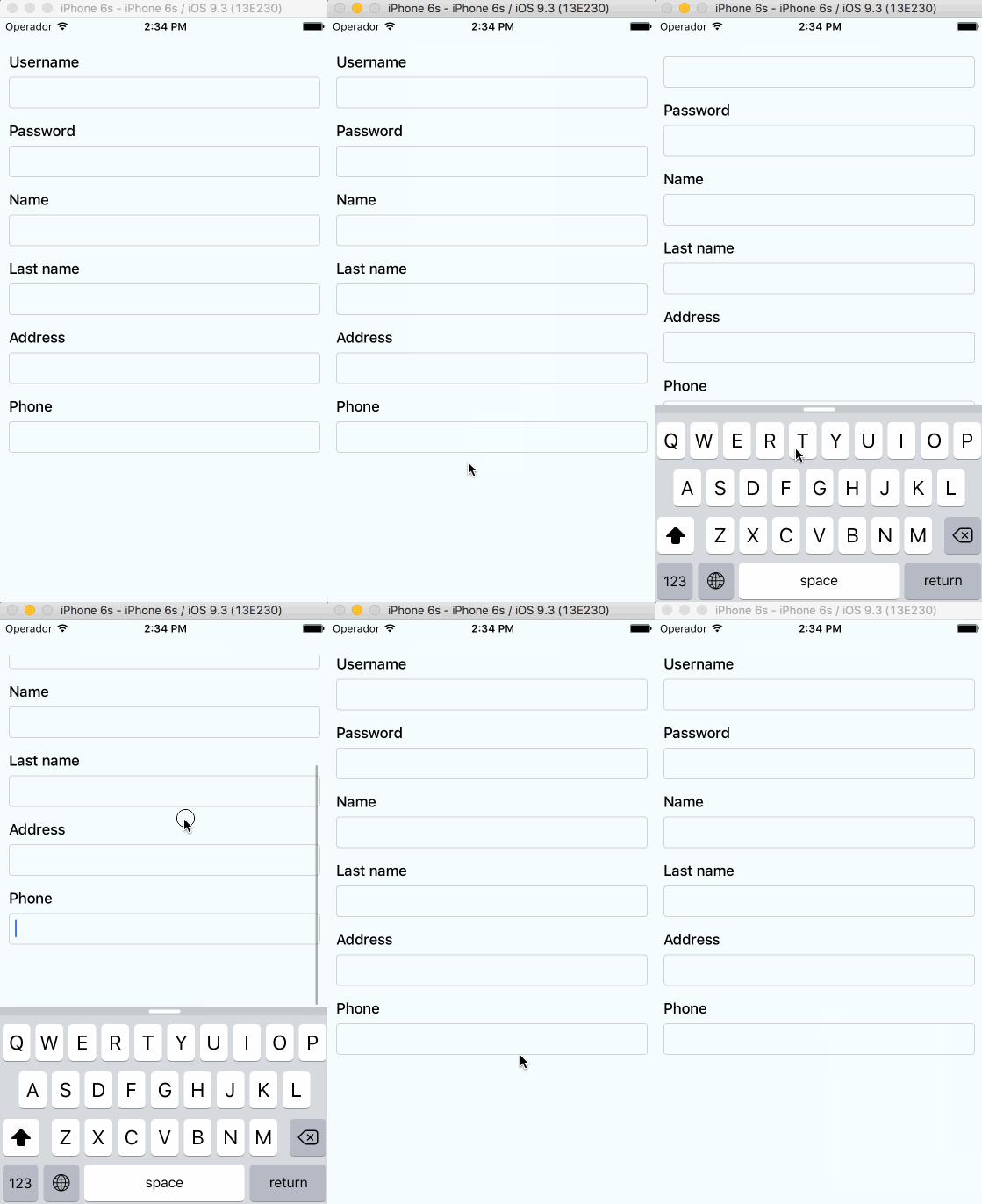
## Supported versions
- `v0.4.0` requires `RN>=0.48`
- `v0.2.0` requires `RN>=0.32.0`.
- `v0.1.2` requires `RN>=0.27.2` but you should use `0.2.0` in order to make it work with multiple scroll views.
- `v0.0.7` requires `react-native>=0.25.0`.
- Use `v0.0.6` for older RN versions.
## Installation
Installation can be done through `npm` or `yarn`:
```shell
npm i @mtourj/react-native-keyboard-aware-scroll-view --save
```
```shell
yarn add @mtourj/react-native-keyboard-aware-scroll-view
```
## Usage
You can use the `KeyboardAwareScrollView`, `KeyboardAwareSectionList` or the `KeyboardAwareFlatList`
components. They accept `ScrollView`, `SectionList` and `FlatList` default props respectively and
implement a custom high order component called `KeyboardAwareHOC` to handle keyboard appearance.
The high order component is also available if you want to use it in any other component.
Import `react-native-keyboard-aware-scroll-view` and wrap your content inside
it:
```js
import { KeyboardAwareScrollView } from 'react-native-keyboard-aware-scroll-view'
```
```jsx
```
## Auto-scroll in `TextInput` fields
As of `v0.1.0`, the component auto scrolls to the focused `TextInput` 😎. For versions `v0.0.7` and older you can do the following.
### Programatically scroll to any `TextInput`
In order to scroll to any `TextInput` field, you can use the built-in method `scrollToFocusedInput`. Example:
```js
_scrollToInput (reactNode: any) {
// Add a 'scroll' ref to your ScrollView
this.scroll.props.scrollToFocusedInput(reactNode)
}
```
```jsx
{
this.scroll = ref
}}>
{
// `bind` the function if you're using ES6 classes
this._scrollToInput(ReactNative.findNodeHandle(event.target))
}}
/>
```
### Programatically scroll to any position
There's another built-in function that lets you programatically scroll to any position of the scroll view:
```js
this.scroll.props.scrollToPosition(0, 0)
```
## Register to keyboard events
You can register to `ScrollViewResponder` events `onKeyboardWillShow` and `onKeyboardWillHide`:
```jsx
{
console.log('Keyboard event', frames)
}}>
```
## Android Support
First, Android natively has this feature, you can easily enable it by setting `windowSoftInputMode` in `AndroidManifest.xml`. Check [here](https://developer.android.com/guide/topics/manifest/activity-element.html#wsoft).
But if you want to use feature like `extraHeight`, you need to enable Android Support with the following steps:
- Make sure you are using react-native `0.46` or above.
- Set `windowSoftInputMode` to `adjustPan` in `AndroidManifest.xml`.
- Set `enableOnAndroid` property to `true`.
Android Support is not perfect, here is the supported list:
| **Prop** | **Android Support** |
| --------------------------- | ------------------- |
| `viewIsInsideTabBar` | Yes |
| `resetScrollToCoords` | Yes |
| `enableAutomaticScroll` | Yes |
| `extraHeight` | Yes |
| `extraScrollHeight` | Yes |
| `enableResetScrollToCoords` | Yes |
| `keyboardOpeningTime` | No |
## API
### Props
All the `ScrollView`/`FlatList` props will be passed.
| **Prop** | **Type** | **Description** |
| --------------------------- | -------------------------------- | ---------------------------------------------------------------------------------------------- |
| `innerRef` | `Function` | Catch the reference of the component. |
| `viewIsInsideTabBar` | `boolean` | Adds an extra offset that represents the `TabBarIOS` height. |
| `resetScrollToCoords` | `Object: {x: number, y: number}` | Coordinates that will be used to reset the scroll when the keyboard hides. |
| `enableAutomaticScroll` | `boolean` | When focus in `TextInput` will scroll the position, default is enabled. |
| `extraHeight` | `number` | Adds an extra offset when focusing the `TextInput`s. |
| `extraScrollHeight` | `number` | Adds an extra offset to the keyboard. Useful if you want to stick elements above the keyboard. |
| `enableResetScrollToCoords` | `boolean` | Lets the user enable or disable automatic resetScrollToCoords. |
| `keyboardOpeningTime` | `number` | Sets the delay time before scrolling to new position, default is 250 |
| `enableOnAndroid` | `boolean` | Enable Android Support |
### Methods
Use `innerRef` to get the component reference and use `this.scrollRef.props` to access these methods.
| **Method** | **Parameter** | **Description** |
| -------------------- | ------------------------------------------------------------------------------------------------------------------------------------------------------- | -------------------------------------------------------------- |
| `getScrollResponder` | `void` | Get `ScrollResponder` |
| `scrollToPosition` | `x: number, y: number, animated: bool = true` | Scroll to specific position with or without animation. |
| `scrollToEnd` | `animated?: bool = true` | Scroll to end with or without animation. |
| `scrollIntoView` | `element: React.Element<*>, options: { getScrollPosition: ?(parentLayout, childLayout, contentOffset) => { x: number, y: number, animated: boolean } }` | Scrolls an element inside a KeyboardAwareScrollView into view. |
### Using high order component
Enabling any component to be keyboard-aware is very easy. Take a look at the code of `KeyboardAwareFlatList`:
```js
/* @flow */
import { FlatList } from 'react-native'
import listenToKeyboardEvents from './KeyboardAwareHOC'
export default listenToKeyboardEvents(FlatList)
```
The HOC can also be configured. Sometimes it's more convenient to provide a static config than configuring the behavior with props. This HOC config can be overriden with props.
```js
/* @flow */
import { FlatList } from 'react-native'
import listenToKeyboardEvents from './KeyboardAwareHOC'
const config = {
enableOnAndroid: true,
enableAutomaticScroll: true
}
export default listenToKeyboardEvents(config)(FlatList)
```
The available config options are:
```js
{
enableOnAndroid: boolean,
contentContainerStyle: ?Object,
enableAutomaticScroll: boolean,
extraHeight: number,
extraScrollHeight: number,
enableResetScrollToCoords: boolean,
keyboardOpeningTime: number,
viewIsInsideTabBar: boolean,
refPropName: string,
extractNativeRef: Function
}
```
## License
MIT.
## Author
Álvaro Medina Ballester ``
Built with 💛 by [APSL](https://github.com/apsl).