# NethVoice CTI Phone Island
A fully standalone component for managing calls, video calls, screen sharing and more...
## Builds
Available as component on `npm`
[](https://www.npmjs.com/package/@nethesis/phone-island)
Available as widget on `jsDelivr`
[](https://cdn.jsdelivr.net/gh/nethesis/phone-island/dist-widget/index.widget.js)
[](https://cdn.jsdelivr.net/gh/nethesis/phone-island/dist-widget/index.widget.css)
## Integrate in any template
Phone Island can be embedded in any HTML template, CMS page or server-rendered application without a React-specific integration.
To embed the standalone widget you need:
1. the CDN CSS file
2. the CDN JavaScript bundle
3. a container element with class `phone-island`
4. a Base64 config token in `data-config`
5. a host-side JavaScript file that dispatches commands and listens to Phone Island browser events
### Minimal HTML example
```html
Phone Island integration
```
### Host-side integration script
Create a file such as `phone-island-integration.js` and use it to control the widget from your page.
```javascript
function dispatchPhoneIslandEvent(eventName, detail = {}) {
window.dispatchEvent(new CustomEvent(eventName, { detail }))
}
window.addEventListener('phone-island-call-started', (event) => {
console.log('Call started', event.detail)
})
window.addEventListener('phone-island-video-call-started', (event) => {
console.log('Video call started', event.detail)
})
document.getElementById('call-200')?.addEventListener('click', () => {
dispatchPhoneIslandEvent('phone-island-call-start', { number: '200' })
})
```
### Base64 config token
The standalone widget expects a Base64 string in this format:
```text
::::::
```
Example generation:
```sh
echo -n "::::::" | base64 -w0
```
### Full example
For a complete browser integration example, including event log, device switching, toast notifications and debug actions, see:
1. `widget-example/index.html`
2. `widget-example/index.js`
## Online Demo
The repository root now contains a demo entrypoint for GitHub Pages.
The page loads the standalone widget bundle from `dist-widget` so users can try Phone Island directly in the browser without integrating it into their own project first.
To publish or update the demo page:
```sh
npm install
npm run build:widget
```
Then publish GitHub Pages from the repository root so that at least these assets are available online:
- `index.html`
- `dist-widget/index.widget.js`
- `dist-widget/index.widget.css`
GitHub Pages should be configured to serve the root of the branch, because the demo page references the widget bundle with `/dist-widget/...` paths.
What users need to do on the demo page:
1. Open the GitHub Pages URL.
2. Paste a valid Base64 token built from `::::`.
3. Allow browser permissions for microphone and, if needed, camera.
4. Wait for the WebRTC registration to complete.
5. Start a test call from the page.
Notes:
- GitHub Pages is served over HTTPS, which is required for browser media permissions and WebRTC APIs.
- The demo is meant for testing the standalone widget build, not for production embedding.
- Every time the widget changes, `dist-widget` should be rebuilt before updating the Pages site.
## Screenshots
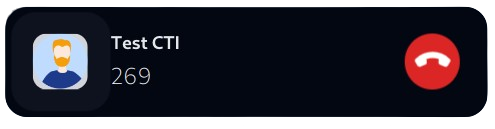
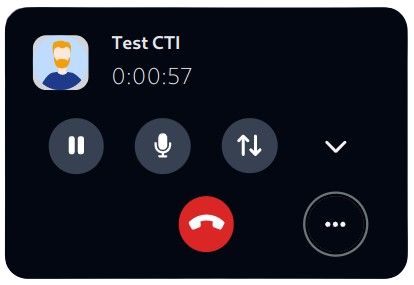
### Dark Theme
#### Call started
#### Call incoming

#### Call connected
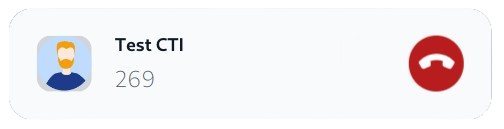
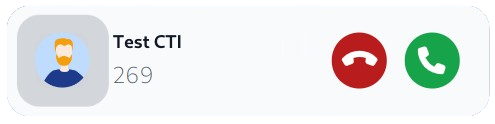
### Light Theme
#### Call started
#### Call incoming
#### Call connected

## Structure
```mermaid
flowchart LR
Views[Island] --> Call(Call)
Views[Island] --> Play(Player)
Views[Island] --> Chat(Chat)
Call --> CC{{Simple Call}} --- 1CAComp>Audio Component]
Call --> CCC{{Conference Call}} --- 2CAComp>Audio Component]
Call --> CVC{{Video Call}}
CVC{{Video Call}} --- 3CAComp>Audio Component]
CVC{{Video Call}} --- 3CVComp>Video Component]
CVC{{Video Call}} --- 5CVComp>ScreenSharing component]
Call --> CVS{{Video Sources Call}}
CVS{{Video Sources Call}} --- 4CAComp>Audio Component]
CVS{{Video Sources Call}} --- 4CVComp>Video component]
Play --> PA{{Player Voicemail}} --- 6PComp>Player Component]
Play --> PR{{Player Registration}} --- 6PComp>Player Component]
Chat --> CS{{Single Chat}} --- 7CComp>Chat Component]
Chat --> CG{{Group Chat}} --- 7CComp>Chat Component]
```
## Scaffolding
- **widget-build** - contains the build of the widget version
- **widget-example** - contains the usage example of the built widget
- **index.html** - GitHub Pages demo entrypoint that loads the standalone widget from `dist-widget`
- **dist** - contains the component lib build
- **src/index.ts** - is the entry point for the component lib and exports the React component
- **src/index.widget.tsx** - is the entry point for the widget that is built as a single js and css file
## Development
Install deps
```
npm install
```
Run the local development host
```
npm run dev
```
Open the local page served by Parcel and paste the base64 config token in the left panel.
`npm run dev` generates an ignored local host from `widget-example/index.html` and replaces only the asset loading strategy for the dev session. The public integration page stays unchanged, while the local host imports `src/index.widget.tsx` and `widget-example/index.js` directly so edits in `src/App.tsx` and child components are reflected with live reload.
Example token generation:
```
echo -n "::::::" | base64 -w0
```
Tailwind CSS is enable by default.
## Import locally
Run build and start watch
```
npm run watch
```
Go to the project directory
```
cd
```
Link the `./dist` directory
```
npm link
```
## Build
Build component library
```
npm run build
```
Build widget
```
npm run build:widget
```
Serve the widget
```
npm run serve:widget
```
As you can see the app/component can be built in two ways.
- The component library built with Rollup
- The widget files built with Parcel
```
npm run build-pack
```
It's useful to create a new local version of phone-island that could be imported in any project with some debug command
```
npm run revert-bump
```
It's useful to delete all .tgz created with npm run build-pack command, and reset git version to the original one