# @ognjenvladisavljevic/wdio-slack-reporter
Reporter from [WebdriverIO](https://webdriver.io/) using [Web API](https://api.slack.com/web) to send results to [Slack](https://slack.com/).
This project is Compatible with [WebdriverIO](https://webdriver.io/) version 6.x and above.
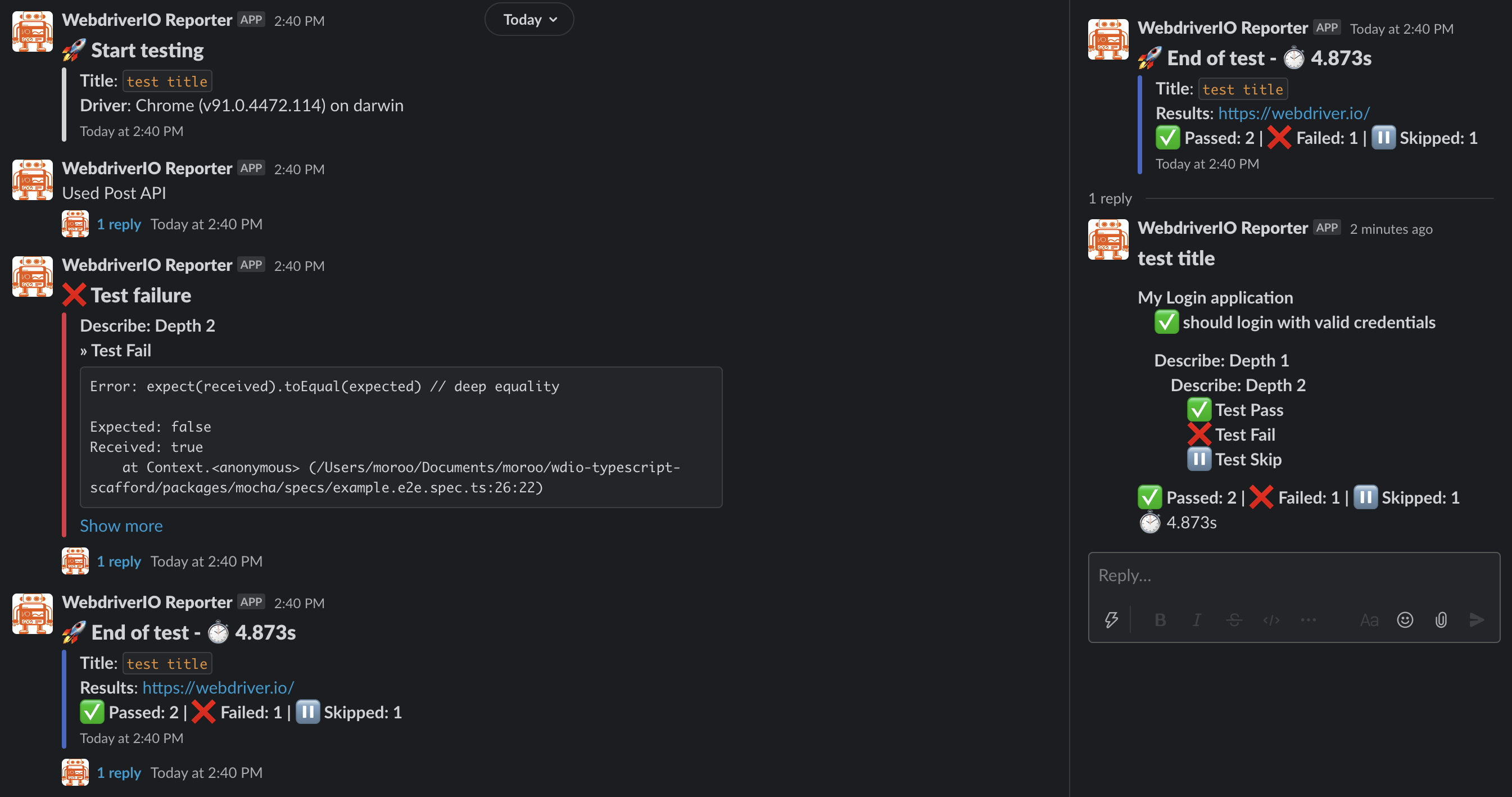
## Slack notification screenshot
 ## WebdriverIO 4.x or lower Compatibility
> This package only supports up to WebdriverIO 6.x.
## WebdriverIO 4.x or lower Compatibility
> This package only supports up to WebdriverIO 6.x.
> If you are using 4.x or lower, use to [wdio-slack-reporter](https://github.com/kmnaid/wdio-slack-reporter).
## Installation
The easiest way is to keep `@ognjenvladisavljevic/wdio-slack-reporter` as a devDependency in your `package.json`.
```json
{
"devDependencies": {
"@ognjenvladisavljevic/wdio-slack-reporter": "1.0.2"
}
}
```
You can simple do it by:
- NPM
```bash
npm install @ognjenvladisavljevic/wdio-slack-reporter --save-dev
```
- Yarn
```bash
yarn add -D @ognjenvladisavljevic/wdio-slack-reporter
```
Instructions on how to install `WebdriverIO` can be found [here](https://webdriver.io/docs/gettingstarted.html).
## Configuration
At the top of the wdio.conf.js-file, add:
### ES6
```js
// wdio.conf.js
import SlackReporter from '@ognjenvladisavljevic/wdio-slack-reporter';
```
In order to use the reporter you need to add slack to your reporters array in wdio.conf.js
```js
// wdio.conf.js
export.config = {
reporters: [
[
SlackReporter,
{
slackOptions: {
type: 'web-api',
channel: process.env.SLACK_CHANNEL || 'Cxxxxxxxxxx',
slackBotToken: process.env.SLACK_BOT_TOKEN || 'xoxb-xxxxxxxxxx-xxxxxx...',
},
}
],
],
};