# openmrs-esm-laboratory-app
An O3 frontend module for managing laboratory requests and queues.
For more information, please refer to the [OpenMRS 3.x Frontend Documentation](https://o3-docs.openmrs.org/).
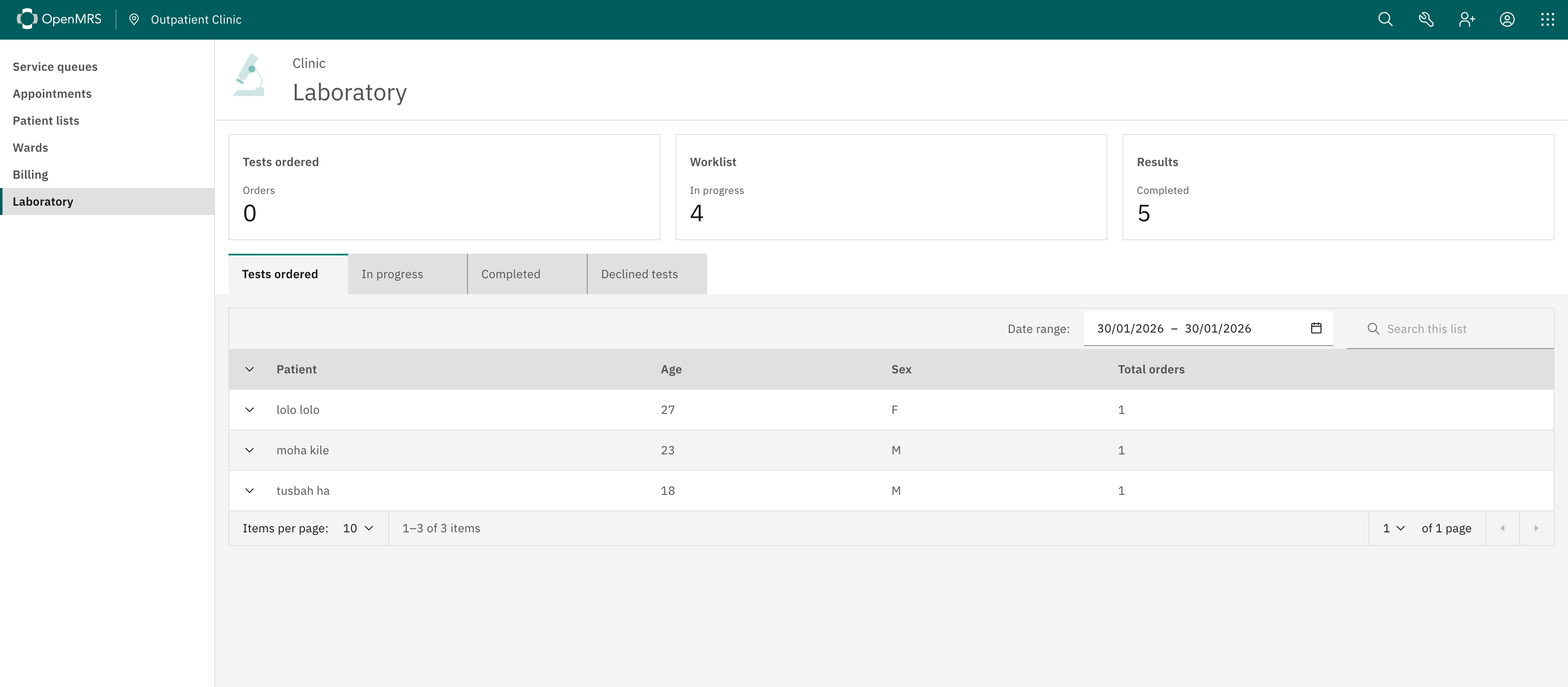
## Dashboard
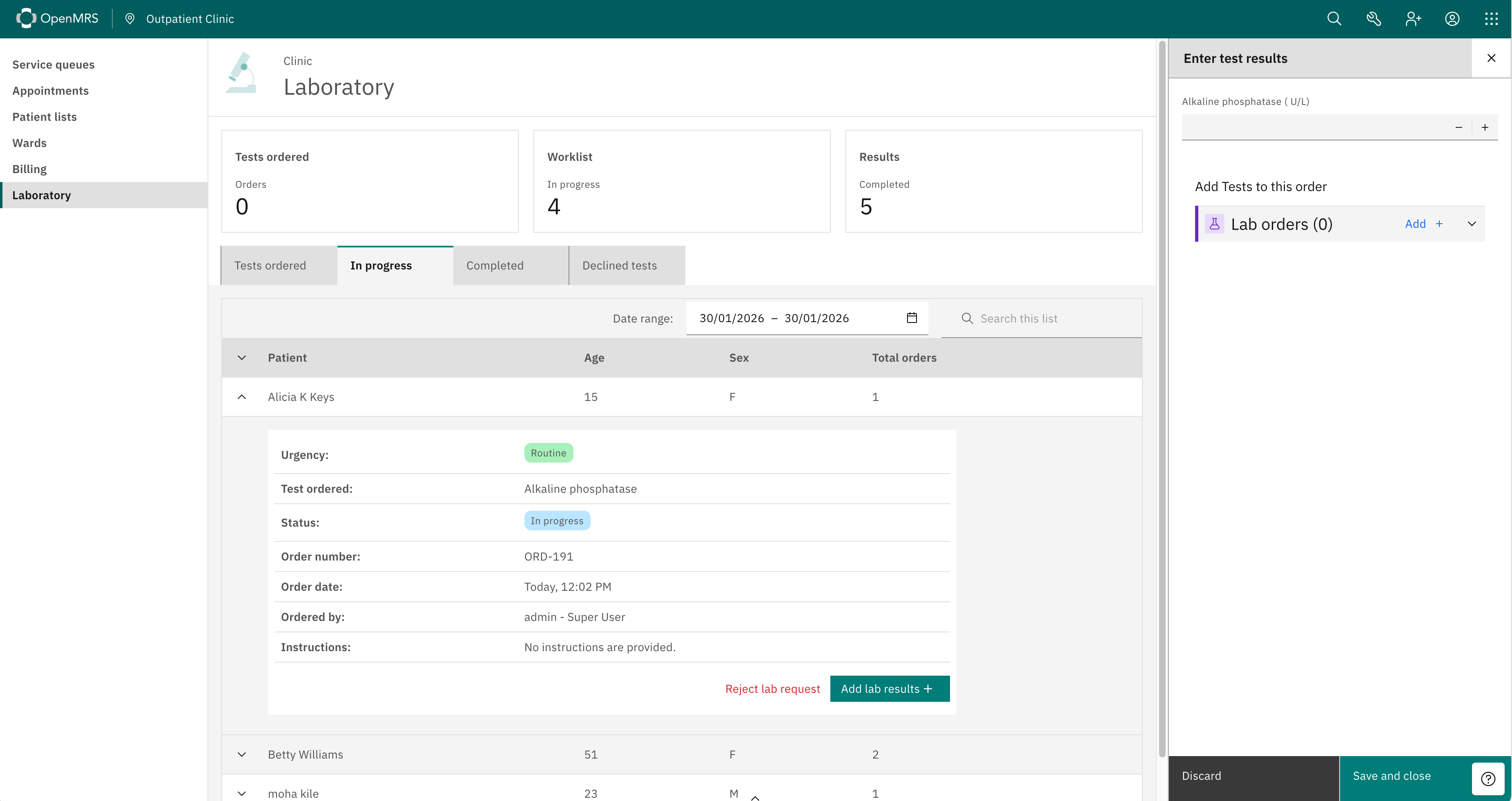
 ### Adding Results
### Adding tab panels
Implementers can add or remove laboratory tab panels via extension configuration in the [routes.js](https://github.com/openmrs/openmrs-esm-laboratory/blob/main/src/routes.json) json file.
### Adding Results
### Adding tab panels
Implementers can add or remove laboratory tab panels via extension configuration in the [routes.js](https://github.com/openmrs/openmrs-esm-laboratory/blob/main/src/routes.json) json file.
 ### Adding or removing summary tiles
Implementers can add or remove summary tiles via extension configuration in the [routes.js](https://github.com/openmrs/openmrs-esm-laboratory/blob/main/src/routes.json) json file.
## Getting Started
```sh
# Clone the repository
git clone git@github.com:openmrs/openmrs-esm-laboratory.git
# to install dependencies
yarn
# to run the dev server
yarn start
# OR to start on a specified port eg 5000
yarn start --port 5000
```
Once it is running, a browser window should open with O3 running. Log in and then navigate to `/openmrs/spa/home/laboratory`.
## Running tests
```sh
yarn run test
```
## ⚠️ Important Notice: Dependencies
As of this [PR](https://github.com/openmrs/openmrs-esm-laboratory-app/pull/87) some features of the `@openmrs/esm-laboratory-app` are dependent on `@openmrs/esm-patient-lab-order` package. Please keep that in mind as you are implementing the module.
### Adding or removing summary tiles
Implementers can add or remove summary tiles via extension configuration in the [routes.js](https://github.com/openmrs/openmrs-esm-laboratory/blob/main/src/routes.json) json file.
## Getting Started
```sh
# Clone the repository
git clone git@github.com:openmrs/openmrs-esm-laboratory.git
# to install dependencies
yarn
# to run the dev server
yarn start
# OR to start on a specified port eg 5000
yarn start --port 5000
```
Once it is running, a browser window should open with O3 running. Log in and then navigate to `/openmrs/spa/home/laboratory`.
## Running tests
```sh
yarn run test
```
## ⚠️ Important Notice: Dependencies
As of this [PR](https://github.com/openmrs/openmrs-esm-laboratory-app/pull/87) some features of the `@openmrs/esm-laboratory-app` are dependent on `@openmrs/esm-patient-lab-order` package. Please keep that in mind as you are implementing the module.