
ZIRCON
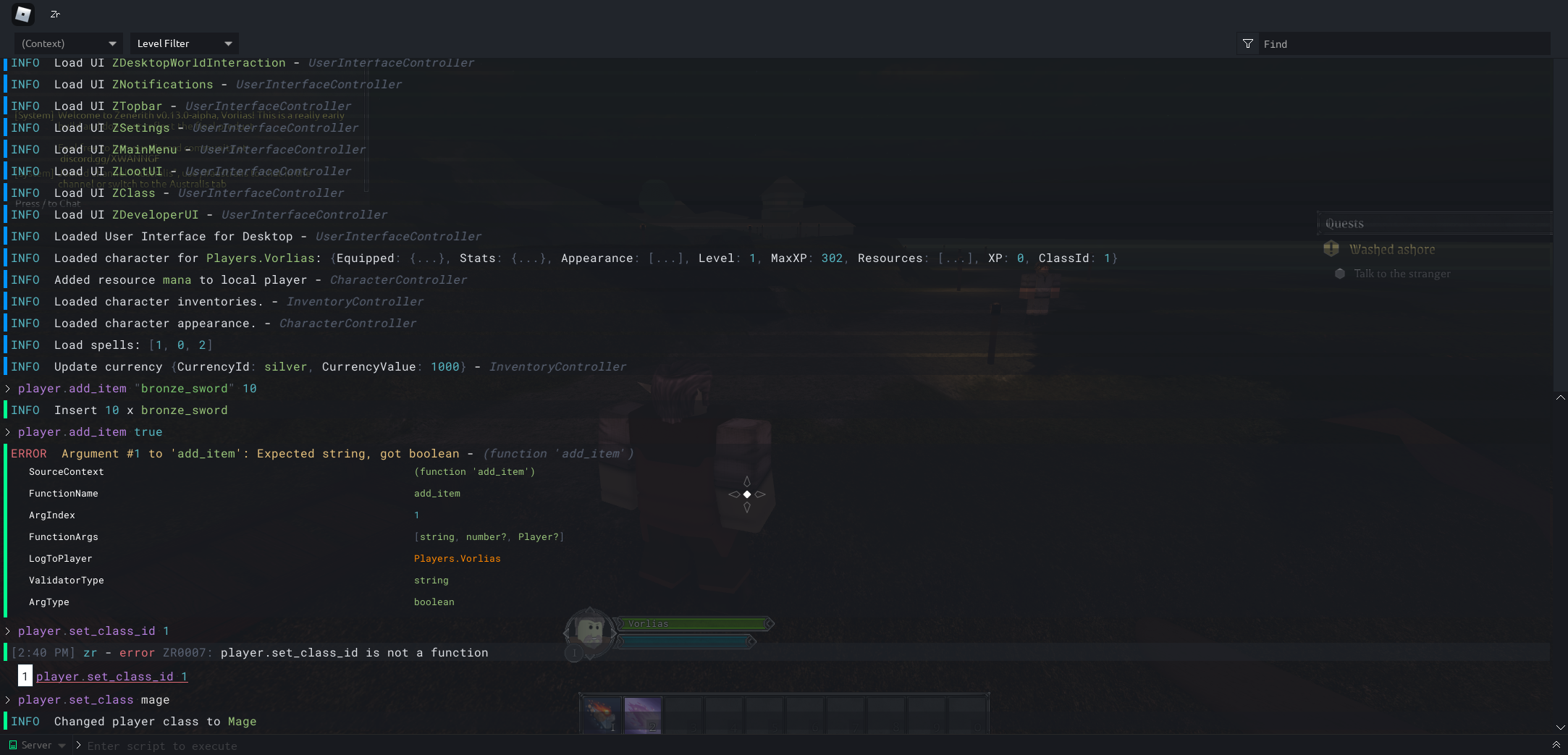
A clean, sleek, runtime debugging console for Roblox

 ## Setup
To begin, it is recommended to do
```
npm i @rbxts/zircon @rbxts/log
```
This will install both Zircon, as well as the logging support. It is recommended to use the logging as it can be filtered easily through the Zircon console.
## Features
- ### Zirconium Language Scripting
Zircon comes inbuilt with a runtime scripting language called [Zirconium](https://github.com/roblox-aurora/zirconium). This allows you to run scripts against your game during runtime.
More information on how to set this up, will come when Zircon is closer to being production-ready.
Supports:
- Functions
Using `ZirconServer.Registry.RegisterFunction` + `ZirconFunctionBuilder`
- Namespaces
Using `ZirconServer.Registry.RegisterNamespace` + `ZirconNamespaceBuilder`
- Enums
Using `ZirconServer.Registry.RegisterEnum` + `ZirconEnumBuilder`
- ### Structured Logging
If you want logging for Zircon, you will need to install [@rbxts/log](https://github.com/roblox-aurora/rbx-log).
Then to use Zircon with Log, you simply do
```ts
import Log from "@rbxts/log";
import Log, { Logger } from "@rbxts/log";
import Zircon from "@rbxts/zircon";
Log.SetLogger(
Logger.configure()
// ... Any other configurations/enrichers go here.
.WriteTo(Zircon.Log.Console()) // This will emit any `Log` messages to the Zircon console
.Create() // Creates the logger from the configuration
);
```
This will need to be done on both the _client_ and _server_ to achieve full logging.
All logging done through this can be filtered through the console itself. That's the power of structured logging! ;-)
## Registering and using Zircon Commands
Below is an example of how to register a command in Zircon:
```ts
import {
ZirconServer,
ZirconFunctionBuilder,
ZirconDefaultGroup,
ZirconConfigurationBuilder
} from "@rbxts/zircon";
import Log from "@rbxts/log";
const PrintMessage = new ZirconFunctionBuilder("print_message")
.AddArguments("string")
.Bind((context, message) => Log.Info(
"Zircon says {Message} from {Player}",
message,
context.GetExecutor()
));
const CreatorCommand = new ZirconFunctionBuilder("kill")
.AddArguments("player")
.Bind((context, player) => {
const character = player.Character;
if (character) {
character.BreakJoints()
}
});
ZirconServer.Registry.Init(
new ZirconConfigurationBuilder()
// Creates a 'creator' group
.CreateDefaultCreatorGroup()
// Creates a 'user' group
.CreateDefaultUserGroup()
// Adds an executable function called 'print_message', allowed to be executed by `User` (everyone)
.AddFunction(PrintMessage, [ZirconDefaultGroup.User])
// Adds an executable function called 'kill' that can only be executed by a creator of the place.
.AddFunction(CreatorCommand, [ZirconDefaultGroup.Creator])
// Builds the configuration for Zircon
.Build()
);
```
This will create a global `print_message` that all players can run.
Then if run in Zircon:
## Setup
To begin, it is recommended to do
```
npm i @rbxts/zircon @rbxts/log
```
This will install both Zircon, as well as the logging support. It is recommended to use the logging as it can be filtered easily through the Zircon console.
## Features
- ### Zirconium Language Scripting
Zircon comes inbuilt with a runtime scripting language called [Zirconium](https://github.com/roblox-aurora/zirconium). This allows you to run scripts against your game during runtime.
More information on how to set this up, will come when Zircon is closer to being production-ready.
Supports:
- Functions
Using `ZirconServer.Registry.RegisterFunction` + `ZirconFunctionBuilder`
- Namespaces
Using `ZirconServer.Registry.RegisterNamespace` + `ZirconNamespaceBuilder`
- Enums
Using `ZirconServer.Registry.RegisterEnum` + `ZirconEnumBuilder`
- ### Structured Logging
If you want logging for Zircon, you will need to install [@rbxts/log](https://github.com/roblox-aurora/rbx-log).
Then to use Zircon with Log, you simply do
```ts
import Log from "@rbxts/log";
import Log, { Logger } from "@rbxts/log";
import Zircon from "@rbxts/zircon";
Log.SetLogger(
Logger.configure()
// ... Any other configurations/enrichers go here.
.WriteTo(Zircon.Log.Console()) // This will emit any `Log` messages to the Zircon console
.Create() // Creates the logger from the configuration
);
```
This will need to be done on both the _client_ and _server_ to achieve full logging.
All logging done through this can be filtered through the console itself. That's the power of structured logging! ;-)
## Registering and using Zircon Commands
Below is an example of how to register a command in Zircon:
```ts
import {
ZirconServer,
ZirconFunctionBuilder,
ZirconDefaultGroup,
ZirconConfigurationBuilder
} from "@rbxts/zircon";
import Log from "@rbxts/log";
const PrintMessage = new ZirconFunctionBuilder("print_message")
.AddArguments("string")
.Bind((context, message) => Log.Info(
"Zircon says {Message} from {Player}",
message,
context.GetExecutor()
));
const CreatorCommand = new ZirconFunctionBuilder("kill")
.AddArguments("player")
.Bind((context, player) => {
const character = player.Character;
if (character) {
character.BreakJoints()
}
});
ZirconServer.Registry.Init(
new ZirconConfigurationBuilder()
// Creates a 'creator' group
.CreateDefaultCreatorGroup()
// Creates a 'user' group
.CreateDefaultUserGroup()
// Adds an executable function called 'print_message', allowed to be executed by `User` (everyone)
.AddFunction(PrintMessage, [ZirconDefaultGroup.User])
// Adds an executable function called 'kill' that can only be executed by a creator of the place.
.AddFunction(CreatorCommand, [ZirconDefaultGroup.Creator])
// Builds the configuration for Zircon
.Build()
);
```
This will create a global `print_message` that all players can run.
Then if run in Zircon:
 The first argument of `RegisterFunction` takes a `ZirconFunctionBuilder` - which is the easiest way to build a function. `AddArguments` takes any number of arguments for types you want, in built types in Zircon you can use a string for. Otherwise you supply the type validator object.
# Troubleshooting
### Attempted to call AsyncFunction 'ZrSOi4/GetZirconInit' - which has no user defined callback
- You need to call `ZirconServer.Registry.Init` - an example of that can be found [here](https://github.com/roblox-aurora/zircon-example/blob/master/src/server/main.server.ts#L20)
### Unhandled promise rejection: ... Component returned invalid children ...
- You need to update your version of roact to the latest. That can be done via `npm i @rbxts/roact@latest`.
# More Help & Links
[Australis OSS Community](https://discord.gg/SvUcvTRjPZ)
The first argument of `RegisterFunction` takes a `ZirconFunctionBuilder` - which is the easiest way to build a function. `AddArguments` takes any number of arguments for types you want, in built types in Zircon you can use a string for. Otherwise you supply the type validator object.
# Troubleshooting
### Attempted to call AsyncFunction 'ZrSOi4/GetZirconInit' - which has no user defined callback
- You need to call `ZirconServer.Registry.Init` - an example of that can be found [here](https://github.com/roblox-aurora/zircon-example/blob/master/src/server/main.server.ts#L20)
### Unhandled promise rejection: ... Component returned invalid children ...
- You need to update your version of roact to the latest. That can be done via `npm i @rbxts/roact@latest`.
# More Help & Links
[Australis OSS Community](https://discord.gg/SvUcvTRjPZ)