# @scoped-vaadin/login
This component is based on [@vaadin/login](https://www.npmjs.com/package/@vaadin/login)
A web component for displaying a login form, either inline, or as an overlay.
[Documentation + Live Demo ↗](https://vaadin.com/docs/latest/components/login)
[](https://www.npmjs.com/package/@scoped-vaadin/login)
```html
```
[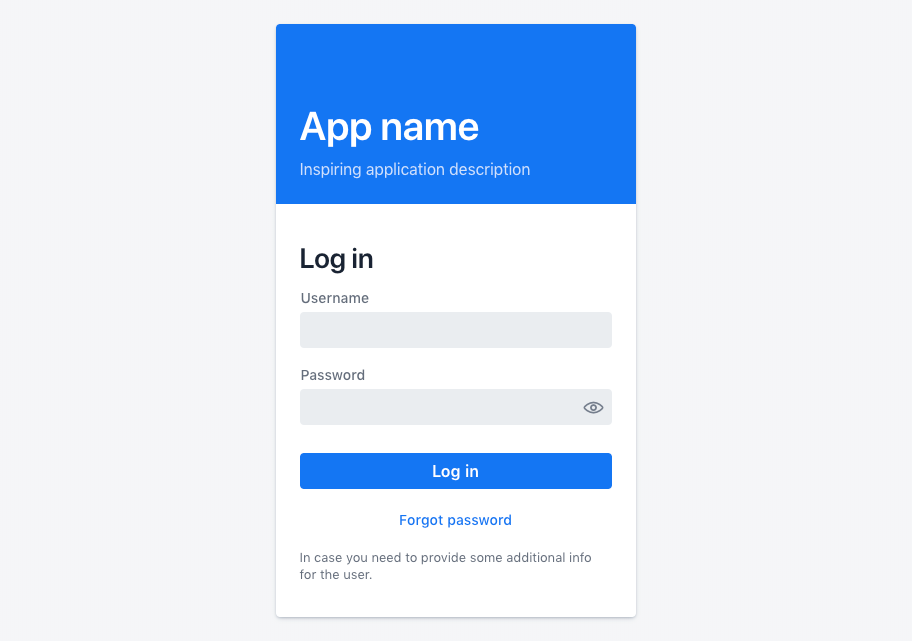 ](https://vaadin.com/docs/latest/components/login)
## Installation
Install the component:
```sh
npm i @scoped-vaadin/login
```
Once installed, import the component in your application:
```js
import '@scoped-vaadin/login';
```
## Themes
Vaadin components come with two built-in [themes](https://vaadin.com/docs/latest/styling), Lumo and Material.
The [main entrypoint](https://github.com/vaadin/web-components/blob/main/packages/list-box/vaadin-list-box.js) of the package uses Lumo theme.
To use the Material theme, import the components from the `theme/material` folder:
```js
import '@scoped-vaadin/login/theme/material/vaadin-login-overlay.js';
import '@scoped-vaadin/login/theme/material/vaadin-login-form.js';
```
You can also import the Lumo version of the components explicitly:
```js
import '@scoped-vaadin/login/theme/lumo/vaadin-login-overlay.js';
import '@scoped-vaadin/login/theme/lumo/vaadin-login-form.js';
```
Finally, you can import the un-themed components from the `src` folder to get a minimal starting point:
```js
import '@scoped-vaadin/login/src/vaadin-login-overlay.js';
import '@scoped-vaadin/login/src/vaadin-login-form.js';
```
## Contributing
Read the [contributing guide](https://vaadin.com/docs/latest/contributing) to learn about our development process, how to propose bugfixes and improvements, and how to test your changes to Vaadin components.
## License
Apache License 2.0
Vaadin collects usage statistics at development time to improve this product.
For details and to opt-out, see https://github.com/vaadin/vaadin-usage-statistics.
](https://vaadin.com/docs/latest/components/login)
## Installation
Install the component:
```sh
npm i @scoped-vaadin/login
```
Once installed, import the component in your application:
```js
import '@scoped-vaadin/login';
```
## Themes
Vaadin components come with two built-in [themes](https://vaadin.com/docs/latest/styling), Lumo and Material.
The [main entrypoint](https://github.com/vaadin/web-components/blob/main/packages/list-box/vaadin-list-box.js) of the package uses Lumo theme.
To use the Material theme, import the components from the `theme/material` folder:
```js
import '@scoped-vaadin/login/theme/material/vaadin-login-overlay.js';
import '@scoped-vaadin/login/theme/material/vaadin-login-form.js';
```
You can also import the Lumo version of the components explicitly:
```js
import '@scoped-vaadin/login/theme/lumo/vaadin-login-overlay.js';
import '@scoped-vaadin/login/theme/lumo/vaadin-login-form.js';
```
Finally, you can import the un-themed components from the `src` folder to get a minimal starting point:
```js
import '@scoped-vaadin/login/src/vaadin-login-overlay.js';
import '@scoped-vaadin/login/src/vaadin-login-form.js';
```
## Contributing
Read the [contributing guide](https://vaadin.com/docs/latest/contributing) to learn about our development process, how to propose bugfixes and improvements, and how to test your changes to Vaadin components.
## License
Apache License 2.0
Vaadin collects usage statistics at development time to improve this product.
For details and to opt-out, see https://github.com/vaadin/vaadin-usage-statistics.