# Obelisk (TS)
> Custom port of [obelisk.js](https://github.com/nosir/obelisk.js) to TypeScript, free of side effects.
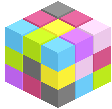
Obelisk is a JavaScript library for building isometric pixel objects with a simple and flexible API, allowing you to easily add isometric pixel elements like brick, cube, pyramid and slope in HTML5 canvas. Obelisk strictly follows pixel neat pattern: lines with 1:2 pixel dot arrangement, leading to an angle of 22.6 degrees.
 ## Installation
```sh
# NPM
npm install @storiny/obelisk
# Yarn
yarn add @storiny/obelisk
```
### CDN
```html
```
## Breaking changes
- Does not support canvas from jQuery.
- Requires DOM, might break on the server side with node-canvas (at least for now).
## Docs
Available at https://storiny.github.io/obelisk (TS).
## Usage
Package exports named imports (tree shaking is supported).
```ts
import {
Point,
PixelView,
CubeDimension,
ColorPattern,
CubeColor,
Cube
} from '@storiny/obelisk';
// Create a canvas 2D point for pixel view world
const point = new Point(200, 200);
// Create view instance to nest everything
// Canvas must be a DOM elemenet
const pixelView = new PixelView(canvas, point);
// Create cube dimension and color instance
const dimension = new CubeDimension(80, 100, 120);
const gray = ColorPattern.GRAY;
const color = new CubeColor().getByHorizontalColor(gray);
// Build cube with dimension and color instance
const cube = new Cube(dimension, color, true);
// Render cube primitive into view
pixelView.renderObject(cube);
```
View more on the original [repository](https://github.com/nosir/obelisk.js).
## Installation
```sh
# NPM
npm install @storiny/obelisk
# Yarn
yarn add @storiny/obelisk
```
### CDN
```html
```
## Breaking changes
- Does not support canvas from jQuery.
- Requires DOM, might break on the server side with node-canvas (at least for now).
## Docs
Available at https://storiny.github.io/obelisk (TS).
## Usage
Package exports named imports (tree shaking is supported).
```ts
import {
Point,
PixelView,
CubeDimension,
ColorPattern,
CubeColor,
Cube
} from '@storiny/obelisk';
// Create a canvas 2D point for pixel view world
const point = new Point(200, 200);
// Create view instance to nest everything
// Canvas must be a DOM elemenet
const pixelView = new PixelView(canvas, point);
// Create cube dimension and color instance
const dimension = new CubeDimension(80, 100, 120);
const gray = ColorPattern.GRAY;
const color = new CubeColor().getByHorizontalColor(gray);
// Build cube with dimension and color instance
const cube = new Cube(dimension, color, true);
// Render cube primitive into view
pixelView.renderObject(cube);
```
View more on the original [repository](https://github.com/nosir/obelisk.js).