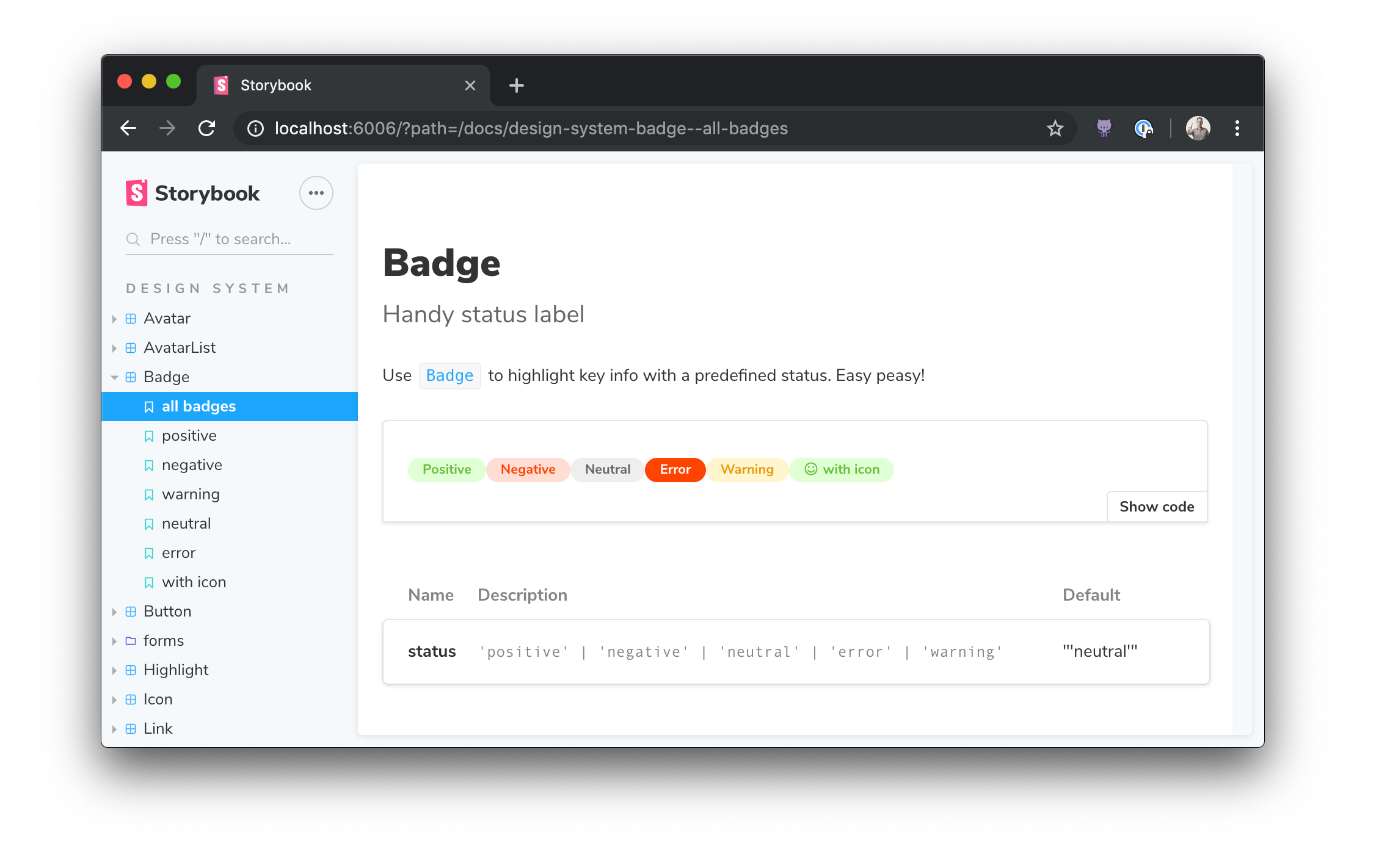
# Storybook Docs for React
Storybook Docs transforms your Storybook stories into world-class component documentation. Storybook Docs for React supports [DocsPage](../docs/docspage.md) for auto-generated docs, and [MDX](../docs/mdx.md) for rich long-form docs.
To learn more about Storybook Docs, read the [general documentation](../README.md). To learn the React specifics, read on!
- [Installation](#installation)
- [DocsPage](#docspage)
- [MDX](#mdx)
- [Inline stories](#inline-stories)
- [More resources](#more-resources)
## Installation
First add the package. Make sure that the versions for your `@storybook/*` packages match:
```sh
yarn add -D @storybook/addon-docs@next
```
Then add the following to your `.storybook/main.js` list of `addons`:
```js
module.exports = {
// other settings
addons: ['@storybook/addon-docs'];
}
```
## DocsPage
When you [install docs](#installation) you should get basic [DocsPage](../docs/docspage.md) documentation automagically for all your stories, available in the `Docs` tab of the Storybook UI.
To show the props table for your component, be sure to fill in the `component` field in your story metadata:
```ts
import { Button } from './Button';
export default {
title: 'Button',
component: Button,
};
```
If you haven't upgraded from `storiesOf`, you can use a parameter to do the same thing:
```ts
import { storiesOf } from '@storybook/react';
import { Button } from './Button';
storiesOf('InfoButton', module)
.addParameters({ component: Button })
.add( ... );
```
## MDX
[MDX](../docs/mdx.md) is a convenient way to document your components in Markdown and embed documentation components, such as stories and props tables, inline.
Docs has peer dependencies on `react`, `react-is`, and `babel-loader`. If you want to write stories in MDX, you may need to add these dependencies as well:
```sh
yarn add -D react react-is babel-loader
```
Then update your `.storybook/main.js` to make sure you load MDX files:
```js
module.exports = {
stories: ['../src/stories/**/*.stories.(js|mdx)'],
};
```
Finally, you can create MDX files like this:
```md
import { Meta, Story, Props } from '@storybook/addon-docs/blocks';
import { Button } from './Button';
# Button
Some **markdown** description, or whatever you want.
## Props
```
## Inline Stories
Storybook Docs renders all React stories inline on the page by default. If you want to render stories in an `iframe` so that they are better isolated. To do this, update `.storybook/preview.js`:
```js
import { addParameters } from '@storybook/react';
addParameters({
docs: {
inlineStories: false,
},
});
```
## More resources
Want to learn more? Here are some more articles on Storybook Docs:
- References: [DocsPage](../docs/docspage.md) / [MDX](../docs/mdx.md) / [FAQ](../docs/faq.md) / [Recipes](../docs/recipes.md) / [Theming](../docs/theming.md)
- Vision: [Storybook Docs sneak peak](https://medium.com/storybookjs/storybook-docs-sneak-peak-5be78445094a)
- Announcement: [DocsPage](https://medium.com/storybookjs/storybook-docspage-e185bc3622bf)
- Example: [Storybook Design System](https://github.com/storybookjs/design-system)