# Launched Badges
> **Universal badges for your product launches.**
> Product Hunt isn’t the only place. Celebrate launches anywhere — Lovable, Reddit, X, Hacker News, and beyond — with drop-in React components.
**Launched Badges** is a set of reusable, plug-and-play React components that showcase your product launches across platforms. Whether it’s Lovable, Reddit, X, or Hacker News, highlight your milestones where your users are — not just on Product Hunt.
## 🚀 Features
- 🏷️ Prebuilt badges for Lovable, Reddit, Hacker News, X, Facebook, Instagram, LinkedIn, GitHub, MicroLaunch
- 🎨 Light/dark themes with flexible sizing and layout control
- ⚙️ Fine-grained over display — customize logo, text, icons, and count (upvotes, likes, followers, link-only, or none)
- 🖼️ Scalable SVG components built for React — plug-and-play and pixel-perfect
- 🧩 Powerful base component for full customizability
## ✨ Try it now
Visit our interactive demo on [Homepage](https://launched-badges.lovable.app/) to customize and preview badges for your projects.
## 📋 Supported Platforms
- **Lovable**
- **Reddit**
- **Hacker News**
- **X (Twitter)**
- **Facebook**
- **Instagram**
- **LinkedIn**
- **GitHub**
- **MicroLaunch**
- **Custom** - Create your own badges with the generic base component
## 🔧 Prerequisites
Launched Badges are built with React.
Please ensure React is installed and properly configured in your project.
```json
{
"react": "^18.0.0 || ^19.0.0",
"react-dom": "^18.0.0 || ^19.0.0"
}
```
## Installation
```bash
npm install @sundaywong/launched-badges
# or
yarn add @sundaywong/launched-badges
# or
pnpm add @sundaywong/launched-badges
```
## Usage
#### Lovable Badge
```jsx
import { LovableBadge } from '@sundaywong/launched-badges';
const MyComponent = () => {
return (
);
};
```
#### Reddit Badge
```jsx
import { RedditBadge } from '@sundaywong/launched-badges';
const MyComponent = () => {
return (
);
};
```
#### Hacker News Badge
```jsx
import { HackerNewsBadge } from '@sundaywong/launched-badges';
const MyComponent = () => {
return (
);
};
```
#### Facebook Badge
```jsx
import { FacebookBadge } from '@sundaywong/launched-badges';
const MyComponent = () => {
return (
);
};
```
#### Instagram Badge
```jsx
import { InstagramBadge } from '@sundaywong/launched-badges';
const MyComponent = () => {
return (
);
};
```
#### LinkedIn Badge
```jsx
import { LinkedInBadge } from '@sundaywong/launched-badges';
const MyComponent = () => {
return (
);
};
```
#### Twitter Badge
```jsx
import { TwitterBadge } from '@sundaywong/launched-badges';
const MyComponent = () => {
return (
);
};
```
#### GitHub Badge
```jsx
import { GitHubBadge } from '@sundaywong/launched-badges';
const MyComponent = () => {
return (
);
};
```
#### MicroLaunch Badge
```jsx
import { MicroLaunchBadge } from '@sundaywong/launched-badges';
const MyComponent = () => {
return (
);
};
```
## Creating Custom Platform Badges
You can easily create custom badges for other platforms by extending the `SocialBadge` component:
```jsx
import React from 'react';
import { SocialBadge, SocialBadgeProps } from '@sundaywong/launched-badges';
interface MyCustomBadgeProps extends Omit {
// Add any unique props for your custom badge if needed
}
export const MyCustomBadge: React.FC = (props) => {
// Custom logo
const customLogo = (
);
// Custom colors
const customColors = {
light: {
border: '#ff000020',
text: '#ff0000',
background: '#FFFFFF',
},
dark: {
border: '#363636',
text: '#FFFFFF',
background: '#201e1e',
},
};
const colors = props.theme === 'dark' ? customColors.dark : customColors.light;
return (
);
};
```
## API
### SocialBadge Props
| Prop | Type | Default | Description |
|------|------|---------|-------------|
| `count` | `number \| string` | - | The count to display. Can be a number or a formatted string (max 6 chars, e.g., "10.5k"). |
| `theme` | `'light' \| 'dark' \| string` | `'light'` | The theme of the badge. Use 'light' or 'dark', or provide a custom theme string (affects default colors if not overridden). |
| `width` | `number` | `220` | The width of the badge in pixels. Scales height proportionally if height is not set. |
| `height` | `number` | - | The height of the badge in pixels. Scales width proportionally if width is not set. |
| `featuredText` | `string` | `'FEATURED ON'` | Text shown above the platform name (max 15 characters). |
| `platformName` | `string` | `'Social'` | The platform name text (used if `platformNameComponent` is not provided). |
| `platformNameComponent` | `React.ReactNode` | - | Custom React node to render the platform name (overrides `platformName`). |
| `linkEnabled` | `boolean` | `true` | Whether to wrap the badge in a link specified by `linkUrl`. |
| `linkUrl` | `string` | - | URL to link to when the badge is clicked (if `linkEnabled` is true). |
| `displayMode` | `'count' \| 'link' \| 'none'` | `'count'` | What to display on the right side: the count/icon, a link icon, or nothing. |
| `iconType` | `'upvote' \| 'upvote-arrow' \| 'likes' \| 'followers' \| 'star'` | `'upvote'` | Icon type to display next to the count when `displayMode` is 'count'. |
| `colors` | `{ border?: string; text?: string; background?: string; }` | - | Object to override specific colors (border, text, background). Takes precedence over theme defaults. |
| `logoComponent` | `React.ReactNode` | - | Custom React node for the logo on the left side. |
| `viewBoxWidth` | `number` | `220` | Override the default SVG viewBox width. Adjusted automatically if `displayMode` is 'none'. |
| `countGroupX` | `number` | `172` | Override the default X position for the count/icon group. |
### Platform-specific Badge Props
Platform-specific badges (`LovableBadge`, `RedditBadge`, etc.) accept all `SocialBadge` props except `platformName`, `colors`, and `logoComponent`, as these are pre-configured for each platform. They provide a convenient way to use styled badges without manual configuration.
## Testing
This package includes a comprehensive test suite using Vitest.
```bash
# Run tests
npm test
# Run tests with coverage
npm run test:coverage
# Run tests in watch mode during development
npm run test:watch
```
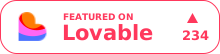
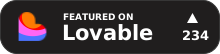 ```jsx
import { LovableBadge } from '@sundaywong/launched-badges';
const MyComponent = () => {
return (
```jsx
import { LovableBadge } from '@sundaywong/launched-badges';
const MyComponent = () => {
return (

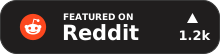 ```jsx
import { RedditBadge } from '@sundaywong/launched-badges';
const MyComponent = () => {
return (
```jsx
import { RedditBadge } from '@sundaywong/launched-badges';
const MyComponent = () => {
return (

 ```jsx
import { HackerNewsBadge } from '@sundaywong/launched-badges';
const MyComponent = () => {
return (
```jsx
import { HackerNewsBadge } from '@sundaywong/launched-badges';
const MyComponent = () => {
return (

 ```jsx
import { FacebookBadge } from '@sundaywong/launched-badges';
const MyComponent = () => {
return (
```jsx
import { FacebookBadge } from '@sundaywong/launched-badges';
const MyComponent = () => {
return (

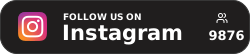 ```jsx
import { InstagramBadge } from '@sundaywong/launched-badges';
const MyComponent = () => {
return (
```jsx
import { InstagramBadge } from '@sundaywong/launched-badges';
const MyComponent = () => {
return (

 ```jsx
import { LinkedInBadge } from '@sundaywong/launched-badges';
const MyComponent = () => {
return (
```jsx
import { LinkedInBadge } from '@sundaywong/launched-badges';
const MyComponent = () => {
return (

 ```jsx
import { TwitterBadge } from '@sundaywong/launched-badges';
const MyComponent = () => {
return (
```jsx
import { TwitterBadge } from '@sundaywong/launched-badges';
const MyComponent = () => {
return (

 ```jsx
import { GitHubBadge } from '@sundaywong/launched-badges';
const MyComponent = () => {
return (
```jsx
import { GitHubBadge } from '@sundaywong/launched-badges';
const MyComponent = () => {
return (

 ```jsx
import { MicroLaunchBadge } from '@sundaywong/launched-badges';
const MyComponent = () => {
return (
```jsx
import { MicroLaunchBadge } from '@sundaywong/launched-badges';
const MyComponent = () => {
return (