# Time Saver
This plugin provides an implementation of charts and statistics related to your time savings that are coming from usage of your templates. Plugins is built from frontend and backend part. This part of plugin `frontend` is responsible of providing views with charts describing data collected from `backend` part of plugin.
## Dependencies
- [time-saver-backend](https://github.com/tduniec/backstage-timesaver-plugin/tree/main/plugins/time-saver-backend)
- [time-saver-common](https://github.com/tduniec/backstage-timesaver-plugin/tree/main/plugins/time-saver-common)
## Code
https://github.com/tduniec/backstage-timesaver-plugin.git
## Screens
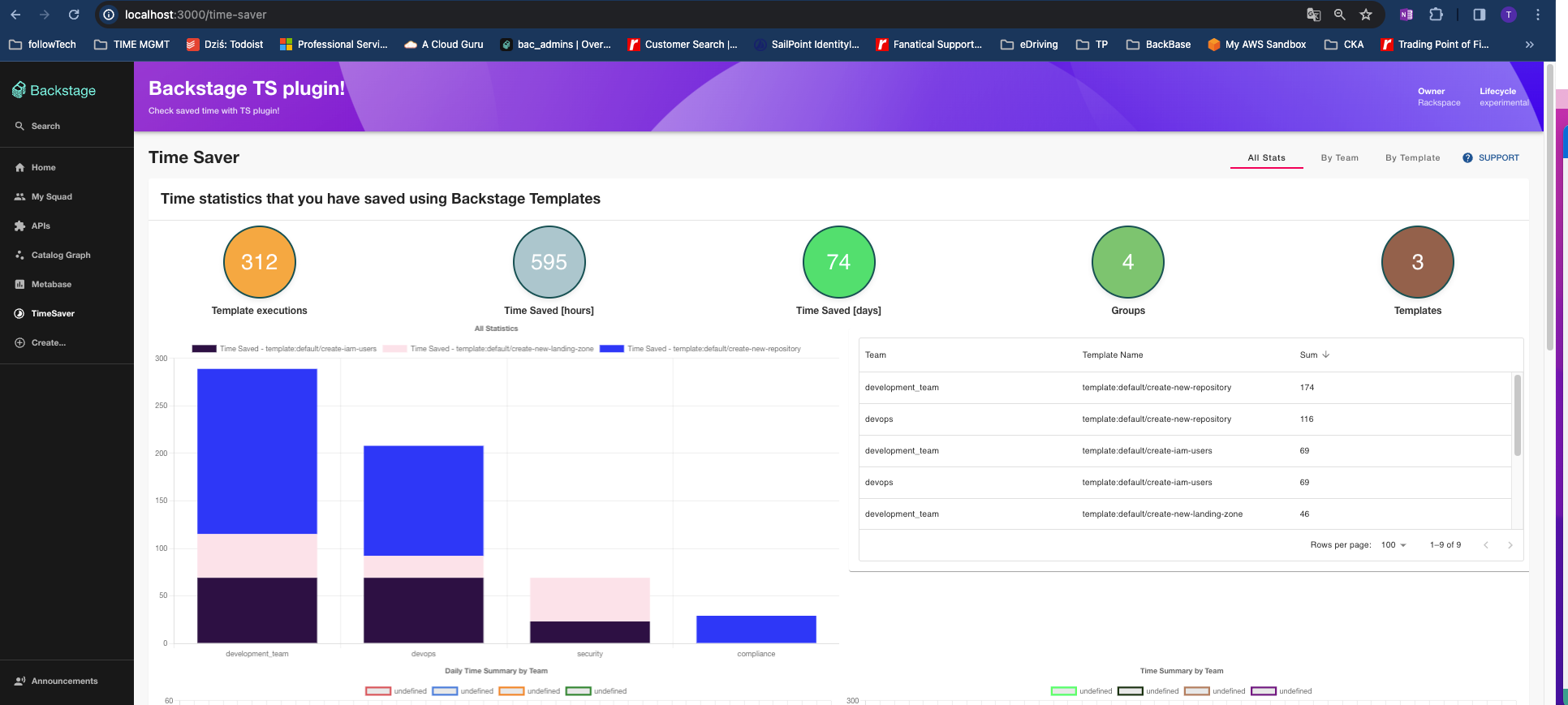
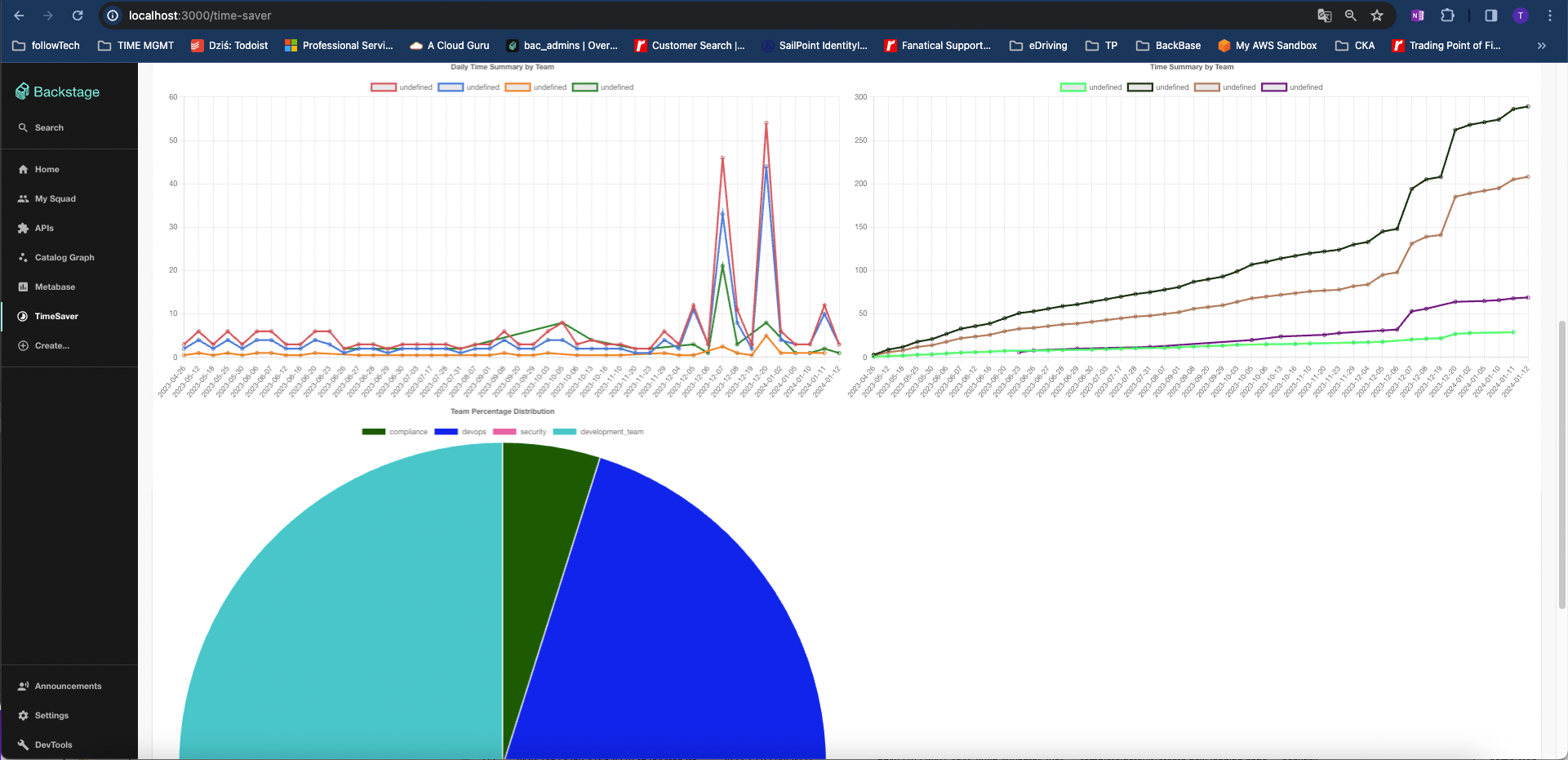
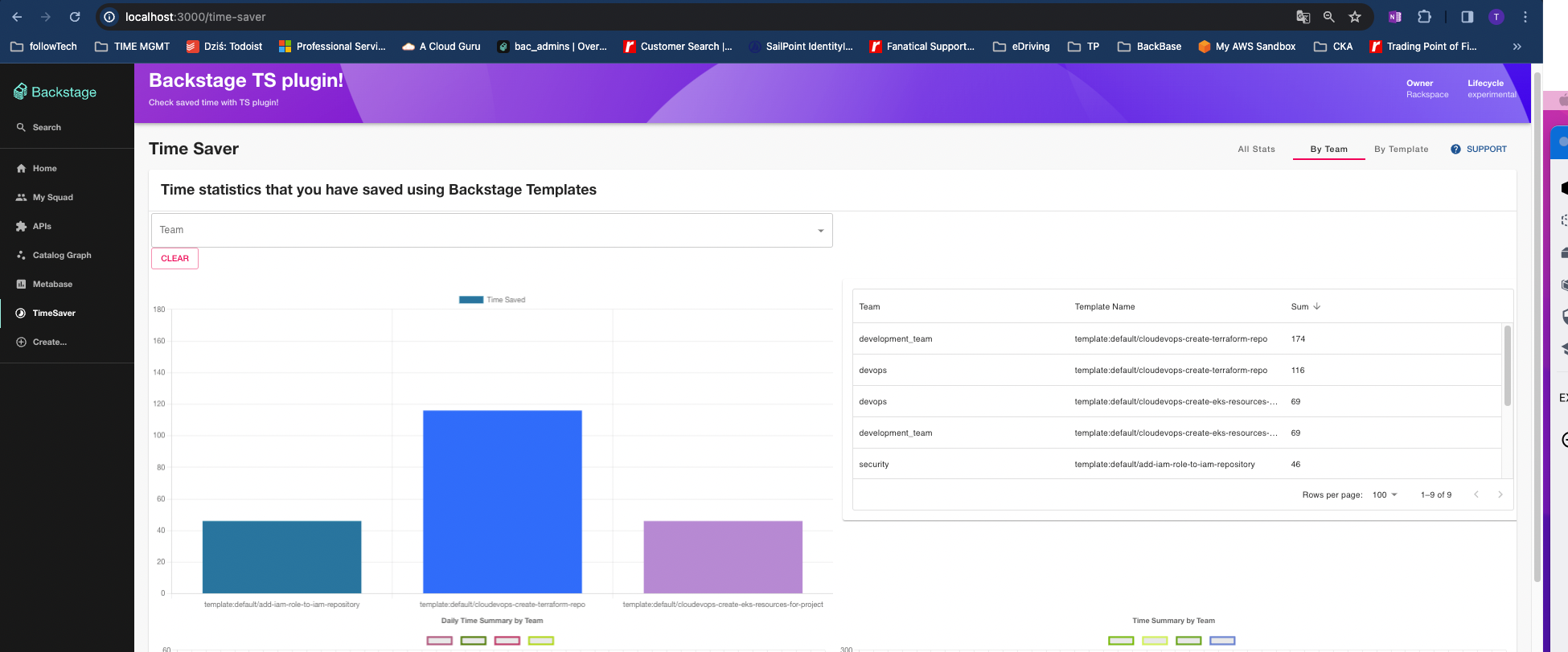
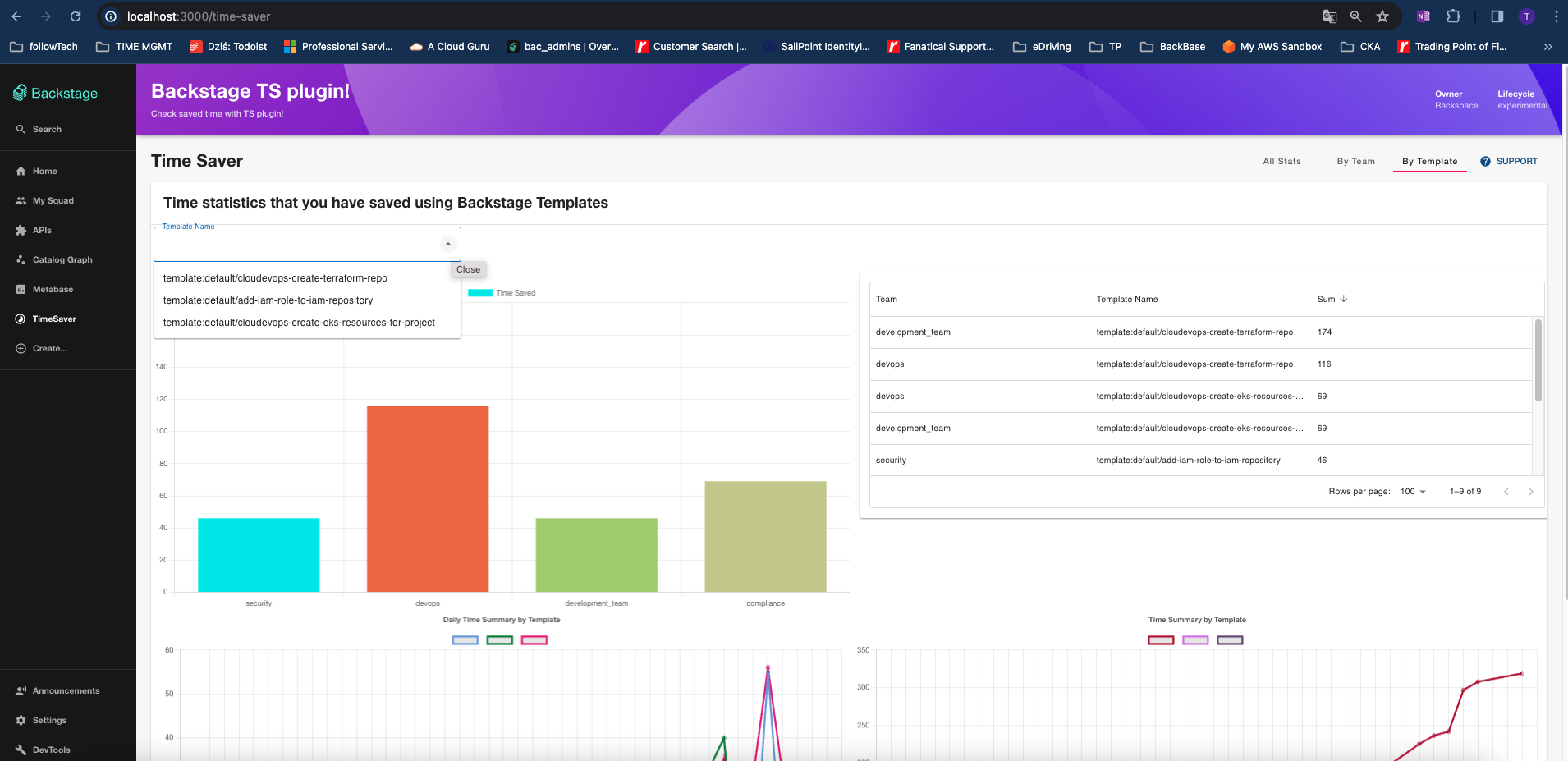
## Installation
1. Install the plugin package in your Backstage app:
```sh
# From your Backstage root directory
yarn add --cwd packages/app @tduniec/backstage-plugin-time-saver
```
Once installed, the plugin is automatically available in your app through the default feature discovery. For more details and alternative installation methods, see [installing plugins](https://backstage.io/docs/frontend-system/building-apps/installing-plugins).
1. Install [time-saver-backend](../time-saver-backend/README.md) part if not installed already
## Installation (Legacy Frontend)
1. Install the plugin package in your Backstage app:
```sh
# From your Backstage root directory
yarn add --cwd packages/app @tduniec/backstage-plugin-time-saver
```
2. Now open the `packages/app/src/App.tsx` file
3. Then after all the import statements add the following line:
```tsx
import { TimeSaverPage } from '@tduniec/backstage-plugin-time-saver';
```
4. In this same file just before the closing ``, this will be near the bottom of the file, add this line:
```tsx
} />
```
5. Next open the `packages/app/src/components/Root/Root.tsx` file
6. We want to add this icon import after all the existing import statements:
```tsx
import Timelapse from '@material-ui/icons/Timelapse';
```
7. Then add this line just after the `` line:
```tsx
```
8. Now run `yarn dev` from the root of your project and you should see the DevTools option show up just below Settings in your sidebar and clicking on it will get you to the [Info tab](#info)
9. Install [time-saver-backend](../time-saver-backend/README.md) part if not installed already
## Generate Statistics
Configure your template definition like described below:
Provide an object under `metadata`. Provide quantities of saved time by each group executing one template in **_hours_** preferably
```diff
apiVersion: scaffolder.backstage.io/v1beta3
kind: Template
metadata:
name: example-template
title: create-github-project
description: Creates Github project
+ substitute:
+ engineering:
+ devops: 1
+ security: 4
+ development_team: 2
spec:
owner: group:default/backstage-admins
type: service
```
Scheduler is running with its default setup every **5 minutes** to generate data from executed templates with these information.
## Migration
This plugins supports backward compatibility with migration. You can specify your Time Saver metadata for each template name. Then the migration will be performed once executing the API request to `/migrate` endpoint of the plugin.
Configure your backward time savings here:
Open the `app-config.yaml` file
```yaml
ts:
backward:
config: |
[
{
"entityRef": "template:default/create-github-project",
"engineering": {
"devops": 8,
"development_team": 8,
"security": 3
}
}
]
# extend this list if needed
```
## TimeSaverPage optional customization
1. TimeSaverPage has now exported props that can help you customize your page headers. By default it is an empty header
```tsx
```
2. Stats table config:
By default Table stats Time Summaries are provided in hours, below you can find optional config that can change it to days.
```yaml
ts:
frontend:
table:
showInDays: true # if true, the table shows days [boolean]
hoursPerDay: 8 # how many hours count as a day [number]
```