## 简介
基于腾讯云推送服务(Push),支持 iOS 和 Android 推送,同时适配各大厂商推送。
腾讯云推送服务(Push)提供一站式 App 推送解决方案,助您轻松提升用户留存和互动活跃度,支持与腾讯云即时通信 IM SDK、实时音视频 TRTC SDK、音视频通话 SDK、直播 SDK等音视频终端产品协同集成,在不同场景联合使用,提升业务整体功能体验。
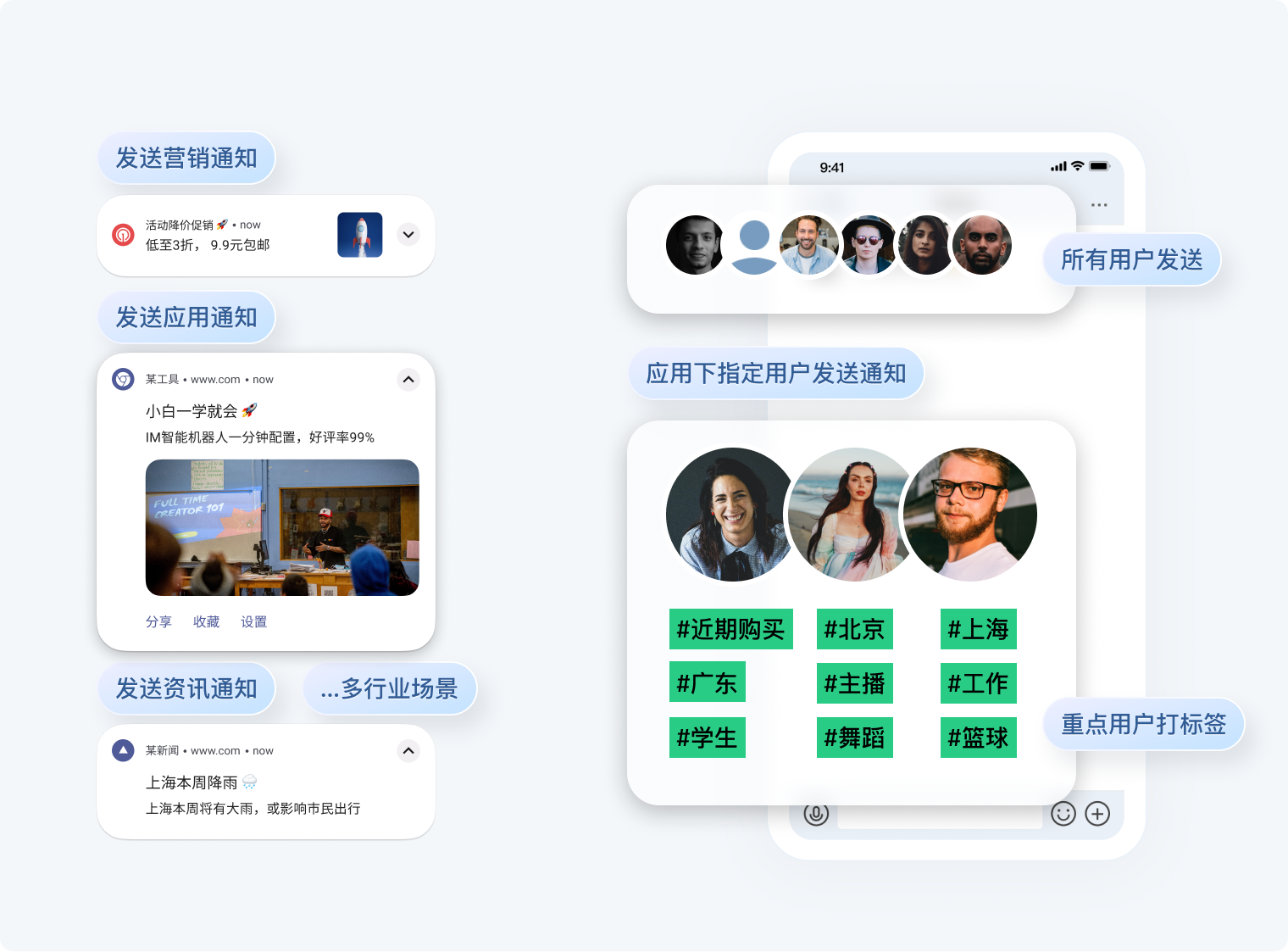
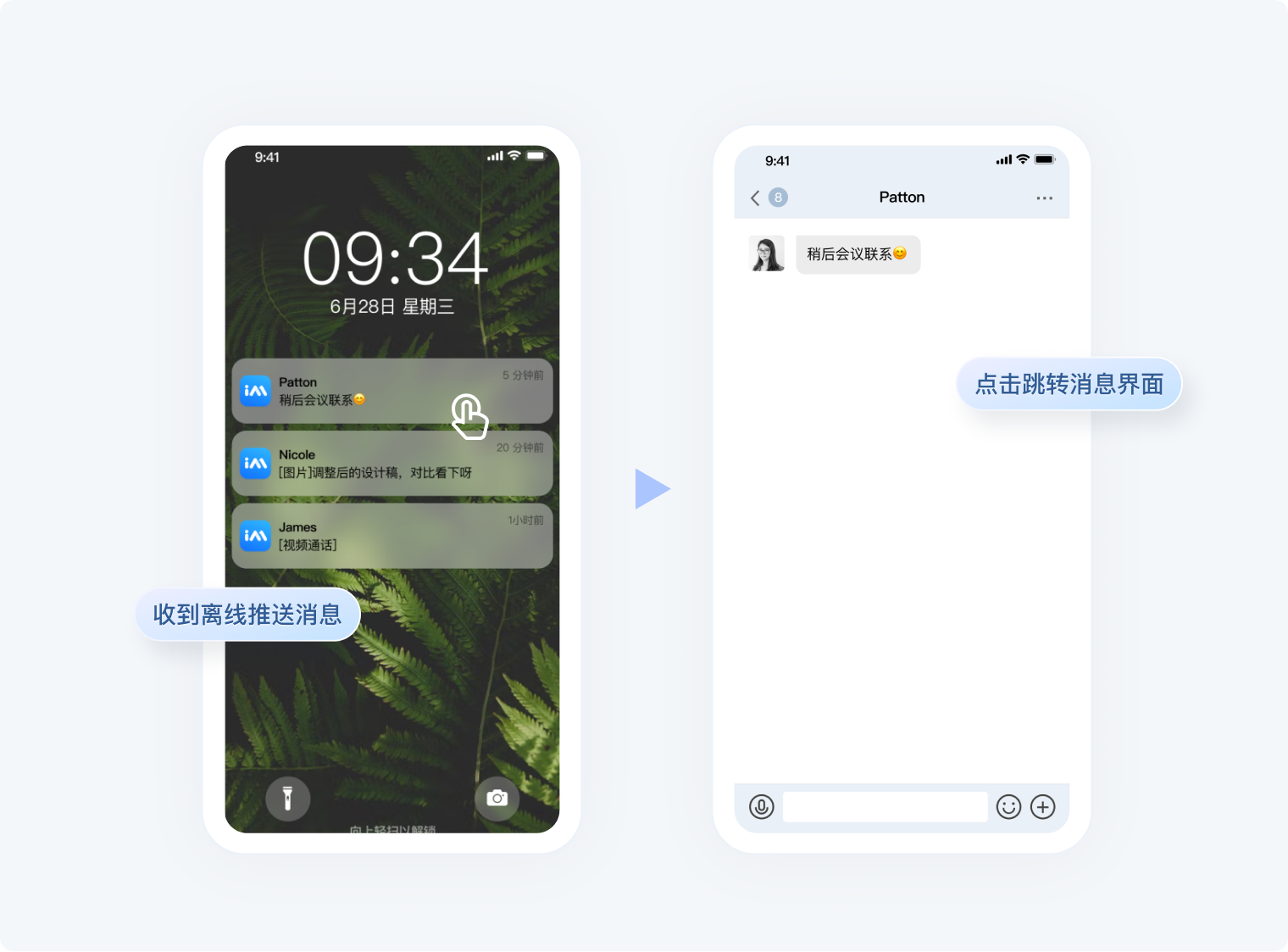
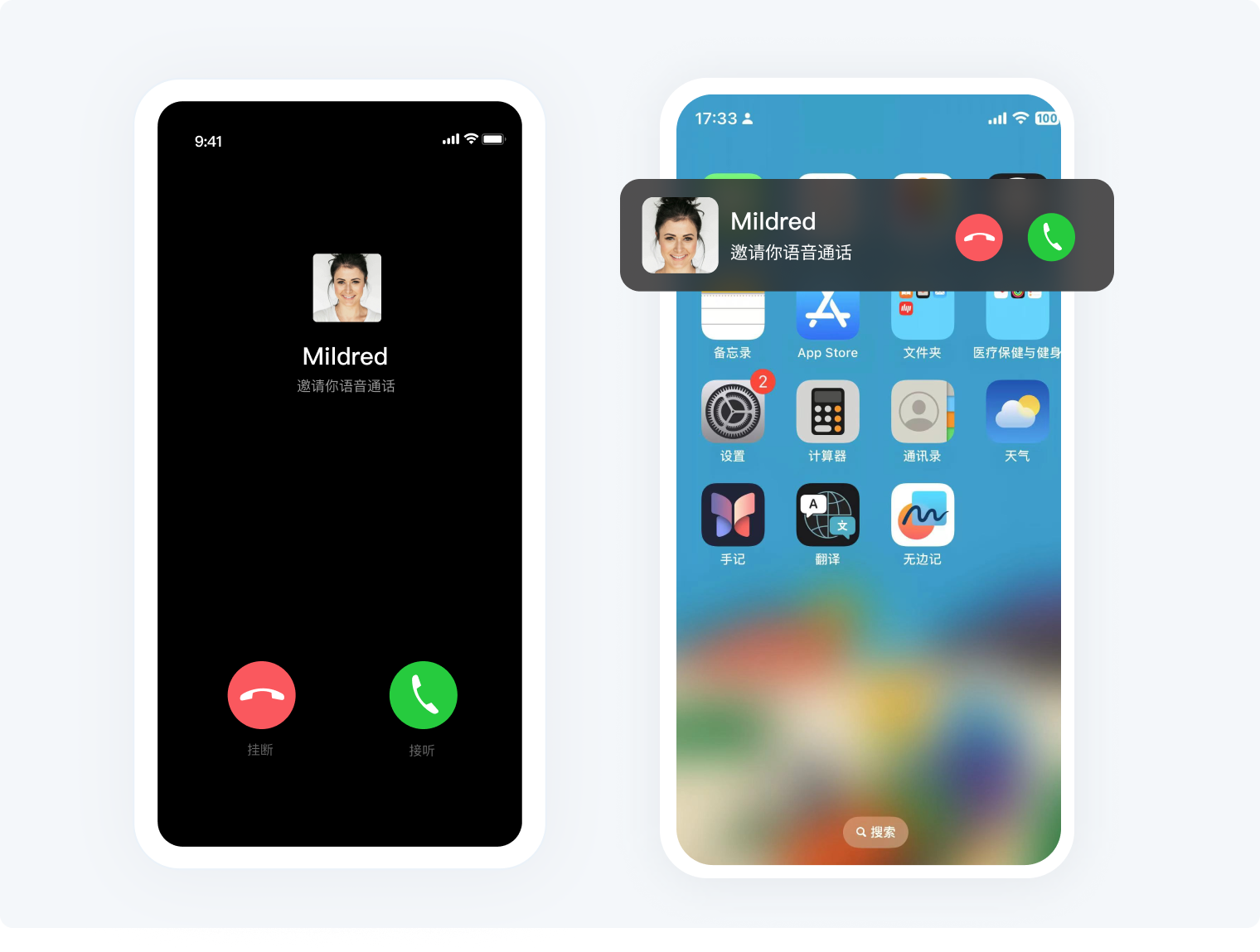 #### 数据可视化,辅助运营策略
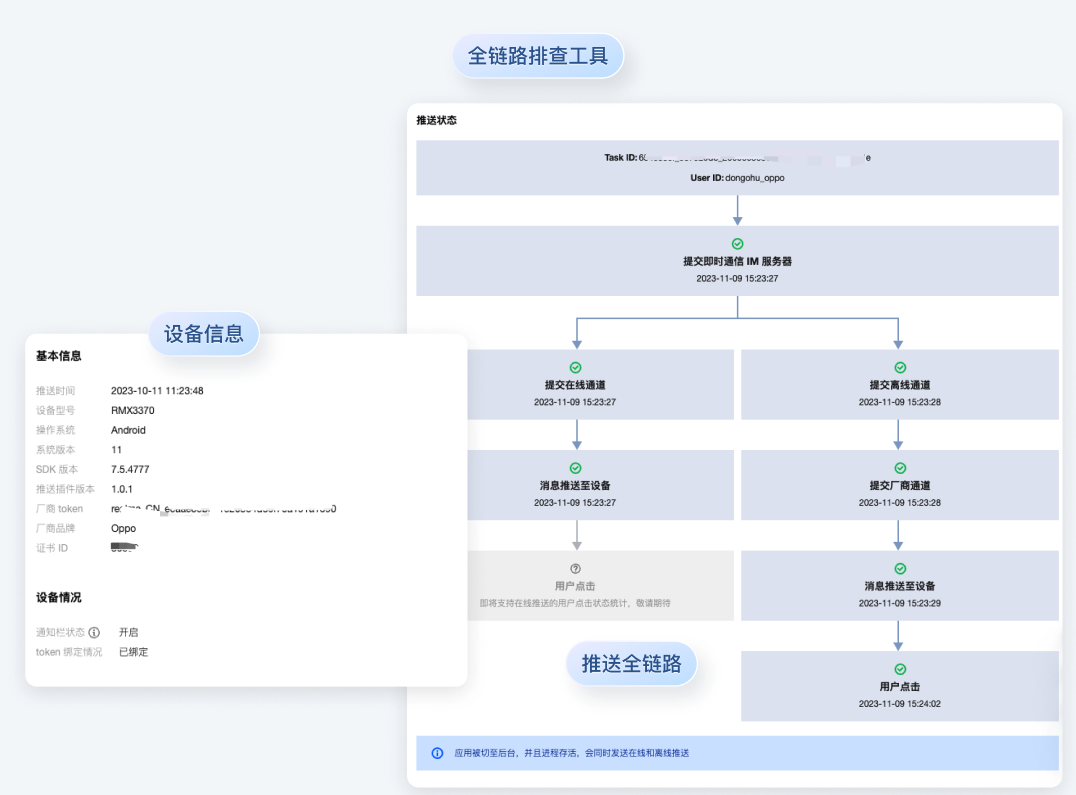
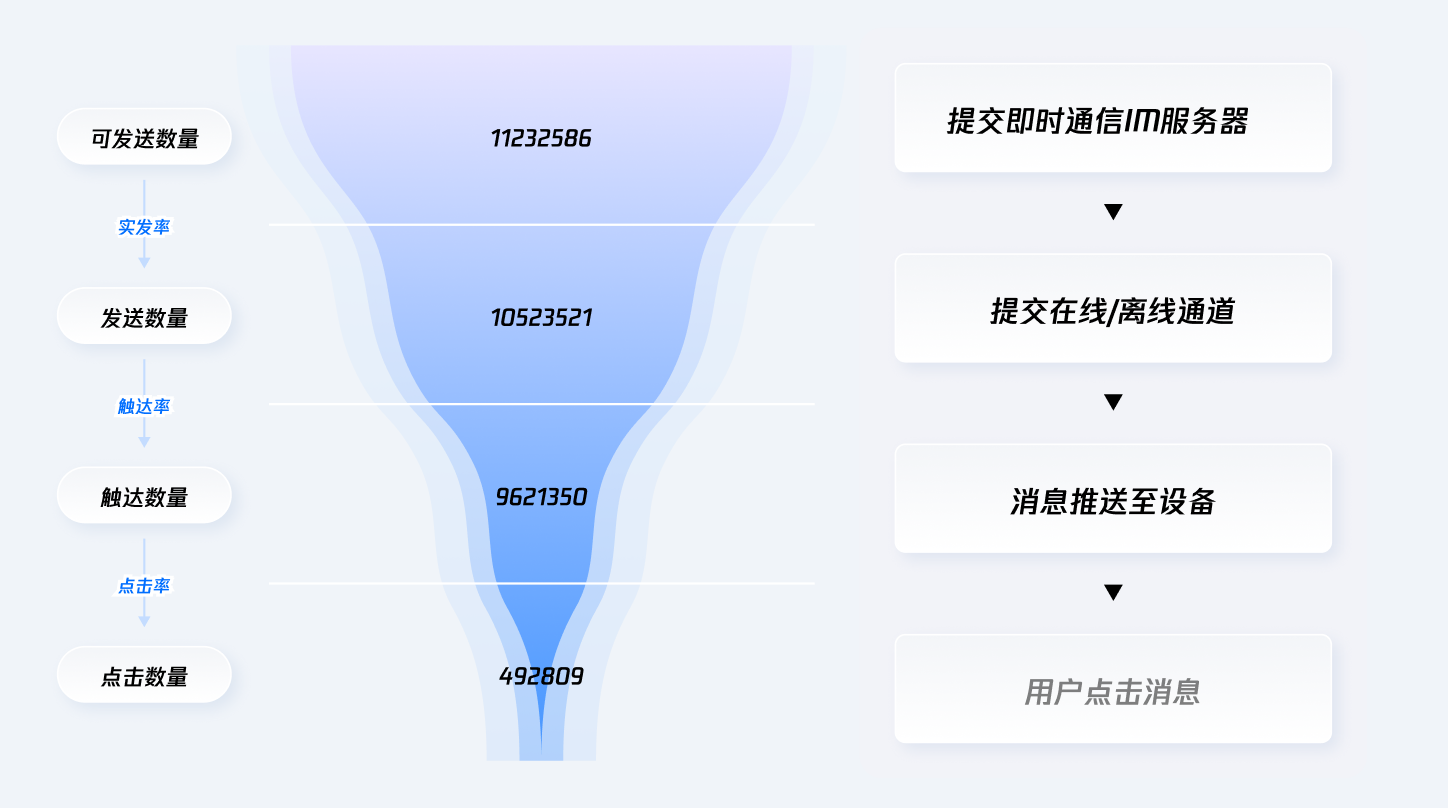 #### 支持推送消息全链路问题排查
 #### 六地服务部署,严守数据安全
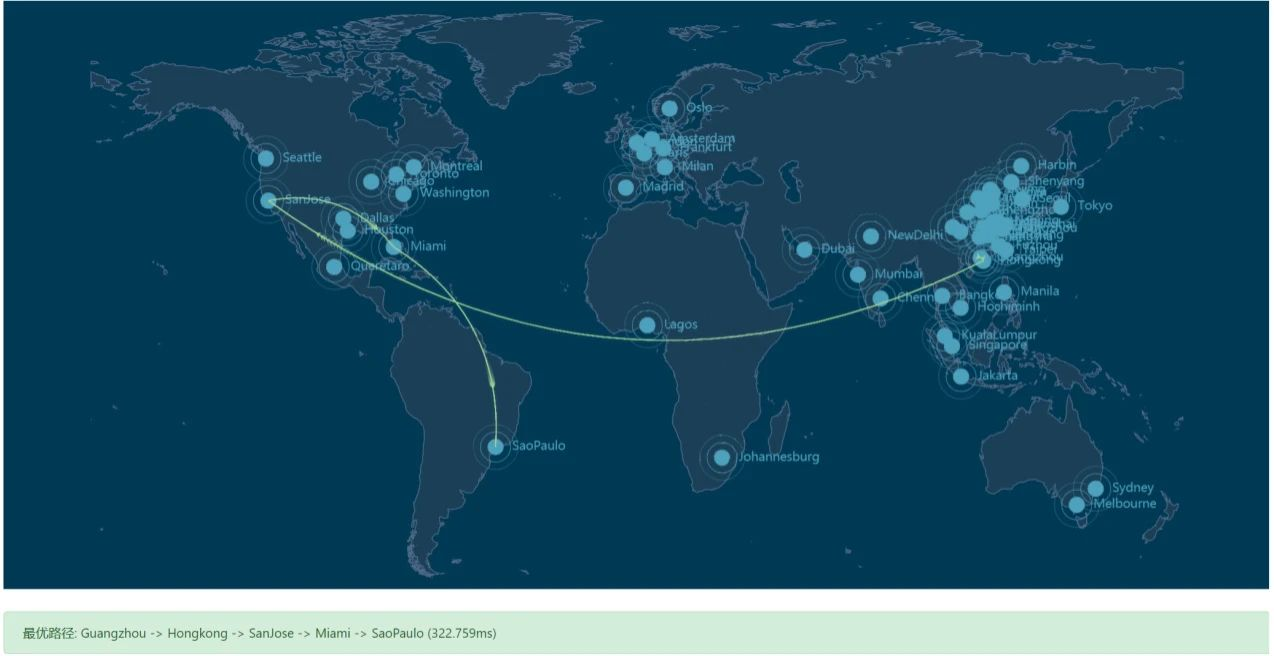
提供了中国、东南亚(新加坡、印尼雅加达)、东北亚(韩国首尔)、欧洲(德国法兰克福)以及北美(美国硅谷)数据存储中心供选择,每个数据中心均支持全球接入。如果您的应用在境外上线且用户主要在境外,您可以根据消息传输需求及合规要求,选择适合您业务的境外数据中心,保障您的数据安全。
#### 六地服务部署,严守数据安全
提供了中国、东南亚(新加坡、印尼雅加达)、东北亚(韩国首尔)、欧洲(德国法兰克福)以及北美(美国硅谷)数据存储中心供选择,每个数据中心均支持全球接入。如果您的应用在境外上线且用户主要在境外,您可以根据消息传输需求及合规要求,选择适合您业务的境外数据中心,保障您的数据安全。
 ## 快速跑通
步骤1:创建应用
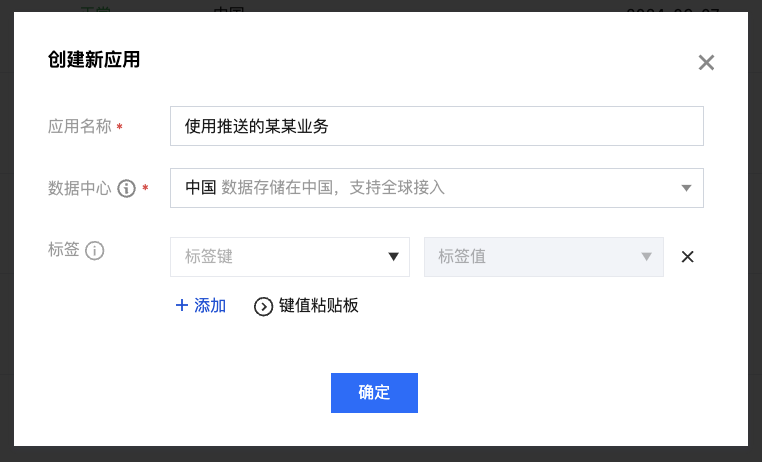
进入 [控制台](https://console.cloud.tencent.com/im) ,单击创建应用,填写应用名称,选择数据中心,单击确定,完成应用创建。
步骤2:开通推送服务 Push
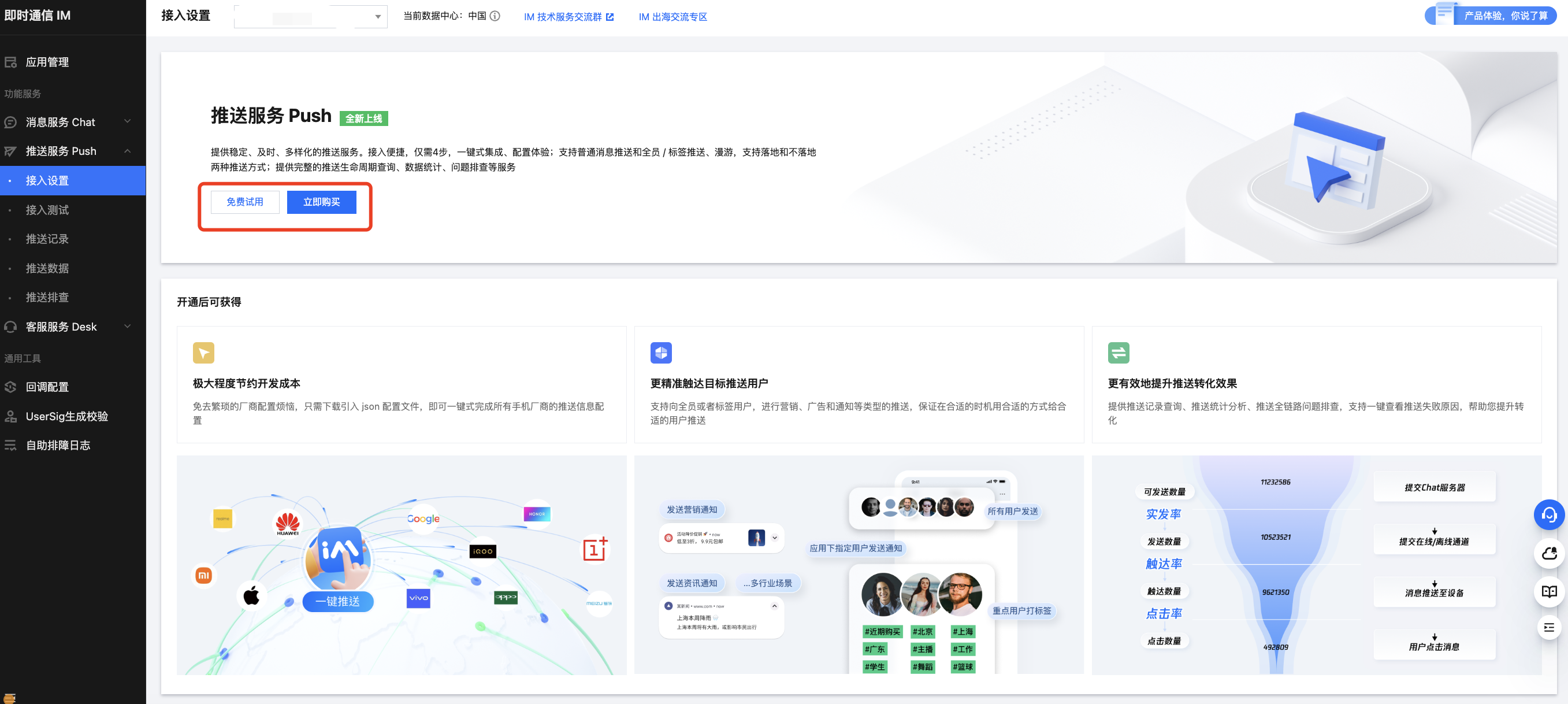
进入 [推送服务 Push](https://console.cloud.tencent.com/im/push-plugin-push-identifier),单击立即购买或免费试用 。(每个应用可免费试用一次,有效期7天)
步骤3:创建一个 Donut 项目,进行推送配置
配置方法详见[文档](https://cloud.tencent.com/document/product/269/111208)
步骤4:项目中集成 @tencentcloud/donut-push
```ts
npm install @tencentcloud/donut-push
```
然后在微信开发者工具中构建 npm。
步骤5:注册推送
复制下面的代码,并将 SDKAppID 和 appKey 替换为您的应用的信息
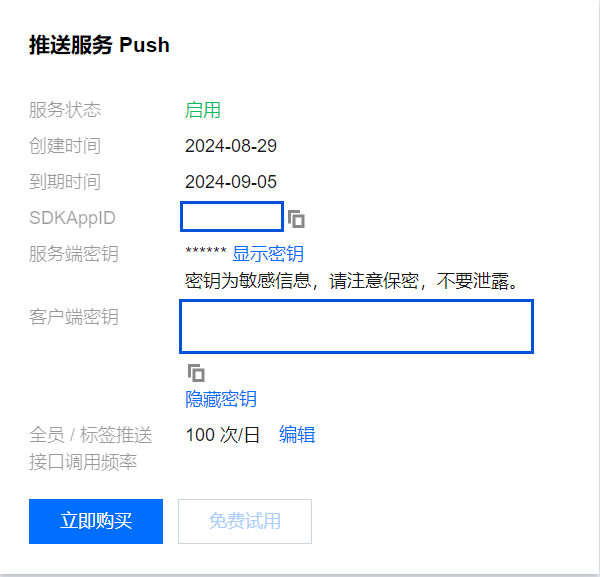
```ts
import Push from '@tencentcloud/donut-push';
const SDKAppID = 0; // 您的 SDKAppID
const appKey = ''; // 客户端密钥
if (Push) {
Push.registerPush(SDKAppID, appKey)
.then((res) => {
console.info("registerPush", JSON.stringify(res));
})
.catch((res) => {
console.error("registerPush", JSON.stringify(res));
});
}
```
## 接口
|API|描述|
|---|---|
|setRegistrationID|设置注册推送服务使用的推送 ID 标识,即 RegistrationID,需要在注册推送服务之前调用。|
|getRegistrationID|注册推送服务成功后,获取推送 ID 标识,即 RegistrationID。|
|registerPush|注册推送服务 (必须在 App 用户同意了隐私政策,并且确定为 App 用户开始提供推送服务后,再调用该接口使用推送服务)。|
|unRegisterPush|反注册关闭推送服务。|
|addPushListener|订阅推送事件,如点击通知栏|
|removePushListener|取消订阅推送事件|
|disablePostNotificationInForeground|设置应用在前台时,开/关通知栏通知(默认开)。|
|createNotificationChannel|创建客户端通知 channel。|
---
#### 1、注册推送服务 (必须在 App 用户同意了隐私政策,并且确定为 App 用户开始提供推送服务后,再调用该接口使用推送服务)
```typescript
registerPush(sdkAppID: number, appKey: string): Promise;
```
|参数|类型|必填|说明|
|---|---|---|---|
|sdkAppID|number|是|推送(Push)应用 ID|
|appKey|string|是|推送(Push)应用客户端密钥|
|返回值|说明|
|---|---|
|Promise|成功返回 `{"errCode":0,"errMsg":"success","data":{"token":"xxx"}}`,失败返回 `{ errCode: number, errMsg: string }`|
#### 2、反注册关闭推送服务。
```typescript
unRegisterPush(): Promise;
```
|返回值|说明|
|---|---|
|Promise|成功返回 `{"errCode":0,"errMsg":"success"}`,失败返回 `{ errCode: number, errMsg: string }`|
#### 3、设置注册推送服务使用的推送 ID 标识,即 RegistrationID,需要在注册推送服务之前调用
```typescript
setRegistrationID(registrationID: string): Promise;
```
|参数|类型|必填|说明|
|---|---|---|---|
|registrationID|string|是|设备的推送标识 ID,卸载重装会改变|
|返回值|说明|
|---|---|
|Promise|成功返回 `{"errCode":0,"errMsg":"success","data":{"token":"xxx"}}`,失败返回 `{ errCode: number, errMsg: string }`|
#### 4、注册推送服务成功后,获取推送 ID 标识,即 RegistrationID
```typescript
getRegistrationID(): Promise;
```
|返回值|说明|
|---|---|
|Promise|成功返回 `{"errCode":0,"errMsg":"success","data":{"registrationID":"xxx"}}`,失败返回 `{ errCode: number, errMsg: string }`|
#### 5、订阅推送事件,如点击通知栏,收到在线推送信息等
```typescript
addPushListener(eventName: string, listener: (res: any) => void): void;
```
|参数|类型|必填|说明|
|---|---|---|---|
|eventName|string|是|推送事件类型,可查看 `Push.EventName` |
|listener| (res: any) => void|是|推送事件处理方法|
#### 6、取消订阅推送事件
```typescript
removePushListener(eventName: string, listener: (res: any) => void): void;
```
|参数|类型|必填|说明|
|---|---|---|---|
|eventName|string|是|推送事件类型,可查看 `Push.EventName`|
|listener| (res: any) => void|是|推送事件处理方法|
#### 7、设置应用在前台时,开/关通知栏通知(默认开)
```typescript
disablePostNotificationInForeground(disable: boolean): void;
```
|参数|类型|必填|说明|
|---|---|---|---|
|disable|boolean|是|true: 应用在前台时,关闭通知栏通知; false: 应用在前台时,开启通知栏通知。|
#### 8、创建客户端通知 channel
```typescript
createNotificationChannel(options: {
channelID: string;
channelName: string;
channelDesc?: string;
channelSound?: string;
}): Promise;
```
|参数|类型|必填|说明|
|---|---|---|---|
|options.channelID|string|是|自定义 channel 的 ID|
|options.channelName|string|是|自定义 channel 的名称|
|options.channelDesc|string|否|自定义 channel 的描述|
|options.channelSound|string|否|自定义 channel 铃音的音频文件名,不带文件扩展名,音频文件需要放到 xxx/android/nativeResources/res/raw 中。
## 快速跑通
步骤1:创建应用
进入 [控制台](https://console.cloud.tencent.com/im) ,单击创建应用,填写应用名称,选择数据中心,单击确定,完成应用创建。

步骤2:开通推送服务 Push
进入 [推送服务 Push](https://console.cloud.tencent.com/im/push-plugin-push-identifier),单击立即购买或免费试用 。(每个应用可免费试用一次,有效期7天)

步骤3:创建一个 Donut 项目,进行推送配置
配置方法详见[文档](https://cloud.tencent.com/document/product/269/111208)
步骤4:项目中集成 @tencentcloud/donut-push
```ts
npm install @tencentcloud/donut-push
```
然后在微信开发者工具中构建 npm。
步骤5:注册推送
复制下面的代码,并将 SDKAppID 和 appKey 替换为您的应用的信息

```ts
import Push from '@tencentcloud/donut-push';
const SDKAppID = 0; // 您的 SDKAppID
const appKey = ''; // 客户端密钥
if (Push) {
Push.registerPush(SDKAppID, appKey)
.then((res) => {
console.info("registerPush", JSON.stringify(res));
})
.catch((res) => {
console.error("registerPush", JSON.stringify(res));
});
}
```
## 接口
|API|描述|
|---|---|
|setRegistrationID|设置注册推送服务使用的推送 ID 标识,即 RegistrationID,需要在注册推送服务之前调用。|
|getRegistrationID|注册推送服务成功后,获取推送 ID 标识,即 RegistrationID。|
|registerPush|注册推送服务 (必须在 App 用户同意了隐私政策,并且确定为 App 用户开始提供推送服务后,再调用该接口使用推送服务)。|
|unRegisterPush|反注册关闭推送服务。|
|addPushListener|订阅推送事件,如点击通知栏|
|removePushListener|取消订阅推送事件|
|disablePostNotificationInForeground|设置应用在前台时,开/关通知栏通知(默认开)。|
|createNotificationChannel|创建客户端通知 channel。|
---
#### 1、注册推送服务 (必须在 App 用户同意了隐私政策,并且确定为 App 用户开始提供推送服务后,再调用该接口使用推送服务)
```typescript
registerPush(sdkAppID: number, appKey: string): Promise;
```
|参数|类型|必填|说明|
|---|---|---|---|
|sdkAppID|number|是|推送(Push)应用 ID|
|appKey|string|是|推送(Push)应用客户端密钥|
|返回值|说明|
|---|---|
|Promise|成功返回 `{"errCode":0,"errMsg":"success","data":{"token":"xxx"}}`,失败返回 `{ errCode: number, errMsg: string }`|
#### 2、反注册关闭推送服务。
```typescript
unRegisterPush(): Promise;
```
|返回值|说明|
|---|---|
|Promise|成功返回 `{"errCode":0,"errMsg":"success"}`,失败返回 `{ errCode: number, errMsg: string }`|
#### 3、设置注册推送服务使用的推送 ID 标识,即 RegistrationID,需要在注册推送服务之前调用
```typescript
setRegistrationID(registrationID: string): Promise;
```
|参数|类型|必填|说明|
|---|---|---|---|
|registrationID|string|是|设备的推送标识 ID,卸载重装会改变|
|返回值|说明|
|---|---|
|Promise|成功返回 `{"errCode":0,"errMsg":"success","data":{"token":"xxx"}}`,失败返回 `{ errCode: number, errMsg: string }`|
#### 4、注册推送服务成功后,获取推送 ID 标识,即 RegistrationID
```typescript
getRegistrationID(): Promise;
```
|返回值|说明|
|---|---|
|Promise|成功返回 `{"errCode":0,"errMsg":"success","data":{"registrationID":"xxx"}}`,失败返回 `{ errCode: number, errMsg: string }`|
#### 5、订阅推送事件,如点击通知栏,收到在线推送信息等
```typescript
addPushListener(eventName: string, listener: (res: any) => void): void;
```
|参数|类型|必填|说明|
|---|---|---|---|
|eventName|string|是|推送事件类型,可查看 `Push.EventName` |
|listener| (res: any) => void|是|推送事件处理方法|
#### 6、取消订阅推送事件
```typescript
removePushListener(eventName: string, listener: (res: any) => void): void;
```
|参数|类型|必填|说明|
|---|---|---|---|
|eventName|string|是|推送事件类型,可查看 `Push.EventName`|
|listener| (res: any) => void|是|推送事件处理方法|
#### 7、设置应用在前台时,开/关通知栏通知(默认开)
```typescript
disablePostNotificationInForeground(disable: boolean): void;
```
|参数|类型|必填|说明|
|---|---|---|---|
|disable|boolean|是|true: 应用在前台时,关闭通知栏通知; false: 应用在前台时,开启通知栏通知。|
#### 8、创建客户端通知 channel
```typescript
createNotificationChannel(options: {
channelID: string;
channelName: string;
channelDesc?: string;
channelSound?: string;
}): Promise;
```
|参数|类型|必填|说明|
|---|---|---|---|
|options.channelID|string|是|自定义 channel 的 ID|
|options.channelName|string|是|自定义 channel 的名称|
|options.channelDesc|string|否|自定义 channel 的描述|
|options.channelSound|string|否|自定义 channel 铃音的音频文件名,不带文件扩展名,音频文件需要放到 xxx/android/nativeResources/res/raw 中。
例如:options.channelSound = private_ring,即设置 xxx/android/nativeResources/res/raw/private_ring.mp3 为自定义铃音|
|返回值|说明|
|---|---|
|Promise|成功返回 `{"errCode":0,"errMsg":"success"}`,失败返回 `{ errCode: number, errMsg: string }`|