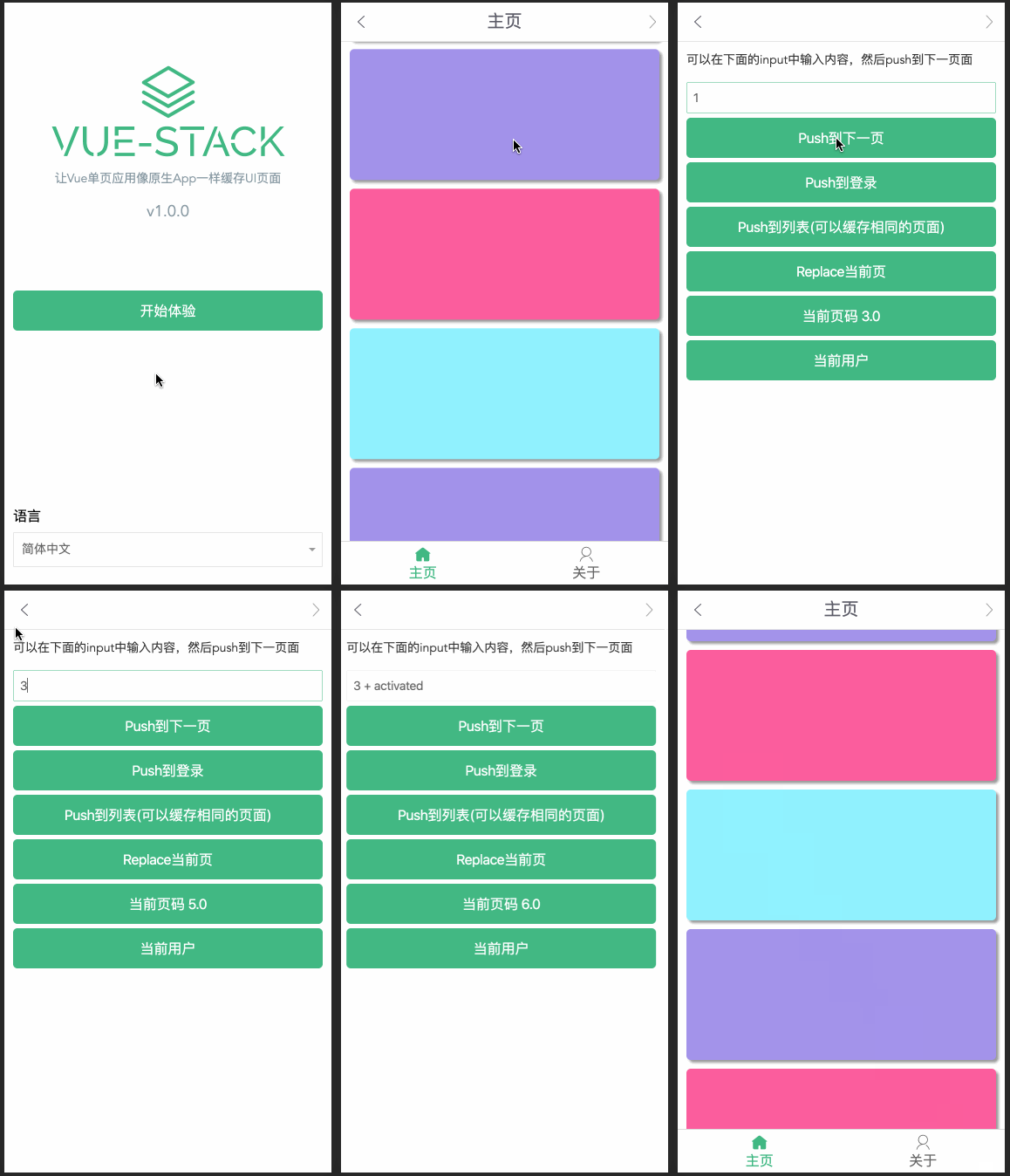
# vue-page-stack
[](https://badge.fury.io/js/vue-page-stack)
[English](./README.md) | 简体中文
---
Vue 单页应用导航管理器,像原生app一样管理页面栈而不是销毁。
## Example
[预览](https://hezhongfeng.github.io/vue-page-stack-example/)
[示例源码](https://github.com/hezhongfeng/vue-page-stack-example)
## 功能特性
- 🐉在vue-router上扩展,原有导航逻辑不变
- ⚽`push`或者`forward`的时候重新渲染页面,Stack中会添加新渲染的页面
- 🏆`back`或者`go(负数)`的时候先前的页面不会重新渲染,而是从Stack中读取,并且这些页面保留着先前的内容状态,例如表单内容,滚动条滑动的位置等
- 🏈`back`或者`go(负数)`的时候会把不用的页面从Stack中移除
- 🎓`replace`会更新Stack中当前页面
- 🎉回退到之前页面的时候有activated钩子函数触发
- 🚀支持浏览器的后退,前进事件
- 🍕支持响应路由参数的变化,例如从 /user/foo 导航到 /user/bar,组件实例会被复用
- 🐰提供路由方向的变化,并且可以在前进和后退的时候添加不同的动画
## 安装和用法
### 安装
```
npm install vue-page-stack
# OR
yarn add vue-page-stack
```
### 使用
```
import Vue from 'vue'
import VuePageStack from 'vue-page-stack';
// vue-router is necessary
Vue.use(VuePageStack, { router });
```
```
// App.vue
```
### CDN
```
```
```
Vue.use(VuePageStack, { router });
```
## API
### 注册插件
注册的时候可以指定VuePageStack的名字和keyName
use `Vue.use` to install `vue-page-stack`
使用之前需要注册插件
```
Vue.use(VuePageStack, options);
// example
Vue.use(VuePageStack, { router });
```
Options 说明:
Attribute | Description | Type | Accepted Values | Default
---|---|---|---|---
router | vue-router instance | Object | vue-router instance | -
name | VuePageStack name | String | 'VuePageStack' | 'VuePageStack'
keyName | stack-key name | String | 'stack-key' | 'stack-key'
注册的时候可以指定VuePageStack的名字和keyName
```
Vue.use(VuePageStack, { router, name: 'VuePageStack', keyName: 'stack-key' });
```
### 前进和后退
如果想在页面前进或者后退的时候添加一些动画,可以通过`stack-key-dir`进行判断
```
// App.vue
$route(to, from) {
if (to.params['stack-key-dir'] === 'forward') {
this.transitionName = 'forward';
} else {
this.transitionName = 'back';
}
}
```
[example](https://github.com/hezhongfeng/vue-page-stack-example/blob/master/src/App.vue)
### 获取当前UI栈
```
let UIStack = this.$pageStack.getStack();
```
[example code](https://github.com/hezhongfeng/vue-page-stack-example/blob/814f5ad8b8804e6fd81002f7254d266df3311770/src/views/main/MainList.vue#L30)
## 相关说明
### keyName
为什么会给路由添加`keyName`这个参数,是为了支持浏览器的后退,前进事件,这个特性在webApp,微信公众号和小程序很重要
### 更新日志
主要的更新日志在 [release notes](https://github.com/hezhongfeng/vue-page-stack/releases)
### 原理
获取当前页面实例部分参考了`Vue`源码中`keep-alive`的部分
## 感谢
这个插件同时借鉴了[vue-navigation](https://github.com/zack24q/vue-navigation)和[vue-nav](https://github.com/nearspears/vue-nav),很感谢他们给的灵感。
## Contributors ✨
Thanks goes to these wonderful people ([emoji key](https://allcontributors.org/docs/en/emoji-key)):