# Auto Size Input
Plug and Play directive to automatically scale textareas to their contents. Works while yout type, copy, cut, and paste.
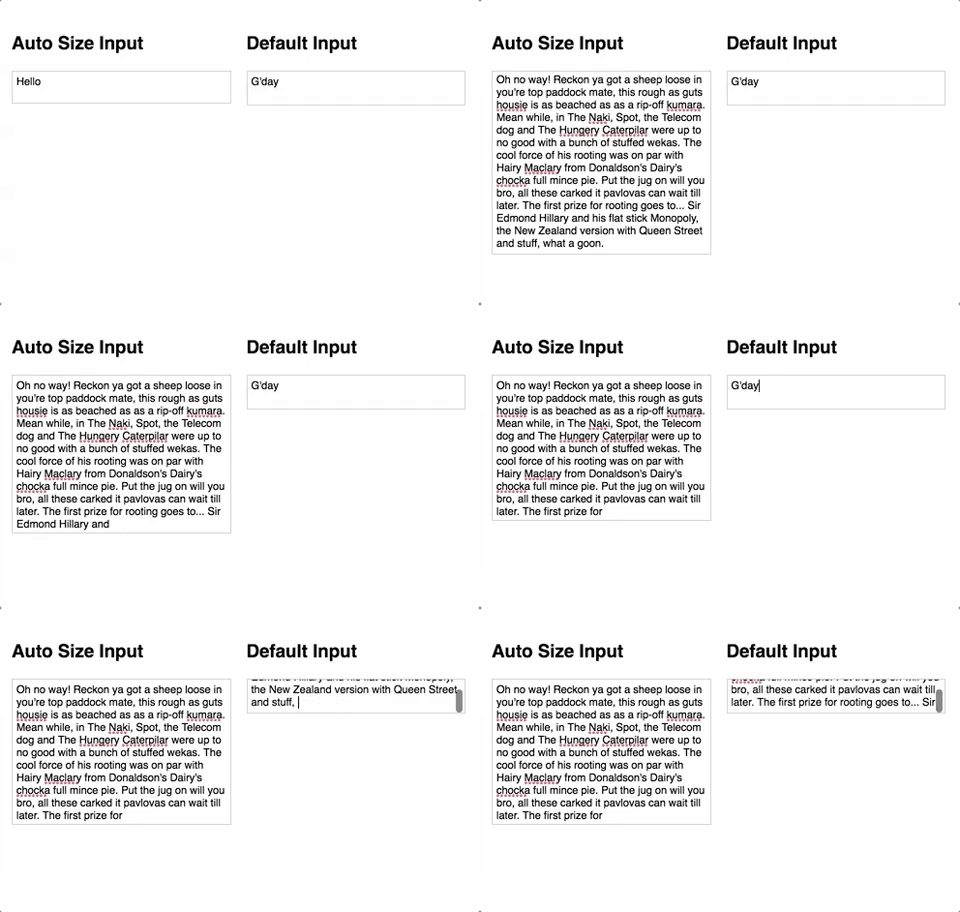 ## How to use it
1. `npm i angular-auto-size-input`
2. `import { AutoSizeInputModule } from 'angular-auto-size-input';` and add it to you Angular module
3. Add the `asAutoSizeInput` directive to your textareas
```
```
## Recommended styles (optional)
```
textarea.as-auto-size-input {
display: block;
width: 100%;
border: 1px solid #ccc;
outline: 0;
padding: 4px;
margin: 0;
background: transparent;
resize: none;
box-sizing: border-box;
overflow: hidden;
}
```
## How to use it
1. `npm i angular-auto-size-input`
2. `import { AutoSizeInputModule } from 'angular-auto-size-input';` and add it to you Angular module
3. Add the `asAutoSizeInput` directive to your textareas
```
```
## Recommended styles (optional)
```
textarea.as-auto-size-input {
display: block;
width: 100%;
border: 1px solid #ccc;
outline: 0;
padding: 4px;
margin: 0;
background: transparent;
resize: none;
box-sizing: border-box;
overflow: hidden;
}
```