# APEX Application Setup
APEX Nitro requires two small additions to your APEX application to run properly.
### Build Option
APEX Nitro isn't meant to run in production. For security purposes, a build option is used to limit the scope of APEX Nitro only to the development environment.
Head to `Shared Components > Build Options` and create a new build option with the following attributes:
| Attribute | Value |
| ----------------- | ---------- |
| Build Option | `DEV_ONLY` |
| Status | `Include` |
| Default on Export | `Exclude` |
_Note: When you import an application in a different schema, anything tagged with the `DEV_ONLY` build option will not be run. If you re-import back into a development environment you'll need to manually change the status to `Include`._
### Application Process
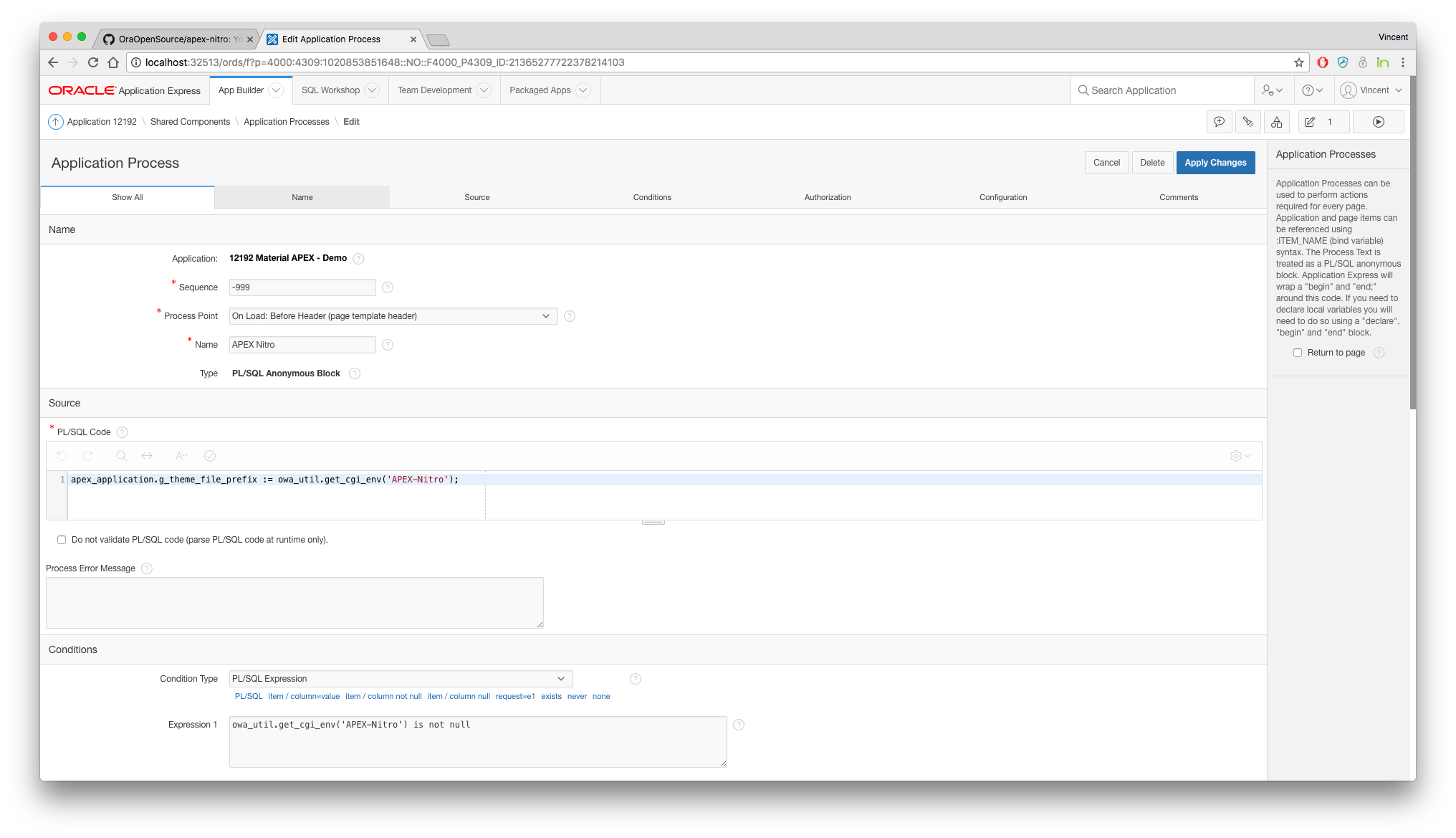
Head to `Shared Components > Application Processes` and create a new application process with the following attributes:
| Attribute | Value | Comment |
| ------------- | ----------------------------------------------- | ------------------------------------------------------- |
| Name | `APEX Nitro` | |
| Sequence | `-999` | Ensures this happens first |
| Process Point | `On Load: Before Header (page template header)` | |
| Condition | _see below #1_ | |
| Source | _see below #2_ | Choose `PL/SQL Expression` |
| Build Option | `DEV_ONLY` | Ensures this only gets run in a development environment |
- _#1 (condition)_
```sql
owa_util.get_cgi_env('APEX-Nitro') is not null
```
- _#2 (source)_
```sql
apex_application.g_flow_images := owa_util.get_cgi_env('APEX-Nitro');
-- apex_application.g_company_images := owa_util.get_cgi_env('APEX-Nitro');
-- apex_application.g_theme_file_prefix := owa_util.get_cgi_env('APEX-Nitro');
-- :G_APEX_NITRO_IMAGES := owa_util.get_cgi_env('APEX-Nitro');
```
There are four choices (see commented lines), but you must pick one. Refer to the Matrix below to choose the best option for your application.
| Substitution String | Purpose | How to Use Examples |
| ------------------------------------ | ---------------------------------------------------------------------------------------------- | ---------------------------------------------------------------------------------- |
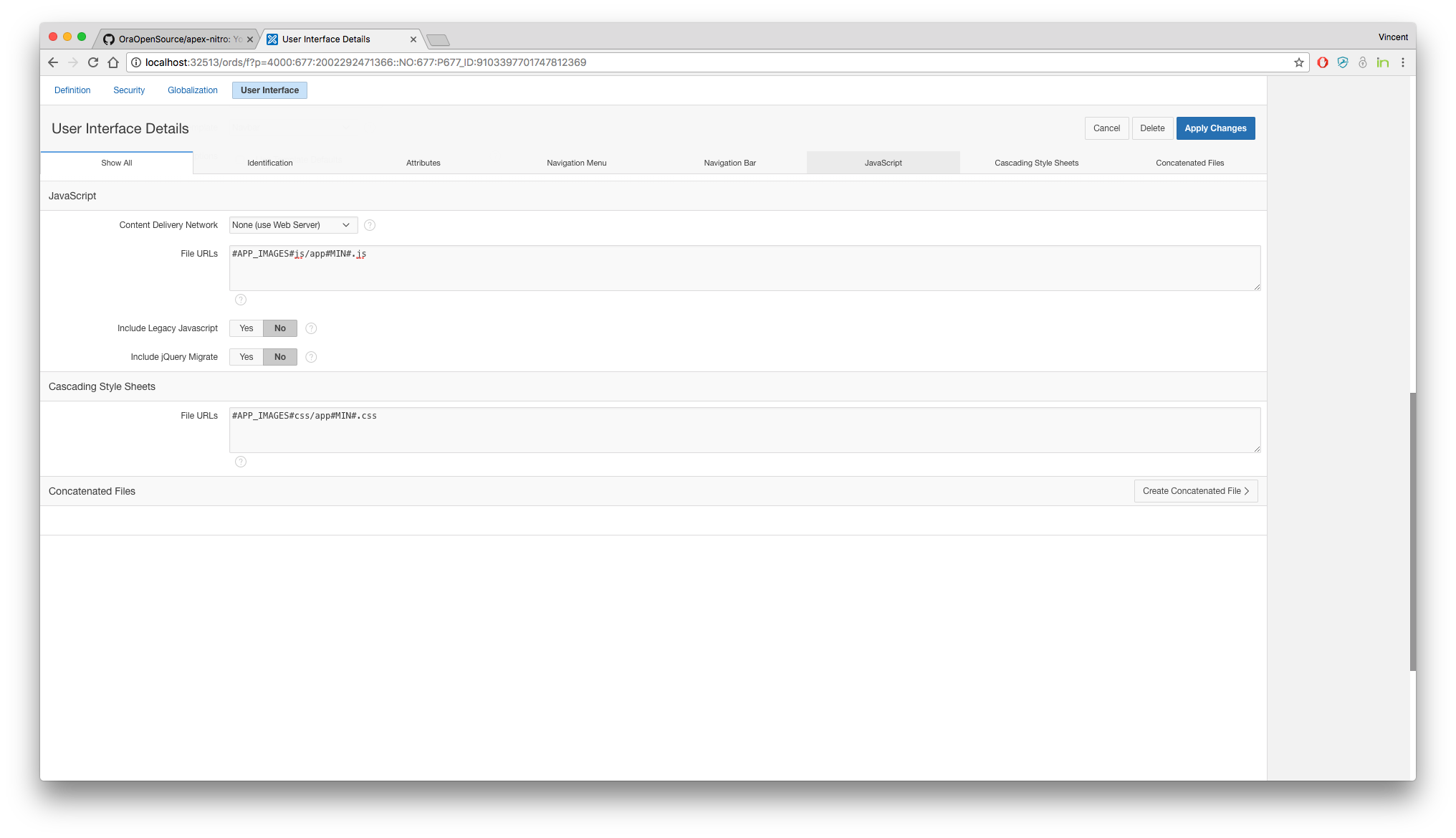
| apex_application.g_flow_images | Application Static Files | `#APP_IMAGES#js/app#MIN#.js`
`#APP_IMAGES#css/app#MIN#.css` |
| apex_application.g_company_images | Workspace Static Files | `#WORKSPACE_IMAGES#js/app#MIN#.js`
`#WORKSPACE_IMAGES#css/app#MIN#.css` |
| apex_application.g_theme_file_prefix | Theme Static Files | `#THEME_IMAGES#js/app#MIN#.js`
`#THEME_IMAGES#css/app#MIN#.css` |
| :G_APEX_NITRO_IMAGES | Custom Application Item that contains the path of your files. Supports APEX plugin development | `&G_APEX_NITRO_IMAGES.js/app#MIN#.js`
`&G_APEX_NITRO_IMAGES.css/app#MIN#.css` |
* * *
### References
In APEX, you can reference your files at many levels
| Level | Access Point |
| ----------- | ------------------------------------------------------------------------------------------------------------------------ |
| Application | `Shared Components` > `User Interfaces` > `User Interface Details` > `JavaScript / Cascading Style Sheets` > `File URLs` |
| Theme | `Shared Components` > `Themes` > `Create / Edit Theme` > `JavaScript and Cascading Style Sheets` > `File URLs` |
| Theme Style | `Shared Components` > `Themes` > `Create / Edit Theme` > `Theme Styles` > `Create / Edit Theme Style` > `File URLs` |
| Template | `Shared Components` > `Templates` > `Edit Page Template` > `JavaScript / Cascading Style Sheet` > `File URLs` |
| Plugin | `Shared Components` > `Plug-ins` > `Create / Edit Plug-in:` > `File URLs to Load` |
| Page | `Page Designer` > `Page X` > `JavaScript / CSS` > `File URLs` |
* * *
### APEX Plugin Development
APEX Nitro supports plugin development as well. There is one additional setting to
- Add an application item called `G_APEX_NITRO_IMAGES` 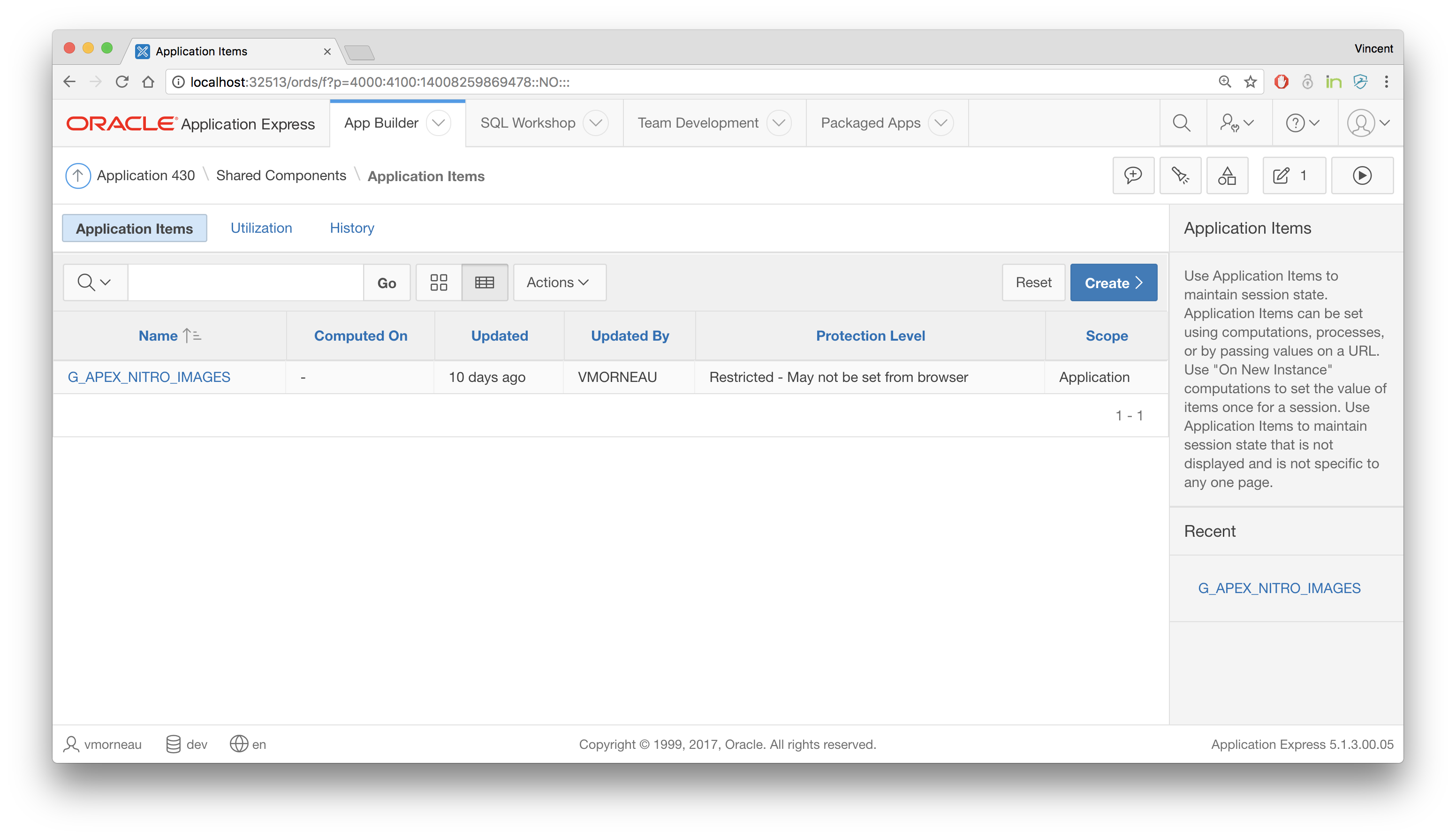
- In your application process code (see above), use `:G_APEX_NITRO_IMAGES := owa_util.get_cgi_env('APEX-Nitro');` 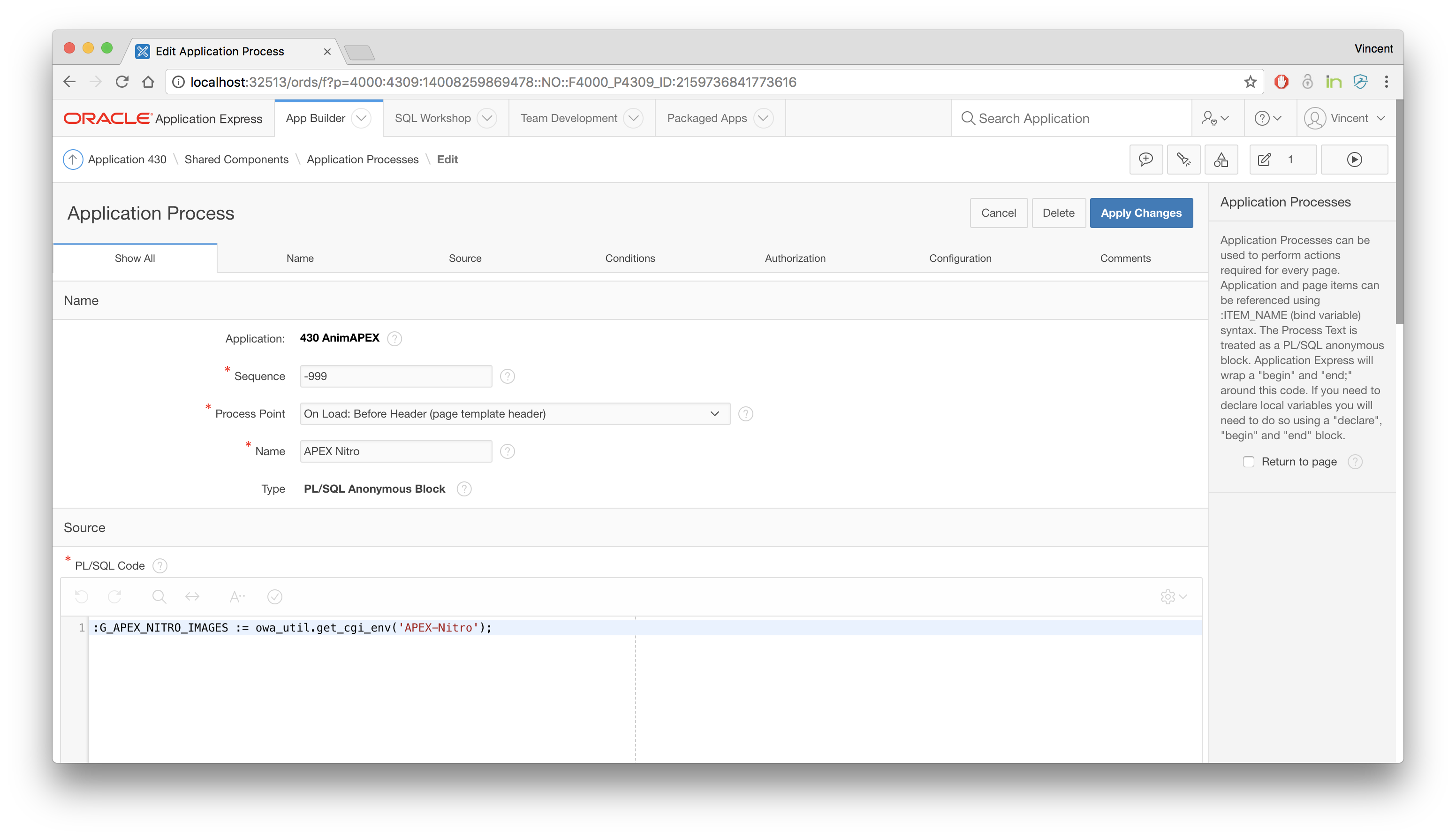
- In your plugin, under the section `Files`, add `&G_APEX_NITRO_IMAGES.` to the File Prefix: 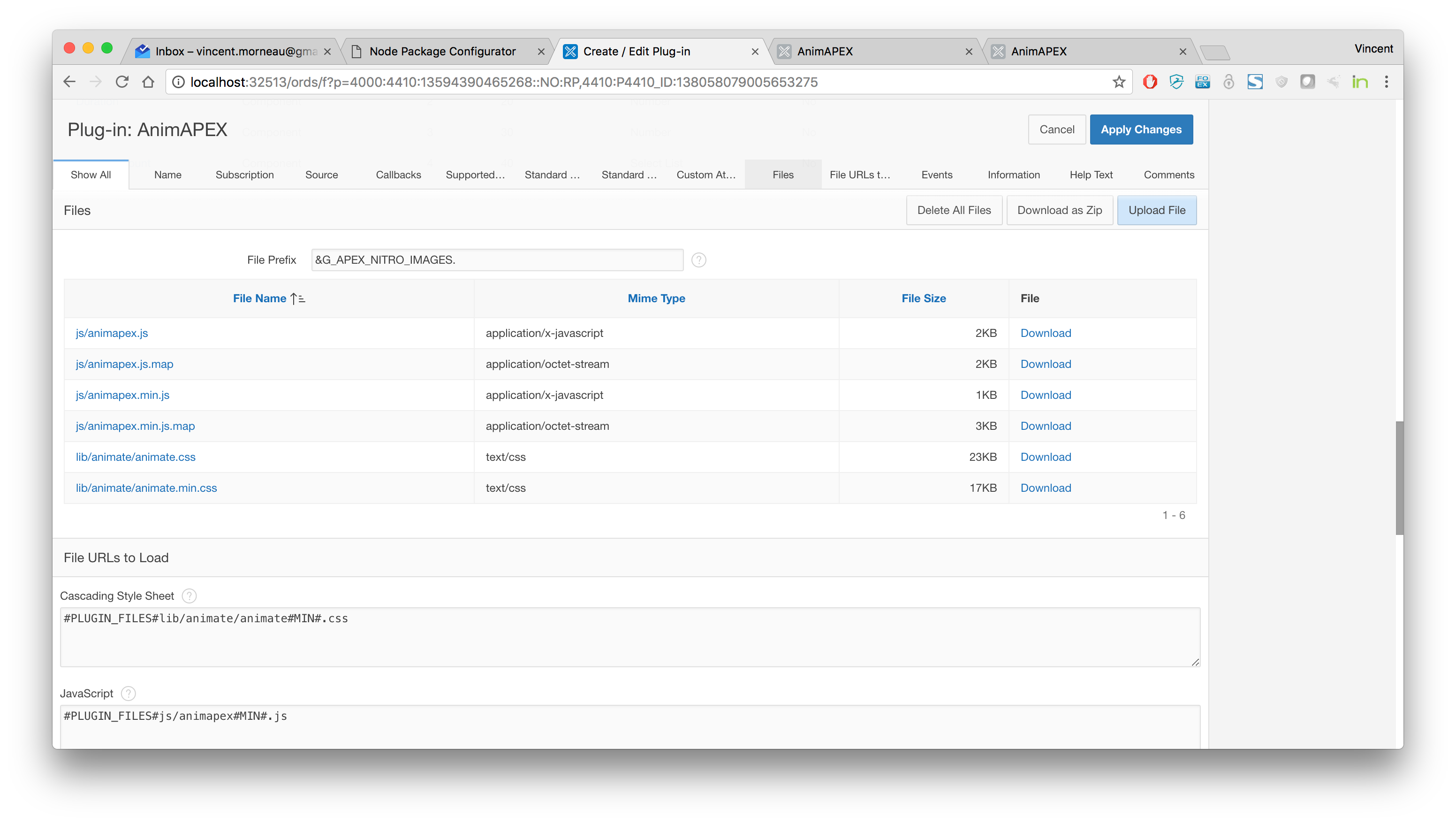
What that means for your environments:
- In the development environment, `G_APEX_NITRO_IMAGES` will be populated when APEX Nitro is launched and the plugin file prefix will point to the APEX Nitro files.
- In the production environment, `G_APEX_NITRO_IMAGES` will be empty, and the plugin file prefix will point to the database files as it should.