

Setup Rocket Chat within 10 minutes
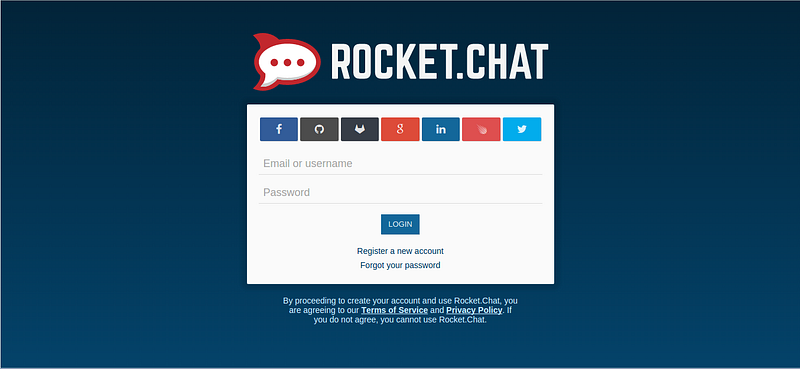
Are you using Slack? Do you want to get your own Slack for your team or your company? Rocket Chat may be what you need.
I’ve just heard about this package today. It’s an online chat tool based on Meteor, open source, full features, multi devices, and quite easy to setup.
In order to install Rocket Chat, you can use Ubuntu server. Your server must have nginx, node.js and MongoDB.
If everything is already, we install tmux and meteor first:
sudo apt-get install tmux
sudo npm install -g meteor
tmux would be used for keeing Meteor app alive even when you close terminal.
Now, clone Rocket Chat repository into rocket-chat directory:
git clone https://github.com/RocketChat/Rocket.Chat.git rocket-chat
cd rocket-chat
meteor
The last command would download the needed npm and Meteor packages then start server. Wait until the process done, press “Ctrl+C” to stop it. We still need to configure host and database connection.
Here I try to set public domain for Rocket Chat application at http://g8.techpush.net/ and use local MongoDB:
export ROOT_URL=http://g8.techpush.net/
export MONGO_URL=mongodb://127.0.0.1:27017/rocketchat
Now, open tmux session and run “meteor”:
tmux
meteor

If nothing wrong, you have got it runs at the port 3000 — as default. Press “Ctrl+B” and then “D” to leave tmux session.
To access app from the internet, you can use the following nginx config:
server {
    listen 80;
    server_name g8.techpush.net;
    charset utf-8;
location / {
proxy_read_timeout 300;
proxy_pass http://127.0.0.1:3000;
proxy_http_version 1.1;
proxy_set_header Upgrade $http_upgrade;
proxy_set_header Connection ‘upgrade’;
proxy_set_header Host $host;
proxy_cache_bypass $http_upgrade;
}
}Save config file and restart nginx:
sudo service nginx restart
That’s it. You can start using Rocket Chat now:
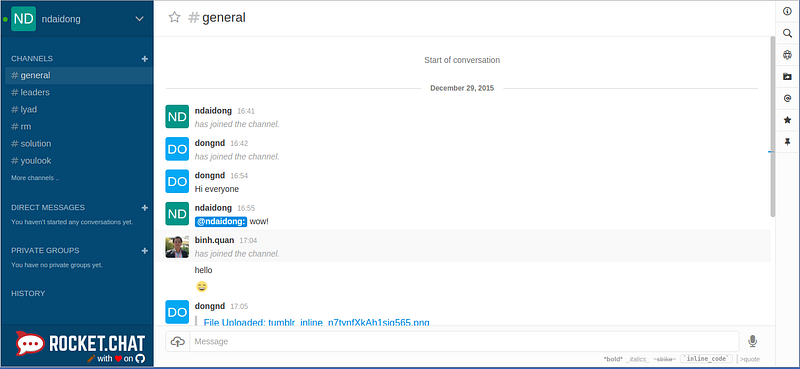

Rocket Chat can do more than that. Please take a look on its feature list and give it a try.
Note: If your server did not have nginx, node.js or MongoDB yet, it may take a little time more to install them:
# install nginx
sudo add-apt-repository ppa:nginx/stable
sudo apt-get update
sudo apt-get install nginx
# install node.js v5.3.0
wget https://nodejs.org/dist/v5.3.0/node-v5.3.0.tar.gz
tar -zxvf node-v5.3.0.tar.gz
cd node-v5.3.0
./configure
make
sudo make install
# install MongoDB v3.2.0
sudo apt-key adv --keyserver hkp://keyserver.ubuntu.com:80 --recv EA312927
echo "deb http://repo.mongodb.org/apt/ubuntu trusty/mongodb-org/3.2 multiverse" | sudo tee /etc/apt/sources.list.d/mongodb-org-3.2.list
sudo apt-get update
sudo apt-get install -y mongodb-org=3.2.0 mongodb-org-server=3.2.0 mongodb-org-shell=3.2.0 mongodb-org-mongos=3.2.0 mongodb-org-tools=3.2.0
