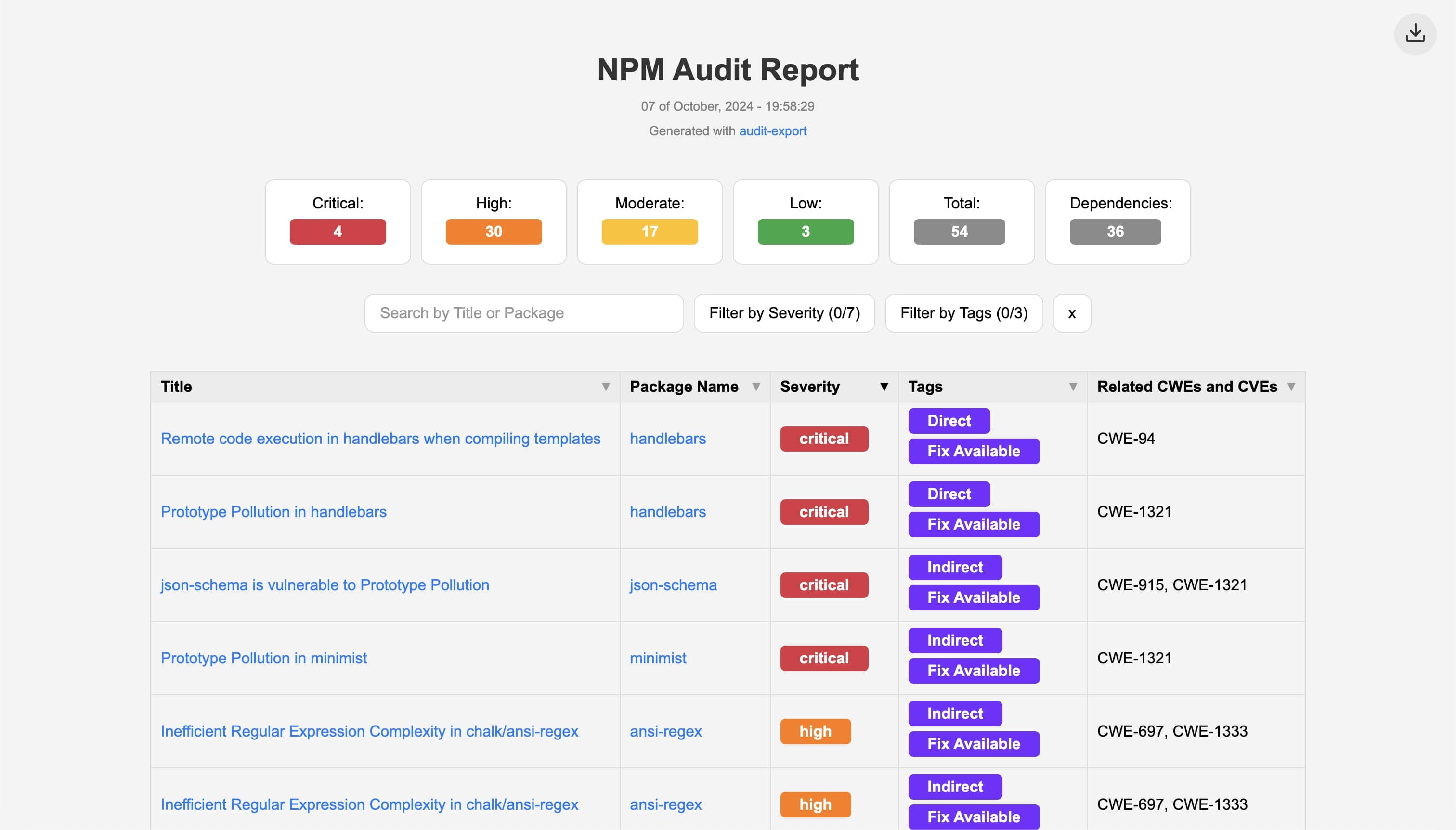
A convenient tool to **export npm audit results** to a comprehensive **offline HTML page**, providing a clear overview of your project's vulnerabilities.
Example of the output file from audit-export
> Inspired by [npm-audit-html](https://www.npmjs.com/package/npm-audit-html), but with more Node.js versions supported, offline support and lightweight ⚡
## Table of Contents
- [Main Features](#main-features)
- [Compatibility](#compatibility)
- [Supported Audit Tools](#supported-audit-tools)
- [Installation](#installation)
- [Usage](#usage)
- [Contributing](#contributing)
- [Download](#download)
- [License](#license)
## Main Features
- **Lightweight & Efficient**
- **Fully Offline Functionality**
- **Advanced Filters, Search, and Ordering**
- **Tags Filtering Supported**
- **Supports projects since Node v10**
- **Download results as CSV or JSON**
## Compatibility
**This package supports Node.js versions 10 through 22, as well as future versions.**
## Supported Audit Tools
This tool processes the JSON output from your audit tool. It works with:
- `npm audit --json`
- `pnpm audit --json`
- `yarn audit --json`
## Installation
Install globally using your preferred package manager:
```bash
npm install -g audit-export
pnpm install -g audit-export
yarn global add audit-export
```
## Usage
Pipe the JSON output from your audit command into `audit-export`:
```bash
npm audit --json | audit-export
pnpm audit --json | audit-export
yarn audit --json | audit-export
```
Customize the output path and HTML title:
```bash
npm audit --json | audit-export --path --title [--open]
```
- `--path`: output file or directory (default: `./audit-report.html`)
- `--title`: HTML report title (default: `NPM Audit Report`)
- `--open`: automatically open the report in your default browser
For all options and advanced usage, run:
```bash
audit-export --help
```
## Usage Syntax Breaking Changes
In versions **lower or equal than 3**, folder and file were separate parameters. **After version 4** both were merged into a single `--path` parameter, that can be the folder, the file, or both. Previously it was `--folder` and `--file`, now removed parameters.
## Contributing
We welcome contributions from the community! Feel free to open issues and submit pull requests on our [GitHub Issues page](https://github.com/hotaydev/audit-export/issues). Your feedback and suggestions are highly appreciated.
## Download
You can download the package from [npm](https://www.npmjs.com/package/audit-export).
## License
This project is licensed under the MIT License - see the [LICENSE](https://github.com/hotaydev/audit-export/blob/main/LICENSE) file for details.
Happy auditing! 🛡️🚀