# babel-plugin-functional-hmr
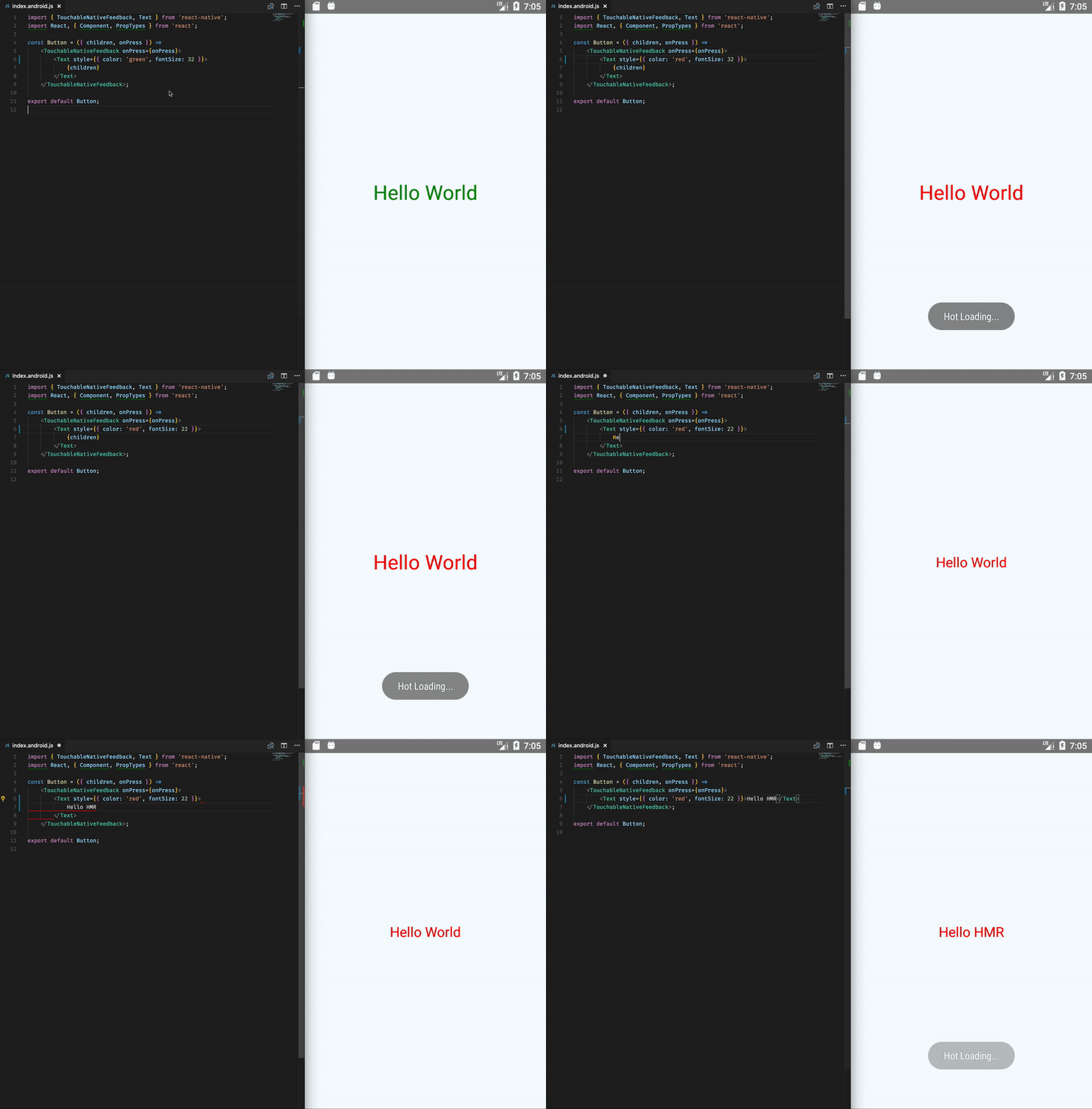
A [Babel](http://babeljs.io) plugin allows HMR for functional components in React Native.
## Limitations
If you try to use [hooks](https://reactjs.org/docs/hooks-intro.html) in your source they won't work (you will get an "Hooks can only be called inside the body of a function component").
## Why?
Hot module reload (HMR) has been [broken for functional components](https://github.com/facebook/react-native/issues/8465) in [React Native](http://www.reactnative.com).
The "hot loading" message appears, but the changes don't show up.
## Installation
In most cases, you should install `babel-plugin-functional-hmr` as a development dependency (with `--save-dev`).
```sh
npm install --save-dev babel-plugin-functional-hmr
```
or
```sh
yarn add babel-plugin-functional-hmr -D
```
The transformation plugin is typically used only in development. See the examples below for more details.
## Usage
### Via `.babelrc` (Recommended)
Add the following line to your `.babelrc` file:
Without options:
```json
{
"plugins": ["functional-hmr"]
}
```
With options:
```json
{
"plugins": [
["functional-hmr"]
]
}
```
### Via CLI
```sh
babel --plugins functional-hmr script.js
```
### Via Node API
```js
require("babel-core").transform("code", {
plugins: ["functional-hmr"]
});
```
### Important Note
From [Issue #5](https://github.com/bvic23/babel-plugin-functional-hmr/issues/5#issuecomment-333309618): *"Editing the `.babelrc` won't actually change the setup, unless you start the packager with `yarn start --reset-cache` to clean the transform cache."*
## Technical details
### Class
The plugin does not transform components defined as classes, such as:
```js
export default class Button extends Component {
render() {
return (
{this.props.title}
);
}
}
```
### Arrow functions
The plugin transforms arrow expressions **if**:
- it has `JSX` return
- it has only one object parameter or no parameters
It does not transform files located in `node_modules` folder.
From:
```js
const Button = ({ children, onPress }) =>
{children}
;
export default Button;
```
to:
```js
import reactTransform from 'react-transform-hmr';
function wrapComponent(id, Component) {
const t = reactTransform({
components: {
[id]: {
displayName: id
}
},
locals: [module],
imports: [require("react")]
});
return t(Component, id);
}
class __Button extends require("react").Component {
render() {
const children = this.props.children,
onPress = this.props.onPress;
return (
{children}
);
}
}
const Button = wrapComponent('Button', __Button);
export default Button;
```
Checkout the [tests](https://github.com/bvic23/babel-plugin-functional-hmr/blob/master/lib/__tests__/plugin.test.js) for more examples.
## Sources
- [Babel Plugin Handbook](https://github.com/babel/babel/tree/master/packages/babel-types#babel-types)
- [Babel Types](https://github.com/babel/babel/tree/master/packages/babel-types#babel-types)
- [AST Explorer](https://astexplorer.net)
## License
MIT, see [LICENSE.md](/LICENSE.md) for details.