# Brave Search MCP Server
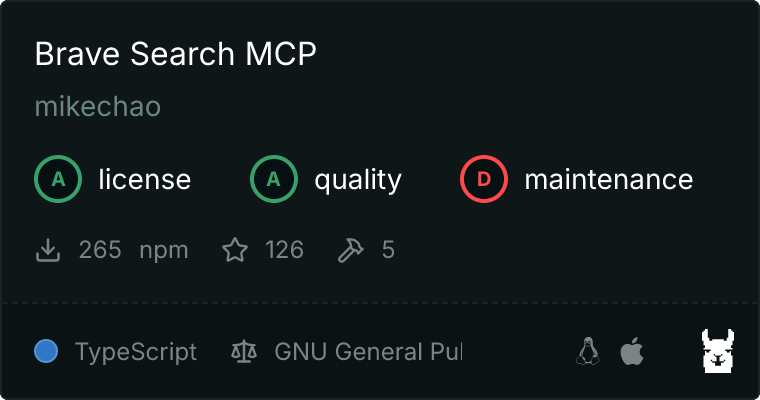
An MCP Server implementation that integrates the [Brave Search API](https://brave.com/search/api/), providing, Web Search, Local Points of Interest Search, Video Search, Image Search and News Search capabilities
 ## Features
- **Web Search**: Perform a regular search on the web
- **Image Search**: Search the web for images. Image search results will be available as a Resource
- **News Search**: Search the web for news
- **Video Search**: Search the web for videos
- **Local Points of Interest Search**: Search for local physical locations, businesses, restaurants, services, etc
## Tools
- **brave_web_search**
- Execute web searches using Brave's API
- Inputs:
- `query` (string): The term to search the internet for
- `count` (number, optional): The number of results to return (max 20, default 10)
- `offset` (number, optional, default 0): The offset for pagination
- `freshness` (enum, optional): Filters search results by when they were discovered
- The following values are supported
- pd: Discovered within the last 24 hours.
- pw: Discovered within the last 7 Days.
- pm: Discovered within the last 31 Days.
- py: Discovered within the last 365 Days
- YYYY-MM-DDtoYYYY-MM-DD: Custom date range (e.g., 2022-04-01to2022-07-30)
- **brave_image_search**
- Get images from the web relevant to the query
- Inputs:
- `query` (string): The term to search the internet for images of
- `count` (number, optional): The number of images to return (max 3, default 1)
- **brave_news_search**
- Searches the web for news
- Inputs:
- `query` (string): The term to search the internet for news articles, trending topics, or recent events
- `count` (number, optional): The number of results to return (max 20, default 10)
- `freshness` (enum, optional): Filters search results by when they were discovered
- The following values are supported
- pd: Discovered within the last 24 hours.
- pw: Discovered within the last 7 Days.
- pm: Discovered within the last 31 Days.
- py: Discovered within the last 365 Days
- YYYY-MM-DDtoYYYY-MM-DD: Custom date range (e.g., 2022-04-01to2022-07-30)
- **brave_local_search**
- Search for local businesses, services and points of interest
- **REQUIRES** subscription to the Pro api plan for location results
- Falls back to brave_web_search if no location results are found
- Inputs:
- `query` (string): Local search term
- `count` (number, optional): The number of results to return (max 20, default 5)
- **brave_video_search**
- Search the web for videos
- Inputs:
- `query`: (string): The term to search for videos
- `count`: (number, optional): The number of videos to return (max 20, default 10)
- `freshness` (enum, optional): Filters search results by when they were discovered
- The following values are supported
- pd: Discovered within the last 24 hours.
- pw: Discovered within the last 7 Days.
- pm: Discovered within the last 31 Days.
- py: Discovered within the last 365 Days
- YYYY-MM-DDtoYYYY-MM-DD: Custom date range (e.g., 2022-04-01to2022-07-30)
## Configuration
### Getting an API Key
1. Sign up for a [Brave Search API account](https://brave.com/search/api/)
2. Choose a plan (Free tier available with 2,000 queries/month)
3. Generate your API key [from the developer dashboard](https://api.search.brave.com/app/keys)
### Usage with Claude Desktop
## Docker
1. Clone the repo
2. Docker build
```bash
docker build -t brave-search-mcp:latest -f ./Dockerfile .
```
3. Add this to your `claude_desktop_config.json`:
```json
{
"mcp-servers": {
"brave-search": {
"command": "docker",
"args": [
"run",
"-i",
"--rm",
"-e",
"BRAVE_API_KEY",
"brave-search-mcp"
],
"env": {
"BRAVE_API_KEY": "YOUR API KEY HERE"
}
}
}
}
```
### NPX
Add this to your `claude_desktop_config.json`:
```json
{
"mcp-servers": {
"brave-search": {
"command": "npx",
"args": [
"-y",
"brave-search-mcp"
],
"env": {
"BRAVE_API_KEY": "YOUR API KEY HERE"
}
}
}
}
```
### Usage with LibreChat
Add this to librechat.yaml
```yaml
brave-search:
command: sh
args:
- -c
- BRAVE_API_KEY=API KEY npx -y brave-search-mcp
```
## Contributing
Contributions are welcome! Please feel free to submit a Pull Request.
## Debugging
1. Clone the repo
2. Install Dependencies and build it
```bash
npm install
```
3. Build the app
```bash
npm run build
```
### Use the VS Code Run and Debug Function
⚠ Does not seem to work on Windows 10/11, but works in WSL2
Use the VS Code
[Run and Debug launcher](https://code.visualstudio.com/docs/debugtest/debugging#_start-a-debugging-session) with fully
functional breakpoints in the code:
1. Locate and select the run debug.
2. Select the configuration labeled "`MCP Server Launcher`" in the dropdown.
3. Select the run/debug button.
We can debug the various tools using [MCP Inspector](https://github.com/modelcontextprotocol/inspector) and VS Code.
### VS Code Debug setup
To set up local debugging with breakpoints:
1. Store Brave API Key in the VS Code
- Open the Command Palette (Cmd/Ctrl + Shift + P).
- Type `Preferences: Open User Settings (JSON)`.
- Add the following snippet:
```json
{
"brave.search.api.key": "your-api-key-here"
}
```
2. Create or update `.vscode/launch.json`:
```json
{
"version": "0.2.0",
"configurations": [
{
"type": "node",
"request": "launch",
"name": "MCP Server Launcher",
"skipFiles": ["/**"],
"program": "${workspaceFolder}/node_modules/@modelcontextprotocol/inspector/cli/build/cli.js",
"outFiles": ["${workspaceFolder}/dist/**/*.js"],
"env": {
"BRAVE_API_KEY": "${config:brave.search.api.key}",
"DEBUG": "true"
},
"args": ["dist/index.js"],
"sourceMaps": true,
"console": "integratedTerminal",
"internalConsoleOptions": "neverOpen",
"preLaunchTask": "npm: build:watch"
},
{
"type": "node",
"request": "attach",
"name": "Attach to Debug Hook Process",
"port": 9332,
"skipFiles": ["/**"],
"sourceMaps": true,
"outFiles": ["${workspaceFolder}/dist/**/*.js"]
},
{
"type": "node",
"request": "attach",
"name": "Attach to REPL Process",
"port": 9333,
"skipFiles": ["/**"],
"sourceMaps": true,
"outFiles": ["${workspaceFolder}/dist/**/*.js"]
}
],
"compounds": [
{
"name": "Attach to MCP Server",
"configurations": ["Attach to Debug Hook Process", "Attach to REPL Process"]
}
]
}
```
3. Create `.vscode/tasks.json`:
```json
{
"version": "2.0.0",
"tasks": [
{
"type": "npm",
"script": "build:watch",
"group": {
"kind": "build",
"isDefault": true
},
"problemMatcher": ["$tsc"]
}
]
}
```
## Disclaimer
This library is not officially associated with Brave Software. It is a third-party implementation of the Brave Search API with a MCP Server.
## License
This project is licensed under the GNU General Public License v3.0 - see the [LICENSE](LICENSE) file for details.
## Features
- **Web Search**: Perform a regular search on the web
- **Image Search**: Search the web for images. Image search results will be available as a Resource
- **News Search**: Search the web for news
- **Video Search**: Search the web for videos
- **Local Points of Interest Search**: Search for local physical locations, businesses, restaurants, services, etc
## Tools
- **brave_web_search**
- Execute web searches using Brave's API
- Inputs:
- `query` (string): The term to search the internet for
- `count` (number, optional): The number of results to return (max 20, default 10)
- `offset` (number, optional, default 0): The offset for pagination
- `freshness` (enum, optional): Filters search results by when they were discovered
- The following values are supported
- pd: Discovered within the last 24 hours.
- pw: Discovered within the last 7 Days.
- pm: Discovered within the last 31 Days.
- py: Discovered within the last 365 Days
- YYYY-MM-DDtoYYYY-MM-DD: Custom date range (e.g., 2022-04-01to2022-07-30)
- **brave_image_search**
- Get images from the web relevant to the query
- Inputs:
- `query` (string): The term to search the internet for images of
- `count` (number, optional): The number of images to return (max 3, default 1)
- **brave_news_search**
- Searches the web for news
- Inputs:
- `query` (string): The term to search the internet for news articles, trending topics, or recent events
- `count` (number, optional): The number of results to return (max 20, default 10)
- `freshness` (enum, optional): Filters search results by when they were discovered
- The following values are supported
- pd: Discovered within the last 24 hours.
- pw: Discovered within the last 7 Days.
- pm: Discovered within the last 31 Days.
- py: Discovered within the last 365 Days
- YYYY-MM-DDtoYYYY-MM-DD: Custom date range (e.g., 2022-04-01to2022-07-30)
- **brave_local_search**
- Search for local businesses, services and points of interest
- **REQUIRES** subscription to the Pro api plan for location results
- Falls back to brave_web_search if no location results are found
- Inputs:
- `query` (string): Local search term
- `count` (number, optional): The number of results to return (max 20, default 5)
- **brave_video_search**
- Search the web for videos
- Inputs:
- `query`: (string): The term to search for videos
- `count`: (number, optional): The number of videos to return (max 20, default 10)
- `freshness` (enum, optional): Filters search results by when they were discovered
- The following values are supported
- pd: Discovered within the last 24 hours.
- pw: Discovered within the last 7 Days.
- pm: Discovered within the last 31 Days.
- py: Discovered within the last 365 Days
- YYYY-MM-DDtoYYYY-MM-DD: Custom date range (e.g., 2022-04-01to2022-07-30)
## Configuration
### Getting an API Key
1. Sign up for a [Brave Search API account](https://brave.com/search/api/)
2. Choose a plan (Free tier available with 2,000 queries/month)
3. Generate your API key [from the developer dashboard](https://api.search.brave.com/app/keys)
### Usage with Claude Desktop
## Docker
1. Clone the repo
2. Docker build
```bash
docker build -t brave-search-mcp:latest -f ./Dockerfile .
```
3. Add this to your `claude_desktop_config.json`:
```json
{
"mcp-servers": {
"brave-search": {
"command": "docker",
"args": [
"run",
"-i",
"--rm",
"-e",
"BRAVE_API_KEY",
"brave-search-mcp"
],
"env": {
"BRAVE_API_KEY": "YOUR API KEY HERE"
}
}
}
}
```
### NPX
Add this to your `claude_desktop_config.json`:
```json
{
"mcp-servers": {
"brave-search": {
"command": "npx",
"args": [
"-y",
"brave-search-mcp"
],
"env": {
"BRAVE_API_KEY": "YOUR API KEY HERE"
}
}
}
}
```
### Usage with LibreChat
Add this to librechat.yaml
```yaml
brave-search:
command: sh
args:
- -c
- BRAVE_API_KEY=API KEY npx -y brave-search-mcp
```
## Contributing
Contributions are welcome! Please feel free to submit a Pull Request.
## Debugging
1. Clone the repo
2. Install Dependencies and build it
```bash
npm install
```
3. Build the app
```bash
npm run build
```
### Use the VS Code Run and Debug Function
⚠ Does not seem to work on Windows 10/11, but works in WSL2
Use the VS Code
[Run and Debug launcher](https://code.visualstudio.com/docs/debugtest/debugging#_start-a-debugging-session) with fully
functional breakpoints in the code:
1. Locate and select the run debug.
2. Select the configuration labeled "`MCP Server Launcher`" in the dropdown.
3. Select the run/debug button.
We can debug the various tools using [MCP Inspector](https://github.com/modelcontextprotocol/inspector) and VS Code.
### VS Code Debug setup
To set up local debugging with breakpoints:
1. Store Brave API Key in the VS Code
- Open the Command Palette (Cmd/Ctrl + Shift + P).
- Type `Preferences: Open User Settings (JSON)`.
- Add the following snippet:
```json
{
"brave.search.api.key": "your-api-key-here"
}
```
2. Create or update `.vscode/launch.json`:
```json
{
"version": "0.2.0",
"configurations": [
{
"type": "node",
"request": "launch",
"name": "MCP Server Launcher",
"skipFiles": ["/**"],
"program": "${workspaceFolder}/node_modules/@modelcontextprotocol/inspector/cli/build/cli.js",
"outFiles": ["${workspaceFolder}/dist/**/*.js"],
"env": {
"BRAVE_API_KEY": "${config:brave.search.api.key}",
"DEBUG": "true"
},
"args": ["dist/index.js"],
"sourceMaps": true,
"console": "integratedTerminal",
"internalConsoleOptions": "neverOpen",
"preLaunchTask": "npm: build:watch"
},
{
"type": "node",
"request": "attach",
"name": "Attach to Debug Hook Process",
"port": 9332,
"skipFiles": ["/**"],
"sourceMaps": true,
"outFiles": ["${workspaceFolder}/dist/**/*.js"]
},
{
"type": "node",
"request": "attach",
"name": "Attach to REPL Process",
"port": 9333,
"skipFiles": ["/**"],
"sourceMaps": true,
"outFiles": ["${workspaceFolder}/dist/**/*.js"]
}
],
"compounds": [
{
"name": "Attach to MCP Server",
"configurations": ["Attach to Debug Hook Process", "Attach to REPL Process"]
}
]
}
```
3. Create `.vscode/tasks.json`:
```json
{
"version": "2.0.0",
"tasks": [
{
"type": "npm",
"script": "build:watch",
"group": {
"kind": "build",
"isDefault": true
},
"problemMatcher": ["$tsc"]
}
]
}
```
## Disclaimer
This library is not officially associated with Brave Software. It is a third-party implementation of the Brave Search API with a MCP Server.
## License
This project is licensed under the GNU General Public License v3.0 - see the [LICENSE](LICENSE) file for details.