@magiclab/vrt-runner
Version:
VRT runner and result generator for images
135 lines (101 loc) • 5.2 kB
Markdown
VRT runner and result generator for images
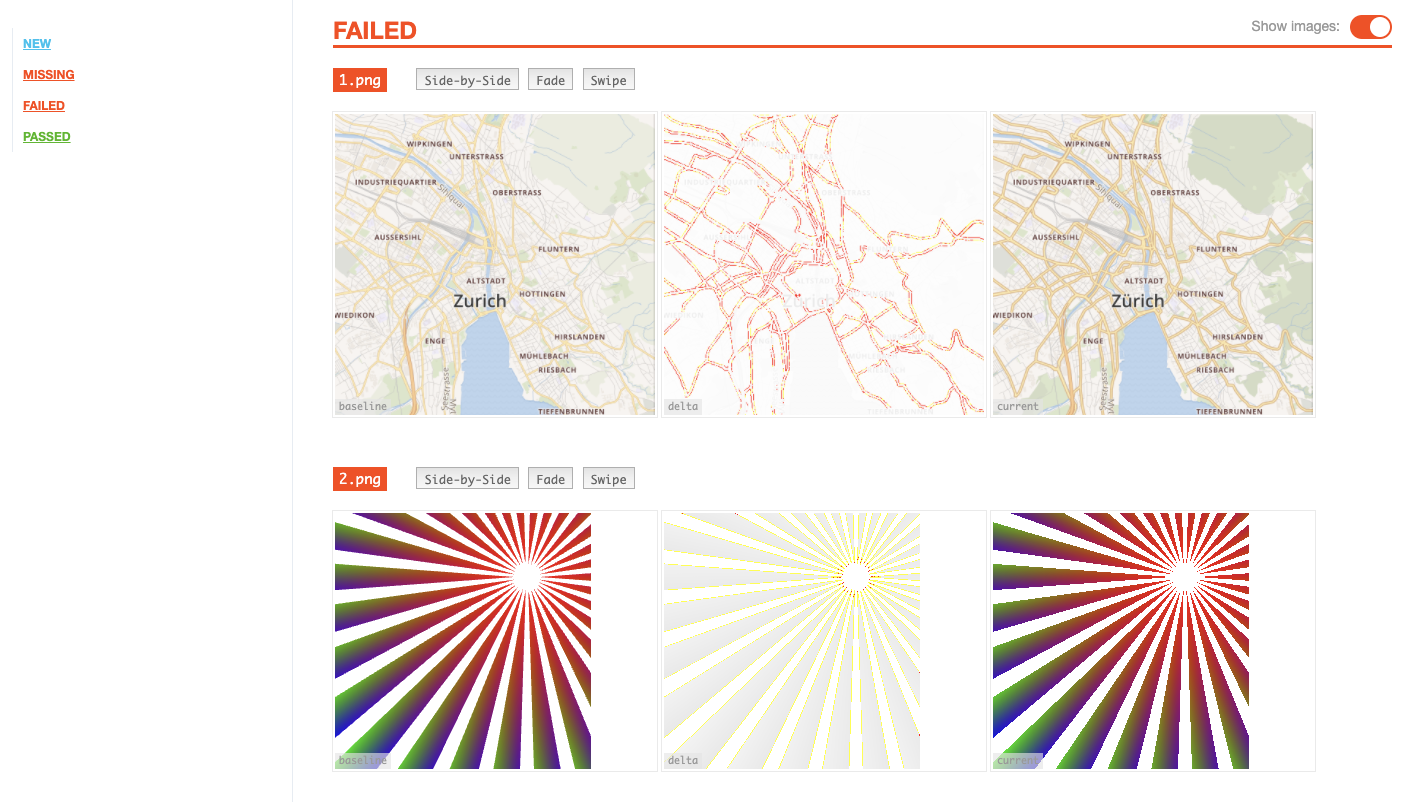
`npx @magiclab/vrt-runner --cwd path_to_diff_images --output result_output`
It expects the files to have a simple folder syntax
```bash
path_to_diff_images
├── baseline
│ ├── 1.png
│ └── 2.png
└── test
├── 1.png
└── 2.png
```
```bash
npx @magiclab/vrt-runner --cwd path_to_diff_images --output result_output --matchingThreshold 0.25
```
| Variable Name | Description |
| ----------------------- | -------------------------------------------------------------------------------------------------------------------------------------------------------------------------------------------------------------- |
| `--ignoreChange` | If `true`, error will not be thrown when image change detected. Default `true` |
| `--matchingThreshold` | Matching threshold, ranges from 0 to 1. Smaller values make the comparison more sensitive. `0.05` by default. `0` by default for reg-cli. |
| `--thresholdRate` | Rate threshold for detecting change. When the difference ratio of the image is larger than the set rate detects the change. Applied after matchingThreshold. |
| `--thresholdPixel` | Pixel threshold for detecting change. When the difference pixel of the image is larger than the set pixel detects the change. This value takes precedence over thresholdRate. Applied after matchingThreshold. |
| `--concurrency` | How many processes launches in parallel. If omitted 4 |
| `--enableAntialias` | Enable antialias. If omitted `true` |
| `--additionalDetection` | Enable additional difference detection(highly experimental). Select "none" or "client" (default: `none`). |
## Node
You can also use it as a node module
```js
import runVrt from '@magiclab/vrt-runner';
runVrt({
cwd,
output,
teamcity, // boolean flag to know if we should log teamcity friendly output
options, // optional: parameters for reg-cli
});
```
Currently we support `onVrtComplete` hook, which allows you to get results of comparison and timing of comparison.
One of the ways to use this data is the following:
```js
(async function() {
try {
// define action
const onVrtCompleteAction: onVrtCompleteType = (result, cmpTime) => {
const info = showResults({
failedItems: result.failedItems.length + result.deletedItems.length,
passed: result.passedItems.length + result.newItems.length,
diffTime: cmpTime / 1000,
});
return info;
};
// save data after runVrt
const info = await runVrt({
cwd,
output,
teamcity, // boolean flag to know if we should log teamcity friendly output
onVrtComplete: onVrtCompleteAction
});
// work with data
console.log(info);
}
process.exit(0);
})();
```
You might want to change the different comparison options in instances of `vrt-runner`. You can do it via `options`, which are are aligned with [pixelmatch API](https://github.com/mapbox/pixelmatch)
```js
const options = {
matchingThreshold: 0.2
};
const vrtIntance01 = runVrt({
cwd,
output,
teamcity, // boolean flag to know if we should log teamcity friendly output
options,
});
const optionsSecondType = {
matchingThreshold: 0.2
};
const vrtIntance03 = runVrt({
cwd,
output,
teamcity, // boolean flag to know if we should log teamcity friendly output
optionsSecondType,
});
const vrtIntance03 = runVrt({
cwd,
output,
teamcity, // boolean flag to know if we should log teamcity friendly output
});
})();
```
CSS files for the report page are generated. If you need to make changes to it, update `src/report-assets/css/vrt.scss` and run the following command:
```bash
yarn styles
```