create-nuxt-app
Version:
Create a Nuxt.js App in seconds.
91 lines (68 loc) • 2.87 kB
Markdown
# Create Nuxt App
[](https://npmjs.com/package/create-nuxt-app)
[](https://npmjs.com/package/create-nuxt-app)
[](https://circleci.com/gh/nuxt/create-nuxt-app/master)
> Create a [Nuxt.js](https://github.com/nuxt/nuxt.js) project in seconds
<details><summary>Preview</summary>
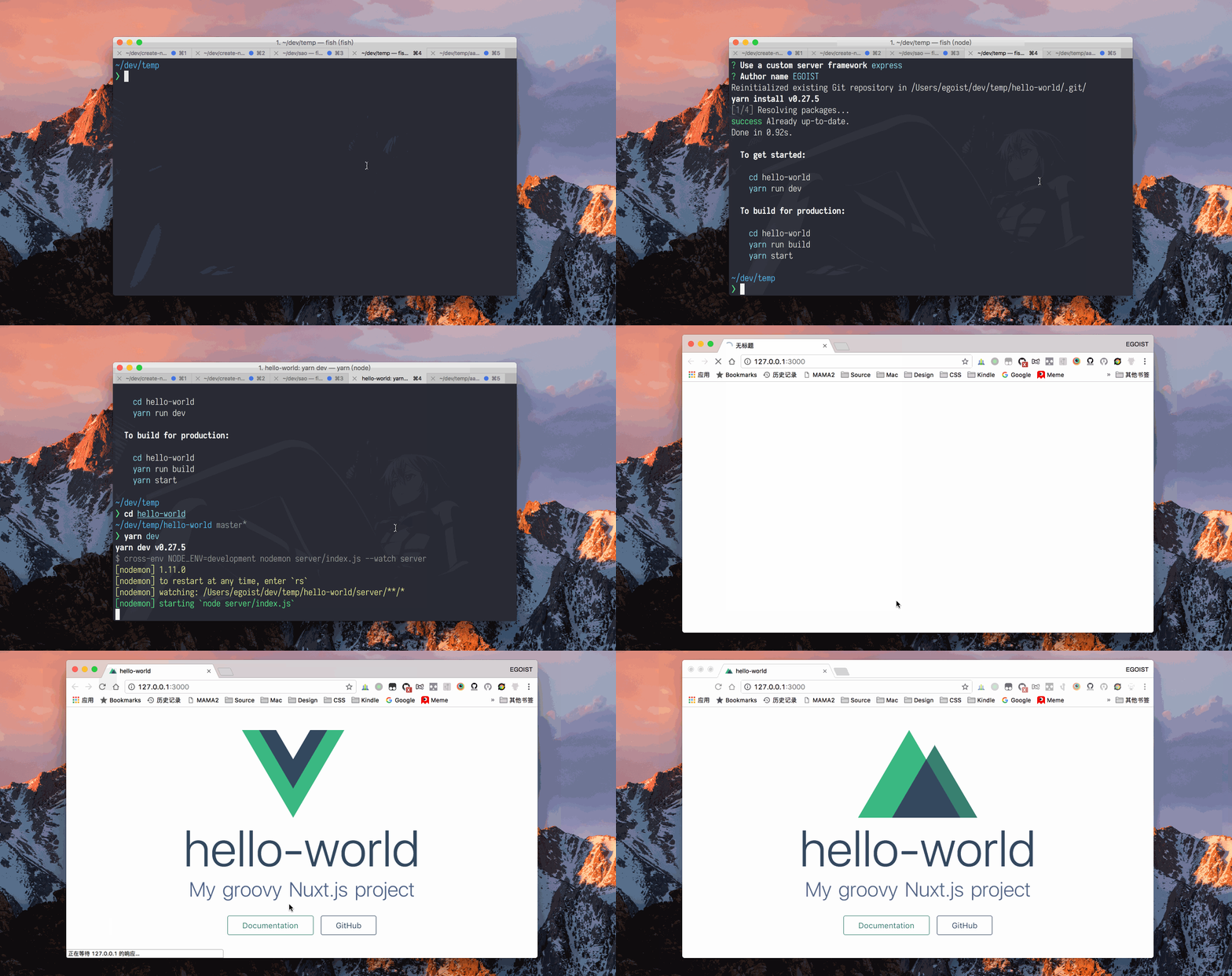
</details>
## Usage
Make sure you have [npx](https://www.npmjs.com/package/npx) installed (`npx` is shipped by default since [npm](https://www.npmjs.com/get-npm) `5.2.0`)
```bash
npx create-nuxt-app <my-project>
```
Or starting with npm v6.1 you can do:
```bash
npm init nuxt-app <my-project>
```
Or with [yarn](https://yarnpkg.com/en/):
```bash
yarn create nuxt-app <my-project>
```
## Features :tada:
1. Choose between integrated server-side frameworks:
- None (Nuxt default server)
- [Express](https://github.com/expressjs/express)
- [Koa](https://github.com/koajs/koa)
- [Hapi](https://github.com/hapijs/hapi)
- [Feathers](https://github.com/feathersjs/feathers)
- [Micro](https://github.com/zeit/micro)
- [Fastify](https://github.com/fastify/fastify)
- [Adonis](https://github.com/adonisjs/adonis-framework) (WIP)
2. Check the features needed for your project:
- [PWA](https://pwa.nuxtjs.org/)
- Linter / Formatter
- [Prettier](https://prettier.io/)
- [Axios](https://github.com/nuxt-community/axios-module)
3. Choose your favorite UI framework:
- None (feel free to add one later)
- [Bootstrap](https://github.com/bootstrap-vue/bootstrap-vue)
- [Vuetify](https://github.com/vuetifyjs/vuetify)
- [Bulma](https://github.com/jgthms/bulma)
- [Tailwind](https://github.com/tailwindcss/tailwindcss)
- [Element UI](https://github.com/ElemeFE/element)
- [Ant Design Vue](https://github.com/vueComponent/ant-design-vue)
- [Buefy](https://buefy.github.io)
- [iView](https://www.iviewui.com/)
- [Tachyons](https://tachyons.io)
4. Choose your favorite test framework:
- None
- [Jest](https://github.com/facebook/jest)
- [AVA](https://github.com/avajs/ava)
## Optional
To install [nuxt-edge](https://www.npmjs.com/package/nuxt-edge) instead of [nuxt](https://www.npmjs.com/package/nuxt), add the command line flag `--edge`:
```bash
npx create-nuxt-app <my-project> --edge
```
Or
```bash
npm init nuxt-app <my-project> --edge
```
Or
```bash
yarn create nuxt-app <my-project> --edge
```
## Credits
- [egoist](https://github.com/egoist)
- [clarko](https://github.com/clarkdo)
- All our contributors ([list](https://github.com/nuxt/create-nuxt-app/contributors)).