wind-layer
Version:
a openlayers ol bmap amap maptalks extension to windjs
181 lines (132 loc) • 7.13 kB
Markdown
# wind-layer
> a [openlayers](http://openlayers.org) | [bmap](https://map.baidu.com/) | [amap](https://ditu.amap.com/) | [maptalks](https://maptalks.org/) extension to windjs
> 示例:[openlayers](//sakitam-fdd.github.io/wind-layer/examples/index.html) |
[ol6.x](//sakitam-fdd.github.io/wind-layer/examples/ol6.html) |
[bmap](//sakitam-fdd.github.io/wind-layer/examples/baidu.html) |
[amap](//sakitam-fdd.github.io/wind-layer/examples/amap.html) |
[maptalks](//sakitam-fdd.github.io/wind-layer/examples/maptalks.html)
[](https://www.travis-ci.org/sakitam-fdd/wind-layer)
[](https://npmjs.org/package/wind-layer)
[](https://www.jsdelivr.com/package/npm/wind-layer)

[](https://www.npmjs.org/package/wind-layer)
[](https://github.com/sakitam-fdd/wind-layer/stargazers)
[](https://raw.githubusercontent.com/sakitam-fdd/wind-layer/master/LICENSE)
[](https://app.fossa.io/projects/git%2Bgithub.com%2Fsakitam-fdd%2Fwind-layer?ref=badge_shield)
## 下载
```bash
git clone https://github.com/sakitam-fdd/wind-layer.git
npm install
npm run dev
npm run build
```
###
### 安装
#### npm安装
```bash
npm install wind-layer --save
import windLayer from 'wind-layer'
// 分模块
import {
AMapWind, // amap
BMapWind, // bmap
OlWind // openlayers
} from 'wind-layer'
// ol5
import OlWindy from 'wind-layer/dist/OlWindy.js'
import OlWindy from 'wind-layer/dist/OlWindy.esm.js'
// ol6
import OlWindy from 'wind-layer/dist/Ol6Windy.js'
import OlWindy from 'wind-layer/dist/Ol6Windy.esm.js'
// maptalks
import MaptalksWindy from 'wind-layer/dist/MaptalksWindy.js'
import MaptalksWindy from 'wind-layer/dist/MaptalksWindy.esm.js'
```
#### cdn
目前可通过 [unpkg.com](https://unpkg.com/wind-layer/dist/windLayer.js) /
[jsdelivr](https://cdn.jsdelivr.net/npm/wind-layer@0.1.2/dist/windLayer.js) 获取最新版本的资源。
```bash
# jsdelivr (jsdelivr由于缓存原因最好锁定版本号,否则可能会出现意料之外的问题)
https://cdn.jsdelivr.net/npm/wind-layer@0.1.2/dist/windLayer.js
https://cdn.jsdelivr.net/npm/wind-layer@0.1.2/dist/windLayer.min.js
# npm
https://unpkg.com/wind-layer/dist/windLayer.js
https://unpkg.com/wind-layer/dist/windLayer.min.js
# 分模块
https://cdn.jsdelivr.net/npm/wind-layer@0.1.2/dist/AMapWind.js // amap
https://cdn.jsdelivr.net/npm/wind-layer@0.1.2/dist/BMapWind.js // bmap
https://cdn.jsdelivr.net/npm/wind-layer@0.1.2/dist/OlWind.js // openlayers
https://cdn.jsdelivr.net/npm/wind-layer@0.1.2/dist/MaptalksWindy.js // maptalks
```
#### [](https://jsfiddle.net/sakitamfdd/hgvdu76j/?utm_source=website&utm_medium=embed&utm_campaign=hgvdu76j)
#### [文档](//sakitam-fdd.github.io/wind-layer/)
#### [点击查看示例](//sakitam-fdd.github.io/wind-layer/examples/index.html)
## 如何获取数据
天气数据由[全球预报系统](http://en.wikipedia.org/wiki/Global_Forecast_System)(GFS)生成,
由美国国家气象局管理。 预测每天产生四次,并可用于
从[NOMADS](http://nomads.ncep.noaa.gov/)下载。 这些文件位于[GRIB2](http://en.wikipedia.org/wiki/GRIB)
格式并包含超过[300条记录](http://www.nco.ncep.noaa.gov/pmb/products/gfs/gfs.t00z.pgrbf00.grib2.shtml)。
我们只需要这些记录中的一小部分就可以在特定的等压线上可视化风资料。 下面的命令下载
1000 hPa风向量,并使用[grib2json](https://github.com/cambecc/grib2json)将它们转换为JSON格式。
```bash
YYYYMMDD=<a date, for example: 20140101>
curl "http://nomads.ncep.noaa.gov/cgi-bin/filter_gfs.pl?file=gfs.t00z.pgrb2.1p00.f000&lev_10_m_above_ground=on&var_UGRD=on&var_VGRD=on&dir=%2Fgfs.${YYYYMMDD}00" -o gfs.t00z.pgrb2.1p00.f000
grib2json -d -n -o current-wind-surface-level-gfs-1.0.json gfs.t00z.pgrb2.1p00.f000
cp current-wind-surface-level-gfs-1.0.json <earth-git-repository>/public/data/weather/current
```
## 使用node服务获取数据
> 默认运行在3000端口, 使用koa2构建。
目前仅抓取少量数据, 全部数据数据量过大会造成抓取时间过长和转换失败。
```bash
npm run start // 调试环境启动服务
npm run prd:server // 部署环境启动服务
```
### 目前共暴露7个接口
| url | params | desc |
| :--- | :--- | :---------- |
| `autofetch` | `null` | 无需参数,开启自动抓取程序,默认30分钟抓取一次数据源 |
| `stopautofetch` | `null` | 停止自动抓取程序 |
| `getdata` | `Object` (目前只支持`time` 参数,时间戳) | 获取json数据,存在转换过的直接返回,若只存在元数据则转换后返回,若元数据也不存在则抓取转换后再响应 |
| `gribdata` | `Object` (目前只支持`time` 参数,时间戳) | 获取grib2数据(强制抓取数据) |
| `getSourceTree` | `null` | 无需参数,获取抓取的数据源 `grib2` 源数据。返回一个list,包含文件名和服务器地址。 |
| `getParseTree` | `null` | 无需参数,获取转换后的 `json` 数据。返回一个list,包含文件名和服务器地址。 |
| `getDataByFileName` | `{ filename }` | 通过文件名请求 `json` 数据,文件名可为源数据文件和json文件名 |
## 使用Docker
### 简单运行
> 如果想简单的运行一下看看,可以执行这个命令:
```bash
docker run -d -p 8080:3333 sakitamclone/wind-server:0.0.1
```
启动后就可以通过主机的 8080 端口看到运行结果了,比如用的是本机 Docker 的话,访问:http://localhost:8080 即可。
测试结束后,彻底清除容器可以用命令:
```bash
docker rm -fv <容器ID>
```
这样可以停止、删除容器,并清除数据。
### 使用 DockerCompose
新建文件 ``docker-compose.yml``, 内容如下:
```yaml
version: '3'
services:
wind-server:
image: sakitamclone/wind-server:latest
build:
context: ./
args:
NODE_ENV: development
hostname: wind-server
environment:
- CORS_ORIGIN=****
ports:
- "8080:3333"
volumes:
yarn:
```
然后使用命令 docker-compose up -d 来启动,停止服务使用 docker-compose down。
## Resources
* https://github.com/cambecc/earth
* http://earth.nullschool.net
* https://github.com/Esri/wind-js
* https://github.com/danwild/wind-js-leaflet
## License
[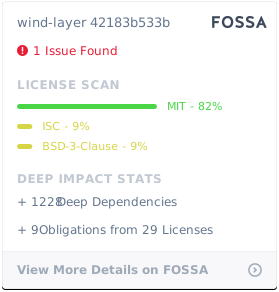](https://app.fossa.io/projects/git%2Bgithub.com%2Fsakitam-fdd%2Fwind-layer?ref=badge_large)