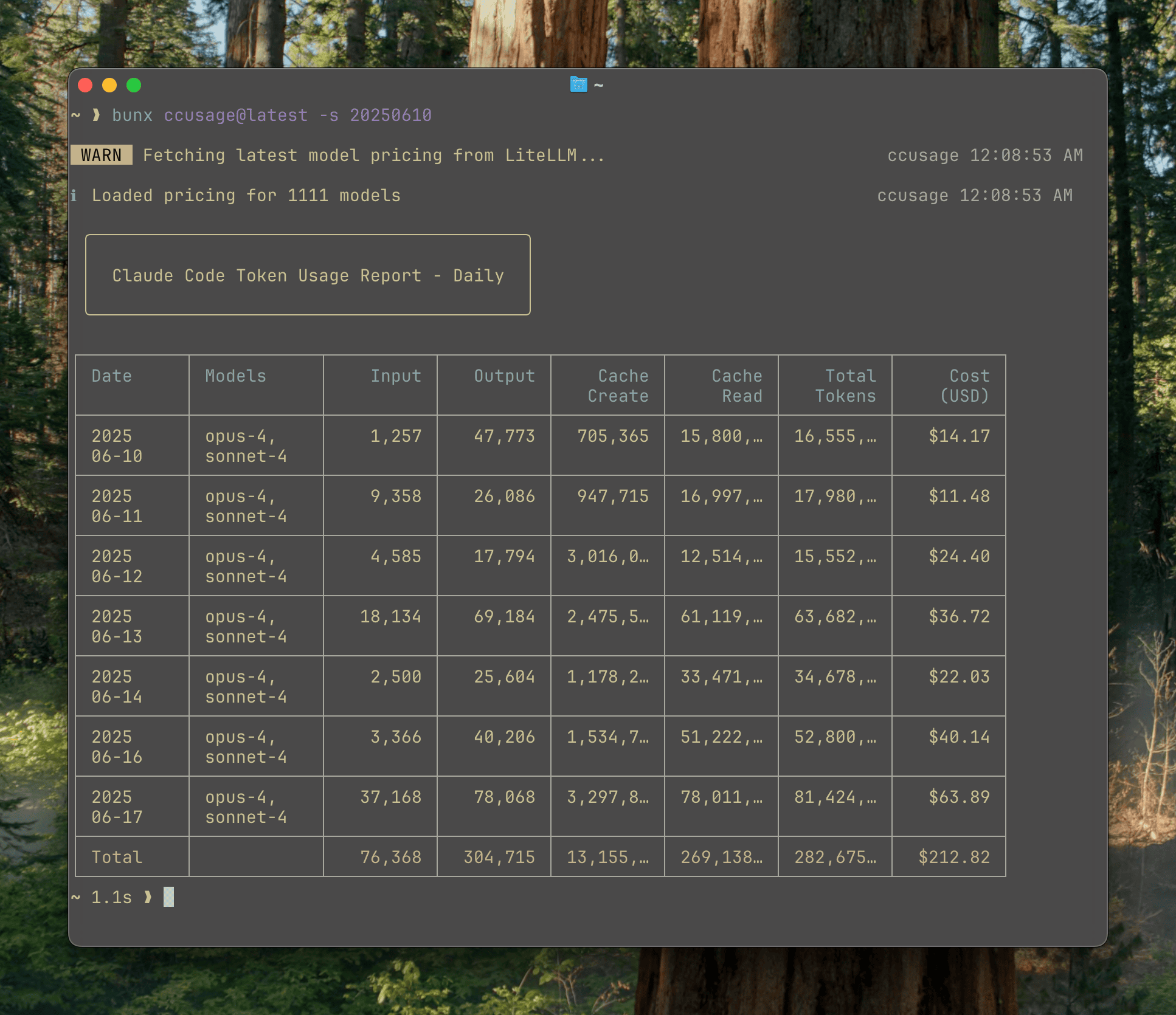
> Analyze your Claude Code token usage and costs from local JSONL files — incredibly fast and informative!
## Installation
```bash
npm i -g ccusage
```
## Usage
```bash
# Basic usage
ccusage # Show daily report (default)
ccusage daily # Daily token usage and costs
ccusage monthly # Monthly aggregated report
ccusage session # Usage by conversation session
ccusage blocks # 5-hour billing windows
# Live monitoring
ccusage blocks --live # Real-time usage dashboard
# Filters and options
ccusage daily --since 20250525 --until 20250530
ccusage daily --json # JSON output
ccusage daily --breakdown # Per-model cost breakdown
```
## Features
- 📊 **Daily Report**: View token usage and costs aggregated by date
- 📅 **Monthly Report**: View token usage and costs aggregated by month
- 💬 **Session Report**: View usage grouped by conversation sessions
- ⏰ **5-Hour Blocks Report**: Track usage within Claude's billing windows with active block monitoring
- 📈 **Live Monitoring**: Real-time dashboard showing active session progress, token burn rate, and cost projections with `blocks --live`
- 🤖 **Model Tracking**: See which Claude models you're using (Opus, Sonnet, etc.)
- 📊 **Model Breakdown**: View per-model cost breakdown with `--breakdown` flag
- 📅 **Date Filtering**: Filter reports by date range using `--since` and `--until`
- 📁 **Custom Path**: Support for custom Claude data directory locations
- 🎨 **Beautiful Output**: Colorful table-formatted display with automatic responsive layout
- 📱 **Smart Tables**: Automatic compact mode for narrow terminals (< 100 characters) with essential columns
- 📋 **Enhanced Model Display**: Model names shown as bulleted lists for better readability
- 📄 **JSON Output**: Export data in structured JSON format with `--json`
- 💰 **Cost Tracking**: Shows costs in USD for each day/month/session
- 🔄 **Cache Token Support**: Tracks and displays cache creation and cache read tokens separately
- 🌐 **Offline Mode**: Use pre-cached pricing data without network connectivity with `--offline` (Claude models only)
- 🔌 **MCP Integration**: Built-in Model Context Protocol server for integration with other tools
## Documentation
Full documentation is available at **[ccusage.ryoppippi.com](https://ccusage.ryoppippi.com/)**
## Sponsors