# Clappr Playback Rate Plugin
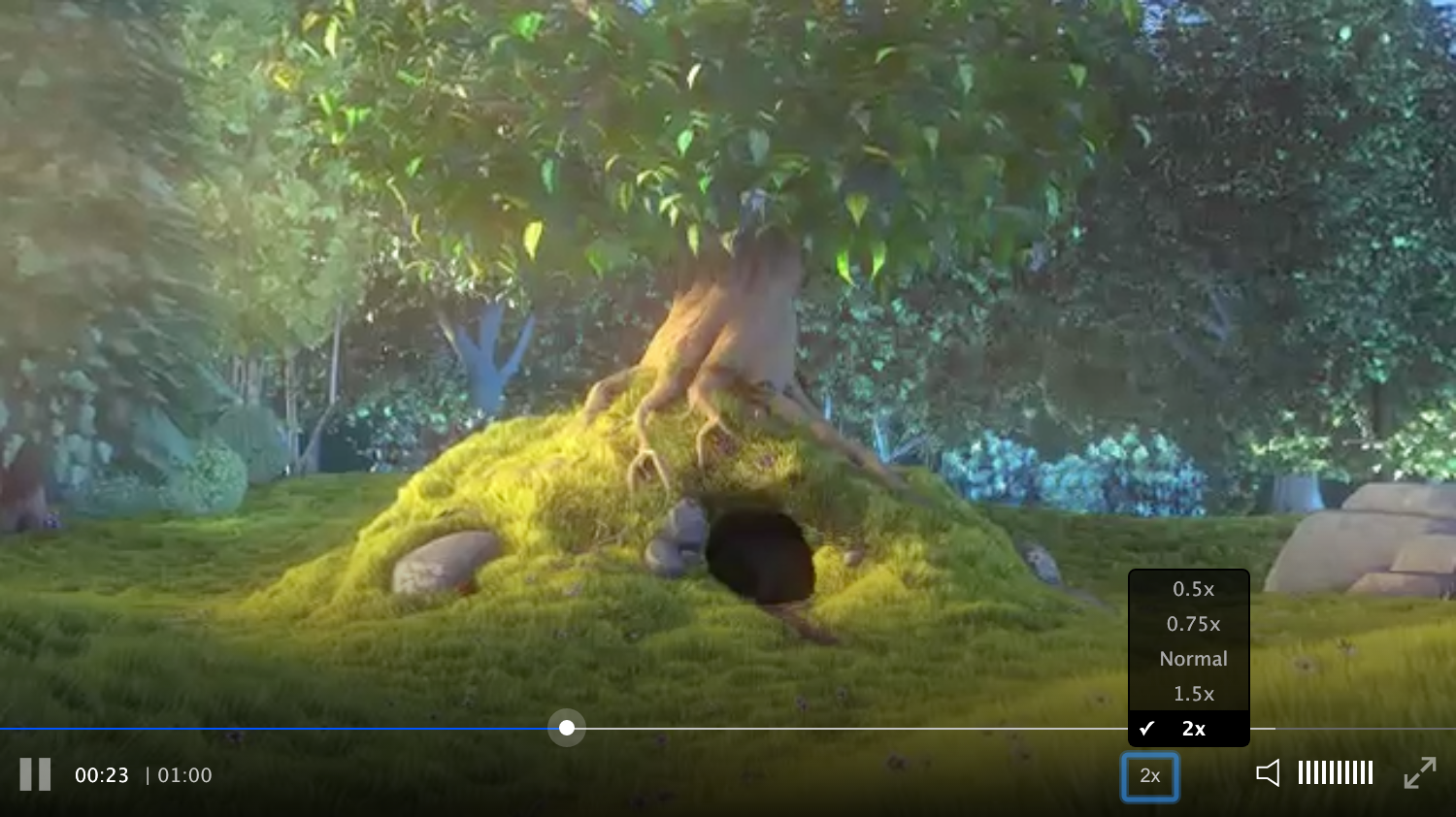 # Getting started
Add both Clappr and the plugin scripts to your HTML :
```html
```
Then add `PlaybackRatePlugin` into the list of plugins of your player instance :
```javascript
var player = new Clappr.Player({
source: "https://your.video/here.mp4",
plugins: [
PlaybackRatePlugin
],
// [...]
});
```
You can also customize the labels and rates using the `playbackRateConfig` property as shown below :
```javascript
var player = new Clappr.Player({
// ...
source: "https://your.video/here.mp4",
plugins: [
PlaybackRatePlugin
],
playbackRateConfig: {
defaultValue: 1,
options: [
{value: 0.5, label: '0.5x'},
{value: 1, label: '1x'},
{value: 2, label: '2x'},
],
// rateSuffix: 'x',
},
});
```
## External interface
This plugin adds the `getPlaybackRate` and `setPlaybackRate` methods to Clappr player instance.
```javascript
var player = new Clappr.Player({
source: "https://your.video/here.mp4",
plugins: [
PlaybackRatePlugin
],
// [...]
});
var currentRate = player.getPlaybackRate(); // 1
player.setPlaybackRate(0.5); // set playback rate to 0.5
```
## Usage as Node.js external dependency
Add it to your project, for example, using NPM command :
```shell
$ npm install clappr-playback-rate-plugin
```
Then import the plugin into your application bundle :
```javascript
import PlaybackRatePlugin from 'clappr-playback-rate-plugin'
// [...]
```
## Limitations
This plugin works only with HTML audio and video playbacks. _(ie: it does not work for the Flash playback)_
## Changelog
See [Releases](https://github.com/bikegriffith/clappr-playback-rate-plugin/releases)
## Development
Install dependencies :
```shell
yarn
```
Start HTTP dev server (http://0.0.0.0:8080) :
```shell
npm start
```
# Getting started
Add both Clappr and the plugin scripts to your HTML :
```html
```
Then add `PlaybackRatePlugin` into the list of plugins of your player instance :
```javascript
var player = new Clappr.Player({
source: "https://your.video/here.mp4",
plugins: [
PlaybackRatePlugin
],
// [...]
});
```
You can also customize the labels and rates using the `playbackRateConfig` property as shown below :
```javascript
var player = new Clappr.Player({
// ...
source: "https://your.video/here.mp4",
plugins: [
PlaybackRatePlugin
],
playbackRateConfig: {
defaultValue: 1,
options: [
{value: 0.5, label: '0.5x'},
{value: 1, label: '1x'},
{value: 2, label: '2x'},
],
// rateSuffix: 'x',
},
});
```
## External interface
This plugin adds the `getPlaybackRate` and `setPlaybackRate` methods to Clappr player instance.
```javascript
var player = new Clappr.Player({
source: "https://your.video/here.mp4",
plugins: [
PlaybackRatePlugin
],
// [...]
});
var currentRate = player.getPlaybackRate(); // 1
player.setPlaybackRate(0.5); // set playback rate to 0.5
```
## Usage as Node.js external dependency
Add it to your project, for example, using NPM command :
```shell
$ npm install clappr-playback-rate-plugin
```
Then import the plugin into your application bundle :
```javascript
import PlaybackRatePlugin from 'clappr-playback-rate-plugin'
// [...]
```
## Limitations
This plugin works only with HTML audio and video playbacks. _(ie: it does not work for the Flash playback)_
## Changelog
See [Releases](https://github.com/bikegriffith/clappr-playback-rate-plugin/releases)
## Development
Install dependencies :
```shell
yarn
```
Start HTTP dev server (http://0.0.0.0:8080) :
```shell
npm start
```