<p align="center">
  <a href="https://www.vim.org/scripts/script.php?script_id=5779">
    <img alt="Coc Logo" src="https://user-images.githubusercontent.com/251450/55009068-f4ed2780-501c-11e9-9a3b-cf3aa6ab9272.png" height="160" />
  </a>
  <p align="center">Make your vim/neovim as smart as VSCode.</p>
  <p align="center">
    <a href="/LICENSE.md"><img alt="Software License" src="https://img.shields.io/badge/license-MIT-brightgreen.svg?style=flat-square"></a>
    <a href="https://salt.bountysource.com/teams/coc-nvim"><img alt="Bountysource" src="https://img.shields.io/bountysource/team/coc-nvim/activity.svg?style=flat-square"></a>
    <a href="https://travis-ci.org/neoclide/coc.nvim"><img alt="Travis" src="https://img.shields.io/travis/neoclide/coc.nvim/master.svg?style=flat-square"></a>
    <a href="https://codecov.io/gh/neoclide/coc.nvim"><img alt="Coverage" src="https://img.shields.io/codecov/c/github/neoclide/coc.nvim.svg?style=flat-square"></a>
    <a href="/doc/coc.txt"><img alt="Doc" src="https://img.shields.io/badge/doc-%3Ah%20coc.txt-red.svg?style=flat-square"></a>
    <a href="https://gitter.im/neoclide/coc.nvim"><img alt="Gitter" src="https://img.shields.io/gitter/room/neoclide/coc.nvim.svg?style=flat-square"></a>
  </p>
</p>

---

Coc is an intellisense engine for vim8 & neovim.

It works on `vim >= 8.0` and `neovim >= 0.3.1`.

It's a completion framework and language server client which supports [extension features of VSCode](https://github.com/neoclide/coc.nvim/wiki/Using-coc-extensions).

<img alt="Gif" src="https://user-images.githubusercontent.com/251450/55285193-400a9000-53b9-11e9-8cff-ffe4983c5947.gif" width="60%" />

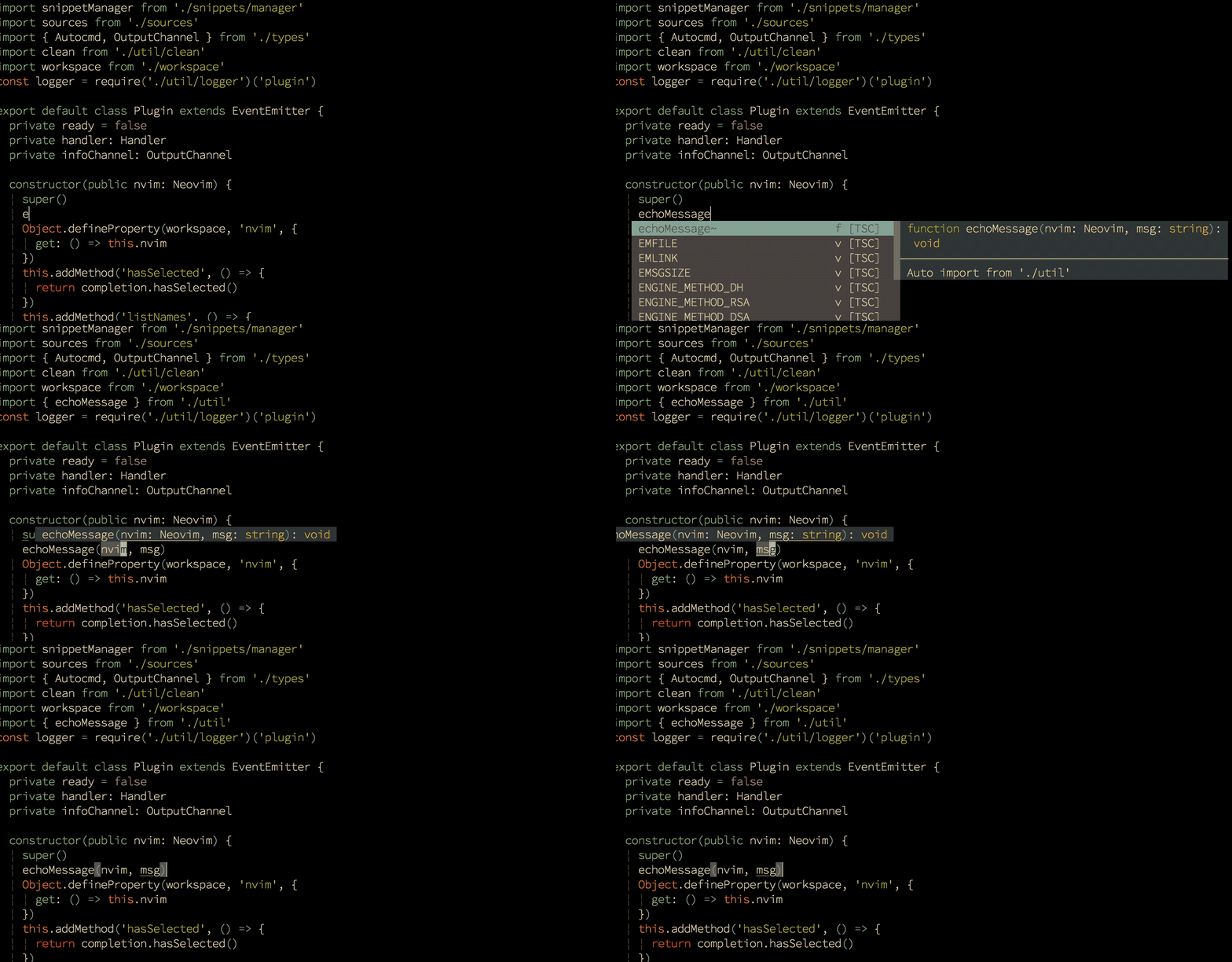
_True snippet and additional text editing support_

Floating windows require nightly build of neovim or vim >= 8.1.1522, [follow steps in the faq](https://github.com/neoclide/coc.nvim/wiki/F.A.Q#how-to-make-preview-window-shown-aside-with-pum).

Check out [doc/coc.txt](doc/coc.txt) for the vim interface.

## Why?

- 🚀 **Fast**: [instant increment completion](https://github.com/neoclide/coc.nvim/wiki/Completion-with-sources#highlights-of-coc-completion), increment buffer sync using buffer update events.
- 💎 **Reliable**: typed language, tested with CI.
- 🌟 **Featured**: [full LSP support](https://github.com/neoclide/coc.nvim/wiki/Language-servers#supported-features)
- ❤️ **Flexible**: [configured like VSCode](https://github.com/neoclide/coc.nvim/wiki/Using-configuration-file), [extensions work like in VSCode](https://github.com/neoclide/coc.nvim/wiki/Using-coc-extensions)

<details><summary>Completion experience</summary>
<p>
  
You might be wondering why yet another completion engine since there is the already
widely used [YouCompleteMe](https://github.com/Valloric/YouCompleteMe) and
[deoplete.nvim](https://github.com/Shougo/deoplete.nvim).

Below are the reasons that led coc.nvim to build its own engine:

- **Full LSP completion support**, especially snippet and `additionalTextEdit`
  feature, you'll understand why it's awesome when you experience it with a
  coc extension like `coc-tsserver`.
- **Asynchronous and parallel completion request**, unless using vim sources,
  your vim will never be blocked.
- **Does completion resolving on completion item change**. The details from
  completion items are echoed after being selected, this feature requires the
  `CompleteChanged` autocmd to work.
- **Incomplete request and cancel request support**, only incomplete completion
  requests would be triggered on filtering completion items and cancellation
  requests are sent to servers only when necessary.
- **Start completion without timer**. The completion will start after you type the
  first letter of a word by default and is filtered with new input after the completion
  has finished. Other completion engines use a timer to trigger completion so you
  always have to wait after the typed character.
- **Realtime buffer keywords**. Coc will generate buffer keywords on buffer change in the
  background (with debounce), while some completion engines use a cache which isn't always correct.
  Plus, [Locality bonus feature](https://code.visualstudio.com/docs/editor/intellisense#_locality-bonus)
  from VSCode is enabled by default.
- **Filter completion items when possible.** When you do a fuzzy filter with
  completion items, some completion engines will trigger a new completion, but
  coc.nvim will filter the items when possible which makes it much faster. Filtering
  completion items on backspace is also supported.
  </p>
  </details>

## Table of contents

- [Installation](https://github.com/neoclide/coc.nvim/wiki/Install-coc.nvim)

  Install [nodejs](https://nodejs.org/en/download/) when necessary:

  ```sh
  curl -sL install-node.now.sh/lts | bash
  ```

  For [vim-plug](https://github.com/junegunn/vim-plug) users:

  ```vim
  " Use release branch
  Plug 'neoclide/coc.nvim', {'branch': 'release'}
  " Or latest tag
  Plug 'neoclide/coc.nvim', {'tag': '*', 'branch': 'release'}
  " Or build from source code by use yarn: https://yarnpkg.com
  Plug 'neoclide/coc.nvim', {'do': 'yarn install --frozen-lockfile'}
  ```

  in your `.vimrc` or `init.vim`, then restart vim and run `:PlugInstall`.

  For other plugin managers, make sure use release branch.

  **Note**: The first time building from source code may be slow.

  **Note**: NixOS users must follow these steps:

  1. Install [nodejs](https://nodejs.org/en/download/) and [yarn](https://yarnpkg.com/en/docs/install) via `nix-env` or put them in `/etc/nixos/configuration.nix`
  2. `sudo nixos-rebuild switch`
  3. `Plug 'neoclide/coc.nvim', {'do': 'yarn install --frozen-lockfile'}`
  4. Don't forget to put: `set shell=/bin/sh` in your `init.vim`.

- [Completion with sources](https://github.com/neoclide/coc.nvim/wiki/Completion-with-sources)

- [Using snippets](https://github.com/neoclide/coc.nvim/wiki/Using-snippets)

- [Using extensions](https://github.com/neoclide/coc.nvim/wiki/Using-coc-extensions)

- [Using list](https://github.com/neoclide/coc.nvim/wiki/Using-coc-list)

- [Using configuration file](https://github.com/neoclide/coc.nvim/wiki/Using-the-configuration-file)

- [Using workspaceFolders](https://github.com/neoclide/coc.nvim/wiki/Using-workspaceFolders)

- [Language servers](https://github.com/neoclide/coc.nvim/wiki/Language-servers)

  - [Supported features](https://github.com/neoclide/coc.nvim/wiki/Language-servers#supported-features)
  - [Register custom language servers](https://github.com/neoclide/coc.nvim/wiki/Language-servers#register-custom-language-servers)

    - [Dart](https://github.com/neoclide/coc.nvim/wiki/Language-servers#dart)
    - [C/C++/Objective-C](https://github.com/neoclide/coc.nvim/wiki/Language-servers#ccobjective-c)
    - [Rust](https://github.com/neoclide/coc.nvim/wiki/Language-servers#rust)
    - [Go](https://github.com/neoclide/coc.nvim/wiki/Language-servers#go)
    - [PHP](https://github.com/neoclide/coc.nvim/wiki/Language-servers#php)
    - [Dockerfile](https://github.com/neoclide/coc.nvim/wiki/Language-servers#dockerfile)
    - [Bash](https://github.com/neoclide/coc.nvim/wiki/Language-servers#bash)
    - [Lua](https://github.com/neoclide/coc.nvim/wiki/Language-servers#lua)
    - [OCaml and ReasonML](https://github.com/neoclide/coc.nvim/wiki/Language-servers#ocaml-and-reasonml)
    - [PureScript](https://github.com/neoclide/coc.nvim/wiki/Language-servers#purescript)
    - [Flow](https://github.com/neoclide/coc.nvim/wiki/Language-servers#flow)
    - [Haskell](https://github.com/neoclide/coc.nvim/wiki/Language-servers#haskell)
    - [vim/erb/markdown](https://github.com/neoclide/coc.nvim/wiki/Language-servers#vimerbmarkdown)
    - [Elixir](https://github.com/neoclide/coc.nvim/wiki/Language-servers#elixir)
    - [Python](https://github.com/neoclide/coc.nvim/wiki/Language-servers#python)
    - [Ruby](https://github.com/neoclide/coc.nvim/wiki/Language-servers#ruby)
    - [Scala](https://github.com/neoclide/coc.nvim/wiki/Language-servers#scala)
    - [Latex](https://github.com/neoclide/coc.nvim/wiki/Language-servers#latex)
    - [Elm](https://github.com/neoclide/coc.nvim/wiki/Language-servers#elm)
    - [Fortran](https://github.com/neoclide/coc.nvim/wiki/Language-servers#fortran)
    - [Clojure](https://github.com/neoclide/coc.nvim/wiki/Language-servers#clojure)
    - [Julia](https://github.com/neoclide/coc.nvim/wiki/Language-servers#julia)

* [Statusline integration](https://github.com/neoclide/coc.nvim/wiki/Statusline-integration)

* [Debug language server](https://github.com/neoclide/coc.nvim/wiki/Debug-language-server)

* [Debug coc.nvim](https://github.com/neoclide/coc.nvim/wiki/Debug-coc.nvim)

* [F.A.Q](https://github.com/neoclide/coc.nvim/wiki/F.A.Q)

## Completion sources

Completion from words in buffers and file paths completions are supported by default.

For other completion sources, check out:

- [coc-sources](https://github.com/neoclide/coc-sources): includes some common
  completion source extensions.
- [coc-neco](https://github.com/neoclide/coc-neco): viml completion support.
- [coc-vimtex](https://github.com/neoclide/coc-vimtex): vimtex integration.
- [coc-neoinclude](https://github.com/jsfaint/coc-neoinclude): neoinclude
  integration.
- [coc-lbdbq](https://github.com/zidhuss/coc-lbdbq): email address completion.
- [coc-browser](https://github.com/voldikss/coc-browser): web browser words completion.

Or you can [create a custom source](https://github.com/neoclide/coc.nvim/wiki/Create-custom-source).

## Extensions

Extensions are more powerful than a configured language server. Check out
[Using coc extensions](https://github.com/neoclide/coc.nvim/wiki/Using-coc-extensions).

- **[coc-json](https://github.com/neoclide/coc-json)** for `json`.
- **[coc-tsserver](https://github.com/neoclide/coc-tsserver)** for `javascript`
  and `typescript`.
- **[coc-html](https://github.com/neoclide/coc-html)** for `html`, `handlebars`
  and `razor`.
- **[coc-css](https://github.com/neoclide/coc-css)** for `css`, `scss` and `less`.
- **[coc-vetur](https://github.com/neoclide/coc-vetur)** for `vue`, use [vetur](https://github.com/vuejs/vetur).
- **[coc-phpls](https://github.com/marlonfan/coc-phpls)** for `php`, use [intelephense-docs](https://github.com/bmewburn/intelephense-docs).
- **[coc-java](https://github.com/neoclide/coc-java)** for `java`, use [eclipse.jdt.ls](https://github.com/eclipse/eclipse.jdt.ls).
- **[coc-solargraph](https://github.com/neoclide/coc-solargraph)** for `ruby`,
  use [solargraph](http://solargraph.org/).
- **[coc-rls](https://github.com/neoclide/coc-rls)** for `rust`, use
  [Rust Language Server](https://github.com/rust-lang/rls)
- **[coc-r-lsp](https://github.com/neoclide/coc-r-lsp)** for `r`, use [R languageserver](https://github.com/REditorSupport/languageserver).
- **[coc-yaml](https://github.com/neoclide/coc-yaml)** for `yaml`
- **[coc-python](https://github.com/neoclide/coc-python)** for `python`, extension forked from [vscode-python](https://github.com/Microsoft/vscode-python).
- **[coc-highlight](https://github.com/neoclide/coc-highlight)** provides default
  document symbol highlighting and color support.
- **[coc-emmet](https://github.com/neoclide/coc-emmet)** provides emmet
  suggestions in completion list.
- **[coc-snippets](https://github.com/neoclide/coc-snippets)** provides snippets
  solution.
- **[coc-lists](https://github.com/neoclide/coc-lists)** provides some basic
  lists like fzf.vim.
- **[coc-git](https://github.com/neoclide/coc-git)** provides git integration.
- **[coc-yank](https://github.com/neoclide/coc-yank)** provides yank highlights & history.
- **[coc-fsharp](https://github.com/yatli/coc-fsharp)** for `fsharp`.
- **[coc-svg](https://github.com/iamcco/coc-svg)** for `svg`.
- **[coc-tailwindcss](https://github.com/iamcco/coc-tailwindcss)** for `tailwindcss`.
- **[coc-angular](https://github.com/iamcco/coc-angular)** for `angular`.
- **[coc-vimlsp](https://github.com/iamcco/coc-vimlsp)** for `viml`.
- **[coc-xml](https://github.com/fannheyward/coc-xml)** for `xml`, use [lsp4xml](https://github.com/angelozerr/lsp4xml).
- **[coc-elixir](https://github.com/amiralies/coc-elixir)** for `elixir`, based on [elixir-ls](https://github.com/JakeBecker/elixir-ls/).
- **[coc-tabnine](https://github.com/neoclide/coc-tabnine)** for [tabnine](https://tabnine.com/).
- **[coc-powershell](https://github.com/yatli/coc-powershell)** for PowerShellEditorService integration.
- **[coc-omnisharp](https://github.com/yatli/coc-omnisharp)** for `csharp` and `visualbasic`.

Plus more! To get a full list of coc extensions, [search coc.nvim on npm](https://www.npmjs.com/search?q=keywords%3Acoc.nvim),
or use [coc-marketplace](https://github.com/fannheyward/coc-marketplace), which can search and install extensions in coc.nvim directly.

**Note:** use `:CocConfig` to edit the configuration file. Completion & validation are supported after `coc-json` is installed.

## Example vim configuration

Configuration is required to make coc.nvim easier to work with, since it doesn't
change your key-mappings or vim options. This is done as much as possible to avoid conflict with your
other plugins.

**❗️Important**: some vim plugins could change keymappings. Use a command like
`:verbose imap <tab>` to make sure that your keymap has taken effect.

```vim
" if hidden is not set, TextEdit might fail.
set hidden

" Some servers have issues with backup files, see #649
set nobackup
set nowritebackup

" Better display for messages
set cmdheight=2

" You will have bad experience for diagnostic messages when it's default 4000.
set updatetime=300

" don't give |ins-completion-menu| messages.
set shortmess+=c

" always show signcolumns
set signcolumn=yes

" Use tab for trigger completion with characters ahead and navigate.
" Use command ':verbose imap <tab>' to make sure tab is not mapped by other plugin.
inoremap <silent><expr> <TAB>
      \ pumvisible() ? "\<C-n>" :
      \ <SID>check_back_space() ? "\<TAB>" :
      \ coc#refresh()
inoremap <expr><S-TAB> pumvisible() ? "\<C-p>" : "\<C-h>"

function! s:check_back_space() abort
  let col = col('.') - 1
  return !col || getline('.')[col - 1]  =~# '\s'
endfunction

" Use <c-space> to trigger completion.
inoremap <silent><expr> <c-space> coc#refresh()

" Use <cr> to confirm completion, `<C-g>u` means break undo chain at current position.
" Coc only does snippet and additional edit on confirm.
inoremap <expr> <cr> pumvisible() ? "\<C-y>" : "\<C-g>u\<CR>"

" Use `[c` and `]c` to navigate diagnostics
nmap <silent> [c <Plug>(coc-diagnostic-prev)
nmap <silent> ]c <Plug>(coc-diagnostic-next)

" Remap keys for gotos
nmap <silent> gd <Plug>(coc-definition)
nmap <silent> gy <Plug>(coc-type-definition)
nmap <silent> gi <Plug>(coc-implementation)
nmap <silent> gr <Plug>(coc-references)

" Use K to show documentation in preview window
nnoremap <silent> K :call <SID>show_documentation()<CR>

function! s:show_documentation()
  if (index(['vim','help'], &filetype) >= 0)
    execute 'h '.expand('<cword>')
  else
    call CocAction('doHover')
  endif
endfunction

" Highlight symbol under cursor on CursorHold
autocmd CursorHold * silent call CocActionAsync('highlight')

" Remap for rename current word
nmap <leader>rn <Plug>(coc-rename)

" Remap for format selected region
xmap <leader>f  <Plug>(coc-format-selected)
nmap <leader>f  <Plug>(coc-format-selected)

augroup mygroup
  autocmd!
  " Setup formatexpr specified filetype(s).
  autocmd FileType typescript,json setl formatexpr=CocAction('formatSelected')
  " Update signature help on jump placeholder
  autocmd User CocJumpPlaceholder call CocActionAsync('showSignatureHelp')
augroup end

" Remap for do codeAction of selected region, ex: `<leader>aap` for current paragraph
xmap <leader>a  <Plug>(coc-codeaction-selected)
nmap <leader>a  <Plug>(coc-codeaction-selected)

" Remap for do codeAction of current line
nmap <leader>ac  <Plug>(coc-codeaction)
" Fix autofix problem of current line
nmap <leader>qf  <Plug>(coc-fix-current)

" Use <tab> for select selections ranges, needs server support, like: coc-tsserver, coc-python
nmap <silent> <TAB> <Plug>(coc-range-select)
xmap <silent> <TAB> <Plug>(coc-range-select)
xmap <silent> <S-TAB> <Plug>(coc-range-select-backword)

" Use `:Format` to format current buffer
command! -nargs=0 Format :call CocAction('format')

" Use `:Fold` to fold current buffer
command! -nargs=? Fold :call     CocAction('fold', <f-args>)

" use `:OR` for organize import of current buffer
command! -nargs=0 OR   :call     CocAction('runCommand', 'editor.action.organizeImport')

" Add status line support, for integration with other plugin, checkout `:h coc-status`
set statusline^=%{coc#status()}%{get(b:,'coc_current_function','')}

" Using CocList
" Show all diagnostics
nnoremap <silent> <space>a  :<C-u>CocList diagnostics<cr>
" Manage extensions
nnoremap <silent> <space>e  :<C-u>CocList extensions<cr>
" Show commands
nnoremap <silent> <space>c  :<C-u>CocList commands<cr>
" Find symbol of current document
nnoremap <silent> <space>o  :<C-u>CocList outline<cr>
" Search workspace symbols
nnoremap <silent> <space>s  :<C-u>CocList -I symbols<cr>
" Do default action for next item.
nnoremap <silent> <space>j  :<C-u>CocNext<CR>
" Do default action for previous item.
nnoremap <silent> <space>k  :<C-u>CocPrev<CR>
" Resume latest coc list
nnoremap <silent> <space>p  :<C-u>CocListResume<CR>
```

## Articles

- [coc.nvim 插件体系介绍](https://zhuanlan.zhihu.com/p/65524706)
- [CocList 入坑指南](https://zhuanlan.zhihu.com/p/71846145)
- [Create coc.nvim extension to improve vim experience](https://medium.com/@chemzqm/create-coc-nvim-extension-to-improve-vim-experience-4461df269173)

## Trouble shooting

Try these steps when you have problem with coc.nvim.

- Make sure your vim version >= 8.0 by command `:version`.
- If service failed to start, use command `:CocInfo` or `:checkhealth` on neovim.
- Checkout the log of coc.nvim by command `:CocOpenLog`.
- When you have issue with a languageserver, it's recommended to [checkout the output](https://github.com/neoclide/coc.nvim/wiki/Debug-language-server#using-output-channel)

## Backers

❤️ coc.nvim? Help us keep it alive by [donating funds](https://www.bountysource.com/teams/coc-nvim)😘!

<a href="https://github.com/oblitum" target="_blank" title="oblitum">
  <img src="https://github.com/oblitum.png?size=64" width="64" height="64" alt="oblitum">
</a>
<a href="https://github.com/free-easy" target="_blank" title="free-easy">
  <img src="https://github.com/free-easy.png?size=64" width="64" height="64" alt="free-easy">
</a>
<a href="https://github.com/ruanyl" target="_blank" title="ruanyl">
  <img src="https://github.com/ruanyl.png?size=64" width="64" height="64" alt="ruanyl">
</a>
<a href="https://github.com/robjuffermans" target="_blank" title="robjuffermans">
  <img src="https://github.com/robjuffermans.png?size=64" width="64" height="64" alt="robjuffermans">
</a>
<a href="https://github.com/iamcco" target="_blank" title="iamcco">
  <img src="https://github.com/iamcco.png?size=64" width="64" height="64" alt="iamcco">
</a>
<a href="https://github.com/phcerdan" target="_blank" title="phcerdan">
  <img src="https://github.com/phcerdan.png?size=64" width="64" height="64" alt="phcerdan">
</a>
<a href="https://github.com/sarene" target="_blank" title="sarene">
  <img src="https://github.com/sarene.png?size=64" width="64" height="64" alt="sarene">
</a>
<a href="https://github.com/robtrac" target="_blank" title="robtrac">
  <img src="https://cloudinary-a.akamaihd.net/bountysource/image/upload/d_noaoqqwxegvmulwus0un.png,c_pad,w_400,h_400,b_white/Bountysource_Animals89_puer8v.png" width="64" height="64" alt="robtrac">
</a>
<a href="https://github.com/raidou" target="_blank" title="raidou">
  <img src="https://github.com/raidou.png?size=64" width="64" height="64" alt="raidou">
</a>
<a href="https://github.com/tomspeak" target="_blank" title="tomspeak">
  <img src="https://github.com/tomspeak.png?size=64" width="64" height="64" alt="tomspeak">
</a>
<a href="https://github.com/taigacute" target="_blank" title="taigacute">
  <img src="https://github.com/taigacute.png?size=64" width="64" height="64" alt="taigacute">
</a>
<a href="https://github.com/weirongxu" target="_blank" title="weirongxu">
  <img src="https://github.com/weirongxu.png?size=64" width="64" height="64" alt="weirongxu">
</a>
<a href="https://github.com/tbo" target="_blank" title="tbo">
  <img src="https://github.com/tbo.png?size=64" width="64" height="64" alt="tbo">
</a>
<a href="https://github.com/darthShadow" target="_blank" title="darthShadow">
  <img src="https://github.com/darthShadow.png?size=64" width="64" height="64" alt="darthShadow">
</a>

## Feedback

- If you think Coc is useful, consider giving it a star.

- If you have a question, [ask on gitter](https://gitter.im/neoclide/coc.nvim)

- 中文用户请到 [中文 gitter](https://gitter.im/neoclide/coc-cn) 讨论。

- If something is not working, [create an issue](https://github.com/neoclide/coc.nvim/issues/new).

<img src="https://user-images.githubusercontent.com/251450/57566955-fb850200-7404-11e9-960f-711673f1a461.png" width="593" height="574">

## License

MIT