
React に基づいたビデオプレイヤー
[](https://github.com/zhihu/griffith/blob/master/LICENSE)
[](https://www.npmjs.com/package/griffith)
[](https://travis-ci.org/zhihu/griffith)
[](https://codecov.io/gh/zhihu/griffith)

[](https://github.com/zhihu/griffith/blob/master/CONTRIBUTING.md)
[English](./README.md) | [简体中文](./README-zh-Hans.md) | [日本語](./README-ja.md)
# はじめに
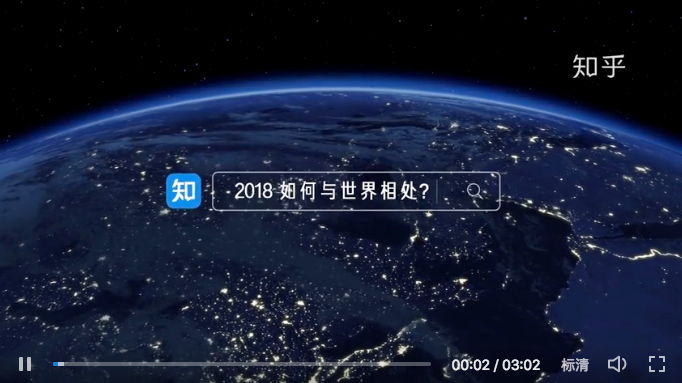
- **ストリーミング:** Griffith はストリーミングを簡単にします。ビデオフォーマットは mp4 や hls にかかわらず、Griffith は Media Source Extension (MSE) を使ってセグメントをロードすることができます。
- **拡張性:** Griffith は React アプリにビデオ機能をサポートすることを簡単にします。React に基づいていない場合は、ブラウザで直接使用するための UMD(Universal Module Definition)もサポートされています。
- **信頼性:** Griffith は Zhihu の Web およびモバイル Web で広く使用されています。
## 使い方
### React アプリ
```bash
yarn add griffith
```
```js
import Player from 'griffith'
const sources = {
hd: {
play_url: 'https://zhstatic.zhihu.com/cfe/griffith/zhihu2018_hd.mp4',
},
sd: {
play_url: 'https://zhstatic.zhihu.com/cfe/griffith/zhihu2018_sd.mp4',
},
}
render()
```
[詳しく](./packages/griffith/README.md)
**ノート: Griffith は SSR アプリを対応できません**
### React を使用していない場合
```html
```
```js
const sources = {
hd: {
play_url: 'https://zhstatic.zhihu.com/cfe/griffith/zhihu2018_hd.mp4',
},
sd: {
play_url: 'https://zhstatic.zhihu.com/cfe/griffith/zhihu2018_sd.mp4',
},
}
Griffith.createPlayer(element).render({sources})
```
[スタンドアロンモードの詳しい使い方](./packages/griffith-standalone/README.md)
## プロジェクトの構造
Griffith は [Yarn workspace](https://yarnpkg.com/lang/en/docs/workspaces/) と [Lerna](https://github.com/lerna/lerna) を使っている Monorepo です。
### コーア
- `packages/griffith`: コーアライブラリ
### ユーティリティ
- `packages/griffith-message`: クロスドメイン通信のヘルパー
- `packages/griffith-utils`: 他のユーティリティ
### プラグイン
- `packages/griffith-mp4`: MP4 プラグインは [MediaSource API](https://developer.mozilla.org/en-US/docs/Web/API/MediaSource) を使っています。
- `packages/griffith-hls`: [HLS](https://developer.apple.com/streaming/) プラグインは [hls.js](https://github.com/video-dev/hls.js) を使っています。
### その他
- `example`: サンプル例とデモ
- `packages/griffith-standalone`: 全部のモジュールを含めての UMD バージョン、ブラウザーで直接に使用できます。
## カスタムビルド
webpack のようなビルドツールはデフォルトで `griffith-mp4` と `packages/griffith-hls` を含みます。ビルド時に環境値を設定して、プラグインを除外することで、バンドルを小さくすることができます。
webpack を使いる場合, [DefinePlugin](https://webpack.js.org/plugins/define-plugin/) が使えます。
```javascript
const {DefinePlugin} = require('webpack')
module.exports = {
plugins: [
new DefinePlugin({
__WITHOUT_HLSJS__: JSON.stringify(true), // griffith-hls を抜く
__WITHOUT_MP4__: JSON.stringify(true), // griffith-mp4 を抜く
}),
],
}
```
ノート:`griffith-mp4` と `griffith-hls` がないと、ブラウザがネイティブにサポートしている限り、Griffith は MP4 と HLS メディアを再生できなくなります。
## 貢献
下記のとおり、Griffith への貢献はどんなものでも歓迎です。
### 貢献ガイド
[貢献ガイド](./CONTRIBUTING.md)を読んて、開発プロセスに参加します。
### 貢献者一覧
- [Cheng Wang](https://github.com/wangcheng678)
- [Wuhao Liu](https://github.com/liuwuhaoo)
- [Xiaoyan Li](https://github.com/lixiaoyan)
- [Tianxiao Wang](https://github.com/xiaoyuhen)
- [Xiaoshuang Bai (Designer)](https://www.behance.net/shawnpai)
## ライセンス
MIT