uMicrophoneWebGL
================
**uMicrophoneWebGL** enables microphone input buffer access in Unity WebGL builds.
## Demo
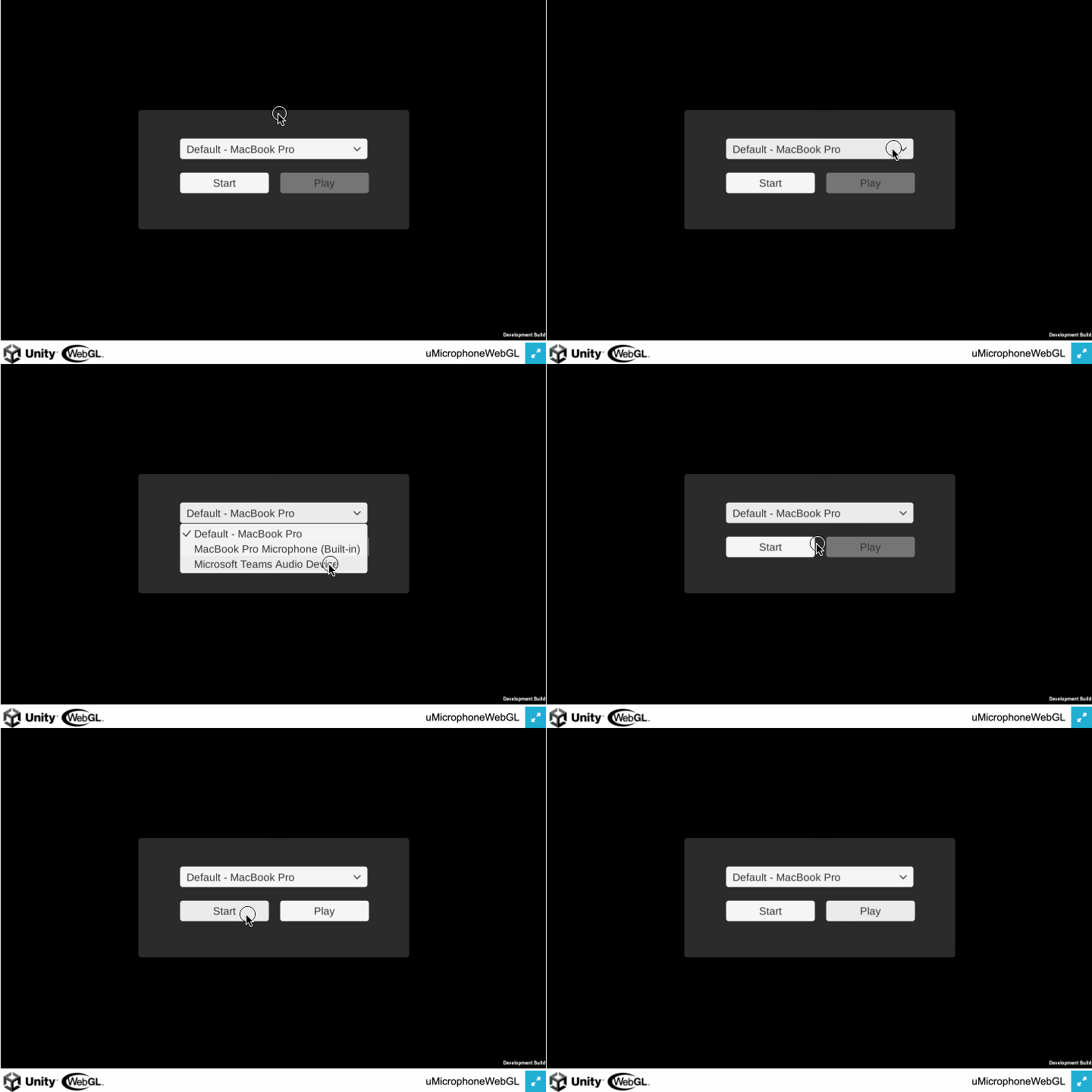
### Recorder
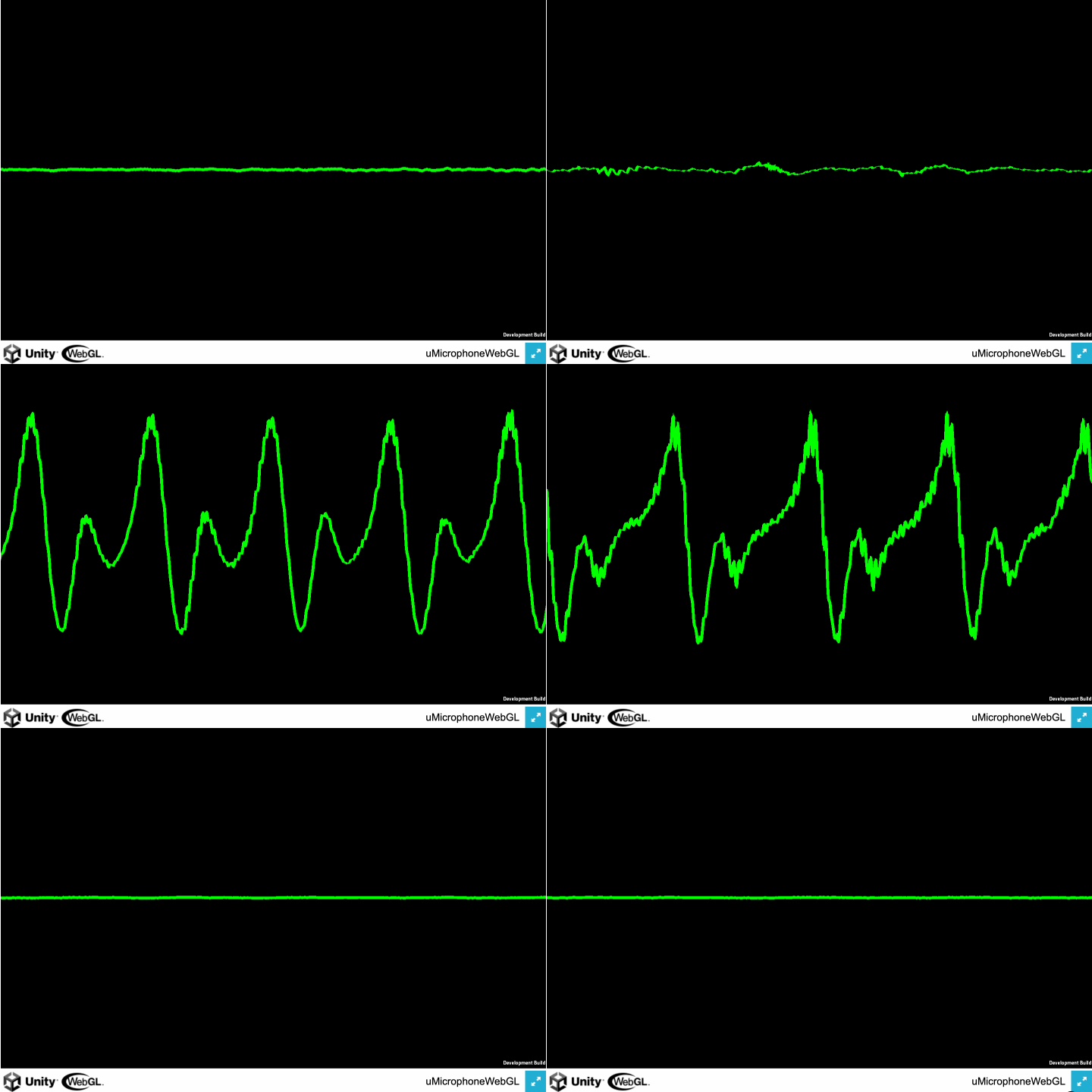
 ### Waveform
 ## Installation
- **Unity Package**
- Download the latest .unitypackage from the [Release page](https://github.com/hecomi/uMicrophoneWebGL/releases).
- **Git URL (UPM)**
- Add `https://github.com/hecomi/uMicrophoneWebGL.git#upm` to the Package Manager.
- **Scoped Registry (UPM)**
- Add a scoped registry to your project.
- URL: `https://registry.npmjs.com`
- Scope: `com.hecomi`
- Install uMicrophoneWebGL in the Package Manager.
## MicrophoneWebGL Component
Attach `MicrophoneWebGL` component to a GameObject. Once attached, the following UI will be displayed:
## Installation
- **Unity Package**
- Download the latest .unitypackage from the [Release page](https://github.com/hecomi/uMicrophoneWebGL/releases).
- **Git URL (UPM)**
- Add `https://github.com/hecomi/uMicrophoneWebGL.git#upm` to the Package Manager.
- **Scoped Registry (UPM)**
- Add a scoped registry to your project.
- URL: `https://registry.npmjs.com`
- Scope: `com.hecomi`
- Install uMicrophoneWebGL in the Package Manager.
## MicrophoneWebGL Component
Attach `MicrophoneWebGL` component to a GameObject. Once attached, the following UI will be displayed:
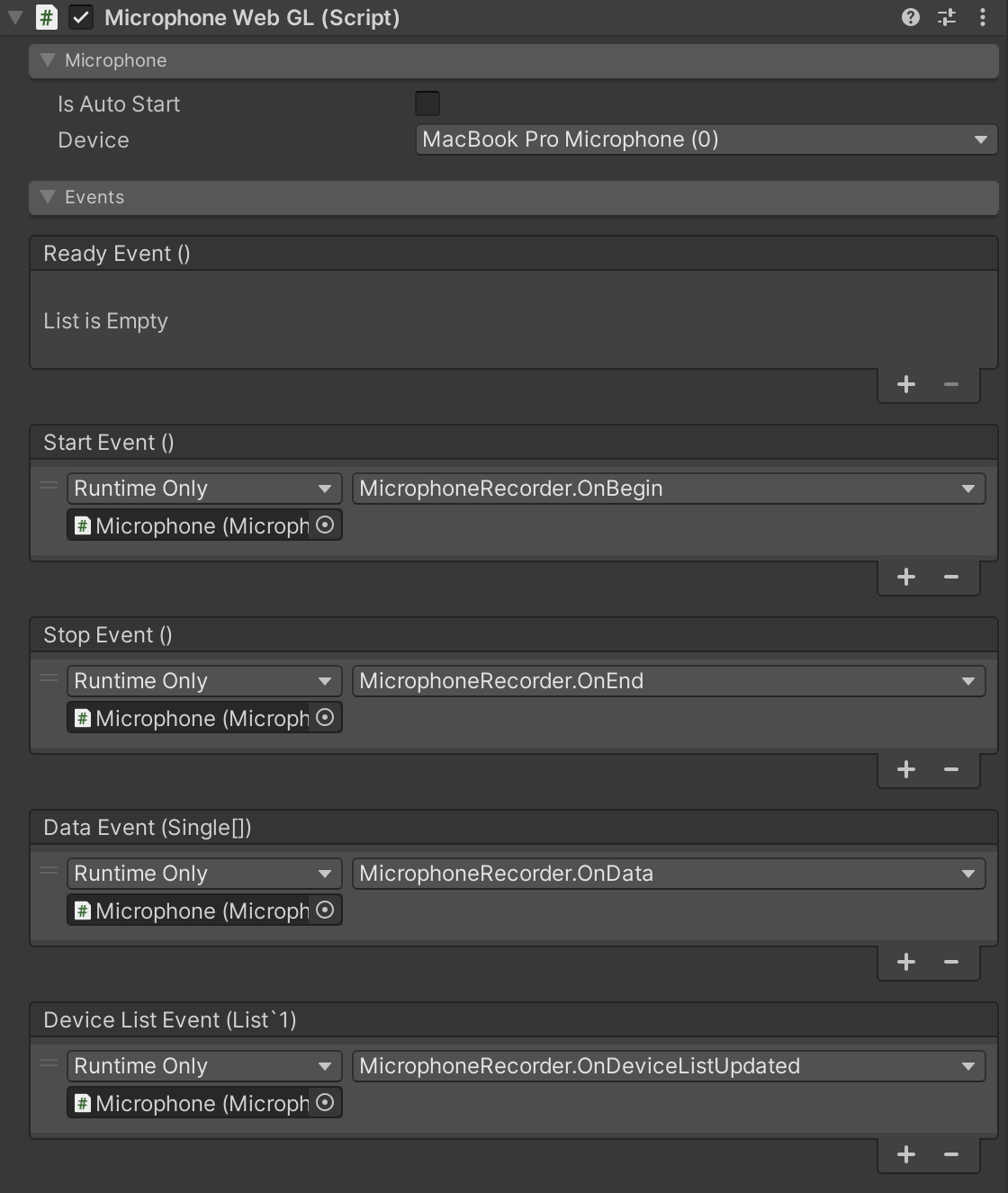 - **Is Auto Start**
- When checked, data collection from the microphone starts automatically at launch.
- **Devices**
- Called when a list of devices is constructed.
- Internally managed by indices (int).
- It's often unclear which device the user has selected, so it is advised to use this only for debugging purposes. Instead, provide a device selection UI at runtime, as demonstrated in the Recorder example.
- **Events**
- Various events can be captured:
- **Ready Event**
- Called once after initialization on the JavaScript side and everything is ready.
- **Device List Event**
- Called when the device list is constructed.
- A list containing device information is passed as an argument.
- **Start Event**
- Called when a microphone starts.
- Internally, this corresponds to the completion of `navigator.mediaDevices.getUserMedia()`.
- **End Event**
- Called when a microphone stops.
- **Data Event**
- Called when microphone input buffer data is retrieved.
- An array of float waveform data is passed as an argument.
## API Reference
`MicrophoneWebGL` component provides the following properties and methods:
### Variables / Properties
- `bool isAutoStart`
- Corresponds to the Is Auto Start option in the UI. If true, the microphone starts automatically at launch.
- `int micIndex`
- Index of the selected microphone device.
- `TimingEvent readyEvent`
- Event triggered when the microphone is ready after initialization.
- `TimingEvent startEvent`
- Event triggered when the microphone starts recording.
- `TimingEvent stopEvent`
- Event triggered when the microphone stops recording.
- `DeviceListEvent deviceListEvent`
- Event triggered when the list of available devices is updated.
- `DataEvent dataEvent`
- Event triggered when microphone data is available.
- `bool isValid { get; }`
- Indicates whether the microphone is in a valid state to be used.
- `List devices { get; }`
- List of available microphone devices.
- `Device selectedDevice { get; }`
- Information about the currently selected microphone device.
- `bool isRecording { get; }`
- Indicates whether the microphone is currently recording.
### Methods
- `void Begin()`
- Starts the microphone. Does nothing if the microphone is recording.
- `void End()`
- Stops the microphone. Does nothing if the microphone is not recording.
- `void RefreshDeviceList()`
- Refreshes the list of microphone devices. The Device List Event is triggered again at the end of the update.
- **Is Auto Start**
- When checked, data collection from the microphone starts automatically at launch.
- **Devices**
- Called when a list of devices is constructed.
- Internally managed by indices (int).
- It's often unclear which device the user has selected, so it is advised to use this only for debugging purposes. Instead, provide a device selection UI at runtime, as demonstrated in the Recorder example.
- **Events**
- Various events can be captured:
- **Ready Event**
- Called once after initialization on the JavaScript side and everything is ready.
- **Device List Event**
- Called when the device list is constructed.
- A list containing device information is passed as an argument.
- **Start Event**
- Called when a microphone starts.
- Internally, this corresponds to the completion of `navigator.mediaDevices.getUserMedia()`.
- **End Event**
- Called when a microphone stops.
- **Data Event**
- Called when microphone input buffer data is retrieved.
- An array of float waveform data is passed as an argument.
## API Reference
`MicrophoneWebGL` component provides the following properties and methods:
### Variables / Properties
- `bool isAutoStart`
- Corresponds to the Is Auto Start option in the UI. If true, the microphone starts automatically at launch.
- `int micIndex`
- Index of the selected microphone device.
- `TimingEvent readyEvent`
- Event triggered when the microphone is ready after initialization.
- `TimingEvent startEvent`
- Event triggered when the microphone starts recording.
- `TimingEvent stopEvent`
- Event triggered when the microphone stops recording.
- `DeviceListEvent deviceListEvent`
- Event triggered when the list of available devices is updated.
- `DataEvent dataEvent`
- Event triggered when microphone data is available.
- `bool isValid { get; }`
- Indicates whether the microphone is in a valid state to be used.
- `List devices { get; }`
- List of available microphone devices.
- `Device selectedDevice { get; }`
- Information about the currently selected microphone device.
- `bool isRecording { get; }`
- Indicates whether the microphone is currently recording.
### Methods
- `void Begin()`
- Starts the microphone. Does nothing if the microphone is recording.
- `void End()`
- Stops the microphone. Does nothing if the microphone is not recording.
- `void RefreshDeviceList()`
- Refreshes the list of microphone devices. The Device List Event is triggered again at the end of the update.