# CrUX-Lookup
A simple CLI utility for grabbing URL-/origin-level Core Web Vitals histograms using the Chrome User Experience Report (CrUX) API. Results are returned visually or as unaltered JSON from the CrUX API.
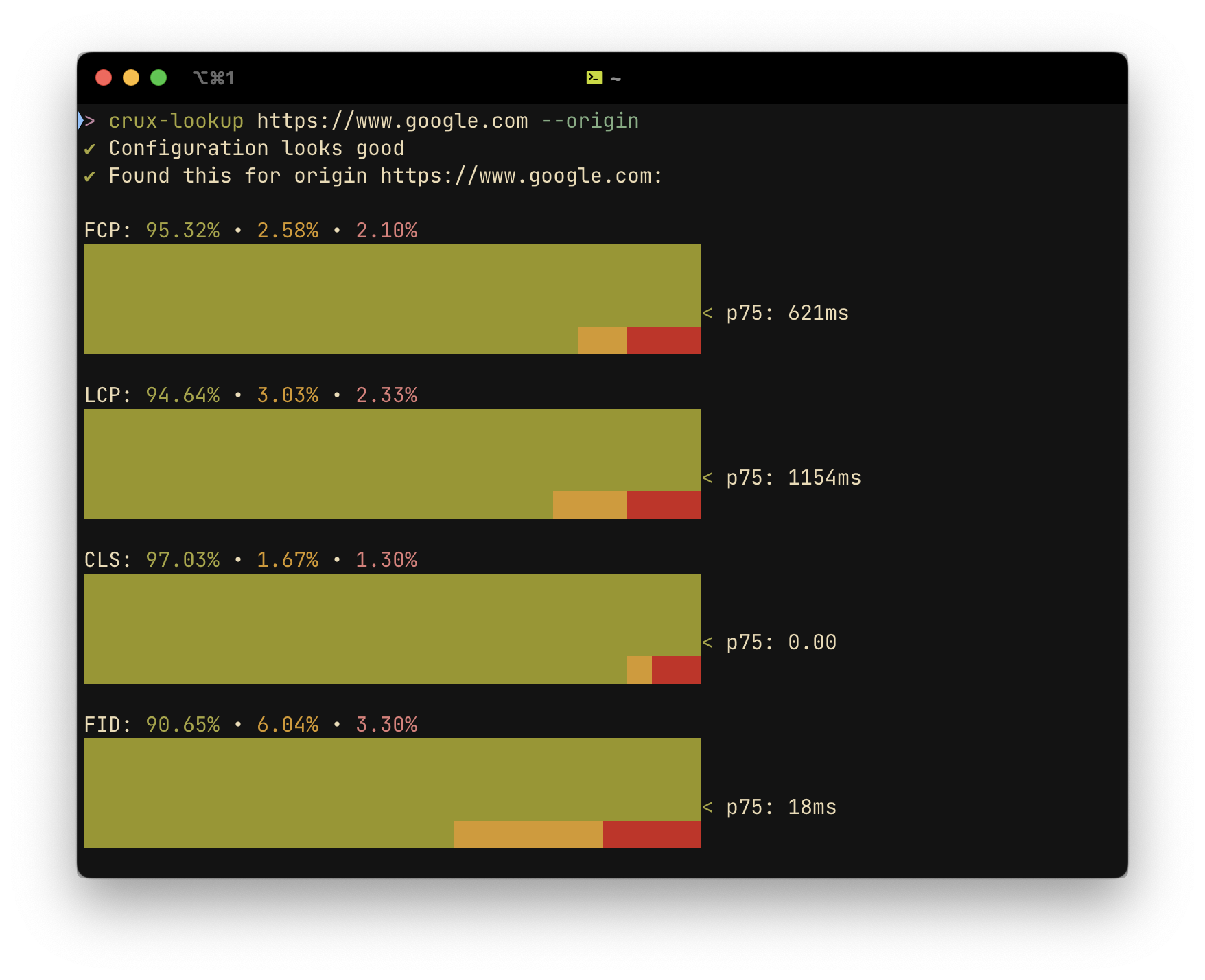 ### _Much_ Faster than using PageSpeed Insights, WebPageTest, etc. for CrUX data
crux-lookup is very quick, often returning results in under a second. If you just want to see some histograms for a given site or origin, it can save you a lot of time compared to more comprehensive tools like PSI and WebPageTest, which can take several minutes to generate and show their reports.
### Getting Started
1. Install the utility via NPM
```shell
$ npm i -g crux-lookup
```
2. Add a CrUX API Key
**You can get a (free) CrUX API key here.**
```shell
$ crux-lookup config --updateKey
```
3. Query a URL or origin
```shell
$ crux-lookup https://www.google.com --origin # omit --origin to get results for the page at the submitted URL
```
### Usage
**Viewing, removing or changing your stored API Key**
```shell
$ crux-lookup config # run without options to view the currently stored API key
```
Options:
- `--updateKey ` Add/update a CrUX API key to use for queries
- `--removeKey` Remove stored CrUX API key from configuration
**Looking up a URL or origin**
```shell
$ crux-lookup -r # use -r or --origin for origin-level output
```
Arguments:
- `url` URL for which to get CrUX record
Options:
- `-r, --origin` Look up the origin of the submitted URL
- `-j, --json` Output raw JSON from CrUX
- `-o, --output ` Valid filepath for saving lookup results (forces JSON output)
### _Much_ Faster than using PageSpeed Insights, WebPageTest, etc. for CrUX data
crux-lookup is very quick, often returning results in under a second. If you just want to see some histograms for a given site or origin, it can save you a lot of time compared to more comprehensive tools like PSI and WebPageTest, which can take several minutes to generate and show their reports.
### Getting Started
1. Install the utility via NPM
```shell
$ npm i -g crux-lookup
```
2. Add a CrUX API Key
**You can get a (free) CrUX API key here.**
```shell
$ crux-lookup config --updateKey
```
3. Query a URL or origin
```shell
$ crux-lookup https://www.google.com --origin # omit --origin to get results for the page at the submitted URL
```
### Usage
**Viewing, removing or changing your stored API Key**
```shell
$ crux-lookup config # run without options to view the currently stored API key
```
Options:
- `--updateKey ` Add/update a CrUX API key to use for queries
- `--removeKey` Remove stored CrUX API key from configuration
**Looking up a URL or origin**
```shell
$ crux-lookup -r # use -r or --origin for origin-level output
```
Arguments:
- `url` URL for which to get CrUX record
Options:
- `-r, --origin` Look up the origin of the submitted URL
- `-j, --json` Output raw JSON from CrUX
- `-o, --output ` Valid filepath for saving lookup results (forces JSON output)