# d3-3d
**d3-3d** is meant for 3d visualizations. **d3-3d** allows the projection of 3d data onto the screen in the webbrowser. It is specially designed to work with **[d3.js](https://d3js.org/)**.
[![Build][build-badge]][build]
[![Coverage][coverage-badge]][coverage]
[](https://www.npmjs.com/package/d3-3d)
[](https://www.npmjs.com/package/d3-3d)
[](https://github.com/Niekes/d3-3d/blob/master/LICENSE)
[](https://bundlephobia.com/result?p=d3-3d)
[](https://www.npmjs.com/package/d3-3d)


 See more [examples][examples]
## Features
- ✅ **First-class TypeScript support** with full type definitions
- ✅ **Custom data accessor functions** for any data format
- ✅ **Automatic centroid calculation** for all shapes
- ✅ **Counter-clockwise orientation detection** for polygons
- ✅ **Generic types** for type-safe data transformations
- ✅ **Orthographic projection** for SVG rendering
- ✅ **Sorting utilities** for proper z-ordering (painter's algorithm)
## Installing
If you use npm, `npm install d3-3d`. You can also download the [latest release](https://github.com/Niekes/d3-3d/releases). Otherwise use [unpkg](https://unpkg.com/d3-3d/) to get the latest release. For example:
```html
```
For a specific version:
```html
```
**TypeScript users:** Type definitions are included automatically. No need to install `@types/d3-3d`.
## Import
ES6 / TypeScript:
```typescript
import {
triangles3D,
cubes3D,
gridPlanes3D,
points3D,
lineStrips3D,
polygons3D,
planes3D,
lines3D
} from 'd3-3d';
// Import utility function for sorting
import { sort } from 'd3-3d';
// Import TypeScript types
import type { Point3D, Point2D, TransformedPoint } from 'd3-3d';
```
## API Reference
> **Note:** All shapes (`points3D`, `lines3D`, `lineStrips3D`, `triangles3D`, `planes3D`, `polygons3D`, `gridPlanes3D`, `cubes3D`) share the same API. The methods below work for all shape types.
**Core Methods:**
- [.data()](#data-data) - transform and compute properties for your data.
- [.draw()](#drawshape) - draw SVG path for a shape.
**Configuration Methods:**
- [.x()](#xx) - set the x accessor.
- [.y()](#yy) - set the y accessor.
- [.z()](#zz) - set the z accessor.
- [.scale()](#scalescale) - sets the scale for the projected points.
- [.rotateX()](#rotatexanglex) - set the angle for the x rotation.
- [.rotateY()](#rotateyangley) - set the angle for the y rotation.
- [.rotateZ()](#rotatezanglez) - set the angle for the z rotation.
- [.rotationCenter()](#rotationcenterpoint) - set the rotation center.
- [.origin()](#originorigin) - set the 2D rendering origin.
- [.rows()](#rowsrows) - set the points per row (gridPlanes3D only).
**Utility Functions:**
- [sort()](#sort) - utility function to sort shapes by depth.
### Overview
**d3-3d** uses the [browser's coordinate system](https://www.w3.org/TR/css-transforms-1/#transform-rendering) and [orthographic projection](https://en.wikipedia.org/wiki/Orthographic_projection) to display your data on the screen. It will calculate the centroid for all elements and the orientation for your polygons. Due to the fact that SVG isn't very 3d compatible **d3-3d** adds 3d transformations to SVG.
With **d3-3d** you can easily visualize your 3d data with full TypeScript support.
**Basic Example:**
```typescript
import { triangles3D, sort } from 'd3-3d';
const data3D = [
[
{ x: 0, y: -1, z: 0 },
{ x: -1, y: 1, z: 0 },
{ x: 1, y: 1, z: 0 }
]
];
// Create renderer with default Point3D type
const renderer = triangles3D()
.scale(100)
.origin({ x: 480, y: 250 })
.rotateY(Math.PI / 4);
// Transform data - returns array with computed properties
const transformedData = renderer.data(data3D);
// Each transformed triangle includes:
// - rotated: { x, y, z } - rotated 3D coordinates
// - projected: { x, y } - 2D screen coordinates
// - centroid: { x, y, z } - geometric center
// - ccw: boolean - counter-clockwise orientation
// Render with D3
const svg = d3.select('svg');
svg
.selectAll('path')
.data(transformedData)
.join('path')
.attr('d', renderer.draw)
.attr('fill', 'steelblue');
```
**TypeScript with Custom Data Types:**
```typescript
import { cubes3D, sort, type Point3D } from 'd3-3d';
// Define your domain-specific data type
interface Building {
lat: number;
lng: number;
height: number;
name: string;
color: string;
}
// Use generic type for full type safety
const renderer = cubes3D()
.x((d) => d.lng)
.y((d) => d.height)
.z((d) => d.lat)
.scale(50)
.origin({ x: 400, y: 300 });
const buildings: Building[][] = [
[
{ lat: 0, lng: 0, height: 10, name: 'Building A', color: '#ff6b6b' },
{ lat: 1, lng: 0, height: 15, name: 'Building B', color: '#4ecdc4' },
{ lat: 0.5, lng: 1, height: 20, name: 'Building C', color: '#45b7d1' }
]
];
const transformed = renderer.data(buildings);
// TypeScript knows about your custom properties!
transformed[0][0].name; // ✓ string
transformed[0][0].color; // ✓ string
transformed[0].centroid; // ✓ Point3D
transformed[0].ccw; // ✓ boolean
// Sort by depth for proper rendering (back-to-front)
const sorted = transformed.sort(sort);
svg
.selectAll('path')
.data(sorted)
.join('path')
.attr('d', renderer.draw)
.attr('fill', (d) => d[0].color)
.attr('stroke', 'black');
```
### Shapes
All shapes share the same API for configuration, but differ in their input data format and output properties.
| Shape | SVG Element | Input Format | `.draw()` | `ccw` Property |
| ---------------- | ----------- | -------------------------------------- | --------- | -------------- |
| **points3D** | `` | `Datum[]` - Array of points | ❌ | ❌ |
| **lines3D** | `` | `Datum[][]` - Array of line pairs | ❌ | ❌ |
| **lineStrips3D** | `` | `Datum[][]` - Array of point arrays | ✅ | ❌ |
| **triangles3D** | `` | `Datum[][]` - Array of 3-point arrays | ✅ | ✅ |
| **planes3D** | `` | `Datum[][]` - Array of 4-point arrays | ✅ | ✅ |
| **polygons3D** | `` | `Datum[][]` - Array of N-point arrays | ✅ | ✅ |
| **gridPlanes3D** | `` | `Datum[]` - Grid of points\* | ✅ | ✅ |
| **cubes3D** | `` | `Datum[][]` - Array of 8-vertex arrays | ✅ | ✅ (per face) |
**Notes:**
- All shapes compute `centroid`, `rotated`, and `projected` properties
- `ccw` (counter-clockwise) is computed for polygon-based shapes to detect front/back faces
- Shapes without `.draw()` method (`points3D`, `lines3D`) can be rendered directly with SVG elements using the `projected` coordinates
**Input Data Details:**
- **points3D**: Each point must have properties accessible via `.x()`, `.y()`, `.z()` accessors (default: `{x, y, z}`)
- **lines3D**: Each line is defined by exactly 2 points (start and end)
- **lineStrips3D**: Each strip connects consecutive points in the array
- **triangles3D**: Each triangle requires exactly 3 points in counter-clockwise order
- **planes3D**: Each plane requires exactly 4 points in counter-clockwise order
- **polygons3D**: Each polygon can have any number of points (≥3) in counter-clockwise order
- **gridPlanes3D**: Input is a flat array of points that forms a grid. **Important:** You must specify the number of points per row using [.rows()](#rowsrows) so the library can correctly reconstruct the faces. All rows must have the same length.
- **cubes3D**: Each cube requires exactly 8 vertices ordered as shown below:

### API Methods
#### .data(_data_)
Transforms the input data by applying rotation, projection, and computing additional properties.
**Available on:** All shapes
**Parameters:**
- `data: Datum[][]` - Array of shapes, where each shape is an array of data points
**Returns:** `Triangle[]` (or `Polygon[]`, `Plane[]`, etc. depending on the shape)
Transformed shapes with the following properties:
- **Original data preserved** - All properties from your input data are preserved
- `rotated: Point3D` - Rotated 3D coordinates for each point
- `projected: Point2D` - 2D screen coordinates for each point
- `centroid: Point3D` - Computed geometric center of the shape
- `ccw: boolean` - Whether the shape is counter-clockwise oriented (polygons only)
**Example:**
```typescript
const renderer = triangles3D()
.scale(100)
.rotateY(Math.PI / 4);
const data = [
[
{ x: 0, y: 0, z: 0 },
{ x: 1, y: 0, z: 0 },
{ x: 0, y: 1, z: 0 }
]
];
const result = renderer.data(data);
// Access computed properties
console.log(result[0].centroid); // { x: 0.33, y: 0.33, z: 0 }
console.log(result[0].ccw); // true
console.log(result[0][0].rotated); // { x: ..., y: ..., z: ... }
console.log(result[0][0].projected); // { x: ..., y: ... }
```
**TypeScript with custom data:**
```typescript
interface CustomPoint {
x: number;
y: number;
z: number;
id: string;
value: number;
}
const renderer = triangles3D()
.x((d) => d.x)
.y((d) => d.y)
.z((d) => d.z);
const data: CustomPoint[][] = [...];
const result = renderer.data(data);
// Original properties are preserved
result[0][0].id; // ✓ string
result[0][0].value; // ✓ number
// Computed properties are added
result[0].centroid; // ✓ Point3D
result[0].ccw; // ✓ boolean
```
#### .draw()
Constructs an SVG `` element string based on the transformed shape data.
**Available on:** `lineStrips3D`, `triangles3D`, `planes3D`, `polygons3D`, `gridPlanes3D`, `cubes3D`
**Parameters:**
- `shape: TransformedPoint[]` - A single transformed shape (from `.data()` result)
**Returns:** `string` - SVG path string (e.g., `"M0,0L1,0L0.5,1Z"`)
**Example:**
```typescript
const renderer = triangles3D();
const transformed = renderer.data(myData);
// Draw single shape
const pathString = renderer.draw(transformed[0]);
// Use with D3
svg.selectAll('path').data(transformed).join('path').attr('d', renderer.draw);
```
#### .x(_x_)
If _x_ is specified, sets the _x_ accessor to the specified function or number and returns the shape instance for chaining. If _x_ is not specified, returns the current _x_ accessor, which defaults to:
**Available on:** All shapes
```js
function x(p) {
return p.x;
}
```
This function will be invoked for each point in the input data array.
#### .y(_y_)
If _y_ is specified, sets the _y_ accessor to the specified function or number and returns the shape instance for chaining. If _y_ is not specified, returns the current _y_ accessor, which defaults to:
**Available on:** All shapes
```js
function y(p) {
return p.y;
}
```
This function will be invoked for each point in the input data array.
#### .z(_z_)
If _z_ is specified, sets the _z_ accessor to the specified function or number and returns the shape instance for chaining. If _z_ is not specified, returns the current _z_ accessor, which defaults to:
**Available on:** All shapes
```js
function z(p) {
return p.z;
}
```
This function will be invoked for each point in the input data array.
#### .scale(_scale_)
If _scale_ is specified, sets the _scale_ to the specified number and returns the shape instance for chaining. If _scale_ is not specified, returns the current _scale_.
**Available on:** All shapes
_Default:_ `1`
#### .rotateX(_angleX_)
If _angleX_ is specified, sets _angleX_ to the specified number (in radians) and returns the shape instance for chaining. If _angleX_ is not specified, returns the current _angleX_.
**Available on:** All shapes
_Default:_ `0`
_angleX_ should be expressed in radians, for example: `Math.PI / 4`.
#### .rotateY(_angleY_)
If _angleY_ is specified, sets _angleY_ to the specified number (in radians) and returns the shape instance for chaining. If _angleY_ is not specified, returns the current _angleY_.
**Available on:** All shapes
_Default:_ `0`
_angleY_ should be expressed in radians, for example: `Math.PI / 4`.
#### .rotateZ(_angleZ_)
If _angleZ_ is specified, sets _angleZ_ to the specified number (in radians) and returns the shape instance for chaining. If _angleZ_ is not specified, returns the current _angleZ_.
**Available on:** All shapes
_Default:_ `0`
_angleZ_ should be expressed in radians, for example: `Math.PI / 4`.
#### .rotationCenter(_point_)
Sets the center point around which rotations are performed. This is different from `.origin()` which controls the 2D rendering position on the screen.
**Available on:** All shapes
**Parameters:**
- `point?: Point3D` - The 3D point to rotate around
**Returns:**
- If called without arguments: current `Point3D` value
- If called with arguments: `this` (for chaining)
_Default:_ `{ x: 0, y: 0, z: 0 }`
**Example:**
```typescript
const renderer = triangles3D()
.rotationCenter({ x: 50, y: 50, z: 0 }) // Rotate around point (50,50,0)
.rotateY(Math.PI / 2);
// The rotation will pivot around (50,50,0) instead of (0,0,0)
```
#### .origin(_origin_)
If _origin_ is specified, sets the 2D rendering origin to the specified point and returns the shape instance for chaining. If _origin_ is not specified, returns the current _origin_.
**Available on:** All shapes
_Default:_ `{ x: 0, y: 0 }`
#### .rows(_rows_)
Sets the number of points per row (columns) for `gridPlanes3D`. Since a grid is passed as a flat array, the library needs to know how many points constitute one horizontal line to correctly create the rectangular faces.
**Available on:** `gridPlanes3D`
**Parameters:**
- `rows?: number` - Number of points per row
**Returns:**
- If called without arguments: current `number`
- If called with arguments: `this` (for chaining)
_Default:_ `1`
**Example:**
```typescript
const points = [
{ x: 0, y: 0, z: 0 },
{ x: 1, y: 0, z: 0 },
{ x: 2, y: 0, z: 0 }, // Row 0
{ x: 0, y: 0, z: 1 },
{ x: 1, y: 0, z: 1 },
{ x: 2, y: 0, z: 1 } // Row 1
];
const grid = gridPlanes3D()
.rows(3) // 3 points per row
.data(points);
```
## Utility Functions
### sort()
A comparator function for sorting 3D shapes by their centroid's z-coordinate. Use this with JavaScript's `.sort()` to render shapes in correct depth order (painter's algorithm).
**Usage:**
```typescript
import { triangles3D, sort } from 'd3-3d';
const renderer = triangles3D();
const transformed = renderer.data(data);
// Sort back-to-front for correct rendering
const sorted = transformed.sort(sort);
svg.selectAll('path').data(sorted).join('path').attr('d', renderer.draw);
```
**Type Signature:**
```typescript
function sort(a: T, b: T): number;
interface HasCentroid {
centroid: { z: number };
}
```
### Computed Properties
All shape transformations automatically compute additional properties on the returned data:
#### centroid
The geometric center of the shape in 3D space (after rotation). Available on all shapes.
```typescript
const data = triangles3D().data(myTriangles);
console.log(data[0].centroid); // { x: 1.5, y: 2.0, z: 0.5 }
```
Use this for:
- Sorting shapes by depth
- Calculating bounding boxes
- Finding center points for labels or interaction
#### ccw (Counter-Clockwise)
Boolean indicating whether the polygon is oriented counter-clockwise when viewed from the camera. Useful for backface culling. Available on: **triangles3D**, **polygons3D**, **planes3D**, **cubes3D** (per face).
```typescript
const data = triangles3D().data(myTriangles);
if (data[0].ccw) {
// Front-facing triangle - render normally
} else {
// Back-facing triangle - optionally skip or render differently
}
```
**Algorithm:** Uses the shoelace formula on the rotated 2D projection to determine orientation.
#### rotated
3D coordinates after rotation has been applied. Available on each individual point.
```typescript
const data = points3D().data(myPoints);
console.log(data[0].rotated); // { x: number, y: number, z: number }
```
#### projected
2D screen coordinates after orthographic projection. Available on each individual point.
```typescript
const data = points3D().data(myPoints);
console.log(data[0].projected); // { x: number, y: number }
```
## Migration Guide
### Upgrading from v0.x to v1.0
The API has been modernized with a new `.data()` method pattern for better TypeScript support and clarity.
**Before (v0.x):**
```javascript
const triangles = triangles3D();
const result = triangles(data); // Called as function
```
**After (v1.0+):**
```typescript
const renderer = triangles3D();
const result = renderer.data(data); // Explicit .data() method
```
**Breaking Changes:**
1. ❌ Direct function invocation removed: `renderer(data)` no longer works
2. ✅ Use `.data()` method instead: `renderer.data(data)`
3. ✅ Full TypeScript generics support added
4. ✅ Computed properties (`centroid`, `ccw`) now included automatically
**Benefits:**
- Better IDE autocomplete and type inference
- Explicit API that's easier to understand
- No confusion between configuration and data transformation
- Full type safety with custom data structures
**Migration Example:**
```diff
- const triangles = triangles3D().scale(100);
- const result = triangles(data);
+ const renderer = triangles3D().scale(100);
+ const result = renderer.data(data);
svg.selectAll('path')
.data(result)
.join('path')
.attr('d', triangles.draw);
```
## Star History
[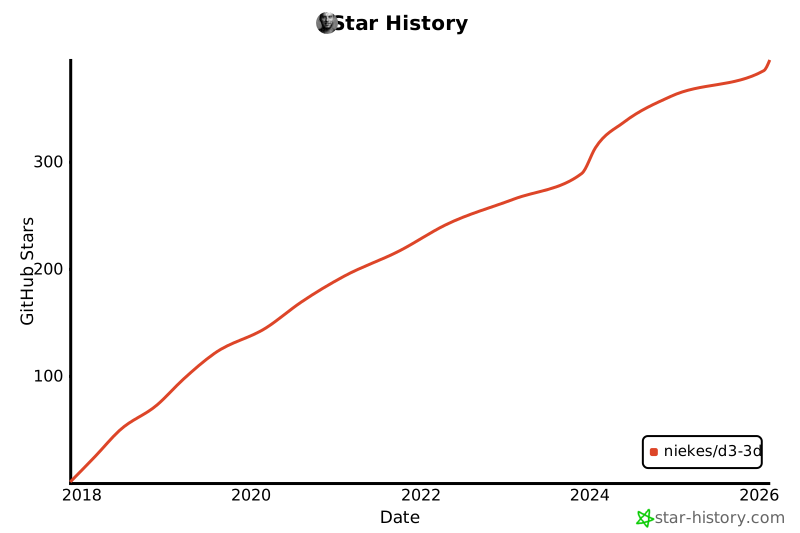](https://www.star-history.com/#niekes/d3-3d&type=date&legend=bottom-right)
[build-badge]: https://github.com/niekes/d3-3d/workflows/main/badge.svg
[build]: https://github.com/niekes/d3-3d/actions
[coverage-badge]: https://img.shields.io/codecov/c/github/niekes/d3-3d.svg
[coverage]: https://codecov.io/github/niekes/d3-3d
[examples]: https://codepen.io/collection/DpmByZ?sort_order=desc&sort_by=id
See more [examples][examples]
## Features
- ✅ **First-class TypeScript support** with full type definitions
- ✅ **Custom data accessor functions** for any data format
- ✅ **Automatic centroid calculation** for all shapes
- ✅ **Counter-clockwise orientation detection** for polygons
- ✅ **Generic types** for type-safe data transformations
- ✅ **Orthographic projection** for SVG rendering
- ✅ **Sorting utilities** for proper z-ordering (painter's algorithm)
## Installing
If you use npm, `npm install d3-3d`. You can also download the [latest release](https://github.com/Niekes/d3-3d/releases). Otherwise use [unpkg](https://unpkg.com/d3-3d/) to get the latest release. For example:
```html
```
For a specific version:
```html
```
**TypeScript users:** Type definitions are included automatically. No need to install `@types/d3-3d`.
## Import
ES6 / TypeScript:
```typescript
import {
triangles3D,
cubes3D,
gridPlanes3D,
points3D,
lineStrips3D,
polygons3D,
planes3D,
lines3D
} from 'd3-3d';
// Import utility function for sorting
import { sort } from 'd3-3d';
// Import TypeScript types
import type { Point3D, Point2D, TransformedPoint } from 'd3-3d';
```
## API Reference
> **Note:** All shapes (`points3D`, `lines3D`, `lineStrips3D`, `triangles3D`, `planes3D`, `polygons3D`, `gridPlanes3D`, `cubes3D`) share the same API. The methods below work for all shape types.
**Core Methods:**
- [.data()](#data-data) - transform and compute properties for your data.
- [.draw()](#drawshape) - draw SVG path for a shape.
**Configuration Methods:**
- [.x()](#xx) - set the x accessor.
- [.y()](#yy) - set the y accessor.
- [.z()](#zz) - set the z accessor.
- [.scale()](#scalescale) - sets the scale for the projected points.
- [.rotateX()](#rotatexanglex) - set the angle for the x rotation.
- [.rotateY()](#rotateyangley) - set the angle for the y rotation.
- [.rotateZ()](#rotatezanglez) - set the angle for the z rotation.
- [.rotationCenter()](#rotationcenterpoint) - set the rotation center.
- [.origin()](#originorigin) - set the 2D rendering origin.
- [.rows()](#rowsrows) - set the points per row (gridPlanes3D only).
**Utility Functions:**
- [sort()](#sort) - utility function to sort shapes by depth.
### Overview
**d3-3d** uses the [browser's coordinate system](https://www.w3.org/TR/css-transforms-1/#transform-rendering) and [orthographic projection](https://en.wikipedia.org/wiki/Orthographic_projection) to display your data on the screen. It will calculate the centroid for all elements and the orientation for your polygons. Due to the fact that SVG isn't very 3d compatible **d3-3d** adds 3d transformations to SVG.
With **d3-3d** you can easily visualize your 3d data with full TypeScript support.
**Basic Example:**
```typescript
import { triangles3D, sort } from 'd3-3d';
const data3D = [
[
{ x: 0, y: -1, z: 0 },
{ x: -1, y: 1, z: 0 },
{ x: 1, y: 1, z: 0 }
]
];
// Create renderer with default Point3D type
const renderer = triangles3D()
.scale(100)
.origin({ x: 480, y: 250 })
.rotateY(Math.PI / 4);
// Transform data - returns array with computed properties
const transformedData = renderer.data(data3D);
// Each transformed triangle includes:
// - rotated: { x, y, z } - rotated 3D coordinates
// - projected: { x, y } - 2D screen coordinates
// - centroid: { x, y, z } - geometric center
// - ccw: boolean - counter-clockwise orientation
// Render with D3
const svg = d3.select('svg');
svg
.selectAll('path')
.data(transformedData)
.join('path')
.attr('d', renderer.draw)
.attr('fill', 'steelblue');
```
**TypeScript with Custom Data Types:**
```typescript
import { cubes3D, sort, type Point3D } from 'd3-3d';
// Define your domain-specific data type
interface Building {
lat: number;
lng: number;
height: number;
name: string;
color: string;
}
// Use generic type for full type safety
const renderer = cubes3D()
.x((d) => d.lng)
.y((d) => d.height)
.z((d) => d.lat)
.scale(50)
.origin({ x: 400, y: 300 });
const buildings: Building[][] = [
[
{ lat: 0, lng: 0, height: 10, name: 'Building A', color: '#ff6b6b' },
{ lat: 1, lng: 0, height: 15, name: 'Building B', color: '#4ecdc4' },
{ lat: 0.5, lng: 1, height: 20, name: 'Building C', color: '#45b7d1' }
]
];
const transformed = renderer.data(buildings);
// TypeScript knows about your custom properties!
transformed[0][0].name; // ✓ string
transformed[0][0].color; // ✓ string
transformed[0].centroid; // ✓ Point3D
transformed[0].ccw; // ✓ boolean
// Sort by depth for proper rendering (back-to-front)
const sorted = transformed.sort(sort);
svg
.selectAll('path')
.data(sorted)
.join('path')
.attr('d', renderer.draw)
.attr('fill', (d) => d[0].color)
.attr('stroke', 'black');
```
### Shapes
All shapes share the same API for configuration, but differ in their input data format and output properties.
| Shape | SVG Element | Input Format | `.draw()` | `ccw` Property |
| ---------------- | ----------- | -------------------------------------- | --------- | -------------- |
| **points3D** | `` | `Datum[]` - Array of points | ❌ | ❌ |
| **lines3D** | `` | `Datum[][]` - Array of line pairs | ❌ | ❌ |
| **lineStrips3D** | `` | `Datum[][]` - Array of point arrays | ✅ | ❌ |
| **triangles3D** | `` | `Datum[][]` - Array of 3-point arrays | ✅ | ✅ |
| **planes3D** | `` | `Datum[][]` - Array of 4-point arrays | ✅ | ✅ |
| **polygons3D** | `` | `Datum[][]` - Array of N-point arrays | ✅ | ✅ |
| **gridPlanes3D** | `` | `Datum[]` - Grid of points\* | ✅ | ✅ |
| **cubes3D** | `` | `Datum[][]` - Array of 8-vertex arrays | ✅ | ✅ (per face) |
**Notes:**
- All shapes compute `centroid`, `rotated`, and `projected` properties
- `ccw` (counter-clockwise) is computed for polygon-based shapes to detect front/back faces
- Shapes without `.draw()` method (`points3D`, `lines3D`) can be rendered directly with SVG elements using the `projected` coordinates
**Input Data Details:**
- **points3D**: Each point must have properties accessible via `.x()`, `.y()`, `.z()` accessors (default: `{x, y, z}`)
- **lines3D**: Each line is defined by exactly 2 points (start and end)
- **lineStrips3D**: Each strip connects consecutive points in the array
- **triangles3D**: Each triangle requires exactly 3 points in counter-clockwise order
- **planes3D**: Each plane requires exactly 4 points in counter-clockwise order
- **polygons3D**: Each polygon can have any number of points (≥3) in counter-clockwise order
- **gridPlanes3D**: Input is a flat array of points that forms a grid. **Important:** You must specify the number of points per row using [.rows()](#rowsrows) so the library can correctly reconstruct the faces. All rows must have the same length.
- **cubes3D**: Each cube requires exactly 8 vertices ordered as shown below:

### API Methods
#### .data(_data_)
Transforms the input data by applying rotation, projection, and computing additional properties.
**Available on:** All shapes
**Parameters:**
- `data: Datum[][]` - Array of shapes, where each shape is an array of data points
**Returns:** `Triangle[]` (or `Polygon[]`, `Plane[]`, etc. depending on the shape)
Transformed shapes with the following properties:
- **Original data preserved** - All properties from your input data are preserved
- `rotated: Point3D` - Rotated 3D coordinates for each point
- `projected: Point2D` - 2D screen coordinates for each point
- `centroid: Point3D` - Computed geometric center of the shape
- `ccw: boolean` - Whether the shape is counter-clockwise oriented (polygons only)
**Example:**
```typescript
const renderer = triangles3D()
.scale(100)
.rotateY(Math.PI / 4);
const data = [
[
{ x: 0, y: 0, z: 0 },
{ x: 1, y: 0, z: 0 },
{ x: 0, y: 1, z: 0 }
]
];
const result = renderer.data(data);
// Access computed properties
console.log(result[0].centroid); // { x: 0.33, y: 0.33, z: 0 }
console.log(result[0].ccw); // true
console.log(result[0][0].rotated); // { x: ..., y: ..., z: ... }
console.log(result[0][0].projected); // { x: ..., y: ... }
```
**TypeScript with custom data:**
```typescript
interface CustomPoint {
x: number;
y: number;
z: number;
id: string;
value: number;
}
const renderer = triangles3D()
.x((d) => d.x)
.y((d) => d.y)
.z((d) => d.z);
const data: CustomPoint[][] = [...];
const result = renderer.data(data);
// Original properties are preserved
result[0][0].id; // ✓ string
result[0][0].value; // ✓ number
// Computed properties are added
result[0].centroid; // ✓ Point3D
result[0].ccw; // ✓ boolean
```
#### .draw()
Constructs an SVG `` element string based on the transformed shape data.
**Available on:** `lineStrips3D`, `triangles3D`, `planes3D`, `polygons3D`, `gridPlanes3D`, `cubes3D`
**Parameters:**
- `shape: TransformedPoint[]` - A single transformed shape (from `.data()` result)
**Returns:** `string` - SVG path string (e.g., `"M0,0L1,0L0.5,1Z"`)
**Example:**
```typescript
const renderer = triangles3D();
const transformed = renderer.data(myData);
// Draw single shape
const pathString = renderer.draw(transformed[0]);
// Use with D3
svg.selectAll('path').data(transformed).join('path').attr('d', renderer.draw);
```
#### .x(_x_)
If _x_ is specified, sets the _x_ accessor to the specified function or number and returns the shape instance for chaining. If _x_ is not specified, returns the current _x_ accessor, which defaults to:
**Available on:** All shapes
```js
function x(p) {
return p.x;
}
```
This function will be invoked for each point in the input data array.
#### .y(_y_)
If _y_ is specified, sets the _y_ accessor to the specified function or number and returns the shape instance for chaining. If _y_ is not specified, returns the current _y_ accessor, which defaults to:
**Available on:** All shapes
```js
function y(p) {
return p.y;
}
```
This function will be invoked for each point in the input data array.
#### .z(_z_)
If _z_ is specified, sets the _z_ accessor to the specified function or number and returns the shape instance for chaining. If _z_ is not specified, returns the current _z_ accessor, which defaults to:
**Available on:** All shapes
```js
function z(p) {
return p.z;
}
```
This function will be invoked for each point in the input data array.
#### .scale(_scale_)
If _scale_ is specified, sets the _scale_ to the specified number and returns the shape instance for chaining. If _scale_ is not specified, returns the current _scale_.
**Available on:** All shapes
_Default:_ `1`
#### .rotateX(_angleX_)
If _angleX_ is specified, sets _angleX_ to the specified number (in radians) and returns the shape instance for chaining. If _angleX_ is not specified, returns the current _angleX_.
**Available on:** All shapes
_Default:_ `0`
_angleX_ should be expressed in radians, for example: `Math.PI / 4`.
#### .rotateY(_angleY_)
If _angleY_ is specified, sets _angleY_ to the specified number (in radians) and returns the shape instance for chaining. If _angleY_ is not specified, returns the current _angleY_.
**Available on:** All shapes
_Default:_ `0`
_angleY_ should be expressed in radians, for example: `Math.PI / 4`.
#### .rotateZ(_angleZ_)
If _angleZ_ is specified, sets _angleZ_ to the specified number (in radians) and returns the shape instance for chaining. If _angleZ_ is not specified, returns the current _angleZ_.
**Available on:** All shapes
_Default:_ `0`
_angleZ_ should be expressed in radians, for example: `Math.PI / 4`.
#### .rotationCenter(_point_)
Sets the center point around which rotations are performed. This is different from `.origin()` which controls the 2D rendering position on the screen.
**Available on:** All shapes
**Parameters:**
- `point?: Point3D` - The 3D point to rotate around
**Returns:**
- If called without arguments: current `Point3D` value
- If called with arguments: `this` (for chaining)
_Default:_ `{ x: 0, y: 0, z: 0 }`
**Example:**
```typescript
const renderer = triangles3D()
.rotationCenter({ x: 50, y: 50, z: 0 }) // Rotate around point (50,50,0)
.rotateY(Math.PI / 2);
// The rotation will pivot around (50,50,0) instead of (0,0,0)
```
#### .origin(_origin_)
If _origin_ is specified, sets the 2D rendering origin to the specified point and returns the shape instance for chaining. If _origin_ is not specified, returns the current _origin_.
**Available on:** All shapes
_Default:_ `{ x: 0, y: 0 }`
#### .rows(_rows_)
Sets the number of points per row (columns) for `gridPlanes3D`. Since a grid is passed as a flat array, the library needs to know how many points constitute one horizontal line to correctly create the rectangular faces.
**Available on:** `gridPlanes3D`
**Parameters:**
- `rows?: number` - Number of points per row
**Returns:**
- If called without arguments: current `number`
- If called with arguments: `this` (for chaining)
_Default:_ `1`
**Example:**
```typescript
const points = [
{ x: 0, y: 0, z: 0 },
{ x: 1, y: 0, z: 0 },
{ x: 2, y: 0, z: 0 }, // Row 0
{ x: 0, y: 0, z: 1 },
{ x: 1, y: 0, z: 1 },
{ x: 2, y: 0, z: 1 } // Row 1
];
const grid = gridPlanes3D()
.rows(3) // 3 points per row
.data(points);
```
## Utility Functions
### sort()
A comparator function for sorting 3D shapes by their centroid's z-coordinate. Use this with JavaScript's `.sort()` to render shapes in correct depth order (painter's algorithm).
**Usage:**
```typescript
import { triangles3D, sort } from 'd3-3d';
const renderer = triangles3D();
const transformed = renderer.data(data);
// Sort back-to-front for correct rendering
const sorted = transformed.sort(sort);
svg.selectAll('path').data(sorted).join('path').attr('d', renderer.draw);
```
**Type Signature:**
```typescript
function sort(a: T, b: T): number;
interface HasCentroid {
centroid: { z: number };
}
```
### Computed Properties
All shape transformations automatically compute additional properties on the returned data:
#### centroid
The geometric center of the shape in 3D space (after rotation). Available on all shapes.
```typescript
const data = triangles3D().data(myTriangles);
console.log(data[0].centroid); // { x: 1.5, y: 2.0, z: 0.5 }
```
Use this for:
- Sorting shapes by depth
- Calculating bounding boxes
- Finding center points for labels or interaction
#### ccw (Counter-Clockwise)
Boolean indicating whether the polygon is oriented counter-clockwise when viewed from the camera. Useful for backface culling. Available on: **triangles3D**, **polygons3D**, **planes3D**, **cubes3D** (per face).
```typescript
const data = triangles3D().data(myTriangles);
if (data[0].ccw) {
// Front-facing triangle - render normally
} else {
// Back-facing triangle - optionally skip or render differently
}
```
**Algorithm:** Uses the shoelace formula on the rotated 2D projection to determine orientation.
#### rotated
3D coordinates after rotation has been applied. Available on each individual point.
```typescript
const data = points3D().data(myPoints);
console.log(data[0].rotated); // { x: number, y: number, z: number }
```
#### projected
2D screen coordinates after orthographic projection. Available on each individual point.
```typescript
const data = points3D().data(myPoints);
console.log(data[0].projected); // { x: number, y: number }
```
## Migration Guide
### Upgrading from v0.x to v1.0
The API has been modernized with a new `.data()` method pattern for better TypeScript support and clarity.
**Before (v0.x):**
```javascript
const triangles = triangles3D();
const result = triangles(data); // Called as function
```
**After (v1.0+):**
```typescript
const renderer = triangles3D();
const result = renderer.data(data); // Explicit .data() method
```
**Breaking Changes:**
1. ❌ Direct function invocation removed: `renderer(data)` no longer works
2. ✅ Use `.data()` method instead: `renderer.data(data)`
3. ✅ Full TypeScript generics support added
4. ✅ Computed properties (`centroid`, `ccw`) now included automatically
**Benefits:**
- Better IDE autocomplete and type inference
- Explicit API that's easier to understand
- No confusion between configuration and data transformation
- Full type safety with custom data structures
**Migration Example:**
```diff
- const triangles = triangles3D().scale(100);
- const result = triangles(data);
+ const renderer = triangles3D().scale(100);
+ const result = renderer.data(data);
svg.selectAll('path')
.data(result)
.join('path')
.attr('d', triangles.draw);
```
## Star History
[](https://www.star-history.com/#niekes/d3-3d&type=date&legend=bottom-right)
[build-badge]: https://github.com/niekes/d3-3d/workflows/main/badge.svg
[build]: https://github.com/niekes/d3-3d/actions
[coverage-badge]: https://img.shields.io/codecov/c/github/niekes/d3-3d.svg
[coverage]: https://codecov.io/github/niekes/d3-3d
[examples]: https://codepen.io/collection/DpmByZ?sort_order=desc&sort_by=id


