del-repos
English | 中文

### ⚡ introduction to
`del-repos` is a command line tool used to delete GitHub or Gitee repositories in batches.
### 🛠️ feature
- supports `GitHub` and `Gitee` platforms
- batch delete selected warehouses
- Select the warehouse to delete through the interactive command line interface
### 🚀 installation
#### preconditions
- `Node.js` has been installed on your computer. You can download and install it from [Node.js official website](https://nodejs.org/).
#### installation steps
1. Open the terminal
2. Enter the following command to install `del-repos`:
```bash
npm install del-repos -g
# or
pnpm install del-repos -g
```
- Options
- `-v`,`--version` displays the version number
- `-h`,`--help` displays help information
- `-t`, `o/a` get repositories type, default value `a` `(o: owner,a: all)`
- How to specify the acquisition repositories type:
```sh
# get all personal repositories
del-repos -t o
# Get all repositories (including collaborators and organization member repositories)
del-repos
# or
del-repos -t a
```
### 🌟 using
1. Select the platform (`GitHub` or `Gitee`).
2. Enter the access token (`Token`) of the corresponding platform.
3. For `GitHub` or `Gitee`, the tool opens the `Token` of the corresponding platform to generate a page.
4. The tool will get a list of your repositories and let you choose which repositories to delete.
- After the warehouse name 🔗 The symbol is a shortcut link, click to directly access the corresponding warehouse.
5. After confirming the selection, the tool will delete the selected warehouse in batch.
### ⚠️ considerations
- Confirm the warehouse to be deleted before deletion, because the deleted warehouse cannot be restored.
- Before using `Token`, make sure that your `Token` has sufficient permissions to delete the repository.
- If you encounter any problems or have any suggestions, please feel free to submit `Issue`.
### 🙌 contribution
- We welcome all contributions and suggestions. If you want to contribute to `del- repos`, you can:
1. Clone repository:
```bash
git clone https://github.com/yaolifeng0629/del-repos.git
cd del-repos
```
2. Installation dependencies:
```bash
npm install
# or
pnpm install
```
3. Develop and test:
```bash
npm run dev
# or
pnpm dev
```
- Welcome to submit questions (`Issues`) and merge requests (`Issues`)!
- Thanks to all those who have contributed to `del- repos`! 🎉
### Sponsored
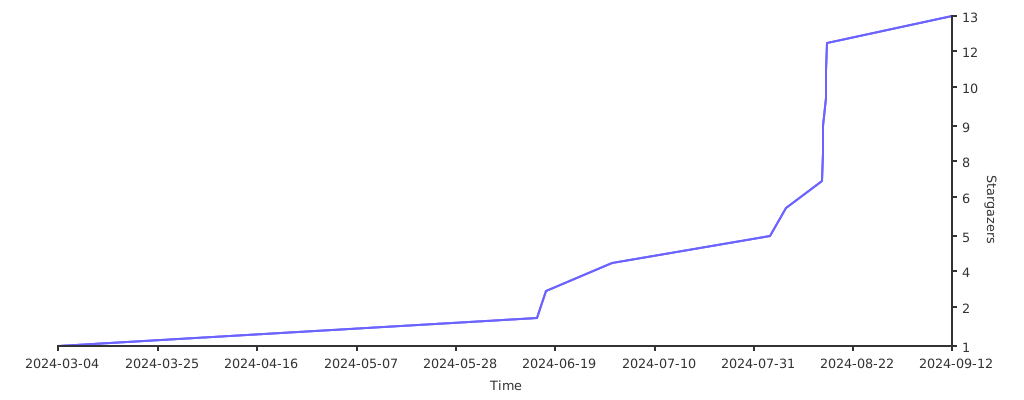
If you think this tool is helpful to you, please use your hand to point a Star to my [GitHub](https://github.com/yaolifeng0629/del-repos) warehouse!
Your support is the driving force for me to move forward!
### 🚀 Star history
[](https://starchart.cc/yaolifeng0629/del-repos)