# Field actions Interface & Display
Add `copy to clipboard` & `link` functionalities to your directus fields. Supports interfaces as well as displays.
Copy & Link actions can be performed by a button next to the items or by clicking on the value. The settings allow customisations for a lot of different use-cases.
## ✨ Supports
### 📋 Copy action
Each value can be copied by a custom button. It's also possible to copy a value by just clickung on it (setting: *click-action*)
### ➡️ Links
When using the link-option it supports ➡️ HTTP-, 📧 mail-, and 📞 phone- links. Each link can be opened by the custom button. If enabled it's also possible to open the link by just clicking on the value (setting: *click-action*).
### 🖱 Click-Action
The click action defines what should happen when you click on the value. This is supported for displays as well as readonly interfaces.Actions can be:
* default action (does nothing custom)
* Copy-action (copied the value)
* Link-action (openes the link in a new tab)
### ⚙ Settings
#### Icon position
- The icons can be placed before or after the content
- The setting can be set for the interface and display, as well as the copy and link button indipendently
- Example in the screenshots below
#### Custom prefix
- You can set custom prefixes for copy-/ and link-actions.
- Prefixes can be entered manually or use a defined variable ([Project URL setting](https://docs.directus.io/configuration/project-settings.html#general))
- The setting can be set for the copy and link button indipendently, each for the interface and the display
- Example in the screenshots below
#### Link target
- Set the link-target to the same, or a new tab
#### Warn before following external links
- Prompt users with a confirmation popup displaying the full link when clicking on external links
- If disabled, external links will open directly.
#### Hide field value (*display only*)
- Hides the field value for a button only mode
- Mostly to be used in combinaiton with button labels
#### Button labels (*display only*)
- Add custom labels to the copy-/ and link icons for the display
- Mostly to be used in combinaiton with the "Hide field value" option for a button only mode
## ⚙️ Installation (marketplace)
The extension can easily be installed through the in-build directus marketplace.
Just go to `settings -> marketplace` and search for `field-actions`.
## ⚙️ Installation (npm)
```shell
npm i --save-prod directus-extension-field-actions
```
or
```shell
pnpm add --save-prod directus-extension-field-actions
```
## ⚙️ Installation (manually)
1. Download the `app.js`, `api.js` and `package.json` from the [latest release](https://raw.githubusercontent.com/utomic-media/directus-extension-field-actions/releases)
2. Create a folder named `directus-extension-field-actions` in your extension folder (e.g `/extensions/directus-extension-field-actions`) and a `/dist` folder inside.
3. Move the `package.json` to the created extension folder and the `app.js` and `api.js` into the `/dist` folder.
4. Restart directus
**The result should look like this:**
```none
├── extensions
│ ├── directus-extension-field-actions
│ │ ├── dist
│ │ │ ├── app.js
│ │ │ ├── api.js
│ │ ├── package.json
```
## 🖼 Screenshots
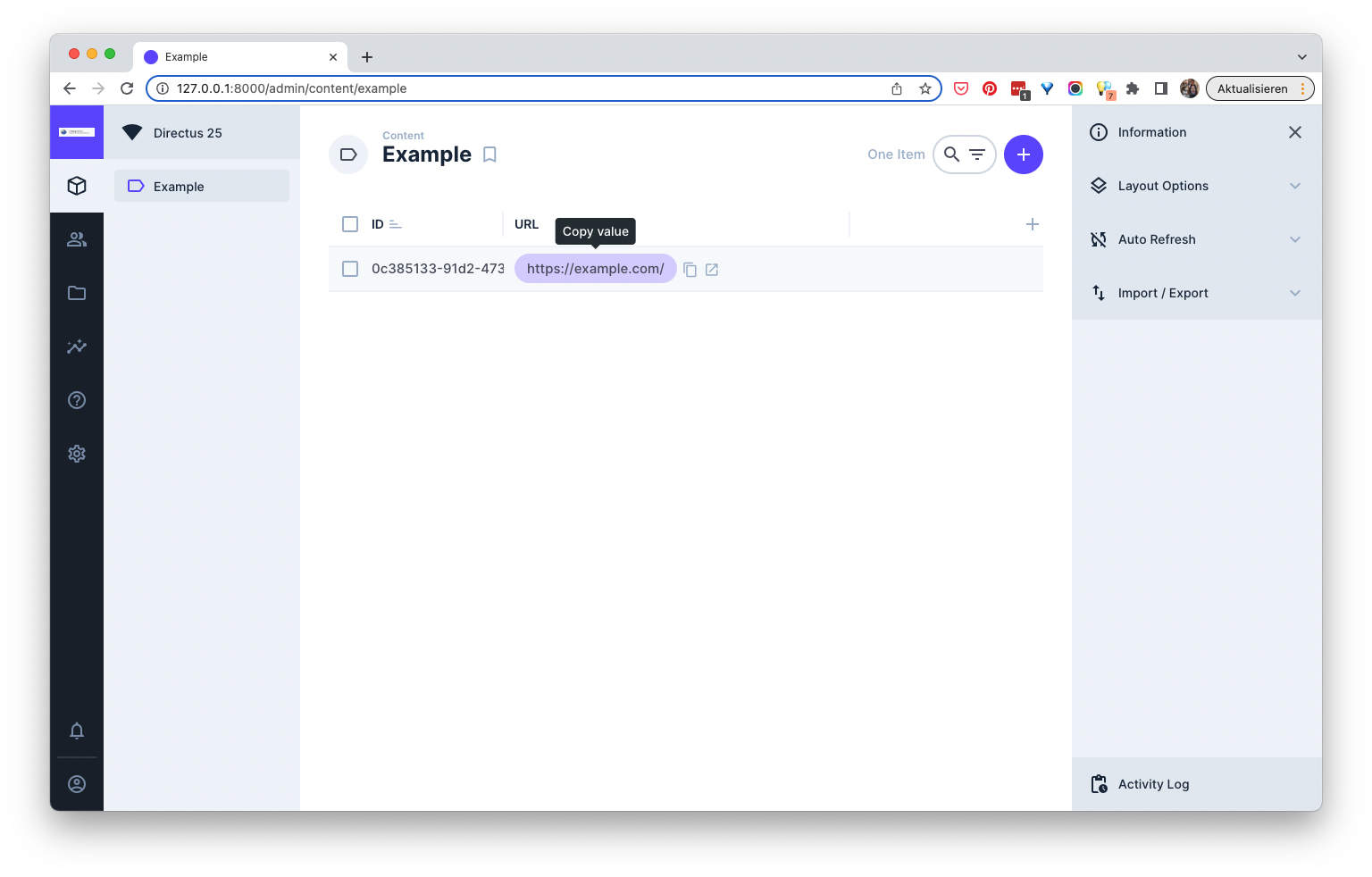
*↑ Copy (or link) values from table views directly by clicking on them*
---
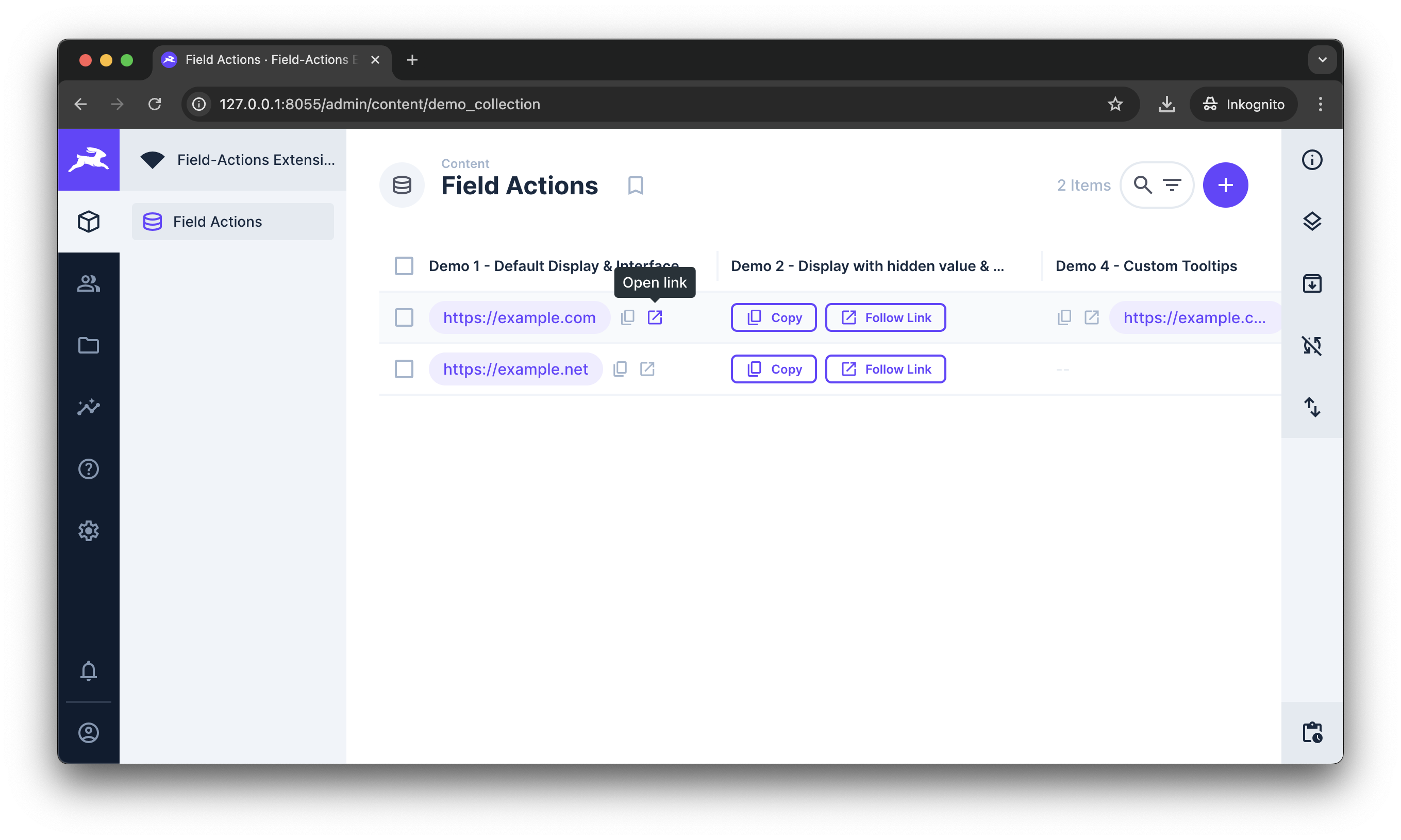
*↑ Copy & Link icons in the display*
---
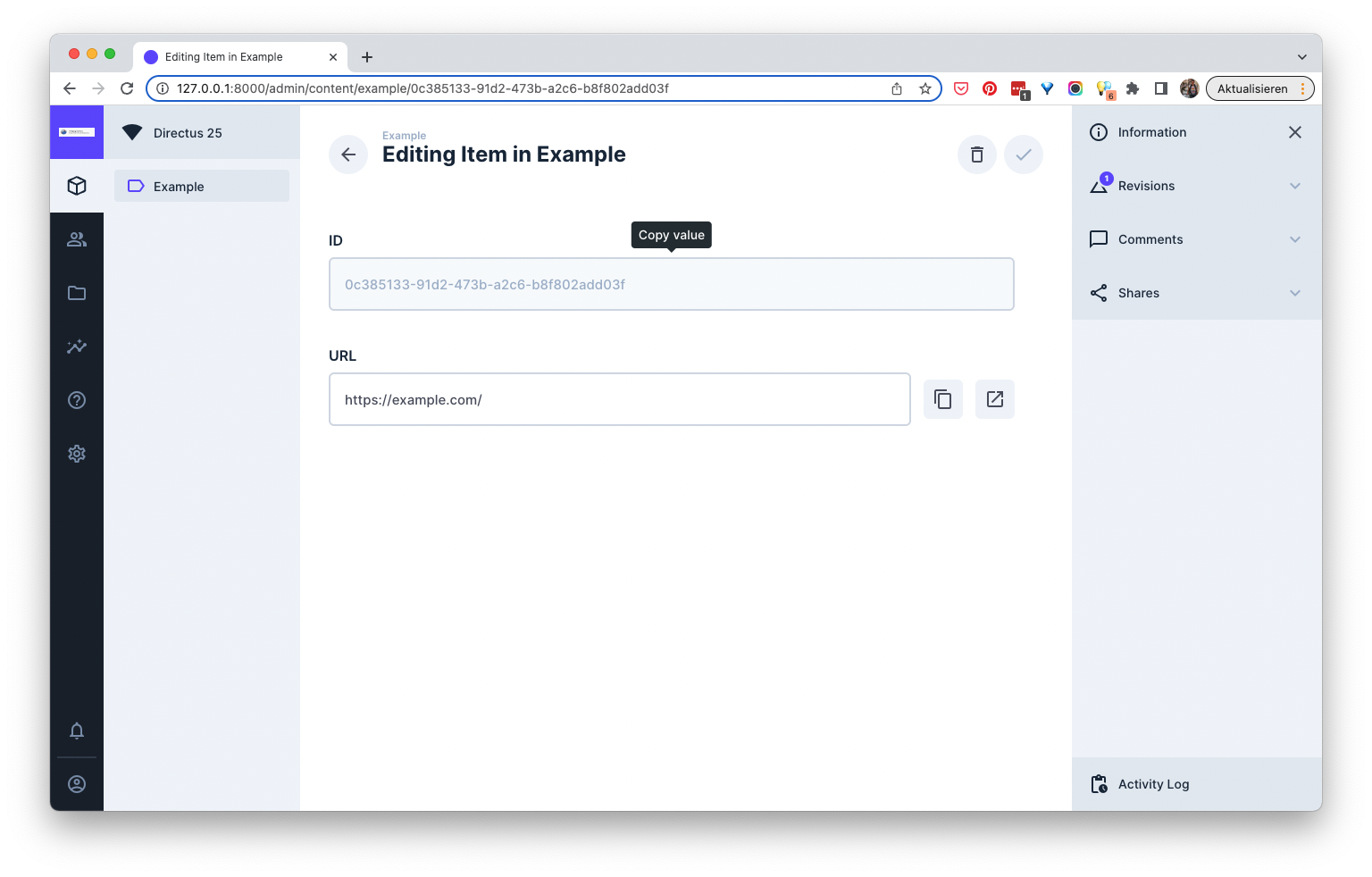
*↑ Copy field-values by clicking on it (only for readonly-fields and displays)*
---
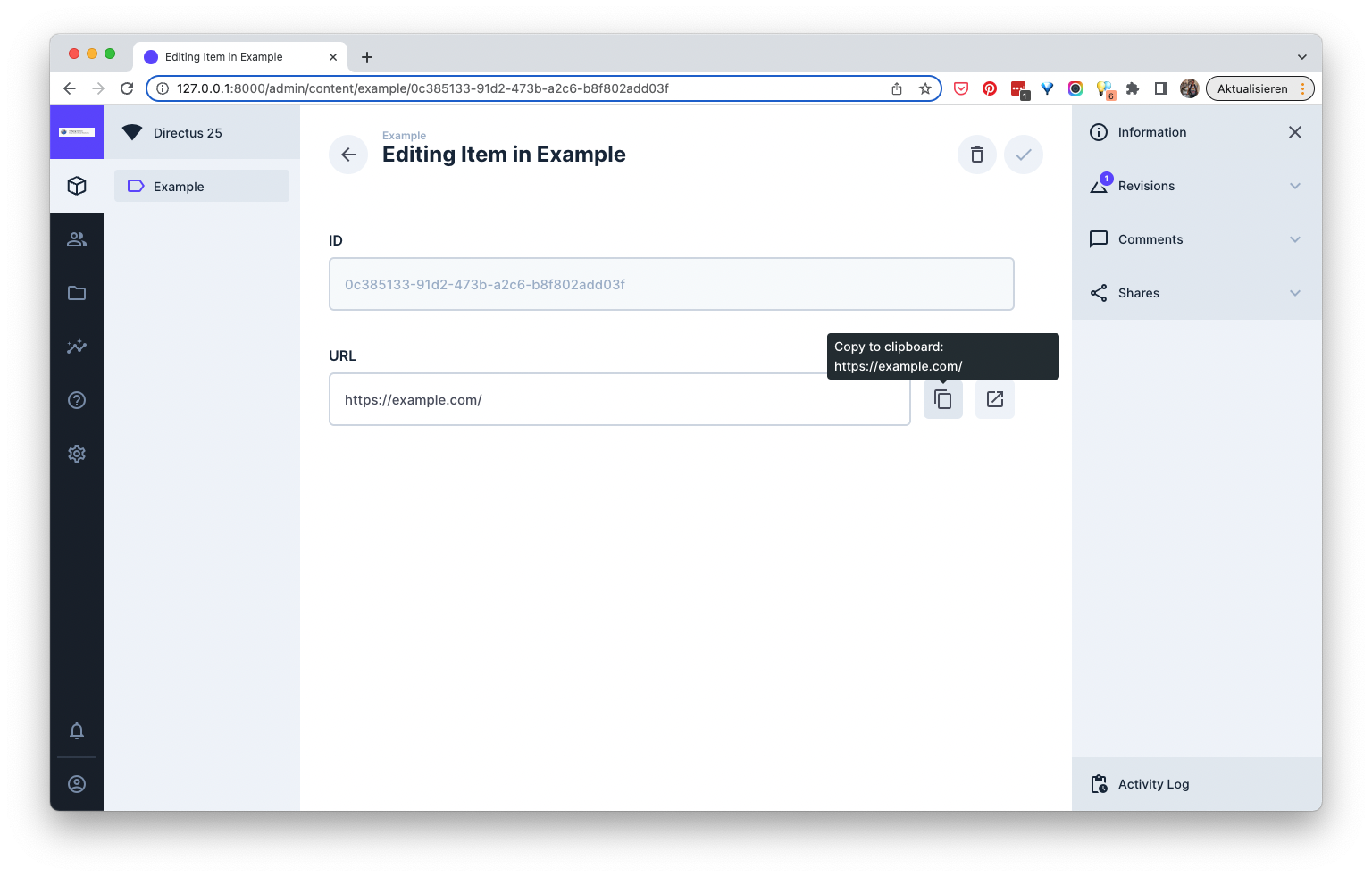
*↑ Add link- and copy-to-clipboard buttons to each field*
---
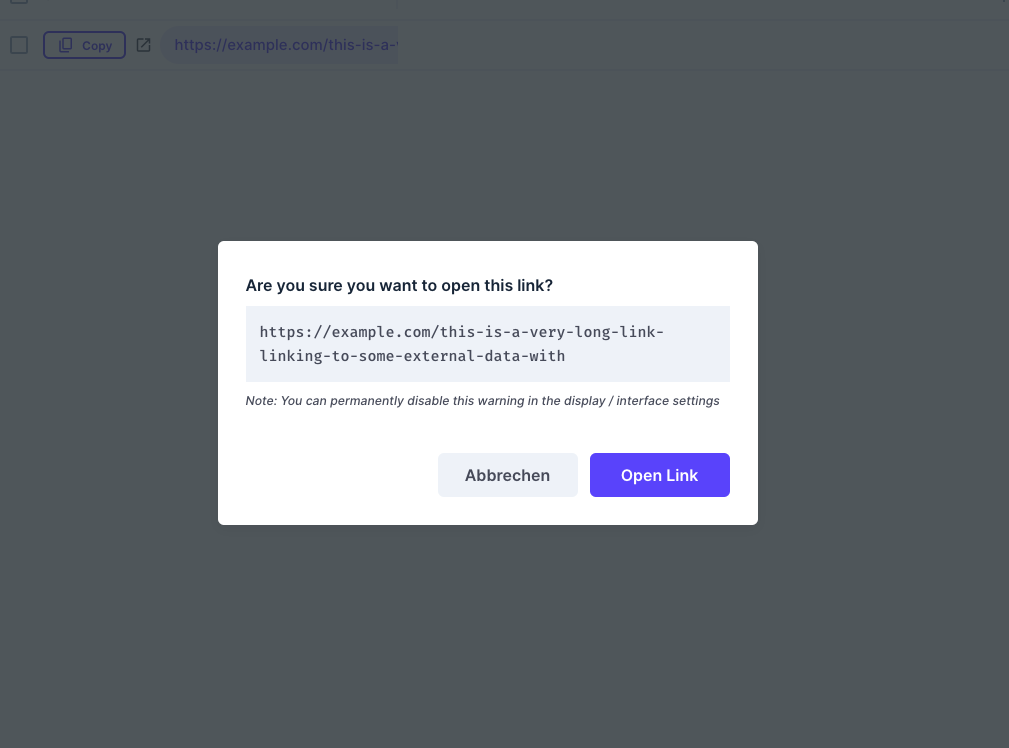
*↑ Link preview and verification on external links (optionally)*
---
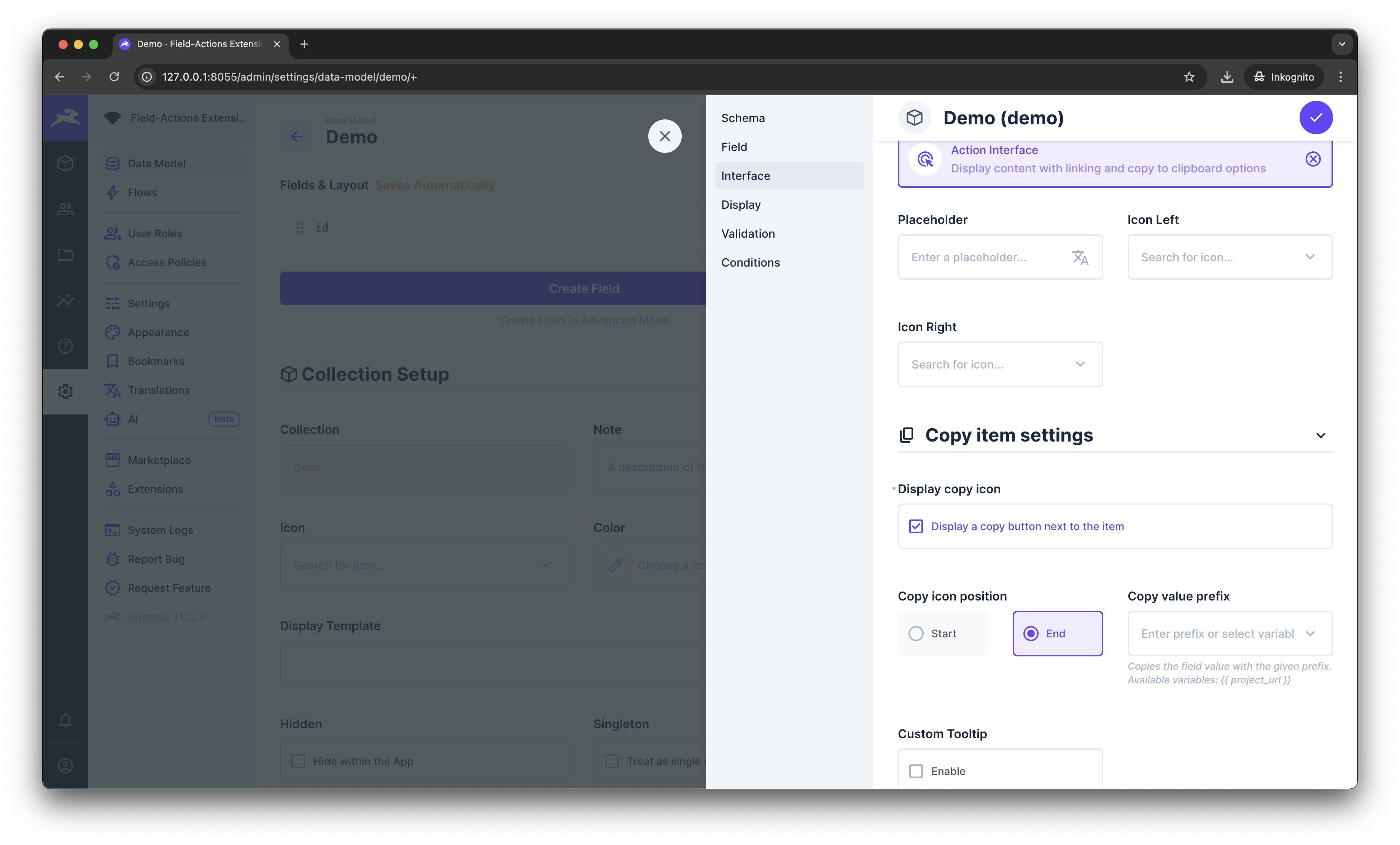
*↑ Interfaces settings*
---
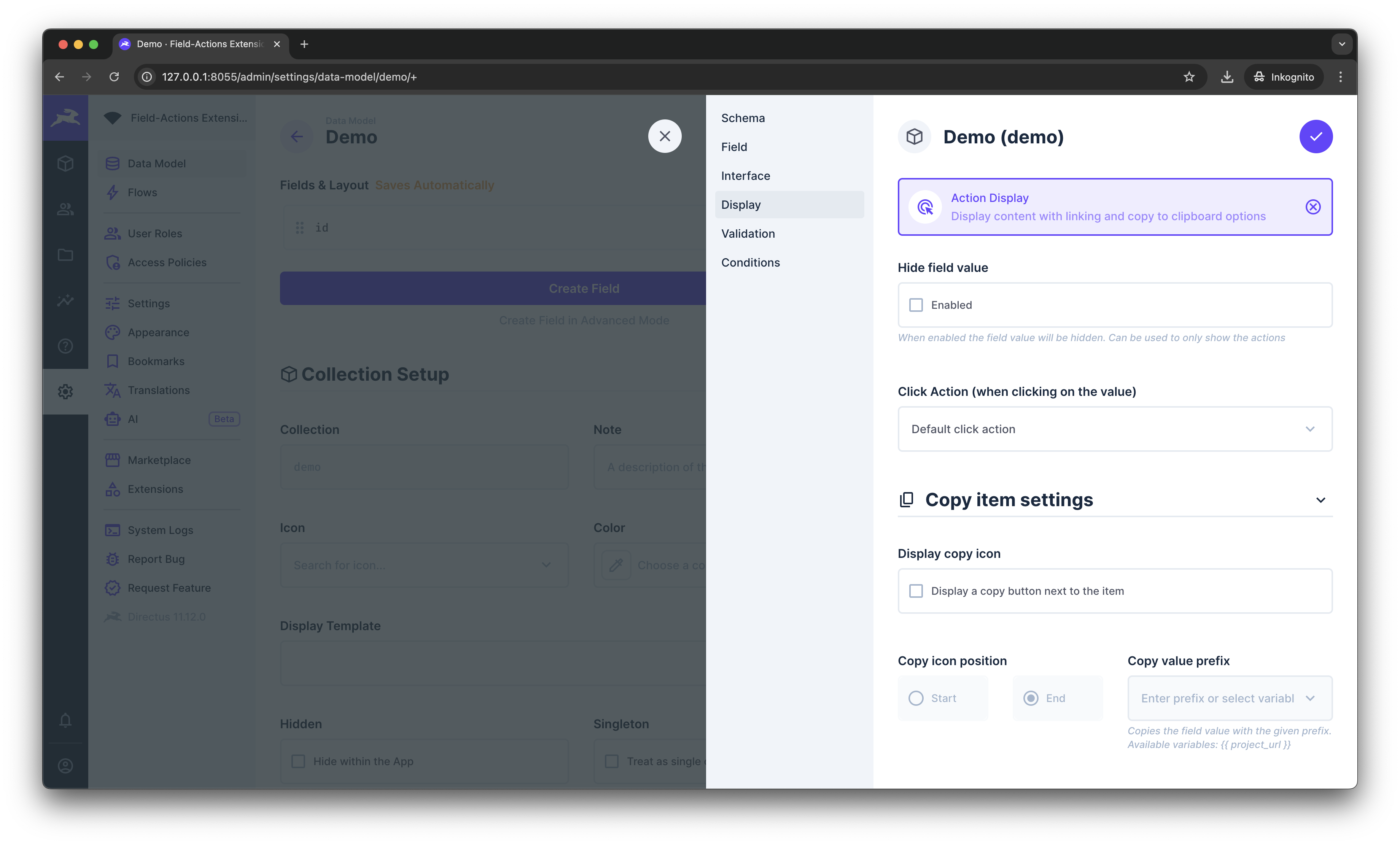
*↑ Displays settings*
---
## ❤️ Contributing
Please read the [Contributing Guide](./docs/CONTRIBUTING.md) for this project before submitting Pull Requests or Issues.
All security vulnerabilities should be reported through Github security advisories.