
docsify-count
docsify-count
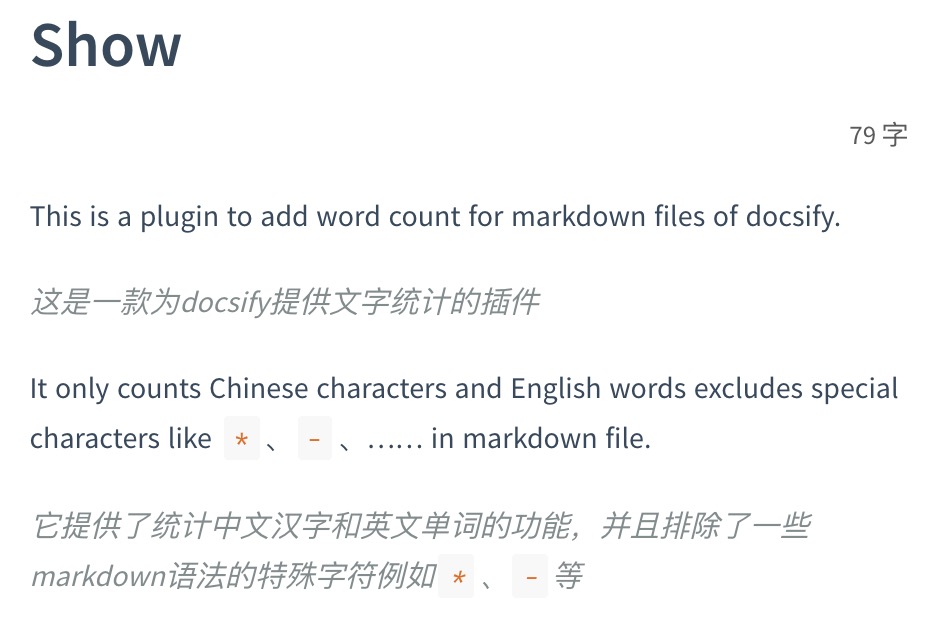
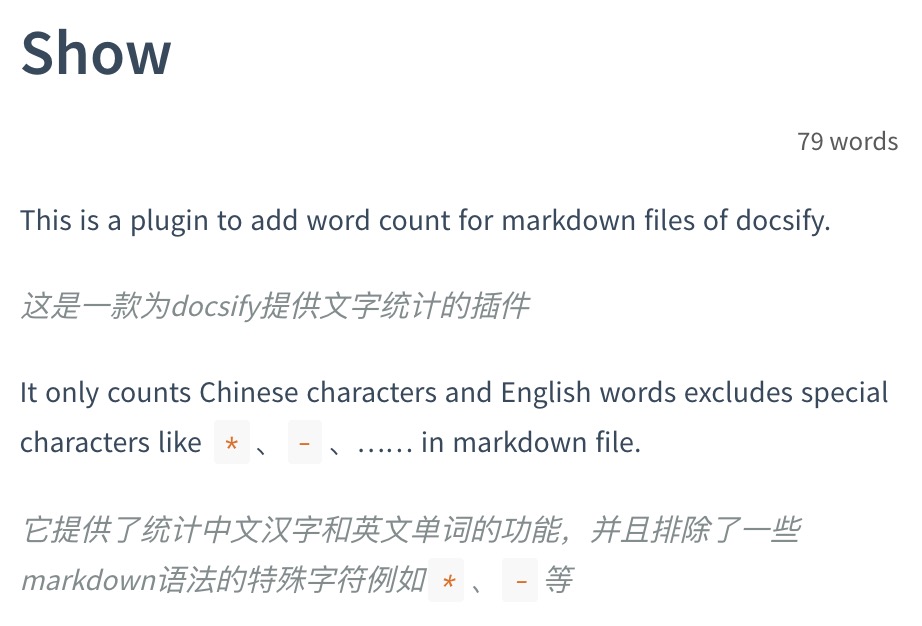 And you can set count.language 'chinese'/'english'
 ## To use
Add JS
```html
or
```
Add settings
```js
window.$docsify = {
count:{
countable: true,
position: 'top',
margin: '10px',
float: 'right',
fontsize:'0.9em',
color:'rgb(90,90,90)',
language:'chinese',
isExpected: true
}
}
```
| 属性名Attribute | 类型Type | 解释Description | 可选值Value |
| --- | --- | --- | --- |
| countable | boolean | 设置字符统计展示与否 Set display this plugin or not | true(默认值Default) / false |
| position | string | 设置展示位置 Set display position | 'top'(默认值Default) / 'bottom' |
| margin | string | 设置与邻近DOM的距离 Set margin to the near DOM element | '10px' |
| float | string | 设置元素对齐 Set alignment | 'right'(默认值Default) / 'top' |
| fontsize | string | 设置字体大小 Set font size | '0.9em' |
| color | string | 设置颜色 Set color | 'rgb(90,90,90)' |
| language | string | 设置语言 Set language | 'english'(默认值Default) / 'chinese' |
| isExpected | boolean | 是否显示预计阅读时长 Display the reading time or not | true(默认值Default) / false |
## To use
Add JS
```html
or
```
Add settings
```js
window.$docsify = {
count:{
countable: true,
position: 'top',
margin: '10px',
float: 'right',
fontsize:'0.9em',
color:'rgb(90,90,90)',
language:'chinese',
isExpected: true
}
}
```
| 属性名Attribute | 类型Type | 解释Description | 可选值Value |
| --- | --- | --- | --- |
| countable | boolean | 设置字符统计展示与否 Set display this plugin or not | true(默认值Default) / false |
| position | string | 设置展示位置 Set display position | 'top'(默认值Default) / 'bottom' |
| margin | string | 设置与邻近DOM的距离 Set margin to the near DOM element | '10px' |
| float | string | 设置元素对齐 Set alignment | 'right'(默认值Default) / 'top' |
| fontsize | string | 设置字体大小 Set font size | '0.9em' |
| color | string | 设置颜色 Set color | 'rgb(90,90,90)' |
| language | string | 设置语言 Set language | 'english'(默认值Default) / 'chinese' |
| isExpected | boolean | 是否显示预计阅读时长 Display the reading time or not | true(默认值Default) / false |