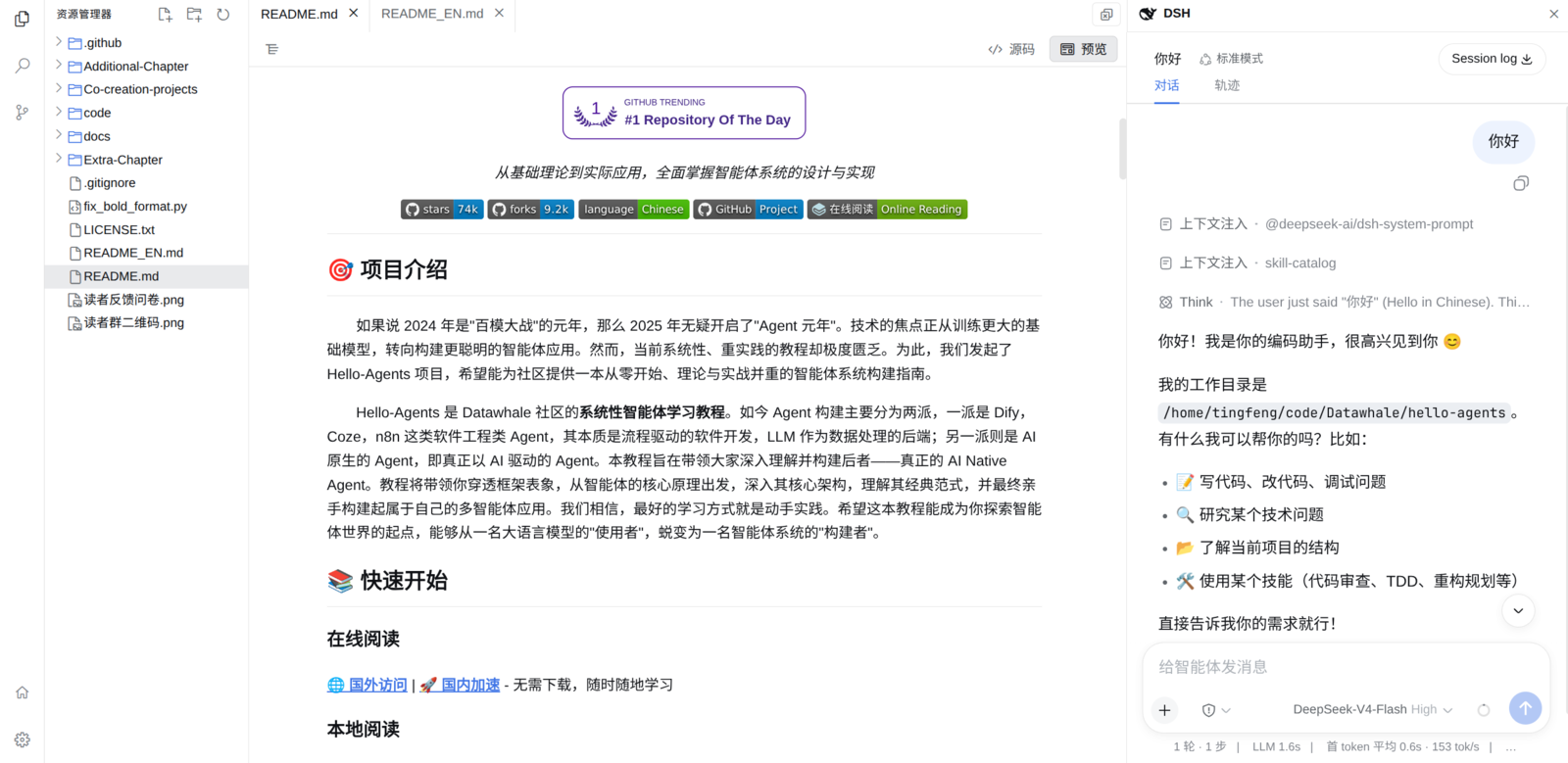
Explorer and Monaco editor
A VS Code-style local development workbench for DeepSeek Harness.
中文 · English
## Highlights - **Genuine VS Code feel**: explorer / search / source-control views, an activity bar, and `Ctrl+Shift+E/F/G` shortcuts — the workflow you already know. - **Reliable saves**: atomic writes with revision checks; conflicts are raised instead of silently overwriting. - **External-change awareness**: a WebSocket watches the workspace, flagging files changed on disk in the tab and status bar. - **Commit graph**: a swimlane commit graph visualizes branch history. - **Per-workspace restore**: active view, tabs, widths, panels, and tree expansion persist per workspace across reloads. ## Features ### Explorer A lazily loaded tree with create, upload, rename, delete, and refresh. Drop local files onto the workspace root or any directory; Git file markers show `A`, `M`, and other status codes. ### Editor Monaco tabs with dirty tracking, atomic saves, and revision-conflict plus external-change notices. ### Preview Markdown rendered by default with source and outline modes; workspace-relative links, image and common file previews. ### Search `@vscode/ripgrep` full-text search with case, whole-word, regex, and include / exclude controls. ### Git Grouped status, stage, unstage, discard, commit, branch switching, inline / side-by-side diffs, and a commit graph. ### Layout Resizable and collapsible primary view, an extensible bottom panel, and a status bar; theme and widths centralized in settings. ### DSH conversation Reuses the official conversation UI with messages, coding tools, models, attachments, and permissions. ### Restore Persists the active view, tabs, widths, and panel state per workspace across reloads. The workbench mounts through the official `sidebar.footer.action` and `shell.overlay` extension points. It does not replace or disable `ui-layout`. ## Screenshots
Explorer and Monaco editor
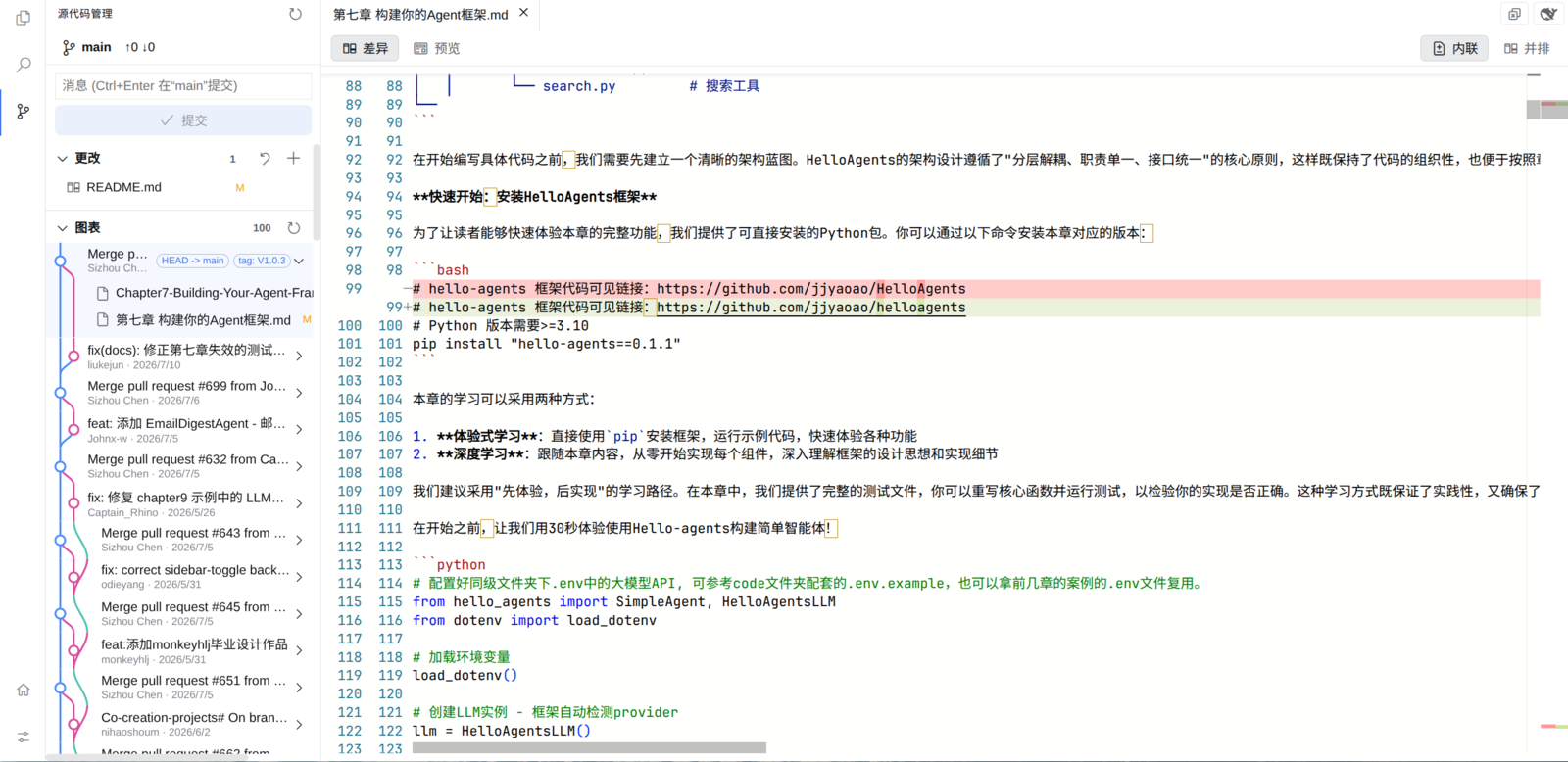
Source control and commit graph