<p align="center"><a href="https://easyinvoice.cloud" target="_blank" rel="noopener noreferrer"><img width="250" src="https://public.easyinvoice.cloud/img/logo_en_original.png" alt="Easy Invoice logo"></a></p>

<h4 align="center">Build for Web and Backend 💪</h4>
<br/>
<p align="center">
  <a href="https://www.npmjs.com/package/easyinvoice"><img src="https://img.shields.io/npm/v/easyinvoice.svg" alt="Version"></a>
  <a href="https://github.com/dveldhoen/easyinvoice/actions?query=branch%3Amaster"><img src="https://github.com/dveldhoen/easyinvoice/workflows/build/badge.svg" alt="Build Status"></a>
  <a href="https://codecov.io/github/dveldhoen/easyinvoice"><img src="https://img.shields.io/codecov/c/github/dveldhoen/easyinvoice/master.svg" alt="Coverage Status"></a>  
  <br/>
  <a href="https://npmcharts.com/compare/easyinvoice?minimal=true"><img src="https://img.shields.io/npm/dm/easyinvoice.svg" alt="Downloads"></a>
  <a href="https://www.npmjs.com/package/easyinvoice"><img src="https://img.shields.io/npm/l/easyinvoice.svg" alt="License"></a>
  <a href="https://github.com/dveldhoen/easyinvoice"><img src="https://img.shields.io/badge/PRs-welcome-brightgreen.svg?style=flat-square" alt="Pull Request's Welcome"></a>
</p>

<p align="center">
If this package helped you out please star us on Github!
<br/>
Much appreciated!
<br/>
<br/>
<a href="https://github.com/dveldhoen/easyinvoice/"><img src="https://img.shields.io/github/stars/dveldhoen/easyinvoice.svg?style=social&label=Star" alt="Pull Request's Welcome"></a>
</p>

<span style="color: orange;">
<h3>Important</h3>
Please upgrade from v2.x to v3.x for important security updates. The update should be relatively effortless for most users. Note that support for Internet Explorer has been dropped from v3.x.
</span>
<br/>
<br/>

[//]: # (## EASY products)

[//]: # ()
[//]: # (| <b>Package</b> | Description          | Link                                                                                                                                                           |)

[//]: # (|----------------|----------------------|----------------------------------------------------------------------------------------------------------------------------------------------------------------|)

[//]: # (| Easy PDF    | Easy PDF Creator     | <a href="https://www.npmjs.com/package/easypdf-io"><img src="https://img.shields.io/badge/NPM-EasyPDF.io-blue" alt="Available on Composer"></a>  |)

[//]: # (| Easy Invoice   | Easy Invoice Creator | <a href="https://www.npmjs.com/package/easyinvoice"><img src="https://img.shields.io/badge/NPM-EasyInvoice-blue" alt="Available on Composer"></a> |)

## Platform support

|<b>Platform</b> | Repository |Supported  | Link |
|---|---|---|---|
| PHP | Composer |Yes! | <a href="https://packagist.org/packages/easyapis.io/easyinvoice"><img src="https://img.shields.io/badge/EasyInvoice%20on-Composer-blue" alt="Available on Composer"></a> |

| Javascript | NPM | Yes! | <a href="https://www.npmjs.com/package/easyinvoice"><img src="https://img.shields.io/badge/EasyInvoice%20on-NPM-blue" alt="Available on NPM"></a> |
| Python | PIP | Yes! | <a href="https://pypi.org/project/easyinvoice/"><img src="https://img.shields.io/badge/EasyInvoice%20on-PIP-blue" alt="Available on PIP"></a> |

[//]: # (| Java | Maven | In progress... |  |)

[comment]: <> (## Features)

[comment]: <> (- [x] Create invoices)

[comment]: <> (- [ ] List, get, update, delete invoices &#40;api ready / npm in progress&#41;)

[comment]: <> (- [ ] Create, list, get, update, delete clients &#40;api ready / npm in progress&#41;)

[comment]: <> (- [ ] More soon...)

<br/>

## Sample
<br/>
<div align="center">
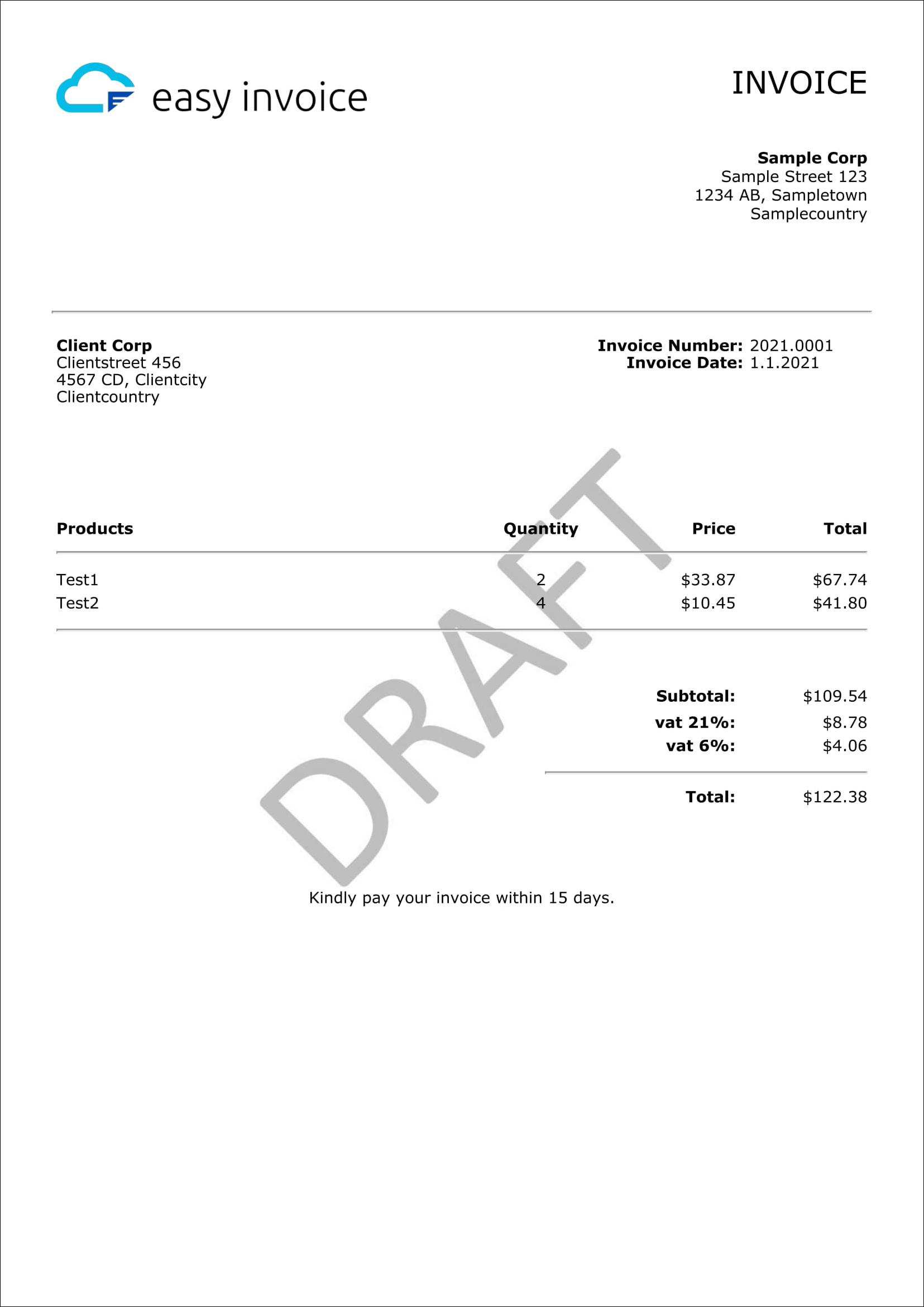
    <img width="350" style="border: 1px black solid" src="https://public.easyinvoice.cloud/img/sample-invoice.png" alt="Easy Invoice Sample Logo Only">
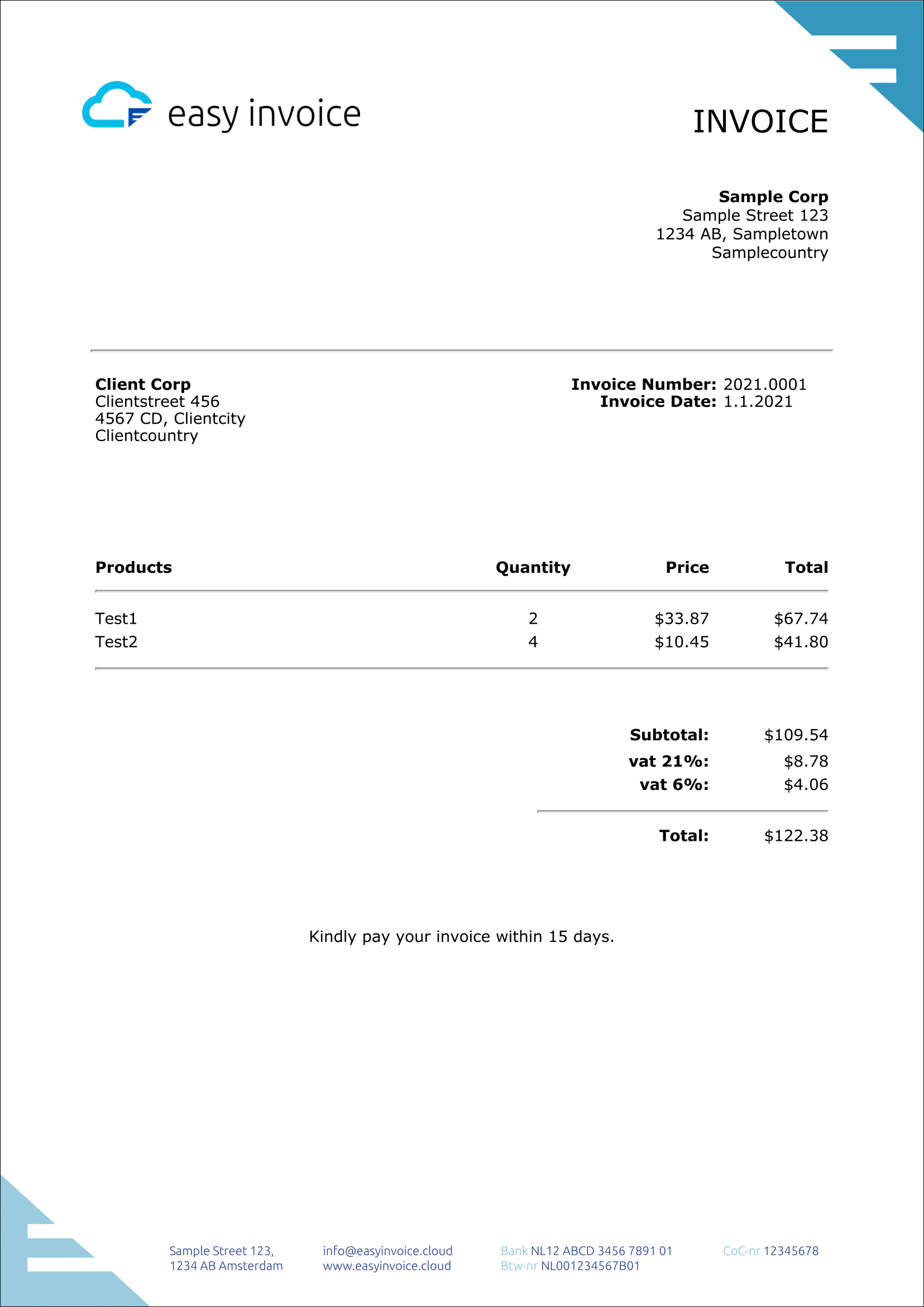
    <img width="350" style="border: 1px black solid" src="https://public.easyinvoice.cloud/img/sample-invoice-background.png" alt="Easy Invoice Sample With Background">
</div>

### JSON Configs used for above samples:

- <a href="https://public.easyinvoice.cloud/json/easyinvoice-sample.json">[View JSON] First Sample</a>
- <a href="https://public.easyinvoice.cloud/json/easyinvoice-sample-background.json">[View JSON] Second Sample</a>

## Demo

[JS Fiddle: Plain Javascript](https://jsfiddle.net/easyinvoice/rjtsxhp3/)
<br/>
[JS Fiddle: Vue](https://jsfiddle.net/easyinvoice/gpb1osav/)
<br/>
[JS Fiddle: React](https://jsfiddle.net/easyinvoice/qfs8dk0p/)
<br/>
[JS Fiddle: Angular](https://jsfiddle.net/easyinvoice/pmt3bs9q/)

## Step-by-step guide

Read our step-by-step guide on Medium. <a href="https://medium.com/@dveldhoen/creating-invoices-in-nodejs-eaae01f0d3a4">
Click here!</a>

## Installing

Using npm:

```bash
$ npm install easyinvoice --save
```

Using yarn:

```bash
$ yarn add easyinvoice
```

## CDN

Using unkpg CDN:

```html

<script src="https://unpkg.com/easyinvoice/dist/easyinvoice.min.js"></script>
```

Using jsDelivr CDN:

```html

<script src="https://cdn.jsdelivr.net/npm/easyinvoice/dist/easyinvoice.min.js"></script>
```

## Import

CommonJS

```js
var easyinvoice = require('easyinvoice');
```

ES6 =<

```js
import easyinvoice from 'easyinvoice';
```

## Direct REST API access

```shell
# HTTPS POST 
https://api.easyinvoice.cloud/v2/free/invoices

# POST Data
Format: JSON
Structure: {"data":{"products":[]}} # Parent object must be 'data'
```

## Getting Started - Basic Example

NodeJS

```js
// Import the library into your project
var easyinvoice = require('easyinvoice');

// Create your invoice! Easy!
var data = {};
easyinvoice.createInvoice(data, function (result) {
    // The response will contain a base64 encoded PDF file
    console.log('PDF base64 string: ', result.pdf);

    // Now this result can be used to save, download or render your invoice
    // Please review the documentation below on how to do this
});
```

Web

```html

<html>
<head>
    // Import the library into your project
    <script src="https://unpkg.com/easyinvoice/dist/easyinvoice.min.js"></script>
</head>
<body>
<script>
    // Create your invoice! Easy!
    var data = {};
    easyinvoice.createInvoice(data, function (result) {
        // The response will contain a base64 encoded PDF file
        console.log('PDF base64 string: ', result.pdf);

        // Now this result can be used to save, download or render your invoice
        // Please review the documentation below on how to do this
    });
</script>
</body>
</html>
```

## Complete Example (NodeJS)

```js
//Import the library into your project
var easyinvoice = require('easyinvoice');

var data = {
    // Customize enables you to provide your own templates
    // Please review the documentation for instructions and examples
    "customize": {
        //  "template": fs.readFileSync('template.html', 'base64') // Must be base64 encoded html 
    },
    "images": {
        // The logo on top of your invoice
        "logo": "https://public.easyinvoice.cloud/img/logo_en_original.png",
        // The invoice background
        "background": "https://public.easyinvoice.cloud/img/watermark-draft.jpg"
    },
    // Your own data
    "sender": {
        "company": "Sample Corp",
        "address": "Sample Street 123",
        "zip": "1234 AB",
        "city": "Sampletown",
        "country": "Samplecountry"
        //"custom1": "custom value 1",
        //"custom2": "custom value 2",
        //"custom3": "custom value 3"
    },
    // Your recipient
    "client": {
        "company": "Client Corp",
        "address": "Clientstreet 456",
        "zip": "4567 CD",
        "city": "Clientcity",
        "country": "Clientcountry"
        // "custom1": "custom value 1",
        // "custom2": "custom value 2",
        // "custom3": "custom value 3"
    },
    "information": {
        // Invoice number
        "number": "2021.0001",
        // Invoice data
        "date": "12-12-2021",
        // Invoice due date
        "due-date": "31-12-2021"
    },
    // The products you would like to see on your invoice
    // Total values are being calculated automatically
    "products": [
        {
            "quantity": 2,
            "description": "Product 1",
            "tax-rate": 6,
            "price": 33.87
        },
        {
            "quantity": 4.1,
            "description": "Product 2",
            "tax-rate": 6,
            "price": 12.34
        },
        {
            "quantity": 4.5678,
            "description": "Product 3",
            "tax-rate": 21,
            "price": 6324.453456
        }
    ],
    // The message you would like to display on the bottom of your invoice
    "bottom-notice": "Kindly pay your invoice within 15 days.",
    // Settings to customize your invoice
    "settings": {
        "currency": "USD", // See documentation 'Locales and Currency' for more info. Leave empty for no currency.
        // "locale": "nl-NL", // Defaults to en-US, used for number formatting (See documentation 'Locales and Currency')        
        // "margin-top": 25, // Defaults to '25'
        // "margin-right": 25, // Defaults to '25'
        // "margin-left": 25, // Defaults to '25'
        // "margin-bottom": 25, // Defaults to '25'
        // "format": "A4", // Defaults to A4, options: A3, A4, A5, Legal, Letter, Tabloid
        // "height": "1000px", // allowed units: mm, cm, in, px
        // "width": "500px", // allowed units: mm, cm, in, px
        // "orientation": "landscape", // portrait or landscape, defaults to portrait
    },
    // Translate your invoice to your preferred language
    "translate": {
        // "invoice": "FACTUUR",  // Default to 'INVOICE'
        // "number": "Nummer", // Defaults to 'Number'
        // "date": "Datum", // Default to 'Date'
        // "due-date": "Verloopdatum", // Defaults to 'Due Date'
        // "subtotal": "Subtotaal", // Defaults to 'Subtotal'
        // "products": "Producten", // Defaults to 'Products'
        // "quantity": "Aantal", // Default to 'Quantity'
        // "price": "Prijs", // Defaults to 'Price'
        // "product-total": "Totaal", // Defaults to 'Total'
        // "total": "Totaal", // Defaults to 'Total'
        // "vat": "btw" // Defaults to 'vat'
    },
};

//Create your invoice! Easy!
easyinvoice.createInvoice(data, function (result) {
    //The response will contain a base64 encoded PDF file
    console.log('PDF base64 string: ', result.pdf);
});
```

## Return values

|<b>Key</b> | Value                                                  | Data Type |
|---|--------------------------------------------------------|---|
| <b>result.pdf</b>             | <b>The PDF file as base64 string</b>                   | <b>String</b> |
| result.calculations.products | Array of objects reflecting the products used in creation | Array |
| result.calculations.products[key].subtotal | Rounded price without tax per product                  | Number |
| result.calculations.products[key].tax | Rounded tax per product                                | Number |
| result.calculations.products[key].total | Rounded price including tax per product                | Number |
| result.calculations.tax | Object containing total calculated tax per unique tax rate  | Array |
| result.calculations.tax[rate] | Total tax for all products with same tax rate          | Number |
| result.calculations.subtotal | Rounded price without tax for all products             | Number |
| result.calculations.total | Rounded price with tax for all products                | Number |

<br/>

## Locales and Currency

Used for number formatting and the currency symbol:

```js
//E.g. for Germany, prices would look like 123.456,78 €
const data = {settings: {locale: 'de-DE', currency: 'EUR'}};

//E.g. for US, prices would look like $123,456.78
const data = {settings: {locale: 'en-US', currency: 'USD'}};
```

Formatting and symbols are applied through
the [ECMAScript Internationalization API](https://developer.mozilla.org/en-US/docs/Web/JavaScript/Reference/Global_Objects/Intl)

[Click here for a list of locale codes](https://datahub.io/core/language-codes/r/3.html)
<br/>
[Click here for a list of currency codes](https://www.iban.com/currency-codes)

Disclaimer: Not all locales and currency codes found in the above lists might be supported by the ECMAScript
Internationalization API.

## Logo and Background

The logo and background inputs accept either a URL or a base64 encoded file.

Supported file types:

- Logo: image
- Background: image, pdf

### URL

```js
const data = {
    images: {
        logo: "https://public.easyinvoice.cloud/img/logo_en_original.png",
        background: "https://public.easyinvoice.cloud/img/watermark_draft.jpg",
    }
};
```

### Base64

```js
const data = {
    //Note: Sample base64 string
    //Please use the link below to convert your image to base64
    images: {
        logo: "iVBORw0KGgoAAAANSUhEUgAAAAUAAAAFCAYAAACNbyblAAAAHElEQVQI12P4//8/w38GIAXDIBKE0DHxgljNBAAO9TXL0Y4OHwAAAABJRU5ErkJggg==",
        background: "iVBORw0KGgoAAAANSUhEUgAAAAUAAAAFCAYAAACNbyblAAAAHElEQVQI12P4//8/w38GIAXDIBKE0DHxgljNBAAO9TXL0Y4OHwAAAABJRU5ErkJggg=="
    }
};
```

### Local File (NodeJS only)

```js
//Import fs to be able to read from the local file system
var fs = require("fs");

//Use the code below to read your local file as a base64 string
const data = {
    images: {
        logo: fs.readFileSync('logo.png', 'base64'),
        background: fs.readFileSync('images/background.png', 'base64')
    }
};
```

[Click here for an online tool to convert an image to base64](https://base64.guru/converter/encode/image)

## Async/await support

```js
// Import the library into your project
var easyinvoice = require('easyinvoice');

// Create your invoice! Easy!
var data = {};
const result = await easyinvoice.createInvoice(data);

// The response will contain a base64 encoded PDF file
console.log('PDF base64 string: ', result.pdf);
```

## To store the file locally (NodeJS)

```js
var fs = require('fs');

var data = {};
const result = await easyinvoice.createInvoice(data);
await fs.writeFileSync("invoice.pdf", result.pdf, 'base64');
```
## Print your invoice (browser only)

Using callback

```js
var data = {};
easyinvoice.createInvoice(data, function (result) {
    easyinvoice.print(result.pdf);
});
```

Using async/await

```js
var data = {};
const result = await easyinvoice.createInvoice(data);
easyinvoice.print(result.pdf);
```
## Download your invoice (browser only)

Using callback

```js
var data = {};
easyinvoice.createInvoice(data, function (result) {
    easyinvoice.download('myInvoice.pdf', result.pdf);
    //	you can download like this as well:
    //	easyinvoice.download();
    //	easyinvoice.download('myInvoice.pdf');   
});
```

Using async/await

```js
var data = {};
const result = await easyinvoice.createInvoice(data);
easyinvoice.download('myInvoice.pdf', result.pdf);
//	you can download like this as well:
//	easyinvoice.download();
//	easyinvoice.download('myInvoice.pdf');
```

## Render(view) your invoice (browser only)

html

```html
<!-- Only include when rendering is required -->
<script src="https://unpkg.com/pdfjs-dist/build/pdf.min.js"></script>
<script src="https://unpkg.com/pdfjs-dist/build/pdf.worker.min.js"></script>

<!-- Include pdfjs version 2.3.200 for Internet Explorer compatibility, no worker required -->
<!-- <script src="https://unpkg.com/pdfjs-dist@2.3.200/build/pdf.min.js"></script> -->

<!-- The pdf will be rendered within this div -->
<div id="pdf"></div>
```

css (optional)

```css
#pdf {
    text-align: center;
}

#pdf canvas {
    border: 1px solid black;
    width: 95%;
}
```

js: Using Callback

```js
var data = {};
var elementId = 'pdf';
easyinvoice.createInvoice(data, function (result) {
    easyinvoice.render(elementId, result.pdf, function () {
        console.log('Invoice rendered!');
    });
});
```

js: Using async/await

```js
var data = {};
const elementId = 'pdf';
const result = await easyinvoice.createInvoice(data);
await easyinvoice.render(elementId, result.pdf);
```

## Template customization

Download our default template (invoice-v2) <a href="https://public.easyinvoice.cloud/templates/invoice-v2/index.txt" download>here</a> to have an
example which you can customize.

Supported file types:

- Base64
- URL (soon)

```js
// You are able to provide your own html template
var html = '<p>Hello world! This is invoice number %number%</p>';

const data = {
    customize: {
        // btoa === base64 encode
        template: btoa(html) // Your template must be base64 encoded
    },
    information: {
        number: '2022.0001'
    }
};

// This will return a pdf with the following content
// Hello world! This is invoice number 2022.0001
```

### Variable placeholders

The following placeholders can be put into your template. They will be replaced by their corresponding value upon
creation.

<table>
<tr>
<td><b>Placeholder</b></td> 
<td><b>Will be replaced by</b></td>
</tr>
<tr>
<td>%document-title%</td> 
<td>translate.invoice</td>
</tr>
<tr>
<td>%logo%</td> 
<td>images.logo</td>
</tr>
<tr>
<td>%company-from%</td> 
<td>sender.company</td>
</tr>
<tr>
<td>%address-from%	</td> 
<td>sender.address</td>
</tr>
<tr>
<td>%zip-from%	</td> 
<td>sender.zip</td>
</tr>
<tr>
<td>%city-from%</td> 
<td>sender.city</td>
</tr>
<tr>
<td>%country-from%</td> 
<td>sender.country</td>
</tr>
<tr>
<td>%sender-custom-1%</td> 
<td>sender.custom1</td>
</tr>
<tr>
<td>%sender-custom-2%</td> 
<td>sender.custom2</td>
</tr>
<tr>
<td>%sender-custom-3%</td> 
<td>sender.custom3</td>
</tr>
<tr>
<td>%company-to%</td> 
<td>client.company</td>
</tr>
<tr>
<td>%address-to%	</td> 
<td>client.address</td>
</tr>
<tr>
<td>%zip-to%	</td> 
<td>client.zip</td>
</tr>
<tr>
<td>%city-to%</td> 
<td>client.city</td>
</tr>
<tr>
<td>%country-to%</td> 
<td>client.country</td>
</tr>
<tr>
<td>%client-custom-1%</td> 
<td>client.custom1</td>
</tr>
<tr>
<td>%client-custom-2%</td> 
<td>client.custom2</td>
</tr>
<tr>
<td>%client-custom-3%</td> 
<td>client.custom3</td>
</tr>
<tr>
<td>%number-title%</td> 
<td>translate.number</td>
</tr>
<tr>
<td>%number%</td> 
<td>settings.number</td>
</tr>
<tr>
<td>%date-title%</td> 
<td>translate.date</td>
</tr>
<tr>
<td>%date%</td> 
<td>settings.date</td>
</tr>
<tr>
<td>%due-date-title%</td> 
<td>translate.due-date</td>
</tr>
<tr>
<td>%due-date%</td> 
<td>settings.due-date</td>
</tr>
<tr>
<td>%products-header-products%</td> 
<td>translate.products</td>
</tr>
<tr>
<td>%products-header-quantity%</td> 
<td>translate.quantity</td>
</tr>
<tr>
<td>%products-header-price%</td> 
<td>translate.price</td>
</tr>
<tr>
<td>%products-header-total%</td> 
<td>translate.product-total</td>
</tr>
<tr>
<td>
A custom product row must be enclosed in products tags like:

```html

<products>
    <!-- Product row html -->
</products>
```

Don't leave out the product tags or your custom product row won't be iterable by the template parser and you will end up
with a single product row. Customize the html as you wish.
</td>
<td>products</td>
</tr>
<tr>
<td>

```html
Within:
<products></products>
```

%description%
</td> 
<td>products[].description</td>
</tr>
<tr>
<td>

```html
Within:
<products></products>
```

%quantity%
</td>  
<td>products[].quantity</td>
</tr>
<tr>
<td>

```html
Within:
<products></products>
```

%price%
</td>   
<td>products[].price</td>
</tr>
<tr>
<td>

```html
Within:
<products></products>
```

%row-total%
</td>    
<td>products[].quantity * products[].price (rounded)</td>
</tr>
<tr>
<td>%subtotal-title%</td> 
<td>translate.subtotal</td>
</tr>
<tr>
<td>%subtotal%</td> 
<td><b>Auto inserted:</b>
<br/>
Calculated total price excluding tax</td>
</tr>
<tr>
<td>
A custom tax row must be enclosed in tax tags like:

```html

<tax>
    <!-- Tax row html -->
</tax>
```

Don't leave out the tax tags or your custom tax row won't be iterable by the template parser and you will end up with a
single tax row. Customize the html as you wish.
</td>
<td>tax</td>
</tr>
<tr>
<td>

```html
Within:
<tax></tax>
```

%tax-notation%
</td>    
<td>translate.vat</td>
</tr>
<tr>
<td>

```html
Within:
<tax></tax>
```

%tax-rate%
</td>    
<td><b>Auto inserted:</b><br/>
Distinct tax rate used in products</td>
</tr>
<tr>
<td>

```html
Within:
<tax></tax>
```

%tax%
</td>    
<td><b>Auto inserted:</b><br/>
Calculated total tax for rate</td>
</tr>
<tr>
<td>%total%</td>    
<td><b>Auto inserted:</b><br/>
Calculated total price including tax</td>
</tr>
</table>