# Electron React Webpack Typescript - Boilerplate 2022
ERWT is a minimal boilerplate for writing Desktop Applications using [Electron](https://www.electronjs.org/), [React](https://reactjs.org/), [Webpack](https://webpack.js.org/) & [TypeScript](https://www.typescriptlang.org/).
This project makes use of latest packages and configurations to serve the best environment for development.
## Screenshot
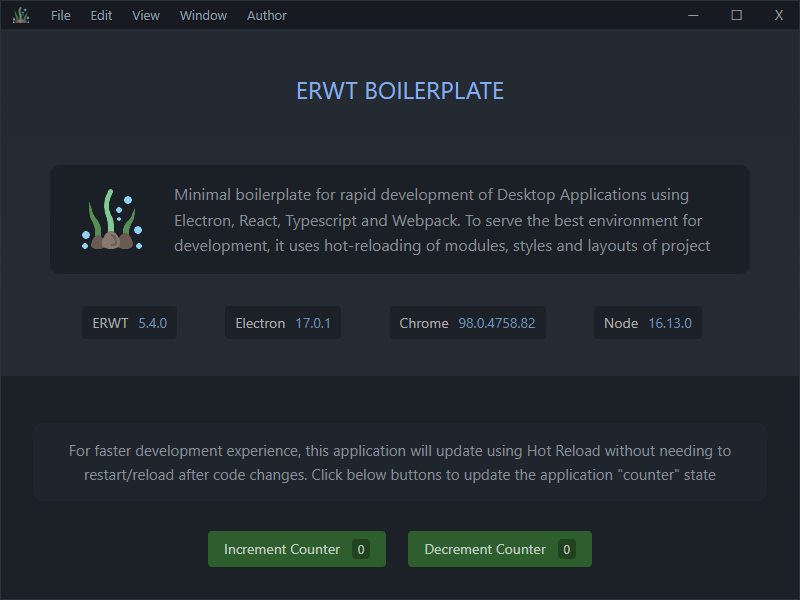
## Custom Window Titlebar & Menu
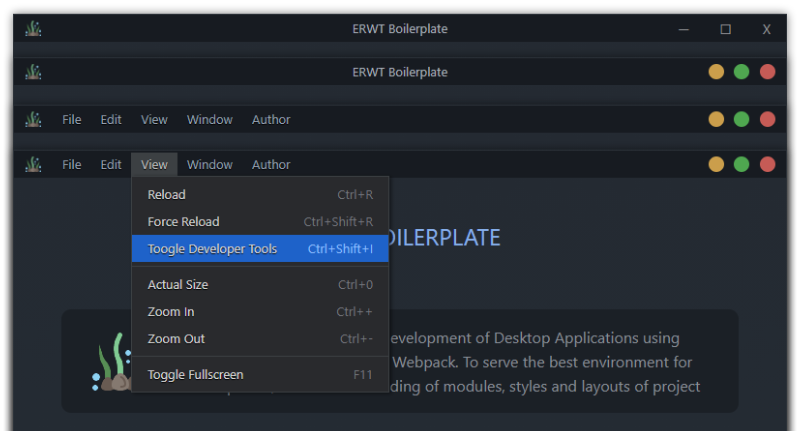
This project now includes custom [Electron Window](https://github.com/guasam/electron-window), Titlebar, Menu Items, Window Controls & application icon etc by default. Menu items and windows controls layout or colors can be customized easily by modifying the `misc/window` modules. The `windows` platform buttons are being used by default in the Titlebar.
Menubar can be toggled by pressing `ALT` key
## Core Features
- 📐 Custom Window & Titlebar with Menus
- 🌟 Electron
- 🌀 TypeScript
- ⚛️ React
- 🛶 LESS Loader
- 🎨 CSS Loader
- 📸 Image Loader
- 🆎 Font Loader
- 🧹 ESLint
- 📦 Electron Forge
- 🔱 Webpack & Configuration
- 🧩 Aliases for project paths
- 🔥 Hot Module Replacement (Live Reload)
- 🎁 Package Bundling (Distribution / Release)
## Installation
To clone the ERWT boilerplate, you need to run following commands:

Master version of ERWT contains project files in separate context for main and renderer process, uses custom window, custom titlebar & menus.
```bash
git clone --recurse-submodules https://github.com/codesbiome/electron-react-webpack-typescript-2022
```
OR

Minimal version of ERWT contains very simple project files structure, no custom window, no custom titlebar & menus.
```bash
git clone -b minimal https://github.com/codesbiome/electron-react-webpack-typescript-2022
```
Install dependencies using [Yarn](https://www.npmjs.com/package/yarn) or [NPM](https://www.npmjs.com/) :
```bash
yarn install
```
## Start : Development
To develop and run your application, you need to run following command.
Start electron application for development :
```bash
yarn start
```
## Lint : Development
To lint application source code using ESLint via this command :
```bash
yarn lint
```
## Package : Production
Customize and package your Electron app with OS-specific bundles (.app, .exe etc)
```bash
yarn package
```
## Make : Production
Making is a way of taking your packaged application and making platform specific distributables like DMG, EXE, or Flatpak files (amongst others).
```bash
yarn make
```
## Publish : Production
Publishing is a way of taking the artifacts generated by the `make` command and sending them to a service somewhere for you to distribute or use as updates. (This could be your update server or an S3 bucket)
```bash
yarn publish
```
## Packager & Makers Configuration
This provides an easy way of configuring your packaged application and making platform specific distributables like DMG, EXE, or Flatpak files.
This configurations file is available in :
```bash
tools/forge/forge.config.js
```
For further information, you can visit [Electron Forge Configuration](https://www.electronforge.io/configuration)