env-typed-config
Never write strings to read config again.




## Features
- Load your configuration with environment variables, json/yaml/toml configuration files or remote endpoints.
- Validate your configuration with [class-validator](https://github.com/typestack/class-validator) and [class-transformer](https://github.com/typestack/class-transformer).
- Provide easy to use options by default, meanwhile everything is customizable.
## Installation
```bash
$ npm i env-typed-config
```
`env-typed-config` will install the dependencies for all loaders by default. If you care about dependency size and bootstrap time, please checkout [the guide to skip optional dependencies](./OPTIONAL-DEP.md).
## Inspiration
There are various popular configuration modules for [Nest framework](https://github.com/nestjs/nest), such as the [official configuration module](https://github.com/nestjs/config), [nestjs-config](https://github.com/nestjsx/nestjs-config) and [nestjs-easyconfig](https://github.com/rubiin/nestjs-easyconfig). These modules can help to manage configurations, validate them, and load them through the `ConfigService`. But that's when type-safety is gone. For example:
```ts
// @nestjs/config, with type-casting
const dbUser = this.configService.get('DATABASE_USER');
// nestjs-config, returns `any` type
const env = this.config.get('app.environment');
// nestjs-easyconfig, only string is supported
const value = this.config.get('key');
```
Writing type casting is a pain and hard to maintain, and it's common to use non-string configurations in real-world projects. This module aims to provide an intuitive and type-safe way to load, validate and use configurations. Just import any config model, and inject it with full TypeScript support. In a nutshell:
```toml
#.env.toml
[server]
host = "localhost"
port = 3000
```
```ts
// config.ts
export class AppConfig {
@IsString()
public readonly host!: string;
@IsNumber()
public readonly port!: number;
}
// typed.config.ts
import { AppConfig } from './config';
export const config = await defineConfig({
schema: AppConfig,
load: fileLoader(),
});
console.log(config.host); // "localhost"
```
## Quick Start
Let's define the configuration model first. It can be nested at arbitrary depth.
```ts
// config.ts
import { Allow, ValidateNested } from 'class-validator';
// validator is omitted for simplicity
export class TableConfig {
@Allow()
public readonly name!: string;
}
export class DatabaseConfig {
@Type(() => TableConfig)
@ValidateNested()
public readonly table!: TableConfig;
}
export class RootConfig {
@Type(() => DatabaseConfig)
@ValidateNested()
public readonly database!: DatabaseConfig;
}
```
Then, add a configuration file such as `.env.yaml` under project root directory:
```yaml
database:
table:
name: example
```
## Using loaders
### Using dotenv loader
The `dotenvLoader` function allows you to load configuration with [dotenv](https://github.com/motdotla/dotenv), which is similar to the [official configuration module](https://github.com/nestjs/config). You can use this loader to load configuration from `.env` files or environment variables.
#### Example
```ts
const config defineConfig({
schema: RootConfig,
load: dotenvLoader({
/* options */
}),
});
```
#### Passing options
The `dotenvLoader` function optionally expects a `DotenvLoaderOptions` object as a first parameter:
````ts
export interface DotenvLoaderOptions {
/**
* If set, use the separator to parse environment variables to objects.
*
* @example
*
* ```bash
* app__port=8080
* db__host=127.0.0.1
* db__port=3000
* ```
*
* if `separator` is set to `__`, environment variables above will be parsed as:
*
* ```json
* {
* "app": {
* "port": 8080
* },
* "db": {
* "host": "127.0.0.1",
* "port": 3000
* }
* }
* ```
*/
separator?: string;
/**
* If "true", environment files (`.env`) will be ignored.
*/
ignoreEnvFile?: boolean;
/**
* If "true", predefined environment variables will not be validated.
*/
ignoreEnvVars?: boolean;
/**
* Path to the environment file(s) to be loaded.
*/
envFilePath?: string | string[];
/**
* A boolean value indicating the use of expanded variables.
* If .env contains expanded variables, they'll only be parsed if
* this property is set to true.
*
* Internally, dotenv-expand is used to expand variables.
*/
expandVariables?: boolean;
}
````
### Using file loader
The `fileLoader` function allows you to load configuration with [cosmiconfig](https://github.com/davidtheclark/cosmiconfig). You can use this loader to load configuration from files with various extensions, such as `.json`, `.yaml`, `.toml` or `.js`.
By default, `fileLoader` searches for `.env.{ext}` (ext = json, yaml, toml, js) configuration file starting at `process.cwd()`, and continues to search up the directory tree until it finds some acceptable configuration (or hits the home directory). Moreover, configuration of current environment takes precedence over general configuration (`.env.development.toml` is loaded instead of `.env.toml` when `NODE_ENV=development`)
#### Example
```ts
defineConfig({
schema: RootConfig,
load: fileLoader({
/* options */
}),
});
```
#### Passing options
The `fileLoader` function optionally expects a `FileLoaderOptions` object as a first parameter:
```ts
import { OptionsSync } from 'cosmiconfig';
export interface FileLoaderOptions extends Partial {
/**
* basename of config file, defaults to `.env`.
*
* In other words, `.env.yaml`, `.env.yml`, `.env.json`, `.env.toml`, `.env.js`
* will be searched by default.
*/
basename?: string;
/**
* Use given file directly, instead of recursively searching in directory tree.
*/
absolutePath?: string;
/**
* The directory to search from, defaults to `process.cwd()`. See: https://github.com/davidtheclark/cosmiconfig#explorersearch
*/
searchFrom?: string;
/**
* If "true", ignore environment variable substitution.
* Default: true
*/
ignoreEnvironmentVariableSubstitution?: boolean;
}
```
If you want to add support for other extensions, you can use [`loaders`](https://github.com/davidtheclark/cosmiconfig#loaders) property provided by `cosmiconfig`:
```ts
defineConfig({
schema: RootConfig,
load: fileLoader({
// .env.ini has the highest priority now
loaders: {
'.ini': iniLoader,
},
}),
});
```
#### Passing options
The `directoryLoader` function optionally expects a `DirectoryLoaderOptions` object as a first parameter:
```ts
import { OptionsSync } from 'cosmiconfig';
export interface DirectoryLoaderOptions extends OptionsSync {
/**
* The directory containing all configuration files.
*/
directory: string;
/**
* File regex to include.
*/
include?: RegExp;
/**
* If "true", ignore environment variable substitution.
* Default: true
*/
ignoreEnvironmentVariableSubstitution?: boolean;
/**
* If "true", disallow undefined environment variables.
* Default: true
*/
disallowUndefinedEnvironmentVariables?: boolean;
}
```
If you want to add support for other extensions, you can use [`loaders`](https://github.com/davidtheclark/cosmiconfig#loaders) property provided by `cosmiconfig`:
```ts
defineConfig({
schema: RootConfig,
load: directoryLoader({
directory: '/path/to/configuration',
// .env.ini has the highest priority now
loaders: {
'.ini': iniLoader,
},
}),
});
```
### Using multiple loaders
Loading configuration from file system is convenient for development, but when it comes to deployment, you may need to load configuration from environment variables, especially in a dockerized environment. This can be easily achieved by providing multiple loaders. For example:
```ts
defineConfig({
schema: RootConfig,
// Loaders having larger index take precedence over smaller ones,
// make sure dotenvLoader comes after fileLoader ensures that
// environment variables always have the highest priority
load: [
fileLoader({
/* options */
}),
dotenvLoader({
/* options */
}),
],
});
```
### Using custom loader
If native loaders provided by `env-typed-config` can't meet your needs, you can implement a custom loader. This can be achieved by providing a function which returns the configuration object synchronously or asynchronously through the `load` option. For example:
```ts
defineConfig({
schema: RootConfig,
load: async () => {
return {
host: '127.0.0.1',
port: 3000,
};
},
});
```
## Uses of environment variable substitutions
The `${PORT}` substitution feature lets you use environment variable in some nice ways.
If you have config file with like the below one
```yaml
database:
host: 127.0.0.1
port: ${PORT}
```
And you have set environment variable for port
```bash
PORT=9000
```
And set ignoreEnvironmentVariableSubstitution to false in the FileLoaderOptions
```
load: fileLoader({
ignoreEnvironmentVariableSubstitution: false,
}),
```
then `fileloader` will resolve `${PORT}` placeholder and replace with environment variable.
And you will get new config like below one
```yaml
database:
host: 127.0.0.1
port: 9000
```
## Default values
Just define your default values in config schema, and you are ready to go:
```ts
// config.ts
export class Config {
@IsString()
public readonly host: string = '127.0.0.1';
@IsNumber()
public readonly port: number = 3000;
}
```
## Transforming the raw configuration
Environment variables are always loaded as strings, but configuration schemas are not. In such case, you can transform the raw config with `normalize` function:
```ts
// config.ts
export class Config {
@IsString()
public readonly host: string;
@IsNumber()
public readonly port: number;
}
// typed.config.ts
defineConfig({
schema: RootConfig,
load: dotenvLoader(),
normalize(config) {
config.port = parseInt(config.port, 10);
return config;
},
});
```
## Custom getters
You can define custom getters on config schema to extract common logic:
```ts
export class Config {
@IsString()
public readonly host: string = '127.0.0.1';
@IsNumber()
public readonly port: number = 3000;
@IsString()
public get url(): string {
return `http://${this.host}:${this.port}`;
}
}
```
## Custom validate function
If the default `validate` function doesn't suite your use case, you can provide it like in the example below:
```ts
defineConfig({
schema: RootConfig,
validate: (rawConfig: any) => {
const config = plainToClass(RootConfig, rawConfig);
const schemaErrors = validateSync(config, {
forbidUnknownValues: true,
whitelist: true,
});
if (schemaErrors.length) {
throw new Error(TypedConfigModule.getConfigErrorMessage(schemaErrors));
}
return config as RootConfig;
},
});
```
## License
[MIT](LICENSE).
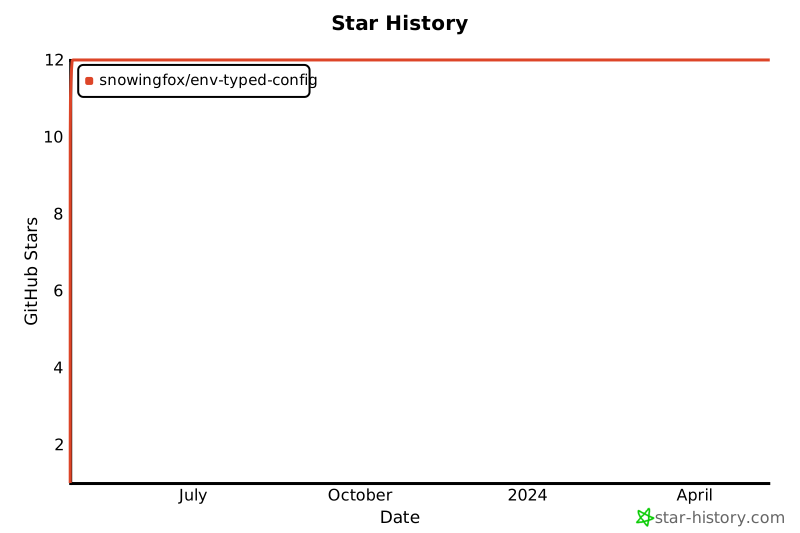
## Star History
[](https://star-history.com/#snowingfox/env-typed-config&Date)
## License
[MIT](./LICENSE) License © 2023 [Snowingfox](https://github.com/snowingfox)