# ewuit
means => an easy web ui inspect tool
## Demo
| H5 | PC |
| ---------------------------------------------------------------------------------------------- | ---------------------------------------------------------------------------------------------- |
|  |
| 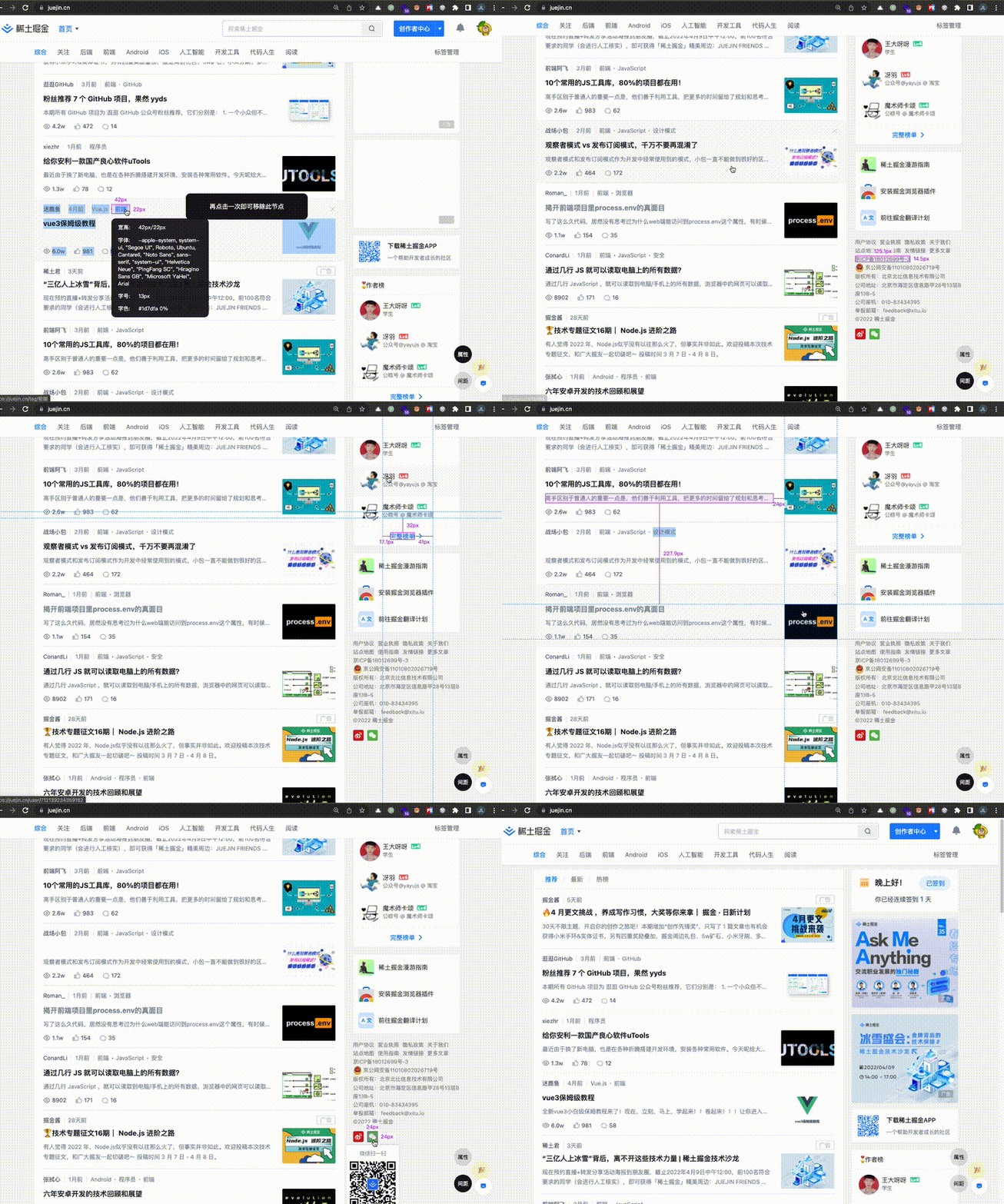 |
## QuickStart
append this code in your html template
```html
```
## Installed
### CDN
add script in html template
```html
```
### NPM
```sh
# npm
npm i ewuit
# yarn
yarn add ewuit
# pnpm
pnpm add ewuit
```
```ts
import Ewuit from 'ewuit'
```
## Usage
### UI
```js
const ewuit = new Ewuit()
// open a ui tool
ewuit.openUI()
// close a ui tool
ewuit.closeUI()
```
### API
You can use these apis instead of UI action panels
```js
const ewuit = new Ewuit()
ewuit.call('attribute',true)
ewuit.call('attribute',false)
ewuit.call('distance',true)
ewuit.call('distance',false)
```
### Options
>[Ops types](./src/types/index.ts)
```js
// defaultValue
const ops = {
scroll: false,
}
const ewuit = new Ewuit(ops)
```
* scroll: Whether the page is scrollable;default `false`
## TODO
* [x] Check Element Attribute
* [x] Check Element Distance
* [ ] Support More DIY Feature
|
## QuickStart
append this code in your html template
```html
```
## Installed
### CDN
add script in html template
```html
```
### NPM
```sh
# npm
npm i ewuit
# yarn
yarn add ewuit
# pnpm
pnpm add ewuit
```
```ts
import Ewuit from 'ewuit'
```
## Usage
### UI
```js
const ewuit = new Ewuit()
// open a ui tool
ewuit.openUI()
// close a ui tool
ewuit.closeUI()
```
### API
You can use these apis instead of UI action panels
```js
const ewuit = new Ewuit()
ewuit.call('attribute',true)
ewuit.call('attribute',false)
ewuit.call('distance',true)
ewuit.call('distance',false)
```
### Options
>[Ops types](./src/types/index.ts)
```js
// defaultValue
const ops = {
scroll: false,
}
const ewuit = new Ewuit(ops)
```
* scroll: Whether the page is scrollable;default `false`
## TODO
* [x] Check Element Attribute
* [x] Check Element Distance
* [ ] Support More DIY Feature