# Generate Git Commits
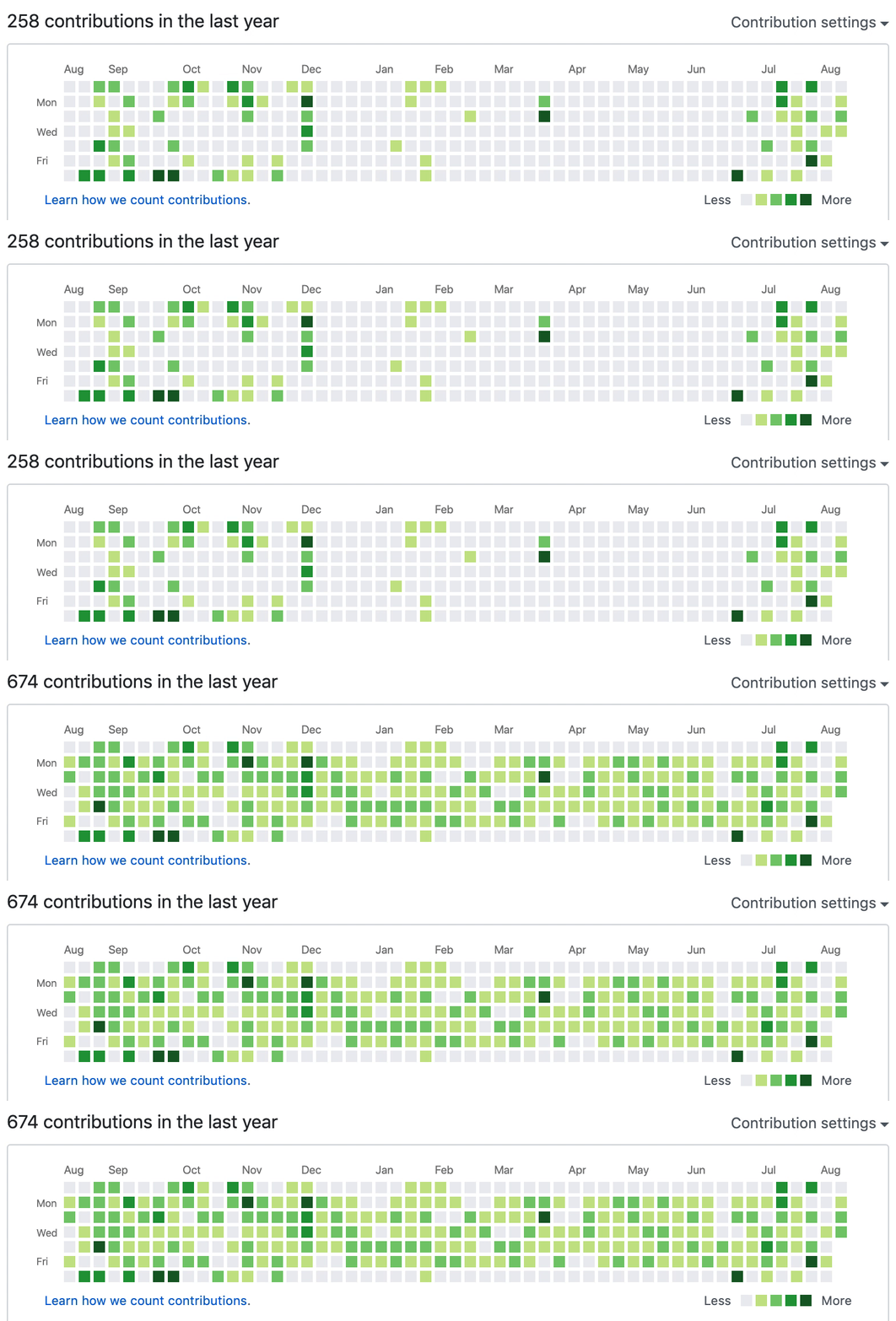
A command-line tool that generates GitHub or GitLab activity graphs to make it look like you have been coding regularly.
 ## How To Use
1. Ensure you have [Git](https://git-scm.com/book/en/v2/Getting-Started-Installing-Git) and
[Node.js](https://nodejs.org/en/download/) installed on your machine.
2. Generate your commits:
```shell script
npx fake-git-history
```
This command creates a my-history folder and generates commits with the following default settings:
- Date range: Last 365 days
- Commits per day: Between 0 and 4
- Frequency: Commits generated for approximately 80% of days
- Distribution: Evenly distributed throughout the day
3. Create [a private repository](https://github.com/new) called `my-history` in your GitHub or GitLab, and push the changes:
```shell script
cd my-history
git remote add origin git@github.com:/my-history.git
git push -u origin master
```
Done! Now take a look at your GitHub profile 😉
## Support This Project
If you rely on this tool and find it useful, please consider supporting it. Maintaining an open source project takes time, and a cup of coffee would be greatly appreciated!
## How To Use
1. Ensure you have [Git](https://git-scm.com/book/en/v2/Getting-Started-Installing-Git) and
[Node.js](https://nodejs.org/en/download/) installed on your machine.
2. Generate your commits:
```shell script
npx fake-git-history
```
This command creates a my-history folder and generates commits with the following default settings:
- Date range: Last 365 days
- Commits per day: Between 0 and 4
- Frequency: Commits generated for approximately 80% of days
- Distribution: Evenly distributed throughout the day
3. Create [a private repository](https://github.com/new) called `my-history` in your GitHub or GitLab, and push the changes:
```shell script
cd my-history
git remote add origin git@github.com:/my-history.git
git push -u origin master
```
Done! Now take a look at your GitHub profile 😉
## Support This Project
If you rely on this tool and find it useful, please consider supporting it. Maintaining an open source project takes time, and a cup of coffee would be greatly appreciated!
 ## Customizations
### `--preview`
If you want to preview the activity graph before creating any commits, use the `--preview` flag:
```shell script
npx fake-git-history --preview
```
You can combine it with other options:
```shell script
npx fake-git-history --preview --distribution workHours --frequency 100
```
### `--frequency`
Control the chance (0-100%) of generating commits for each day. This makes your activity graph look more random and realistic.
The default value is `80`, which means commits will be generated for 80% of the days in the date range. Setting a lower value will randomly skip more days:
```shell script
npx fake-git-history --frequency 50
```
This will generate commits for approximately 50% of the days in your date range, making the pattern look more natural.
### `--distribution`
Choose the distribution pattern for generating commits:
- `uniform` (default): Evenly distributed random commits between min and max
- `workHours`: More commits during work hours (9am-5pm) and on weekdays (especially Tuesday-Thursday)
- `afterWork`: More commits during evenings and weekends
#### Work Hours Pattern
For a typical work schedule pattern that shows more activity during weekdays:
```shell script
npx fake-git-history --distribution workHours --preview
```
Days between Tuesday and Thursday will have the most activity, while weekends will be mostly empty.
#### After Work Pattern
For an evening/weekend coder pattern that shows more activity during off-hours:
```shell script
npx fake-git-history --distribution afterWork --preview
```
Saturday and Sunday will have the most activity, with Friday evenings also showing higher commit counts.
### `--startDate` and `--endDate`
By default, the script generates GitHub commits for every day within the last year.
But if you want to generate activity for specific dates, use these options:
```shell script
npx fake-git-history --startDate "2020/09/01" --endDate "2020/09/30"
```
### `--commitsPerDay`
Specify the number of commits to create for each day.
The default is `0,4`,but you can change it:
```shell script
npx fake-git-history --commitsPerDay "0,6"
```
## PS
This tool was created as a joke, so please don't take it seriously. While cheating is never encouraged, if someone is judging your professional skills based on your GitHub activity graph, they deserve to see a rich activity graph 🤓
## Customizations
### `--preview`
If you want to preview the activity graph before creating any commits, use the `--preview` flag:
```shell script
npx fake-git-history --preview
```
You can combine it with other options:
```shell script
npx fake-git-history --preview --distribution workHours --frequency 100
```
### `--frequency`
Control the chance (0-100%) of generating commits for each day. This makes your activity graph look more random and realistic.
The default value is `80`, which means commits will be generated for 80% of the days in the date range. Setting a lower value will randomly skip more days:
```shell script
npx fake-git-history --frequency 50
```
This will generate commits for approximately 50% of the days in your date range, making the pattern look more natural.
### `--distribution`
Choose the distribution pattern for generating commits:
- `uniform` (default): Evenly distributed random commits between min and max
- `workHours`: More commits during work hours (9am-5pm) and on weekdays (especially Tuesday-Thursday)
- `afterWork`: More commits during evenings and weekends
#### Work Hours Pattern
For a typical work schedule pattern that shows more activity during weekdays:
```shell script
npx fake-git-history --distribution workHours --preview
```
Days between Tuesday and Thursday will have the most activity, while weekends will be mostly empty.
#### After Work Pattern
For an evening/weekend coder pattern that shows more activity during off-hours:
```shell script
npx fake-git-history --distribution afterWork --preview
```
Saturday and Sunday will have the most activity, with Friday evenings also showing higher commit counts.
### `--startDate` and `--endDate`
By default, the script generates GitHub commits for every day within the last year.
But if you want to generate activity for specific dates, use these options:
```shell script
npx fake-git-history --startDate "2020/09/01" --endDate "2020/09/30"
```
### `--commitsPerDay`
Specify the number of commits to create for each day.
The default is `0,4`,but you can change it:
```shell script
npx fake-git-history --commitsPerDay "0,6"
```
## PS
This tool was created as a joke, so please don't take it seriously. While cheating is never encouraged, if someone is judging your professional skills based on your GitHub activity graph, they deserve to see a rich activity graph 🤓