# Flashy

[](https://travis-ci.org/alex-zissis/flashy)
Flashy is a 0 dependancy, lightweight flash messages library built using vanilla web components.
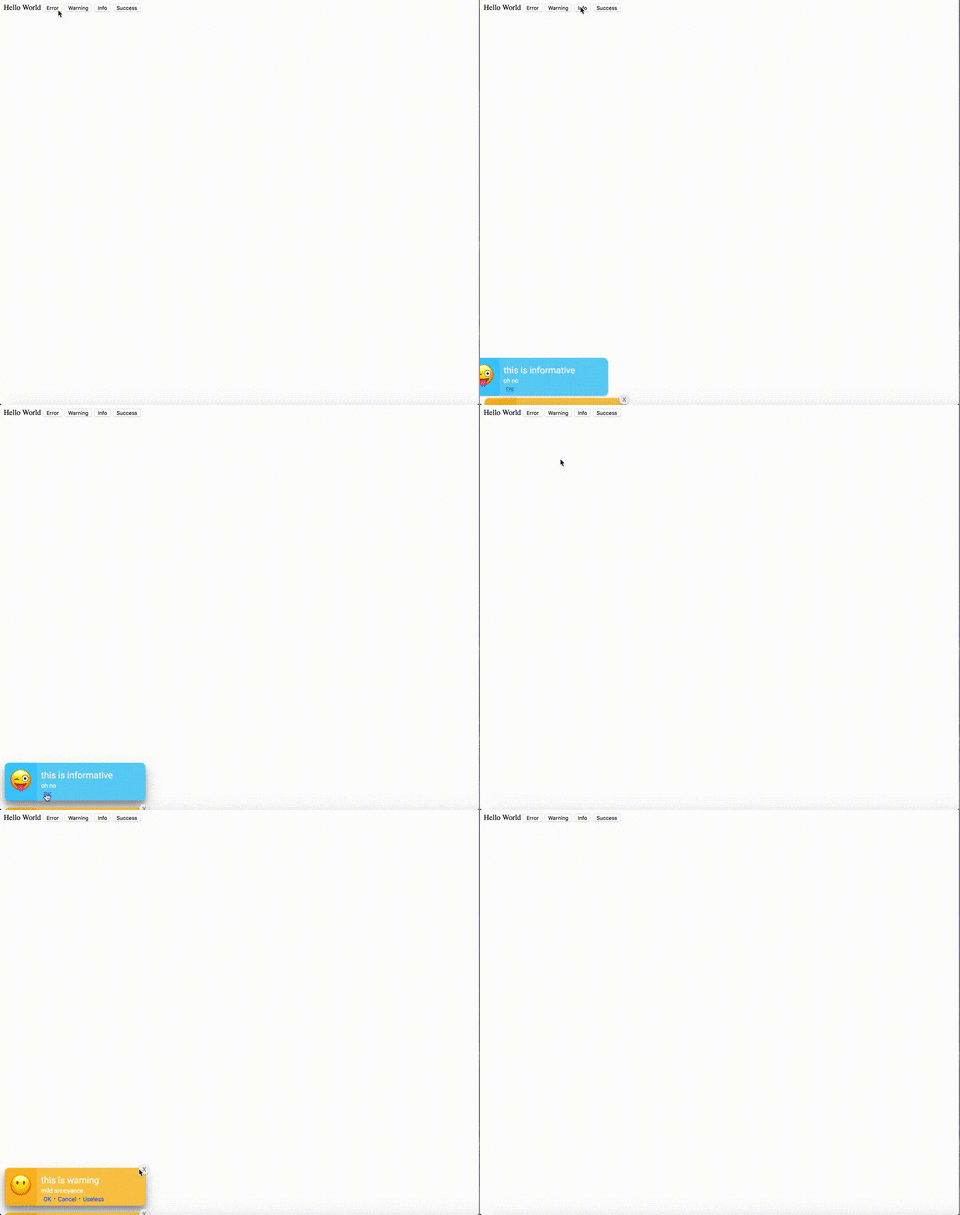
## Demo
[Demo Page](https://alex-zissis.github.io/flashy)
## Installation
#### HTML
Simply include Flashy in your HTML using UNPKG
```html
```
or
```html
```
#### Bower
Coming soon...
## Contributing
## To Do
- [x] Create core functionality
- [x] Allow for custom styles to be passed
- [x] Allow for custom emojis to be passed to the flash message
- [ ] Allow for other icons (svg, fa etc.) to be passed to the flash message
- [ ] Allow for custom flash message types
## Usage
```html
```
To start with inject the *flash-messages* element into your HTML. This acts as a container to all the messages.
##### Attributes
| Attribute | Type | Required | Default | Description |
|-------------------|------|----------|---------|------------------------------------------------------------------------------------------------------------------------|
| data-max-messages | int | false | 10 | The maximum amount of messages to store in the queue. When the maximum is reached, the oldest message will be removed. |
Importing the package exposes the global variable Flashy, which is a function.
### Functions
#### Flashy(querySelector, options)
The Flashy function creates a new flash message to display to the user. The Flashy functions accepts two paramaters, querySelector and options.
##### Parameters
| Parameter | Type | Required | Description |
|---------------|--------|----------|----------------------------------------------------|
| querySelector | string | true | The query selector to the element |
| options | object | true | Flash message config, see below table. |
###### Options
The acceptable values in the options object.
|Key| Type | Required | Allowable Values | Description |
|--|--|--|--|--|
| *type* | string | true | error / warning / info / success | The type of the flash message |
| *title* | string | false | N/A | The title of the flash message |
| *message* | string | false | N/A | The message displayede |
| *expiry* | string | false | N/A (defaults to 0) | Time in MS until message will expire and disappear |
| *globalClose* | boolean | false | *true* / false | Adds a close button to the flash message |
| *styles* | object | false | N/A | CSS styles to customise the flash message. See below for the style definition |
###### Buttons
| Key | Type | Required | Allowable Values | Description |
|-------------|----------|----------|------------------|-------------------------------------------------------------------|
| *text* | string | true | N/A | Text to be shown on the button |
| *action* | function | false | N/A | Function to be run when the button is clicked |
| *closesFlash* | boolean | false | *true* / false | If set to true, clicking the button will remove the flash message |
###### Styles
| Key | Type | Required | Allowable Values | Description |
|---------------------|-----------------|----------|------------------|-------------------------------------------------------------------------------------------------|
| flashColor | CSS Color | false | N/A | Background color of the flash message |
| titleTextColor | CSS Color | false | N/A | Color of the flash message title |
| titleTextFont | CSS Font Family | false | N/A | Font family attribute of the flash message title |
| msgTextColor | CSS Color | false | N/A | Color of the flash message content |
| msgTextFont | CSS Font Family | false | N/A | Font family attribute of the flash message content |
| linkTextColor | CSS Color | false | N/A | Color of the flash message buttons/links |
| linkTextFont | CSS Font Family | false | N/A | Font family attribute of the flash message buttons/links |
| icon | object | false | N/A | Object specifying the icon to be displayed with the message. See below for the icon definition |
| iconBackgroundColor | CSS Color | false | N/A | Background color behind the icon |
###### Icon
| Key | Type | Required | Allowable Values | Description |
|------|--------|----------|------------------|----------------------------------------------------|
| type | string | true | *unicode* | Type of the icon (more to be added soon) |
| val | any | true | N/A | Value of the icon. For unicode, character literal. |
##### Examples
###### Generic flash message
```javascript
Flashy('flash-messages',
{
type: 'success',
title: 'It worked',
message: 'Lets rejoice',
}
);
```
###### Expiring flash message
```javascript
Flashy('flash-messages',
{
type: 'info',
title: 'Act quick',
message: 'This will be gone in 5 seconds!',
expiry: 5000,
globalClose: false,
}
);
```
###### Action required
```javascript
Flashy('flash-messages',
{
type: 'warning',
title: 'Action required',
message: 'Something happened and you need to click the button below or this will stay here',
globalClose: false,
buttons: [
{
text: 'OK',
action: myCoolFunction,
closesFlash: true,
},
{
text: 'Cancel',
action: myBoringFunction,
closesFlash: false,
},
],
}
);
```
###### Custom styling
```JavaScript
Flashy('flash-messages', {
type: 'error',
title: 'Custom styled',
message: 'This is really ugly, so it will only last for 5 seconds',
expiry: 5000,
buttons: [
{
text: 'Close it now!',
closesFlash: true,
},
],
globalClose: true,
styles: {
flashColor: '#fff',
titleTextColor: '#000',
titleTextFont: '\'Arial\' sans-serif',
msgTextColor: 'pink',
msgTextFont: '\'Arial\' sans-serif',
linkTextColor: 'black',
linkTextFont: '\'Arial\' sans-serif',
icon: {
type: 'unicode',
val: '🤑',
},
iconBackgroundColor: 'grey',
}
});
```
Check out the website for project website https://alex-zissis.github.io/flashy