# Vanilla JS Datepicker
A vanilla JavaScript remake of [bootstrap-datepicker](https://github.com/uxsolutions/bootstrap-datepicker) for [Bulma](https://bulma.io) and other CSS frameworks
This package is written from scratch as ECMAScript modules/[Sass](https://sass-lang.com) stylesheets to reproduce similar usability to bootstrap-datepicker.
It can work either standalone or with CSS framework (e.g. [Bootstrap](https://getbootstrap.com), [Foundation](https://get.foundation)), but works best with [Bulma](https://bulma.io) as it's developed primarily for Bulma.
The package also includes pre-built js/css files for those who like to use it directly on browser.
##### Features
- Date picker (input-dropdown, inline), date range picker
- Keyboard operation support (navigation by arrow keys, editing on input field)
- i18n support (locales, CSS-based text direction detection)
- Easily customizable to adapt stylesheet for various CSS frameworks
- Dependency free
- Made for modern browsers — no IE support
- Lightweight (well, relatively…) — 33kB (minified, uncompressed)
##### Demo
[Live Online Demo](https://raw.githack.com/mymth/vanillajs-datepicker/v1.1.4/demo/)
## Quick Start
Install the package using npm.
```bash
npm install --save-dev vanillajs-datepicker
```
##### Date picker
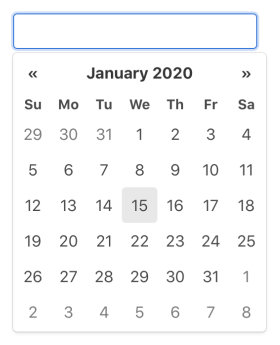
– **Input picker**
1. create a text input element.
```html
```
2. import the `Datepicker` module.
```javascript
import Datepicker from 'path/to/node_modules/vanillajs-datepicker/js/Datepicker.js';
```
_Or if you use a bundler that supports [pkg.module](https://github.com/rollup/rollup/wiki/pkg.module) (e.g. [Rollup](https://rollupjs.org/) with [node-resolve](https://github.com/rollup/plugins/tree/master/packages/node-resolve) plugin, [webpack](https://webpack.js.org/))_
```javascript
import { Datepicker } from 'vanillajs-datepicker';
```
_Or if your bundler supports [package entry points](https://nodejs.org/api/packages.html#packages_package_entry_points) (e.g. Rollup with node-resolve plugin v8.4+, webpack v5+), you can also do this._
```javascript
import Datepicker from 'vanillajs-datepicker/Datepicker';
```
3. call `Datepicker` constructor with the input element and, optionally, [config options](options).
```javascript
const elem = document.querySelector('input[name="foo"]');
const datepicker = new Datepicker(elem, {
// ...options
});
```
– **Inline picker**
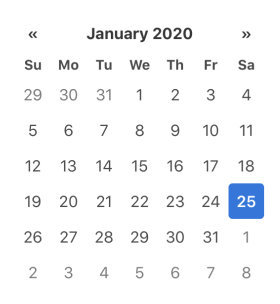
1. create a block element.
```html
```
2. import the `Datepicker` module in the same way as Input picker.
3. call `Datepicker` constructor with the block element and, optionally, [config options](options).
```javascript
const elem = document.getElementById('foo');
const datepicker = new Datepicker(elem, {
// ...options
});
```
##### Date range picker
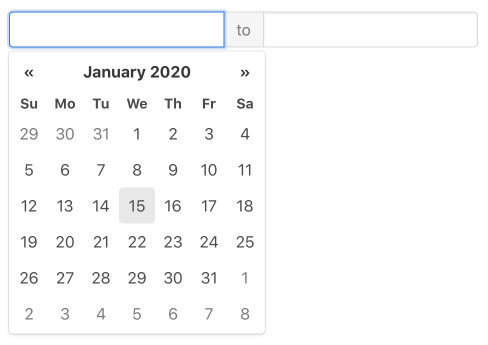
1. create a block element that contains 2 text input elements.
```html
to
```
2. import the `DateRangePicker` module.
```javascript
import DateRangePicker from 'path/to/node_modules/vanillajs-datepicker/js/DateRangePicker.js';
```
_Or if you use a bundler that supports [pkg.module](https://github.com/rollup/rollup/wiki/pkg.module) (e.g. [Rollup](https://rollupjs.org/) with [node-resolve](https://github.com/rollup/plugins/tree/master/packages/node-resolve) plugin, [webpack](https://webpack.js.org/))_
```javascript
import { DateRangePicker } from 'vanillajs-datepicker';
```
_Or if your bundler supports [package entry points](https://nodejs.org/api/packages.html#packages_package_entry_points) (e.g. Rollup with node-resolve plugin v8.4+, webpack v5+), you can also do this._
```javascript
import DateRangePicker from 'vanillajs-datepicker/DateRangePicker';
```
3. call `DateRangePicker` constructor with the block element and, optionally, [config options](options).
```javascript
const elem = document.getElementById('foo');
const rangepicker = new DateRangePicker(elem, {
// ...options
});
```
##### Stylesheet
1. import scss file.
```scss
@import 'path/to/node_modules/vanillajs-datepicker/sass/datepicker';
```
### Using with CSS framework
#### Bulma
1. import scss file for Bulma instead.
```scss
@import 'path/to/node_modules/vanillajs-datepicker/sass/datepicker-bulma';
```
#### Bootstrap
1. use `buttonClass: 'btn'` option to call `Datepicker`/`DateRangePicker` constructor.
```javascript
const datepicker = new Datepicker(elem, {
buttonClass: 'btn',
});
```
2. import scss file for Bootstrap instead.
```scss
@import 'path/to/node_modules/vanillajs-datepicker/sass/datepicker-bs4';
```
#### Foundation
1. import scss file for Foundation instead.
```scss
@import 'path/to/node_modules/vanillajs-datepicker/sass/datepicker-foundation';
```
#### Other frameworks
1. If the framework uses a specific class for button elements, set it to the `buttonClass` option to call `Datepicker`/`DateRangePicker` constructor.
```javascript
const datepicker = new Datepicker(elem, {
buttonClass: 'uk-button',
});
```
2. Copy the following template into your sass stylesheet, and edit the node_module path, the variables, button class and button style adjustments to match your environment.
```scss
/***
Copy the datepicker variables (the ones with `dp-` prefix and `!default` flag)
from `sass/Datepicker.scss` to here
Then, edit them using your framework's variables/values
e.g.:
$dp-background-color: $background !default;
$dp-border-color: $border !default;
...
***/
@import '../node_modules/vanillajs-datepicker/sass/mixins';
@mixin dp-button {
.button {
/***
Place style adjustment for date picker's buttons here, if needed
***/
.datepicker-header & {
@include dp-header-button-common;
/***
Place style adjustment specific to the header buttons here, if needed
***/
}
.datepicker-footer & {
@include dp-footer-button-common;
/***
Place style adjustment specific to the footer buttons here, if needed
***/
}
}
}
@import '../node_modules/vanillajs-datepicker/sass/datepicker';
```
### Using from Browser
1. From CDN, load css and js files.
```html
...
```
_If you use Bulma, Bootstrap or Foundation, you can use the css for your framework instead._
```html
```
_And if don't need date range, you can use the datepicker-only version of js file._
```html
```
2. Call `Datepicker`/`DateRangePicker` constructor in the same way as explained [above](?id=quick-start). (The classes are exposed to global scope.)
```javascript
const elem = document.querySelector('input[name="foo"]');
const datepicker = new Datepicker(elem, {
// ...options
});
```