# gatsby-remark-vega
Adds the ability to include a [Vega](https://vega.github.io/vega/) visualization from a markdown file.
## Usage
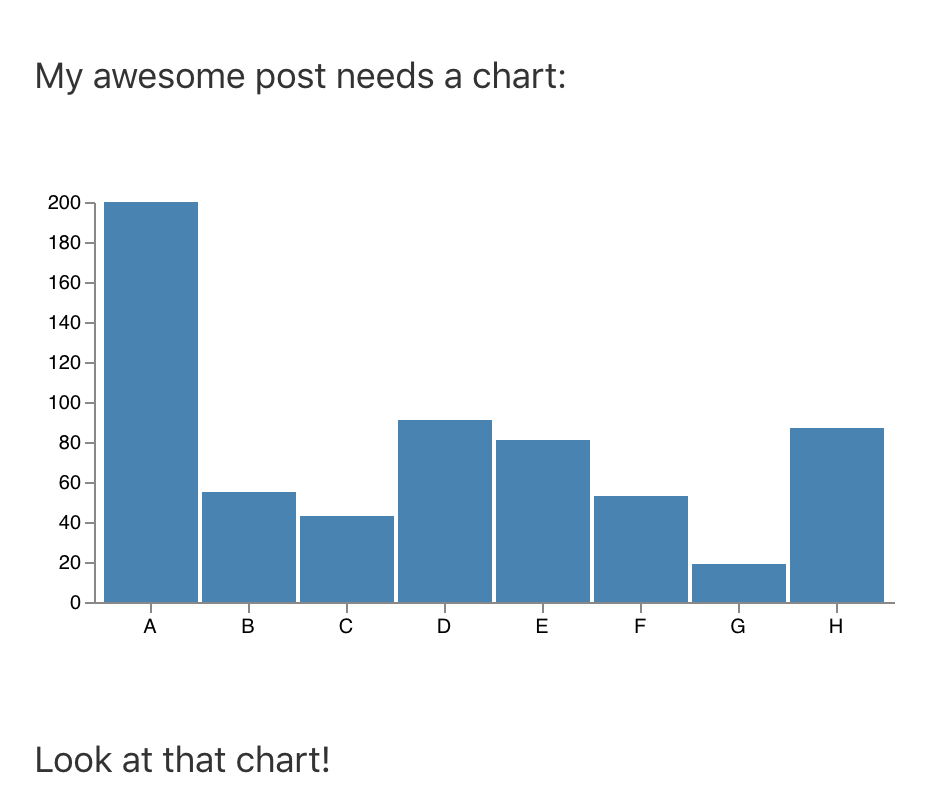
In your markdown, you can include `vega` JSON files like so:
```
My awesome post needs a chart:
`vega:chart.json`
Look at that chart!
```
The json file should sit within the same folder as the markdown file.
[An example repo demonstrating the plugin is available](https://github.com/thekevinscott/gatsby-remark-vega-example).
## Installation
The plugin can be installed with `npm` or `yarn`:
`npm install gatsby-transformer-remark rehype-react gatsby-remark-vega`
`yarn add gatsby-transformer-remark rehype-react gatsby-remark-vega`
The process for installing this plugin mimics that of [`gatsby-remark-component`](https://github.com/hebilicious/gatsby-remark-component).
### 1.
Include the plugin in `gatsby-config.js`, as a plugin option for `gatsby-transformer-remark`:
```
// In your gatsby-config.js
plugins: [
{
resolve: `gatsby-transformer-remark`,
options: {
plugins: [
`gatsby-remark-vega`,
],
},
},
];
```
### 2.
In your template, follow the same technique as showcased in `gatsby-remark-component`:
```
// within your markdown template
import rehypeReact from "rehype-react"
import Vega, { KEY as VegaKey } from "gatsby-remark-vega/dist/client";
const renderAst = new rehypeReact({
createElement: React.createElement,
components: {
[vegaKey]: Vega,
}
}).Compiler
```
### 3.
Where you render your markdown, replace:
```
```
with
```
{renderAst(post.htmlAst)}
```
### 4.
In your graphql query, make sure to select `htmlAst`:
```
...
markdownRemark(fields: { slug: { eq: $slug } }) {
htmlAst // previously `html`
...
}
```